Block 1 - Workflow Description
- Type / Role
- n8n-nodes-base.stickyNote - stickyNote
- Config choices
- Version 1


 Early Deal
This workflow is provided as-is. Please review and test before using in production.
This n8n workflow demonstrates how to automate a large scale personalized promotional email campaign, leveraging artificial intelligence to generate unique content for each recipient. Save time and...
n8n-nodes-base.stickynote, n8n-nodes-base.manualtrigger, n8n-nodes-base.googlesheets, n8n-nodes-base.splitinbatches, n8n-nodes-base.if, n8n-nodes-base.wait, n8n-nodes-base.code, n8n-nodes-base.emailsend
This workflow is cataloged by N8N Workflows and links back to its original n8n.io source page by Badr.
Original n8n.io sourceThis n8n workflow demonstrates how to automate a large-scale personalized promotional email campaign, leveraging artificial intelligence to generate unique content for each recipient.
Save time and increase the effectiveness of your marketing campaigns by allowing AI to handle the creation of personalized content and email sending.
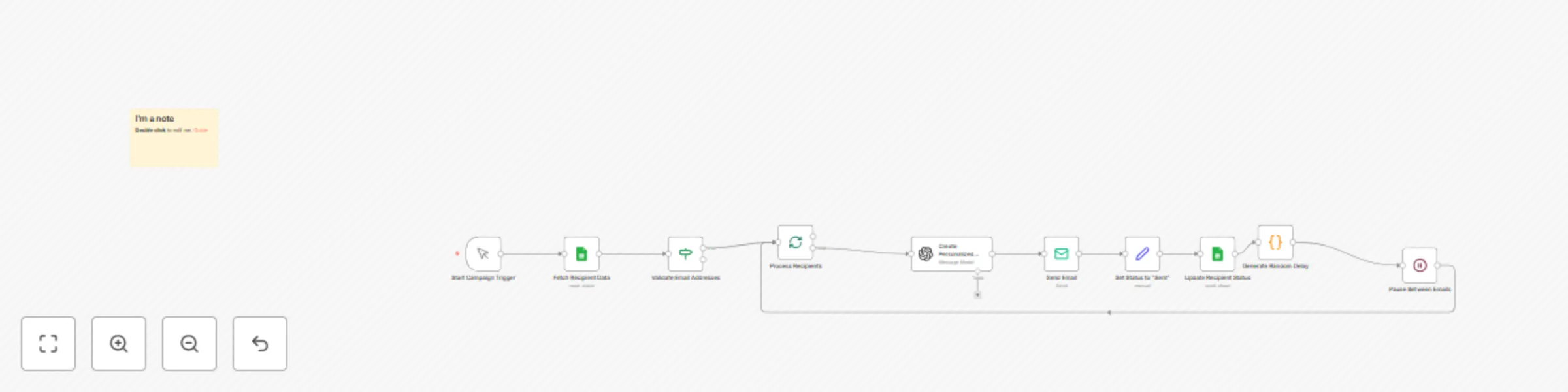
The workflow fetches recipient data from a Google Sheets document. It validates email addresses and checks if recipients haven't been contacted before. For each valid recipient, the AI agent (using GPT-3.5) generates a personalized email including the recipient's name, product introduction, exclusive offer, and a unique promotional link. The personalized email is sent via SMTP to the recipient. The workflow updates the Google Sheet to mark the recipient as contacted. A random delay is introduced between emails to mimic natural sending patterns and avoid triggering spam filters.
Google Sheets account for storing and managing recipient data. OpenAI account for access to the GPT-3.5 model. SMTP server for sending emails.
This example focuses on sending personalized promotional emails, but it could be extended to include follow-up sequences, tracking email opens and clicks, or integrating with a CRM system for more comprehensive customer management.
This catalog entry is organized from the workflow JSON. The node-level section below shows the executable blocks available for review before importing the template.
| Workflow | Automated email marketing campaign workflow |
|---|---|
| Complexity | intermediate |
| Nodes | 11 |
| Categories | Social Media, Multimodal AI |
| Author | Badr |
| Published | 06 Oct 2024 |
Use the JSON export at /data/workflows/2452/2452.json as the source template for this automation.
Open n8n, import the downloaded JSON, and review each node before activating the workflow.
Replace placeholder credentials, API keys, webhook URLs, account IDs, and environment-specific values with your own settings.
Run the workflow manually or in a staging workspace, inspect node output, and confirm downstream systems receive the expected data.
Enable the workflow only after testing, then monitor executions, errors, and rate limits during the first production runs.
Review imported nodes carefully before activation. This catalog entry is intended to help you inspect the workflow structure, understand required services, and find related templates faster.
Node names, credentials, schedules, webhook paths, and external service limits may need adjustment for your workspace.
This n8n workflow demonstrates how to automate a large scale personalized promotional email campaign, leveraging artificial intelligence to generate unique content for each recipient. Save time and...
Review the workflow JSON, configure any required credentials in n8n, and test the automation in a safe workspace before using it in production.
Yes. Use the block-by-block analysis and the downloadable JSON to inspect each node, then adjust credentials, prompts, schedules, filters, or destinations for your Social Media, Multimodal AI use case.