B

Badr

13
Workflows

Workflows by Badr

Workflow preview: LinkedIn talent pipeline: AI-powered candidate search & ranking with GPT-4o
Free advanced

LinkedIn talent pipeline: AI-powered candidate search & ranking with GPT-4o

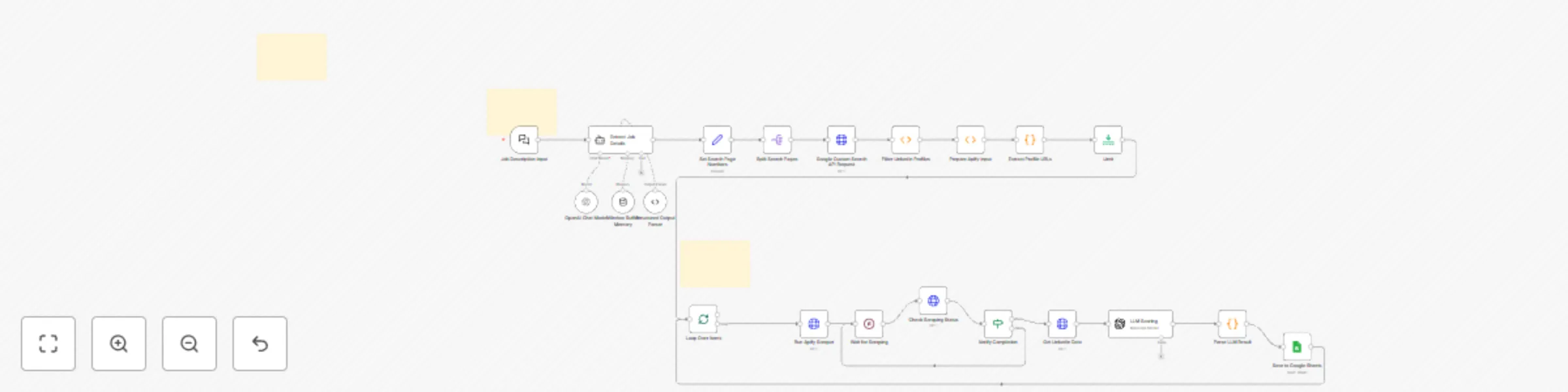
## The Ultimate AI Recruiting Solution for Finding Perfect Candidates with GPT-4o Are you tired of manually sifting through hundreds of LinkedIn profiles to find the right talent? Say goodbye to inefficient recruiting processes and embrace the power of AI-driven candidate selection. Our **AI Candidate Ranking Flow** automates the entire process from job description to ranked candidate lists, saving you countless hours while delivering superior results. ## 💼 Key Features & Benefits - **Automatic Candidate Discovery**: Finds relevant LinkedIn profiles based on your job requirements - **AI-Powered Profile Analysis**: Uses advanced GPT models to evaluate each candidate's fit - **Multi-Factor Scoring**: Analyzes skills, experience, and education match with precision - **Seamless Google Sheets Integration**: Export comprehensive results for team collaboration - **100% Automated Workflow**: No manual intervention needed after initial setup - **Custom Match Criteria**: Tailor scoring parameters to your specific needs ## 🚀 How It Works 1. **Simple Input**: Just provide a detailed job description 2. **Smart Extraction**: AI extracts key job requirements automatically 3. **Intelligent Search**: Workflow finds relevant LinkedIn profiles using Google Search API 4. **Deep Profile Analysis**: [Apify](https://www.apify.com?fpr=dx06p) scrapes comprehensive profile data 5. **Advanced AI Evaluation**: Candidates scored based on match to job requirements 6. **Organized Results**: Ranked candidates exported to Google Sheets ## 🛠️ Getting Started ### Prerequisites: - n8n workflow automation platform - Google Cloud account with Custom Search API enabled - [Apify account](https://www.apify.com?fpr=dx06p) for LinkedIn data extraction - Google Sheets for results storage ### Quick Setup Guide: 1. **Import Workflow**: Download and import our AI_Candidate_Ranking_Flow.json 2. **Set API Credentials**: - Configure your Google Custom Search API key - Connect your [Apify API token](https://www.apify.com?fpr=dx06p) - Set up Google Sheets OAuth connection . **Prepare Your Google Sheet**: * Create a new Google Sheet. In the first tab, create the following headers in the first row: `First Name`, `Last Name`, `LinkedIn URL`, `Match Score (0-100)`, `Skills Match`, `Experience Match`, `Summary`, `Ranking`. 3. **Customize Parameters**: Adjust AI matching criteria if needed 4. **Run & Analyze**: Start the workflow and watch AI do the heavy lifting! ## 💡 Pro Tips For Maximum Results - Provide detailed job descriptions with specific technical requirements - Include industry-specific terminology in your job description - Adjust LLM temperature settings for more creative or precise matching - Utilize multiple search result pages for a wider candidate pool - Export data to multiple sheets for different hiring managers ## 🔗 Essential Resources - [Apify LinkedIn Scraper](https://www.apify.com?fpr=dx06p) - Get deep LinkedIn profile data - [n8n Documentation](https://docs.n8n.io/) - Master workflow automation - [Google Custom Search Setup](https://developers.google.com/custom-search/docs/overview) - Configure search API ## ⚙️ Technical Specifications - Workflow Platform: n8n (latest version) - AI Models: OpenAI GPT-4o-mini with optional upgrades - Profile Data Source: [Apify LinkedIn Scrapers](https://www.apify.com?fpr=dx06p) - API Integrations: Google Custom Search, Apify, Google Sheets - Customization: Fully modifiable workflow and scoring parameters ## 🔒 Privacy & Compliance This workflow respects all LinkedIn terms of service by utilizing only publicly available profile information through Google Search results and legitimate API services. Data processing complies with GDPR and relevant data protection regulations. ## 🤔 Frequently Asked Questions **Q: Do I need programming knowledge to use this?** A: No! The workflow is completely visual and requires no coding experience. **Q: Can I customize the matching criteria?** A: Absolutely! The AI prompt and scoring system are fully customizable. **Q: Does this replace human recruiters?** A: No, it enhances their capabilities by handling the time-consuming initial screening. --- ## Get Started Today! Transform your recruiting process with our AI-Powered LinkedIn Candidate Ranking System. Import the workflow, connect your APIs, and start finding ideal candidates in minutes! **[Get Your Apify Account →](https://www.apify.com?fpr=dx06p)** --- *Keywords: ai recruiting, linkedin automation, candidate ranking, job matching algorithm, n8n workflow, recruiting automation, apify linkedin, ai hr tools*

B
Badr
HR
18 Jun 2025
804
0
Workflow preview: Clone LinkedIn writing styles with AI analysis & prompt generation to Airtable
Free advanced

Clone LinkedIn writing styles with AI analysis & prompt generation to Airtable

## Boost Your Content Speed & Grow Authority in Your LinkedIn Space **Are you tired of spending HOURS crafting the perfect LinkedIn posts?** This revolutionary n8n workflow is changing the game for content creators, marketing agencies, and business leaders worldwide. ### WHAT MAKES THIS TOOL A GAME-CHANGER The **LinkedIn Style Extractor & Prompt Generator** uses cutting-edge AI technology to analyze ANY LinkedIn profile, extract their unique writing fingerprint, and create custom AI prompts that perfectly replicate their style. Stop struggling with content creation - start publishing high-converting posts in minutes! ## PREMIUM FEATURES - **✅ Advanced LinkedIn Profile Mining**: Extracts *ALL* public posts from any LinkedIn profile with one click - **✅ AI Style Recognition Technology**: Our proprietary algorithm detects unique writing patterns, emotional triggers, persuasion techniques, and engagement hooks that make their content viral - **✅ Custom Prompt Engineering**: Creates pixel-perfect system prompts that force ANY AI to write exactly like your target influencer - their tone, structure, hooks, and signature style - **✅ Seamless Airtable Integration**: Automatically organizes and saves all your generated prompts in your Airtable database for instant access ## THREE SIMPLE STEPS TO CONTENT MASTERY 1. **ENTER ANY LINKEDIN PROFILE** - Just paste a URL or username into our simple form 2. **WAIT 60 SECONDS** - Our AI engine analyzes hundreds of data points to extract the exact writing formula 3. **GET YOUR CUSTOM PROMPT** - Use it with ChatGPT, Claude, or any AI to instantly create content that sounds *exactly* like them ## WHO NEEDS THIS TOOL? EVERYONE WHO WANTS TO WIN ON LINKEDIN! - **Marketing Agencies**: Create client content 10X faster while maintaining their exact voice and style - **Business Owners**: Clone your top competitor's writing style and beat them at their own game - **Content Creators**: Analyze viral influencers in your niche and adapt their winning formulas - **LinkedIn Coaches**: Scale your content creation while maintaining your authentic voice - **Personal Brands**: Ensure consistent messaging across your entire content ecosystem ## EASY SETUP - READY IN MINUTES You'll need: - Apify account (free tier works for testing) - OpenRouter account (for accessing premium AI models) - Airtable account (free tier supports up to 1,200 prompt records!) ## SETUP IN UNDER 5 MINUTES 1. **Import the workflow** into your n8n instance with one click 2. **Connect your accounts** with our guided setup wizard: - Apify API Key - OpenRouter API Key - Airtable API Key 3. **Customize your storage** with our pre-built Airtable template 4. **START EXTRACTING STYLES** and creating viral content immediately! ## INSIDER TIPS FOR MAXIMUM ROI - **Analyze Top Performers**: Target LinkedIn creators with high engagement rates (we recommend at least 10-15 posts) - **Master Multiple Styles**: Create a library of different writing styles for different content purposes - **Content Multiplier**: One style prompt can generate HUNDREDS of perfectly matched posts **ADVANCED STRATEGY**: Analyze profiles in your niche with the highest conversion rates (not just likes!) ## COMPLETELY ETHICAL & TOS-COMPLIANT This workflow only accesses publicly available LinkedIn content. We've designed it to respect LinkedIn's Terms of Service while giving you the competitive edge you need. Use this powerful tool to ethically scale your content creation. Need a hand with automation? Let’s connect on X! 👉 https://x.com/TBR0007

B
Badr
Content Creation
4 Jun 2025
251
0
Workflow preview: AI-Powered Invoice Processing Automation with Mistral OCR & GPT-5.2
Free intermediate

AI-Powered Invoice Processing Automation with Mistral OCR & GPT-5.2

🚀 Automate Invoice Processing with an End-to-End AI Workflow Powered by GPT-5.2 Transform your invoice management with a fully automated, AI-driven invoice processing workflow built on n8n, combining Mistral AI OCR and OpenAI GPT-5.2 for unmatched accuracy, scalability, and speed. This intelligent document automation system automatically extracts, structures, validates, and standardizes invoice data from PDFs and scanned documents—eliminating manual data entry and reducing accounting errors to near zero. 🔍 Key Features of This AI Invoice Automation Workflow ✅ Advanced OCR for Invoice Recognition Powered by Mistral AI’s state-of-the-art OCR, optimized for: Complex invoice layouts Multi-language documents Scanned PDFs and low-quality images Tables, line items, and financial fields ✅ Intelligent Invoice Data Extraction with GPT-5.2 Uses OpenAI GPT-5.2, the latest-generation language model, to: Understand invoice context and structure Identify vendors, customers, and payment terms Normalize inconsistent formats across suppliers Convert unstructured OCR text into clean, structured data ✅ Multi-Page Invoice Processing Automatically merges and processes multi-page invoices, ensuring: Accurate line-item continuity Correct totals and tax calculations Reliable page-by-page data consolidation ✅ Fully Automated, No-Code Workflow (n8n) From file upload to structured JSON output in seconds: Zero manual intervention Scalable for high invoice volumes Ideal for SMEs, enterprises, and finance teams ✅ Custom JSON Schema for Accounting Systems Exports standardized invoice data ready for: ERP systems Accounting software Finance dashboards Data warehouses 📊 Invoice Data Automatically Extracted Supplier and customer details Invoice number, issue date, due date Payment terms and currency Detailed line items (description, quantity, unit price, tax) Subtotals, VAT / tax breakdowns, grand totals User metadata and workflow query context 🔧 Technical Architecture & Workflow Overview This AI-powered invoice processing pipeline demonstrates how to: Monitor Google Drive for new invoice uploads Convert PDF or image files to Base64 Call Mistral AI OCR APIs with authentication Combine and clean multi-page OCR outputs Use GPT-5.2 AI agents with optimized system prompts Transform raw text into validated, structured JSON schemas Deliver production-ready data for downstream systems ⚡ Getting Started in Minutes Create a Mistral AI account → https://console.mistral.ai/ Configure your OpenAI API key for GPT-5.2 Connect your Google Drive credentials Import the n8n workflow and run 🚀 💼 Real-World Business Use Cases 📌 Finance & Accounting Automation Automatic invoice capture and reconciliation Faster month-end closing Reduced human error 📌 Accounts Payable & Expense Management Streamline vendor invoice processing Accelerate approval workflows Improve cash flow visibility 📌 Document Digitization & Data Extraction Convert PDFs and scanned invoices into structured data Centralize document intelligence 📌 Business Intelligence & Spend Analysis Analyze supplier spending Track cost categories Enable data-driven financial decisions 🌍 Why Combine OCR + GPT-5.2 for Invoice Processing? By combining best-in-class OCR technology with GPT-5.2’s deep contextual understanding, this workflow delivers: Higher extraction accuracy than rule-based systems Faster processing at scale Future-proof AI automation for finance operations 🔑 Keywords & SEO Tags #invoiceProcessingAutomation #AIInvoiceProcessing #OCRInvoiceExtraction #GPT52 #OpenAIGPT52 #MistralAI #n8nAutomation #AccountsPayableAutomation #FinanceAutomation #DocumentAI #IntelligentDocumentProcessing #InvoiceOCR

B
Badr
Invoice Processing
23 May 2025
938
0
Workflow preview: AI-personalized multi-product email outreach with SMTP rotation (GPT-4o/o3-mini)
Free advanced

AI-personalized multi-product email outreach with SMTP rotation (GPT-4o/o3-mini)

# Multi Product AI Email Automation with SMTP Rotation & No-Code Workflow(OpenAI GPT-4o or o3-mini) ## 🚀 Why This Workflow Matters - **True Multi-Offer Campaigns** Promote any mix of products, services or solutions in one run; no separate workflows needed. - **SMTP Load Balancing** A Switch node rotates sends across five Gmail/SMTP accounts to spread volume, avoid rate limits and boost deliverability. - **Model Flexibility** Supports GPT-4o, GPT-3 or OpenAI o3-mini for query generation and email personalization. - **Personalized Outreach** The AI reads each prospect’s website, then crafts concise (<200 words) HTML emails tailored to their needs, embedding the right offer and link. - **SEO & Conversion Focus** Every message uses SEO-smart phrasing, clear hooks and a direct call to action to your specific page. ## 🛠️ How It Works 1. **Define All Offers** In the `pinData` node, list each product/service with its name, description and URL. 2. **Smart Query Generation** The AI builds 100 targeted Google Maps searches per offer to uncover ideal leads. 3. **Data Extraction** Scrape website content, dedupe URLs and emails, then compile verified email lists. 4. **Dynamic Email Creation** For each lead, the workflow picks an offer, analyzes their site and generates a personalized HTML email with the correct link. 5. **SMTP Rotation & Throttling** A Switch node randomly assigns one of five Gmail/SMTP accounts, then applies a random delay to mimic human sending patterns and manage quotas. ## 💡 Key Benefits - **Scale Effortlessly**: Run thousands of personalized emails daily without manual effort. - **Protect Sender Reputation**: Distribute sends across multiple accounts and built-in delays. - **Drive Targeted Traffic**: SEO-optimized outreach that resonates with prospects and points them to the right solution. ## 📈 Ideal Use Cases - Launching multiple products or service lines - Seasonal or promotional campaigns - Account-Based Marketing with varied solutions - Agencies running outreach for diverse clients ## ⚙️ Quick Start 1. Import the JSON into n8n. 2. Connect your GPT-4o or o3-mini credentials and five Gmail/SMTP accounts. 3. Populate `pinData` with all your offers. 4. Run the workflow—let automation build your pipeline.

B
Badr
Lead Nurturing
27 Apr 2025
822
0
Workflow preview: Automate sales for digital products & SaaS with AI (GPT-4o)
Free advanced

Automate sales for digital products & SaaS with AI (GPT-4o)

# Skyrocket Your Sales Outreach with AI-Powered Automation! Tired of manually finding leads, collecting emails, and sending messages that get ignored? Let AI do the heavy lifting. Introducing **AI-Powered Cold Outreach Engine**, an **n8n workflow** that automates prospecting, email discovery, and personalized outreach, designed for digital products, SaaS, and online services. ## 🚀 How It Works ### 1️⃣ Smart Prospecting - Enter your **product name, description, and link**. - The AI searches **Google Maps** for businesses in your niche. - It extracts **website URLs**, filtering out irrelevant results. ### 2️⃣ Email Discovery - Scrapes professional emails from websites. - Generates a **clean, targeted list**. ### 3️⃣ AI-Powered, SEO-Optimized Emails - **GPT-4o** analyzes website content. - Crafts **concise, personalized** outreach emails (**<200 words**). - Uses **SEO-friendly language** with strategic keywords. - Embeds your **product link** naturally in a compelling CTA. - Sends via **Gmail or SMTP** with smart delays for better deliverability. ## 🔥 Why It Stands Out ✅ **Saves Time** – Automates lead generation & outreach. ✅ **Scales Effortlessly** – Finds and targets ideal prospects. ✅ **SEO-Optimized** – GPT-4o enhances discoverability. ✅ **Boosts Replies** – Personalized emails = higher engagement. ✅ **Drives Conversions** – Directs traffic to your product page. ## 🔧 What You Need - **n8n** (Cloud or self-hosted). - **OpenAI GPT-4o** (API costs apply). - **Gmail + Google Cloud OR SMTP node** for email sending. - **Optional:** Jina AI for advanced data extraction. ## ⚡ Quick Setup 1. Import the workflow into **n8n**. 2. Connect **GPT-4o & Gmail or SMTP**. 3. Add your **product details**. 4. Test & launch 🚀 ### 💡 Sell Smarter, Not Harder This isn’t just automation—it’s a **growth engine**. Let AI handle outreach while you focus on scaling. 🔗 **[Get started today!](#)** --- ### ⚠️ Disclaimer - **API Fees Apply** – OpenAI, Google services may have costs. - **Email Compliance** – Follow **Gmail/SMTP limits & anti-spam laws** (e.g., CAN-SPAM, GDPR). - **Scraping Updates** – Website structures may change over time.

B
Badr
Lead Nurturing
28 Mar 2025
9692
0
Workflow preview: Stock market technical analysis with GPT-4o and TradingView for Telegram
Free advanced

Stock market technical analysis with GPT-4o and TradingView for Telegram

## Overview: Transform Your Trading with AI-Driven Technical Analysis The Stock Market Technical Analysis Bot is an advanced n8n workflow that brings professional-grade stock analysis to Telegram users. This powerful AI agent analyzes stock charts in real-time, providing detailed technical insights that would typically require expensive software or expert knowledge. By combining artificial intelligence with technical analysis indicators, this bot delivers actionable trading insights directly to your Telegram chat, making sophisticated market analysis accessible to traders of all experience levels. ## Key Features and Capabilities ### Advanced Technical Analysis Tools - **Japanese Candlestick Pattern Recognition**: Automatically identifies bullish engulfing, doji, hammer patterns and more - **MACD Indicator Analysis**: Detects bullish/bearish crossovers and divergence signals - **Volume Trend Analysis**: Validates price movements with volume confirmation - **Support & Resistance Level Identification**: Pinpoints key price levels for potential reversals - **Bollinger Bands & RSI Analysis**: Measures volatility and overbought/oversold conditions - **Real-Time TradingView Charts**: Professional-quality charts with multiple indicators ### AI-Powered Trading Assistant - **Natural Language Interface**: Interact with the bot using simple conversational commands - **Context-Aware Responses**: The bot remembers your previous interactions for more relevant analysis - **GPT-4o Integration**: Leverages advanced language models for detailed explanations - **Actionable Trading Insights**: Receive clear, jargon-free analysis with practical implications ### Technical Implementation - **Telegram Bot Integration**: Seamless messaging experience with instant responses - **n8n Workflow Automation**: No-code solution for complex trading analysis - **Memory System**: Maintains conversation context for personalized interactions - **API Connections**: Integrates with TradingView, chart-img.com, and OpenAI ## Setup Instructions ### Prerequisites 1. **n8n Instance**: A running n8n installation with the following nodes: - Telegram nodes - LangChain nodes - HTTP Request nodes - Code node 2. **Required API Credentials**: - Telegram Bot API token (obtain from @BotFather) - OpenAI API key - Chart-img.com API key ### Installation Process 1. Import the workflow template into your n8n instance 2. Configure your Telegram bot credentials 3. Set up your OpenAI API credentials 4. Enter your chart-img.com API key in the HTTP Request node 5. Activate the workflow to start receiving analysis requests ## How It Works: The Technical Analysis Process ### 1. User Interaction Flow When a user sends a message to the Telegram bot: - The Telegram Trigger node captures the incoming message - The AI Agent processes the request using natural language understanding - If a stock symbol is detected, the GetChart tool is invoked ### 2. Chart Generation System The workflow creates professional TradingView charts with: - Candlestick price data - Bollinger Bands for volatility measurement - Volume indicators for trade validation - RSI (Relative Strength Index) for momentum analysis ### 3. AI Analysis Engine The GPT-4o model analyzes the chart and provides: - Detailed breakdown of candlestick patterns - MACD trend confirmation signals - Volume analysis to validate price movements - Support and resistance level identification - Overall market sentiment assessment ### 4. Response Delivery The analysis is formatted and sent back to the user via Telegram, including: - The generated chart image - Comprehensive technical analysis text - Actionable insights based on the indicators ## Use Cases and Applications ### For Day Traders - Receive quick technical analysis before making trading decisions - Validate your own analysis with AI-generated insights - Track multiple stocks efficiently throughout the trading day ### For Swing Traders - Analyze medium-term trends and potential entry/exit points - Identify key support and resistance levels for stop-loss placement - Get objective analysis to complement your trading strategy ### For Trading Communities - Share consistent, AI-generated analysis among group members - Create a common analytical framework for discussion - Reduce the learning curve for technical analysis concepts ### For Financial Educators - Demonstrate technical analysis concepts with real-time examples - Provide students with accessible tools for practice - Illustrate the application of various technical indicators ## Advanced Configuration Options The workflow can be customized to: - Add additional technical indicators (Fibonacci retracements, Moving Averages, etc.) - Modify the analysis parameters for different trading styles - Integrate with other financial data sources for fundamental analysis - Connect to different messaging platforms beyond Telegram - Create scheduled analysis for watchlist stocks ## Troubleshooting Common Issues If you encounter problems: 1. **Authentication Errors**: Verify all API credentials are correctly configured 2. **Telegram Connection Issues**: Ensure your Telegram bot is properly set up 3. **Chart Generation Failures**: Check your chart-img.com API key and quota 4. **Slow Response Times**: Consider upgrading your OpenAI plan for faster processing 5. **Missing Indicators**: Verify the chart configuration in the HTTP Request node ## About This Template This n8n workflow template demonstrates the power of combining conversational AI with technical analysis tools to create a sophisticated financial assistant. It showcases advanced workflow automation features including AI integration, external API connections, and complex data processing. By leveraging the latest advancements in AI and technical analysis, this template provides traders with professional-grade insights without requiring expensive software or deep technical expertise. --- *Keywords: stock market analysis bot, AI trading assistant, technical analysis indicators, n8n workflow, Telegram trading bot, candlestick pattern recognition, MACD analysis, trading signals, automated stock analysis, GPT-4o financial analysis, TradingView charts, RSI indicator, volume analysis, support resistance levels, day trading bot, swing trading analysis, AI financial advisor*

B
Badr
Crypto Trading
17 Mar 2025
9448
0
Workflow preview: Travel AI agent - AI-powered travel planner
Free advanced

Travel AI agent - AI-powered travel planner

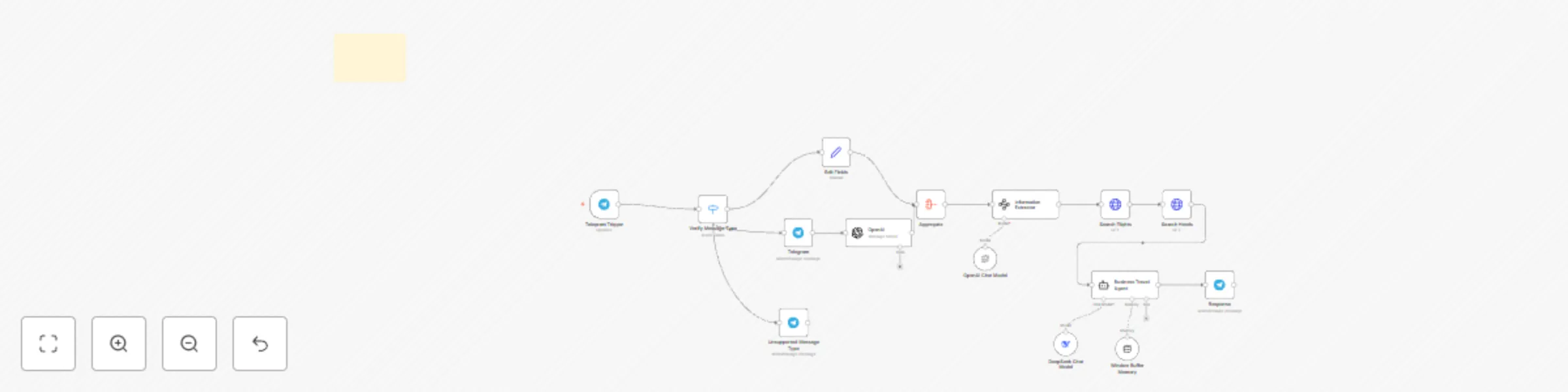
## Overview An n8n workflow automating business travel planning via Telegram. Uses AI and APIs to find and book flights/hotels efficiently. ## Prerequisites - **Telegram Bot** (BotFather) - **API Keys**: OpenAI (transcription), SerpAPI (flights/hotels), DeepSeek (AI processing) - **n8n Instance** with API access ## Setup Instructions 1. **Import Workflow**: Upload JSON to n8n. 2. **Configure API Credentials**: Set up Telegram, OpenAI, SerpAPI, and DeepSeek keys. 3. **Webhook Activation**: Ensure Telegram webhook is active with HTTPS. 4. **Test**: Send a Telegram message and verify execution. ## Workflow Operation ### 1. User Input Processing - Telegram bot triggers workflow, extracts text/audio. - OpenAI transcribes voice messages. - AI (DeepSeek) extracts key travel details (locations, dates, accommodation needs). ### 2. Travel Search - **Flights**: Uses SerpAPI for flight options (airlines, times, prices). - **Hotels**: Fetches accommodations with dynamic check-out date. ### 3. AI Recommendations & Customization - **DeepSeek** generates structured travel plans. - Users can **modify prompts** to adjust AI responses for personalized results. - Professional, well-structured responses with links. ### 4. Response Delivery - Sends travel recommendations via Telegram with clear details. ## Use Cases Ideal for business professionals, executive assistants, frequent travelers, and small businesses. ## Customization & Troubleshooting - Adjust memory handling and API calls. - Modify prompts to refine AI output. - Ensure API keys are active and network is accessible.

B
Badr
Personal Productivity
5 Mar 2025
4966
0
Workflow preview: Smart email assistant: automate customer support with AI & Supabase
Free advanced

Smart email assistant: automate customer support with AI & Supabase

# Intelligent Email Support System with Vector Database ## Overview This **n8n workflow** automates email support using **AI and vector database technology** to provide smart, context-aware responses. It seamlessly integrates **email automation** and **document management**, ensuring efficient customer support. ## 📌 System Components ### ✉️ Email Support System 1. **Email Monitoring & Classification** - Gmail trigger node monitoring inbox - AI-powered email classification - Intelligent routing (support vs non-support inquiries) 2. **AI Response Generation** - LangChain agent for response automation - OpenAI integration for NLP-driven replies - Vector-based knowledge retrieval - Automated draft creation in Gmail 3. **Vector Database System** - Supabase vector store for document management - OpenAI embeddings for vector conversion - Fast and efficient similarity search ### 📂 Document Management System 1. **Google Drive Integration** - Monitors specific folders for new/updated files - Automatic document processing - Supports various file formats 2. **Document Processing Pipeline** - Auto file download & text extraction - Smart text chunking for better indexing - Embedding generation via OpenAI - Storage in Supabase vector database ## 🔄 Workflow Processes ### 📧 Email Support Flow 1. Monitor Gmail inbox for new emails 2. AI classification of incoming messages 3. Route support emails to AI response generator 4. Perform vector similarity search for knowledge retrieval 5. Generate personalized AI-driven response 6. Create email drafts in Gmail ### 📁 Document Management Flow 1. Monitor Google Drive for new/updated files 2. Auto-download and process documents 3. Clean up outdated vector entries for updated files 4. Extract and split document text efficiently 5. Generate OpenAI embeddings 6. Store processed data in Supabase vector DB ## ⚙️ Setup Instructions ### 1️⃣ Prerequisites - **Supabase** account & project - **OpenAI API key** - **Gmail account** with OAuth2 setup - **Google Drive API** access - **n8n installation** ### 2️⃣ Supabase Database Setup ```sql -- Create the vector extension create extension if not exists vector; -- Create the documents table create table documents ( id bigserial primary key, content text, metadata jsonb, embedding vector(1536) ); -- Create an index for similarity search create index on documents using ivfflat (embedding vector_cosine_ops) with (lists = 100); ``` ### 3️⃣ Google Drive Setup - Create & configure two monitored folders: - **RAG folder** for new documents documents - Assign correct folder permissions - Add folder IDs to the workflow ### 4️⃣ Document Processing Configuration - Set up triggers for **file creation** and **file updates** - Configure text extraction: - Define chunk size & overlap settings - Set document metadata processing ## 🔍 Maintenance & Optimization ### 📌 Regular Tasks - Monitor system performance - Update the knowledge base regularly - Review AI response quality - Optimize vector search parameters - Clean up outdated document embeddings ### ✅ Best Practices 1. **Document Organization** - Maintain structured folders & naming conventions - Keep knowledge base content updated 2. **System Optimization** - Track AI classification accuracy - Tune response times & chunk sizes - Perform regular database maintenance ### 🛠️ Troubleshooting 1. **Email Issues** - Verify Gmail API credentials - Check AI service uptime - Monitor classification performance 2. **Document Processing Issues** - Ensure correct file permissions - Validate extraction & embedding processes - Debug vector database insertions

B
Badr
Ticket Management
18 Feb 2025
6516
0
Workflow preview: AI agent: Find the right LinkedIn profiles in seconds
Free advanced

AI agent: Find the right LinkedIn profiles in seconds

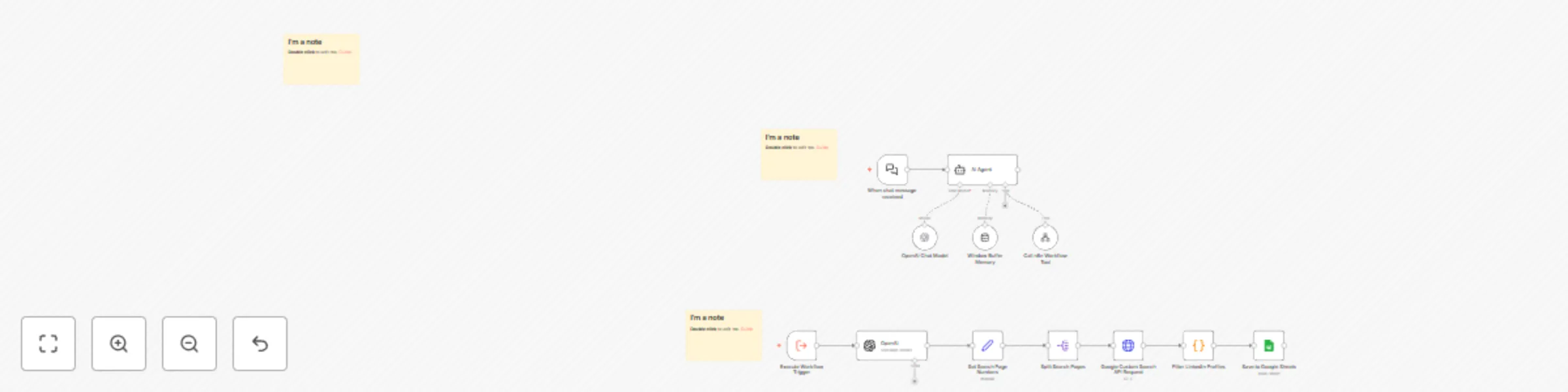
# Automate LinkedIn Prospecting with AI Agent and Get Results Straight to Google Sheets! A practical AI-powered workflow that helps you find relevant LinkedIn profiles using natural language queries and saves the results automatically to Google Sheets. ## 🎯 What It Actually Does - Accepts natural language requests (e.g., "Find marketing managers in Paris") - Uses AI to extract search parameters: - Job titles - Industry - Location - Searches for matching LinkedIn profiles - Saves profile URLs and titles to Google Sheets ## 🛠️ Technical Components 1. **AI Query Processor** - Converts natural language to structured search parameters - Handles various input formats and languages - Maintains context for accurate parameter extraction 2. **Search Engine Integration** - Uses Google Custom Search API - Handles pagination for multiple results - Filters for actual LinkedIn profile URLs 3. **Data Storage** - Automatically saves to Google Sheets - Stores profile titles and URLs - Easy to access and export ## 📋 Prerequisites - OpenAI API key - Google Custom Search API credentials - Google Sheets access ## 💡 Adaptation Possibilities This template can be modified to scrape other websites by: - Changing the search domain in the HTTP Request node - Adjusting the URL filter in the Code node - Modifying the column structure in Google Sheets - Updating the AI prompt for different parameter extraction Example adaptations: - Twitter profile finder - GitHub repository search - Company website finder - Professional blog discovery ## 🔧 Setup Instructions 1. **API Setup** - Configure Google Custom Search API - Set up OpenAI API - Prepare Google Sheets 2. **Workflow Configuration** - Import both workflows - Connect your API credentials - Set up your Google Sheet - Test with a sample query ## 📝 Usage Example Input: "Find software developers in London working in fintech" Output: A Google Sheet containing: - LinkedIn profile URLs of software developers - Profile titles/headlines - Ready for your review and outreach #AIAgent #WebScraping #Automation #n8n #Workflow #LinkedInProspecting

B
Badr
Lead Generation
13 Feb 2025
4819
0
Workflow preview: Smart email outreach sequence – AI-powered & customizable
Free advanced

Smart email outreach sequence – AI-powered & customizable

# Automated Email Outreach Workflow This intelligent **email automation workflow** helps you maximize engagement through **domain-based outreach**. It utilizes **AI-powered personalization** and **strategic follow-ups** to increase response rates. The workflow includes a **customizable three-step email sequence** (initial email + two follow-ups) sent at **optimized 3-day intervals**. ## 🔥 Key Features ✅ **Smart Domain Extraction** – Automatically extracts domains from email addresses for precise targeting. ✅ **Website Intelligence** – Uses **Jina.ai** to analyze recipient websites and craft ultra-relevant messaging. ✅ **AI-Powered Personalization** – Leverages **GPT-3.5** to generate compelling and highly customized email content. ✅ **Adjustable AI Prompts** – Easily customize AI-generated messages to align with your **product, service, or campaign**. ✅ **Automated Follow-Up Sequence** – Sends a structured series of **three emails** over time to increase engagement. ✅ **Human-Like Sending Patterns** – **Randomized delays** help bypass spam filters and improve deliverability. ✅ **Error-Resilient Execution** – Built-in error handling ensures a **smooth, uninterrupted workflow**. --- ## 🎯 Ideal Use Cases ✔️ **Domain Sales & Lead Generation** – Engage potential buyers with **hyper-personalized** emails. ✔️ **B2B Partnerships & Outreach** – Automate connections with potential business partners. ✔️ **Cold Emailing at Scale** – Improve engagement with structured, AI-optimized emails. --- ## ⚙️ How It Works ### 1️⃣ **Setup & Configuration** 1. **Integrate Gmail via OAuth** for secure email sending. 2. **Connect your Google Sheets** with leads for automated processing. 3. **Customize AI-generated messages** by adjusting prompt inputs to fit your strategy. ### 2️⃣ **Workflow Execution** 1. **Domain Extraction** – Automatically extracts recipient domains from email addresses. 2. **Website Analysis** – Uses Jina.ai to gather insights for **ultra-personalized** messaging. 3. **AI-Powered Email Generation** – GPT-3.5 crafts **highly engaging outreach emails**. 4. **Automated Email Sending** – Initial email is sent, followed by two **optimized follow-ups** if no response is received. 5. **Engagement Tracking & Adaptation** – Ensures delivery success and prevents emails from being flagged as spam. --- ## ⚡ Setup Instructions ### ✅ **Preconditions** - You need a **Gmail account** with OAuth authentication enabled. - Your **Google Sheets must contain lead emails** formatted correctly. - Ensure your **n8n instance** is running and connected to your workflow. ### 🛠 **Implementation Steps** 1. **Install and open n8n.** 2. **Import the workflow JSON file** into your n8n instance. 3. **Configure your Gmail credentials** in the workflow settings. 4. **Link your Google Sheets** containing the leads' email addresses. 5. **Customize AI prompts** in the GPT-3.5 node to match your campaign strategy. 6. **Test the workflow manually** to ensure proper execution. 7. **Activate the workflow** and let automation take over! --- ## 📈 Expected Results 🚀 **Higher Response Rates** – Personalization improves **recipient engagement**. 📊 **Increased Conversions** – Optimized email sequences **boost lead-to-client conversions**. 💡 **Time-Saving Automation** – Hands-free execution **streamlines your outreach process**. --- 🔧 **Ready to supercharge your outreach?** Set up the workflow and start automating today! 🚀🔥

B
Badr
Lead Nurturing
1 Feb 2025
4239
0
Workflow preview: Domain outbound : automate lead extraction, and targeted outreach
Free advanced

Domain outbound : automate lead extraction, and targeted outreach

# **Domain Outbound Machine: Automate Lead Generation, Email Extraction, and Targeted Outreach with n8n** ## **Description** **Domain Outbound Machine** is an n8n workflow designed to fully automate the domain sales process: lead generation, email extraction, personalized outreach, and automated email sending. It also stores extracted email addresses and sent emails in an Excel file for tracking and follow-up. ## **How It Works?** ### **1. Domain Input** You provide the domain name you want to sell. The workflow takes this domain as the starting point. ### **2. Google Maps Query Generation** The workflow automatically generates 100 Google Maps queries based on the domain's niche or industry. This ensures you target businesses or individuals who might be interested in acquiring the domain. ### **3. Web Scraping for Emails** Using the generated queries, the workflow scrapes relevant websites to extract email addresses. This step ensures you have a targeted list of potential buyers. ### **4. Email Enrichment** For each extracted email, the workflow gathers publicly available information (e.g., LinkedIn, company websites) to enhance personalization. ### **5. Personalized Email Creation** Based on the enriched data, the workflow crafts a custom email for each lead, emphasizing the domain’s value, its relevance to their business, and a compelling call-to-action. ### **6. Email Sending via Gmail** The workflow sends the personalized emails directly through your Gmail account, ensuring timely and professional outreach. ### **7. Email & Lead Tracking in Excel** All extracted email addresses and sent messages are automatically stored in an Excel file, allowing you to track responses and manage follow-ups efficiently. ## **Key Features** ✅ **Automated Lead Generation** – Saves time by automatically finding and extracting potential leads. ✅ **Personalized Outreach** – Boosts engagement by tailoring each email to the recipient. ✅ **Seamless Integration** – Uses n8n’s automation to connect Google Maps, web scraping tools, and Gmail in one workflow. ✅ **Scalable & Trackable** – Adjust the number of queries or emails as needed, while keeping track of everything in Excel. **Domain Outbound Machine** is perfect for domain investors, digital marketers, and anyone looking to sell domains efficiently. By automating the tedious tasks, you can focus on closing deals and growing your business.

B
Badr
Lead Generation
30 Jan 2025
3410
0
Workflow preview: Post hourly crypto market summaries via Coingecko to X and to email
Free intermediate

Post hourly crypto market summaries via Coingecko to X and to email

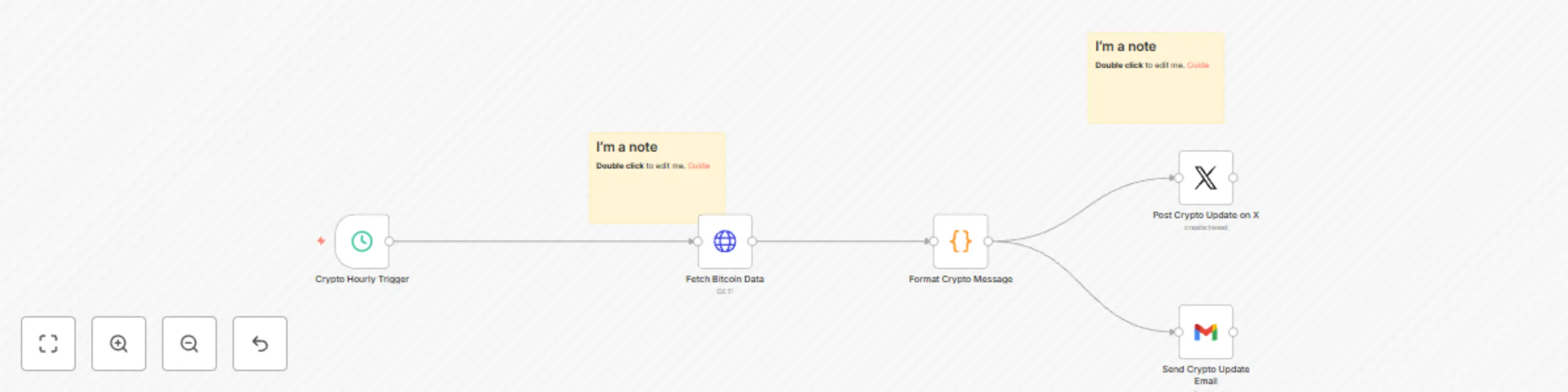
**Description** This workflow, delivers real-time cryptocurrency market updates (default: Bitcoin) by fetching data from the CoinGecko API. It formats the information into a visually engaging message and shares it on X (formerly Twitter) and via email. The workflow is set to trigger hourly but is fully customizable to suit different schedules or cryptocurrencies. ### Key Features - **Real-Time Market Data Retrieval:** Fetches up-to-date cryptocurrency market data using CoinGecko API. - **AI-Driven Message Formatting:** Converts raw data into a structured, engaging message. - **Social Media Integration:** Posts updates to X with OAuth2 authentication. - **Email Notifications:** Sends updates via email to specified recipients. - **Flexible Customization:** Adaptable for tracking multiple cryptocurrencies or adding new notification channels. ### Workflow Steps 1. **Trigger Workflow:** Default is hourly, but the interval can be customized. 2. **Fetch Cryptocurrency Data:** Retrieves market data using the CoinGecko API. 3. **Format the Message:** Converts the data into a readable and visually appealing format. 4. **Post Update on X:** Shares the message on X (formerly Twitter). 5. **Send Email Notifications:** Sends the update to a specified email address. 6. **Optional Notifications:** Expand to additional channels like Slack or Telegram.

B
Badr
Crypto Trading
17 Jan 2025
1050
0
Workflow preview: Automated email marketing campaign workflow
Free intermediate

Automated email marketing campaign workflow

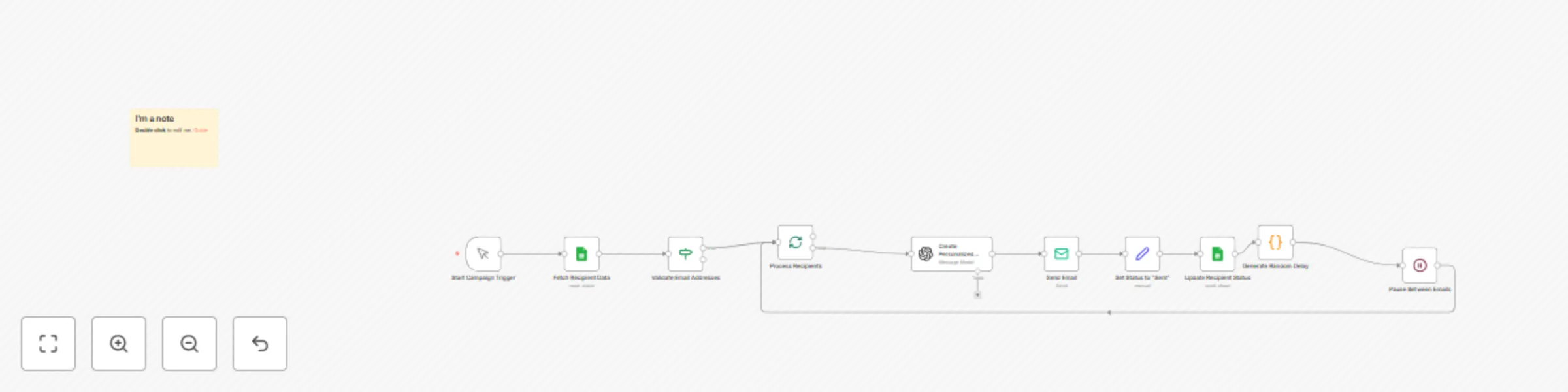
This n8n workflow demonstrates how to automate a large-scale personalized promotional email campaign, leveraging artificial intelligence to generate unique content for each recipient. Save time and increase the effectiveness of your marketing campaigns by allowing AI to handle the creation of personalized content and email sending. ## How it works: The workflow fetches recipient data from a Google Sheets document. It validates email addresses and checks if recipients haven't been contacted before. For each valid recipient, the AI agent (using GPT-3.5) generates a personalized email including the recipient's name, product introduction, exclusive offer, and a unique promotional link. The personalized email is sent via SMTP to the recipient. The workflow updates the Google Sheet to mark the recipient as contacted. A random delay is introduced between emails to mimic natural sending patterns and avoid triggering spam filters. ## Requirements: Google Sheets account for storing and managing recipient data. OpenAI account for access to the GPT-3.5 model. SMTP server for sending emails. ## Customizing the workflow: This example focuses on sending personalized promotional emails, but it could be extended to include follow-up sequences, tracking email opens and clicks, or integrating with a CRM system for more comprehensive customer management.

B
Badr
Social Media
6 Oct 2024
6335
0