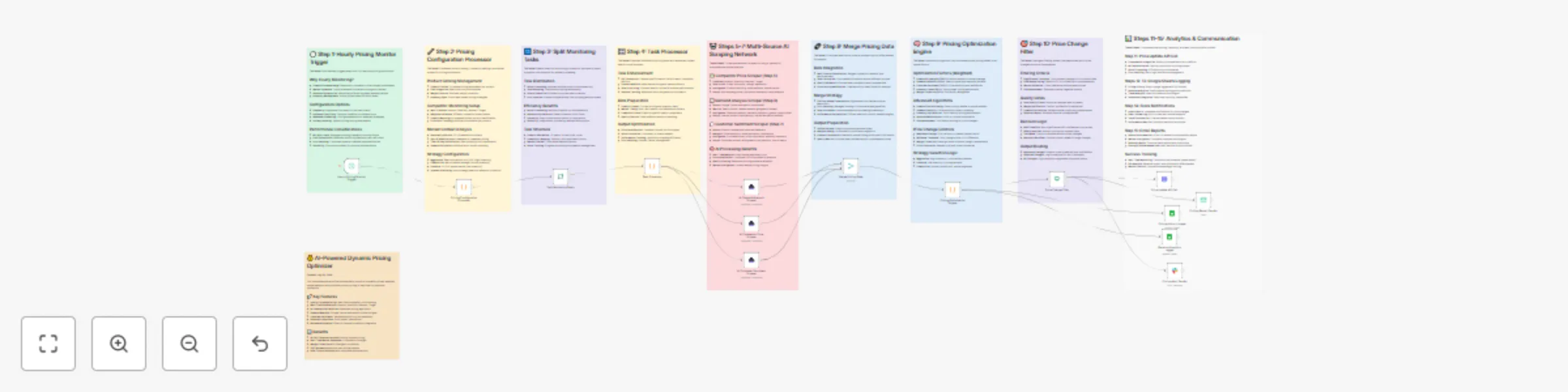
Automated dynamic pricing with AI competitor monitoring & revenue optimization

Workflow preview

Workflow preview
100%
Automated dynamic pricing with AI competitor monitoring & revenue optimization preview
Open on n8n.io

Important notice

This workflow is provided as-is. Please review and test before using in production.

1. Workflow Overview

This workflow contains community nodes that are only compatible with the self hosted version of n8n. How it works This workflow automatically monitors competitor prices, analyzes market demand, and...

Best for

  • Market Research automation workflows
  • AI Summarization automation workflows
  • advanced n8n builders looking for reusable templates

Tools used

n8n-nodes-base.scheduletrigger, n8n-nodes-base.code, n8n-nodes-base.splitinbatches, n8n-nodes-scrapegraphai.scrapegraphai, n8n-nodes-base.merge, n8n-nodes-base.if, n8n-nodes-base.httprequest, n8n-nodes-base.googlesheets

Source and attribution

This workflow is cataloged by N8N Workflows and links back to its original n8n.io source page by vinci-king-01.

Original n8n.io source

1.1 Workflow description

Title
Automated dynamic pricing with AI competitor monitoring & revenue optimization
Workflow name
Automated dynamic pricing with AI competitor monitoring & revenue optimization

This workflow contains community nodes that are only compatible with the self-hosted version of n8n.

How it works

This workflow automatically monitors competitor prices, analyzes market demand, and optimizes product pricing in real-time for maximum profitability using advanced AI algorithms.

Key Steps

  1. Hourly Trigger - Runs automatically every hour for real-time price optimization and competitive response.
  2. Multi-Platform Competitor Monitoring - Uses AI-powered scrapers to track prices from Amazon, Best Buy, Walmart, and Target.
  3. Market Demand Analysis - Analyzes Google Trends data to understand search volume trends and seasonal patterns.
  4. Customer Sentiment Analysis - Reviews customer feedback to assess price sensitivity and value perception.
  5. AI Pricing Optimization - Calculates optimal prices using weighted factors including competitor positioning, demand indicators, and inventory levels.
  6. Automated Price Updates - Directly updates e-commerce platform prices when significant opportunities are identified.
  7. Comprehensive Analytics - Logs all pricing decisions and revenue projections to Google Sheets for performance tracking.

Set up steps

Setup time: 15-20 minutes

  1. Configure ScrapeGraphAI credentials - Add your ScrapeGraphAI API key for AI-powered competitor and market analysis.
  2. Set up e-commerce API connection - Connect your e-commerce platform API for automated price updates.
  3. Configure Google Sheets - Set up Google Sheets connections for pricing history and revenue analytics logging.
  4. Set up Slack notifications - Connect your Slack workspace for real-time pricing alerts and team updates.
  5. Customize product catalog - Modify the product configuration with your actual products, costs, and pricing constraints.
  6. Adjust monitoring frequency - Change the trigger timing based on your business needs (hourly, daily, etc.).
  7. Configure competitor platforms - Update competitor URLs and selectors for your target market.

What you get

  • Real-time price optimization with 15-25% potential revenue increase through intelligent pricing
  • Competitive intelligence with automated monitoring of major e-commerce platforms
  • Market demand insights with seasonal and trend-based pricing adjustments
  • Customer sentiment analysis to understand price sensitivity and value perception
  • Automated price updates when significant opportunities are identified (>2% change, >70% confidence)
  • Comprehensive analytics with pricing history, revenue projections, and performance tracking
  • Team notifications with detailed market analysis and pricing recommendations
  • Margin protection with intelligent constraints to maintain profitability

1.2 Logical Blocks

This catalog entry is organized from the workflow JSON. The node-level section below shows the executable blocks available for review before importing the template.

2. Block-by-Block Analysis

Block 1 - Hourly Pricing Monitor Trigger

Type / Role
n8n-nodes-base.scheduleTrigger - scheduleTrigger
Config choices
Version 1.2

Block 2 - Pricing Configuration Processor

Type / Role
n8n-nodes-base.code - code
Config choices
Version 2

Block 3 - Split Monitoring Tasks

Type / Role
n8n-nodes-base.splitInBatches - splitInBatches
Config choices
Version 3

Block 4 - Task Processor

Type / Role
n8n-nodes-base.code - code
Config choices
Version 2

Block 5 - AI Competitor Price Scraper

Type / Role
n8n-nodes-scrapegraphai.scrapegraphAi - scrapegraphAi
Config choices
Version 1

Block 6 - AI Demand Analysis Scraper

Type / Role
n8n-nodes-scrapegraphai.scrapegraphAi - scrapegraphAi
Config choices
Version 1

Block 7 - AI Customer Sentiment Scraper

Type / Role
n8n-nodes-scrapegraphai.scrapegraphAi - scrapegraphAi
Config choices
Version 1

Block 8 - Merge Pricing Data

Type / Role
n8n-nodes-base.merge - merge
Config choices
Version 2.1

Block 9 - Pricing Optimization Engine

Type / Role
n8n-nodes-base.code - code
Config choices
Version 2

Block 10 - Price Change Filter

Type / Role
n8n-nodes-base.if - if
Config choices
Version 2

Block 11 - Price Update API Call

Type / Role
n8n-nodes-base.httpRequest - httpRequest
Config choices
Version 4.2

Block 12 - Pricing History Logger

Type / Role
n8n-nodes-base.googleSheets - googleSheets
Config choices
Version 4.5

Block 13 - Revenue Analytics Logger

Type / Role
n8n-nodes-base.googleSheets - googleSheets
Config choices
Version 4.5

Block 14 - Pricing Alert Sender

Type / Role
n8n-nodes-base.slack - slack
Config choices
Version 1

Block 15 - Pricing Report Sender

Type / Role
n8n-nodes-base.emailSend - emailSend
Config choices
Version 2.1

Block 16 - Workflow Overview

Type / Role
n8n-nodes-base.stickyNote - stickyNote
Config choices
Version 1

Block 17 - Step 1: Hourly Trigger Guide

Type / Role
n8n-nodes-base.stickyNote - stickyNote
Config choices
Version 1

Block 18 - Step 2: Configuration Processor

Type / Role
n8n-nodes-base.stickyNote - stickyNote
Config choices
Version 1

Block 19 - Step 3: Task Splitting

Type / Role
n8n-nodes-base.stickyNote - stickyNote
Config choices
Version 1

Block 20 - Step 4: Task Processing

Type / Role
n8n-nodes-base.stickyNote - stickyNote
Config choices
Version 1

Block 21 - Steps 5-7: AI Scraping Network

Type / Role
n8n-nodes-base.stickyNote - stickyNote
Config choices
Version 1

Block 22 - Step 8: Data Merging

Type / Role
n8n-nodes-base.stickyNote - stickyNote
Config choices
Version 1

Block 23 - Step 9: Optimization Engine

Type / Role
n8n-nodes-base.stickyNote - stickyNote
Config choices
Version 1

Block 24 - Step 10: Price Change Filter

Type / Role
n8n-nodes-base.stickyNote - stickyNote
Config choices
Version 1

Showing the first 24 of 25 workflow blocks. Download the JSON for the full node graph.

3. Summary Table

Workflow Automated dynamic pricing with AI competitor monitoring & revenue optimization
Complexity advanced
Nodes 25
Categories Market Research, AI Summarization
Author vinci-king-01
Published 25 Jul 2025

4. Reproducing the Workflow from Scratch

  1. 1. Download the workflow JSON

    Use the JSON export at /data/workflows/6448/6448.json as the source template for this automation.

  2. 2. Import the template into n8n

    Open n8n, import the downloaded JSON, and review each node before activating the workflow.

  3. 3. Configure credentials and variables

    Replace placeholder credentials, API keys, webhook URLs, account IDs, and environment-specific values with your own settings.

  4. 4. Test with sample data

    Run the workflow manually or in a staging workspace, inspect node output, and confirm downstream systems receive the expected data.

  5. 5. Activate and monitor

    Enable the workflow only after testing, then monitor executions, errors, and rate limits during the first production runs.

5. General Notes & Resources

Review imported nodes carefully before activation. This catalog entry is intended to help you inspect the workflow structure, understand required services, and find related templates faster.

Node names, credentials, schedules, webhook paths, and external service limits may need adjustment for your workspace.

Frequently asked questions

What does Automated dynamic pricing with AI competitor monitoring & revenue optimization do?

This workflow contains community nodes that are only compatible with the self hosted version of n8n. How it works This workflow automatically monitors competitor prices, analyzes market demand, and...

What do I need before importing this workflow?

Review the workflow JSON, configure any required credentials in n8n, and test the automation in a safe workspace before using it in production.

Can I customize this workflow?

Yes. Use the block-by-block analysis and the downloadable JSON to inspect each node, then adjust credentials, prompts, schedules, filters, or destinations for your Market Research, AI Summarization use case.