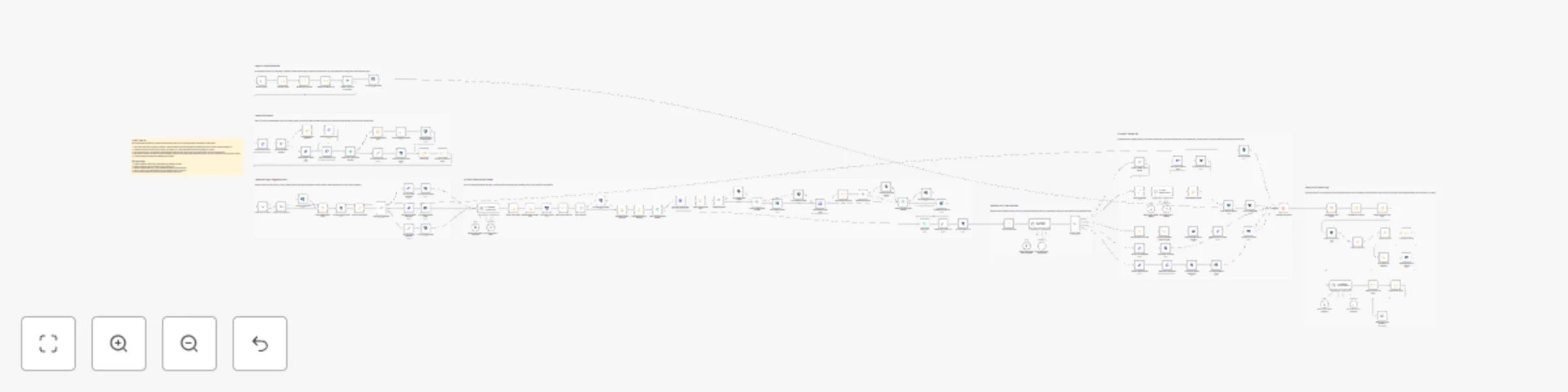
Automated B2B lead management and AI outreach

Workflow preview

Workflow preview
100%
Automated B2B lead management and AI outreach preview
Open on n8n.io

Important notice

This workflow is provided as-is. Please review and test before using in production.

1. Workflow Overview

This workflow is a comprehensive, production grade automation for B2B lead management and multichannel outreach, designed for Sales Development Representatives (SDRs), growth teams, and sales opera...

Best for

  • Lead Generation automation workflows
  • AI Summarization automation workflows
  • advanced n8n builders looking for reusable templates

Tools used

n8n-nodes-base.manualtrigger, n8n-nodes-base.code, n8n-nodes-base.httprequest, n8n-nodes-base.if, n8n-nodes-base.set, @n8n/n8n-nodes-langchain.agent, @n8n/n8n-nodes-langchain.lmchatopenai, @n8n/n8n-nodes-langchain.outputparserstructured

Source and attribution

This workflow is cataloged by N8N Workflows and links back to its original n8n.io source page by Țugui Dragoș.

Original n8n.io source

1.1 Workflow description

Title
Automated B2B lead management and AI outreach
Workflow name
Automated B2B lead management and AI outreach

This workflow is a comprehensive, production-grade automation for B2B lead management and multichannel outreach, designed for Sales Development Representatives (SDRs), growth teams, and sales operations. It covers the entire SDR pipeline: from lead ingestion and validation, through enrichment, scoring, AI-powered outreach, reply handling, analytics, and reporting.

Key Features:

  • Lead validation (email, suppression, geo/GDPR)
  • Multi-source data enrichment
  • Lead scoring and tiering (HIGH/MEDIUM/LOW)
  • AI-generated personalized cold emails (with A/B subject testing)
  • Multichannel outreach (Email, LinkedIn, WhatsApp) with rate limiting and compliance
  • AI-based reply simulation and intent classification
  • Automated routing (qualification, follow-up, manual review)
  • Full event logging to database
  • Aggregated analytics and daily reporting
  • Human-readable AI summary and Slack notifications

What This Workflow Does

1. Lead Ingestion & Validation

  • Loads leads from a source (test data, CRM, webhook, etc.)
  • Validates email format and checks against suppression lists (blocked domains/emails)
  • Applies geo and GDPR compliance logic (blocks/flags leads from restricted countries)

2. Data Enrichment

  • Enriches each lead via one or more external APIs (company info, tech stack, revenue, etc.)
  • Handles enrichment failures gracefully and logs them for analytics

3. Lead Scoring & Segmentation

  • Scores leads based on industry, country, company size, revenue, and pain points
  • Segments leads into HIGH, MEDIUM, or LOW tiers for tailored outreach

4. AI-Powered Outreach Generation

  • Uses OpenAI (or compatible LLM) to generate personalized cold email content
  • Creates A/B tested subject lines for each email
  • Generates LinkedIn and WhatsApp message variants for multichannel outreach

5. Multichannel Outreach Execution

  • Sends emails via SMTP (with rate limiting and quiet hours)
  • Simulates LinkedIn and WhatsApp sends (can be replaced with real integrations)
  • Logs all outreach events to a Postgres database

6. Reply Simulation & AI Classification

  • Simulates a variety of lead replies (interested, not interested, follow-up, unclear)
  • Uses AI to classify reply intent and suggest next actions

7. Automated Routing & Follow-up

  • Routes leads based on AI classification:
    • Interested: Schedules meeting, logs qualification, proposes follow-up
    • Follow-up Later: Schedules future follow-up
    • Not Interested: Marks as closed/lost
    • Unclear: Flags for manual review and notifies team via Slack

8. Event Logging & Analytics

  • Logs every significant event (enrichment, outreach, reply, status change) to a database
  • Aggregates results by lead score, channel, and status
  • Calculates key metrics (qualification rate, enrichment success, multichannel rate, etc.)

9. Reporting & Team Notification

  • Generates a daily analytics row and stores it in the database
  • Uses AI to create a human-readable summary of the run
  • Posts a detailed summary to a Slack channel

Use Cases

  • Automated SDR Workflows: Replace manual lead research, outreach, and follow-up with a fully automated, auditable process.
  • Growth Experiments: Run A/B tests on messaging, subject lines, and channels at scale.
  • Sales Analytics: Get transparent, granular reporting on every step of the SDR funnel.
  • Compliance-First Outreach: Ensure all outreach respects geo, GDPR, and suppression rules.
  • AI-Driven Personalization: Use LLMs to generate highly relevant, non-generic outreach at scale.

Installation & Setup

1. Import the Workflow

  • Download or copy the workflow from the n8n Template Store.
  • In your n8n editor, click Import and paste the workflow JSON, or use the "Use Template" button.

2. Configure Required Credentials

  • Postgres: Set up a Postgres credential for event and analytics logging.
  • SMTP: Add your email provider's SMTP credentials for sending emails.
  • OpenAI: Add your OpenAI API key for AI-powered nodes.
  • Slack: Add your Slack API credential for notifications.
  • Enrichment APIs: Add credentials for any external enrichment APIs you use.

3. Customize Lead Source

  • Replace the test data in the Load Test Leads node with your real lead source (e.g., webhook, CRM, Google Sheets, etc.).

4. Adjust Compliance & Suppression Logic

  • Update the suppression lists and geo/GDPR logic in the relevant nodes to match your organization's requirements.

5. Review Multichannel Logic

  • The workflow simulates LinkedIn and WhatsApp sends. Replace these with real integrations if needed.

6. Database Preparation

  • Ensure your Postgres database has the following tables (or adjust node configs):
    • lead_events (for all event logs)
    • analytics_daily (for daily summary rows)
    • meetings (for scheduled meetings)
    • execution_runs (for workflow run metadata)

7. Test the Workflow

  • Run the workflow manually with sample data.
  • Check the database and Slack for logs and notifications.
  • Review AI-generated content for tone and compliance.

Configuration Details

  • Rate Limiting: Email, LinkedIn, and WhatsApp sends are rate-limited and respect quiet hours.
  • A/B Testing: Each email uses a randomly selected subject variant for ongoing optimization.
  • AI Models: Uses OpenAI GPT-4o-mini by default; can be swapped for other models.
  • Event Logging: Every action (enrichment, outreach, reply, status change) is logged with timestamp and payload for full traceability.
  • Analytics: Aggregates by lead score, channel, and status; calculates rates and averages.
  • Slack Notifications: Posts a summary of each run, including key metrics and AI-generated insights.

Advanced Customization

  • Add/Replace Enrichment APIs: Plug in any HTTP-based enrichment service.
  • Custom Lead Scoring: Adjust the scoring logic in the Compute Lead Score node to fit your ICP.
  • Custom AI Prompts: Edit the system messages in AI nodes for your brand voice.
  • Additional Channels: Integrate SMS, phone, or other channels as needed.
  • Webhook Triggers: Replace manual trigger with webhook for real-time automation.

Requirements

  • n8n version 1.123.0 or later
  • Postgres database (or adapt for your DB)
  • SMTP email provider
  • OpenAI API key (or compatible LLM)
  • Slack workspace (for notifications)
  • (Optional) Enrichment API keys

Template Store Submission Notes

  • All credentials are handled via n8n's credential system (no hardcoded secrets).
  • The workflow is modular, well-commented, and ready for production use.
  • All event and analytics logging is auditable and GDPR-compliant.
  • Please review and test all integrations in your environment before using in production.

Example Analytics Output

Metric Value
Total Leads 100
Qualified 22
Follow-up Scheduled 15
Closed Lost 40
Manual Review 3
Qualification Rate 22%
Enrichment Success 90%
Multichannel Rate 60%

Ready to automate your SDR pipeline? Import this workflow and start scaling your B2B outreach today!

1.2 Logical Blocks

This catalog entry is organized from the workflow JSON. The node-level section below shows the executable blocks available for review before importing the template.

2. Block-by-Block Analysis

Block 1 - Manual Trigger

Type / Role
n8n-nodes-base.manualTrigger - manualTrigger
Config choices
Version 1

Block 2 - Load Test Leads

Type / Role
n8n-nodes-base.code - code
Config choices
Version 2

Block 3 - Enrich Lead via HTTP

Type / Role
n8n-nodes-base.httpRequest - httpRequest
Config choices
Version 4.3

Block 4 - Check Enrichment Success

Type / Role
n8n-nodes-base.if - if
Config choices
Version 2.3

Block 5 - Merge Enrichment Data

Type / Role
n8n-nodes-base.set - set
Config choices
Version 3.4

Block 6 - Set Enrichment Failed Flag

Type / Role
n8n-nodes-base.set - set
Config choices
Version 3.4

Block 7 - Parse Enrichment Response

Type / Role
n8n-nodes-base.code - code
Config choices
Version 2

Block 8 - AI - Generate Outreach Email

Type / Role
@n8n/n8n-nodes-langchain.agent - agent
Config choices
Version 3

Block 9 - OpenAI Chat Model - Email Gen

Type / Role
@n8n/n8n-nodes-langchain.lmChatOpenAi - lmChatOpenAi
Config choices
Version 1.3

Block 10 - Structured Output - Email

Type / Role
@n8n/n8n-nodes-langchain.outputParserStructured - outputParserStructured
Config choices
Version 1.3

Block 11 - Extract Email Fields

Type / Role
n8n-nodes-base.code - code
Config choices
Version 2

Block 12 - Send Email

Type / Role
n8n-nodes-base.emailSend - emailSend
Config choices
Version 2.1

Block 13 - Prepare Email Event Log

Type / Role
n8n-nodes-base.set - set
Config choices
Version 3.4

Block 14 - Log Email Sent to DB

Type / Role
n8n-nodes-base.postgres - postgres
Config choices
Version 2.6

Block 15 - Simulate Reply Text

Type / Role
n8n-nodes-base.code - code
Config choices
Version 2

Block 16 - AI - Classify Reply Intent

Type / Role
@n8n/n8n-nodes-langchain.agent - agent
Config choices
Version 3

Block 17 - OpenAI Chat Model - Reply Classifier

Type / Role
@n8n/n8n-nodes-langchain.lmChatOpenAi - lmChatOpenAi
Config choices
Version 1.3

Block 18 - Structured Output - Classification

Type / Role
@n8n/n8n-nodes-langchain.outputParserStructured - outputParserStructured
Config choices
Version 1.3

Block 19 - Route by Intent

Type / Role
n8n-nodes-base.switch - switch
Config choices
Version 3.4

Block 20 - Mark as Qualified

Type / Role
n8n-nodes-base.set - set
Config choices
Version 3.4

Block 21 - Log Qualified Event

Type / Role
n8n-nodes-base.postgres - postgres
Config choices
Version 2.6

Block 22 - Calculate Follow-up Date

Type / Role
n8n-nodes-base.code - code
Config choices
Version 2

Block 23 - Prepare Follow-up Event

Type / Role
n8n-nodes-base.set - set
Config choices
Version 3.4

Block 24 - Log Follow-up Event

Type / Role
n8n-nodes-base.postgres - postgres
Config choices
Version 2.6

Showing the first 24 of 113 workflow blocks. Download the JSON for the full node graph.

3. Summary Table

Workflow Automated B2B lead management and AI outreach
Complexity advanced
Nodes 113
Categories Lead Generation, AI Summarization
Author Țugui Dragoș
Published 03 Dec 2025

4. Reproducing the Workflow from Scratch

  1. 1. Download the workflow JSON

    Use the JSON export at /data/workflows/11448/11448.json as the source template for this automation.

  2. 2. Import the template into n8n

    Open n8n, import the downloaded JSON, and review each node before activating the workflow.

  3. 3. Configure credentials and variables

    Replace placeholder credentials, API keys, webhook URLs, account IDs, and environment-specific values with your own settings.

  4. 4. Test with sample data

    Run the workflow manually or in a staging workspace, inspect node output, and confirm downstream systems receive the expected data.

  5. 5. Activate and monitor

    Enable the workflow only after testing, then monitor executions, errors, and rate limits during the first production runs.

5. General Notes & Resources

Review imported nodes carefully before activation. This catalog entry is intended to help you inspect the workflow structure, understand required services, and find related templates faster.

Node names, credentials, schedules, webhook paths, and external service limits may need adjustment for your workspace.

Frequently asked questions

What does Automated B2B lead management and AI outreach do?

This workflow is a comprehensive, production grade automation for B2B lead management and multichannel outreach, designed for Sales Development Representatives (SDRs), growth teams, and sales opera...

What do I need before importing this workflow?

Review the workflow JSON, configure any required credentials in n8n, and test the automation in a safe workspace before using it in production.

Can I customize this workflow?

Yes. Use the block-by-block analysis and the downloadable JSON to inspect each node, then adjust credentials, prompts, schedules, filters, or destinations for your Lead Generation, AI Summarization use case.