Block 1 - Google Sheets Trigger
- Type / Role
- n8n-nodes-base.googleSheetsTrigger - googleSheetsTrigger
- Config choices
- Version 1


 Early Deal
This workflow is provided as-is. Please review and test before using in production.
Okay, here are the "How It Works" and "Setup Steps" for your "Automated Social Media Content Distribution System," presented clearly in Markdown. How It Works (Workflow Stages) ️ This system trans...
n8n-nodes-base.googlesheetstrigger, n8n-nodes-base.set, n8n-nodes-base.if, n8n-nodes-base.facebookgraphapi, n8n-nodes-base.twitter, n8n-nodes-base.linkedin, n8n-nodes-base.googlesheets, n8n-nodes-base.slack
This workflow is cataloged by N8N Workflows and links back to its original n8n.io source page by Marth.
Original n8n.io sourceOkay, here are the "How It Works" and "Setup Steps" for your "Automated Social Media Content Distribution System," presented clearly in Markdown.
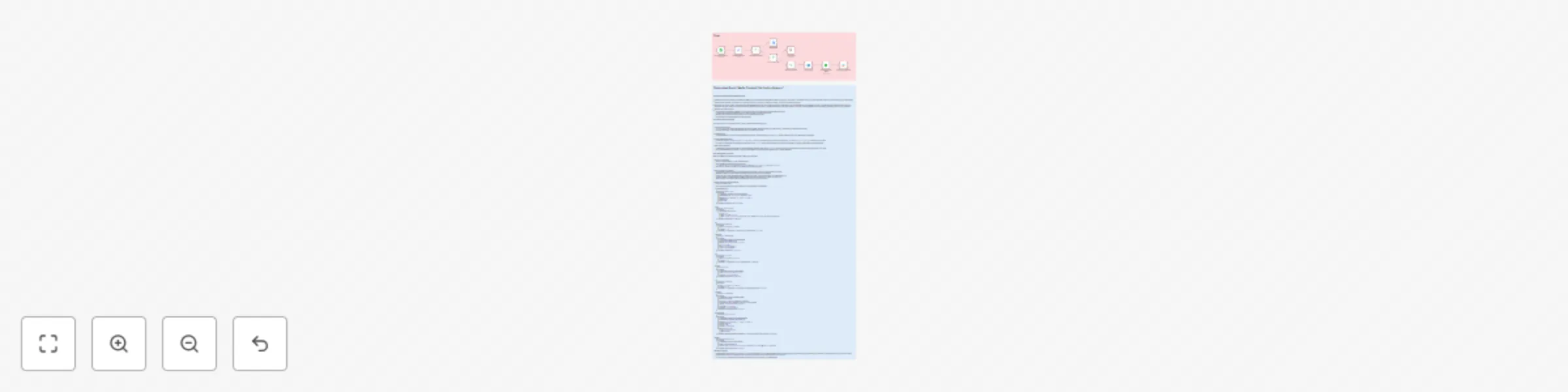
This system transforms manual, repetitive tasks into a smooth, automated content distribution pipeline:
Content Submission & Trigger:
Content Preparation:
social_media_text_core) that is suitable for posting across different social media platforms.Conditional Social Media Posting:
Check Facebook Post, Check Twitter Post, Check LinkedIn Post) sequentially check your preferences (based on the Post_to_Facebook, Post_to_Twitter, Post_to_LinkedIn columns in your sheet).TRUE, the corresponding social media node (Facebook, Twitter, LinkedIn) is activated to publish your content. If FALSE, that platform is skipped, and the workflow moves to the next check.Status Update & Notification:
Publication_Status column of your original row to "Published." This prevents re-posting and provides a clear record.Follow these detailed steps to build and implement this workflow in your n8n instance:
Prepare Your Google Sheet:
Title, URL, Short_Description, Image_URL, Hashtags, Post_to_Facebook, Post_to_Twitter, Post_to_LinkedIn, Publication_StatusTRUE/FALSE values for the posting flags.Gather Your API Keys & Credentials:
Build the n8n Workflow Manually (10 Nodes):
Google Sheets Trigger
Google Sheets Trigger[Copy the ID from your Google Sheet's URL][Your Sheet Name, e.g., 'Sheet1' or 'Content']RowsAddedSet Content Parameters.Set
Set Content ParametersStringsocial_media_text_core={{ $json.Title }} - {{ $json.Short_Description }}\nRead more: {{ $json.URL }}\n{{ $json.Hashtags }}Check Facebook Post.If
Check Facebook Post={{ $json.Post_to_Facebook }}is trueTrue output to Post Facebook Message. False output to Check Twitter Post.Post Facebook Message[YOUR_FACEBOOK_PAGE_ID]={{ $json.social_media_text_core }}={{ $json.URL }}={{ $json.Image_URL }}Published (checked)Check Twitter Post.If
Check Twitter Post={{ $json.Post_to_Twitter }}is trueTrue output to Create Tweet. False output to Check LinkedIn Post.Create Tweet={{ $json.social_media_text_core }}={{ $json.Image_URL }}Check LinkedIn Post.If
Check LinkedIn Post={{ $json.Post_to_LinkedIn }}is trueTrue output to Share LinkedIn Update. False output to Update Publication Status.Share LinkedIn UpdateShare UpdateOrganization or Personal (Choose as appropriate)[YOUR_LINKEDIN_ORG_ID] (If Organization type selected)={{ $json.social_media_text_core }}={{ $json.URL }}={{ $json.Image_URL }}Update Publication Status.Google Sheets
Update Publication Status[YOUR_GOOGLE_SHEET_CONTENT_ID][Your Sheet Name, e.g., 'Sheet1' or 'Content']Update RowURL={{ $json.URL }}Publication_StatusPublishedShare LinkedIn Update and the False branch of Check LinkedIn Post.Slack
Send Slack Notification[YOUR_SLACK_CHANNEL_ID]New content "{{ $json.Title }}" successfully published to social media! 🎉 Check: {{ $json.URL }}Update Publication Status.Final Steps & Activation:
This catalog entry is organized from the workflow JSON. The node-level section below shows the executable blocks available for review before importing the template.
| Workflow | Automate social media content distribution with Google Sheets & Slack |
|---|---|
| Complexity | intermediate |
| Nodes | 12 |
| Categories | Social Media |
| Author | Marth |
| Published | 29 Jul 2025 |
Use the JSON export at /data/workflows/6613/6613.json as the source template for this automation.
Open n8n, import the downloaded JSON, and review each node before activating the workflow.
Replace placeholder credentials, API keys, webhook URLs, account IDs, and environment-specific values with your own settings.
Run the workflow manually or in a staging workspace, inspect node output, and confirm downstream systems receive the expected data.
Enable the workflow only after testing, then monitor executions, errors, and rate limits during the first production runs.
Review imported nodes carefully before activation. This catalog entry is intended to help you inspect the workflow structure, understand required services, and find related templates faster.
Node names, credentials, schedules, webhook paths, and external service limits may need adjustment for your workspace.
Okay, here are the "How It Works" and "Setup Steps" for your "Automated Social Media Content Distribution System," presented clearly in Markdown. How It Works (Workflow Stages) ️ This system trans...
Review the workflow JSON, configure any required credentials in n8n, and test the automation in a safe workspace before using it in production.
Yes. Use the block-by-block analysis and the downloadable JSON to inspect each node, then adjust credentials, prompts, schedules, filters, or destinations for your Social Media use case.