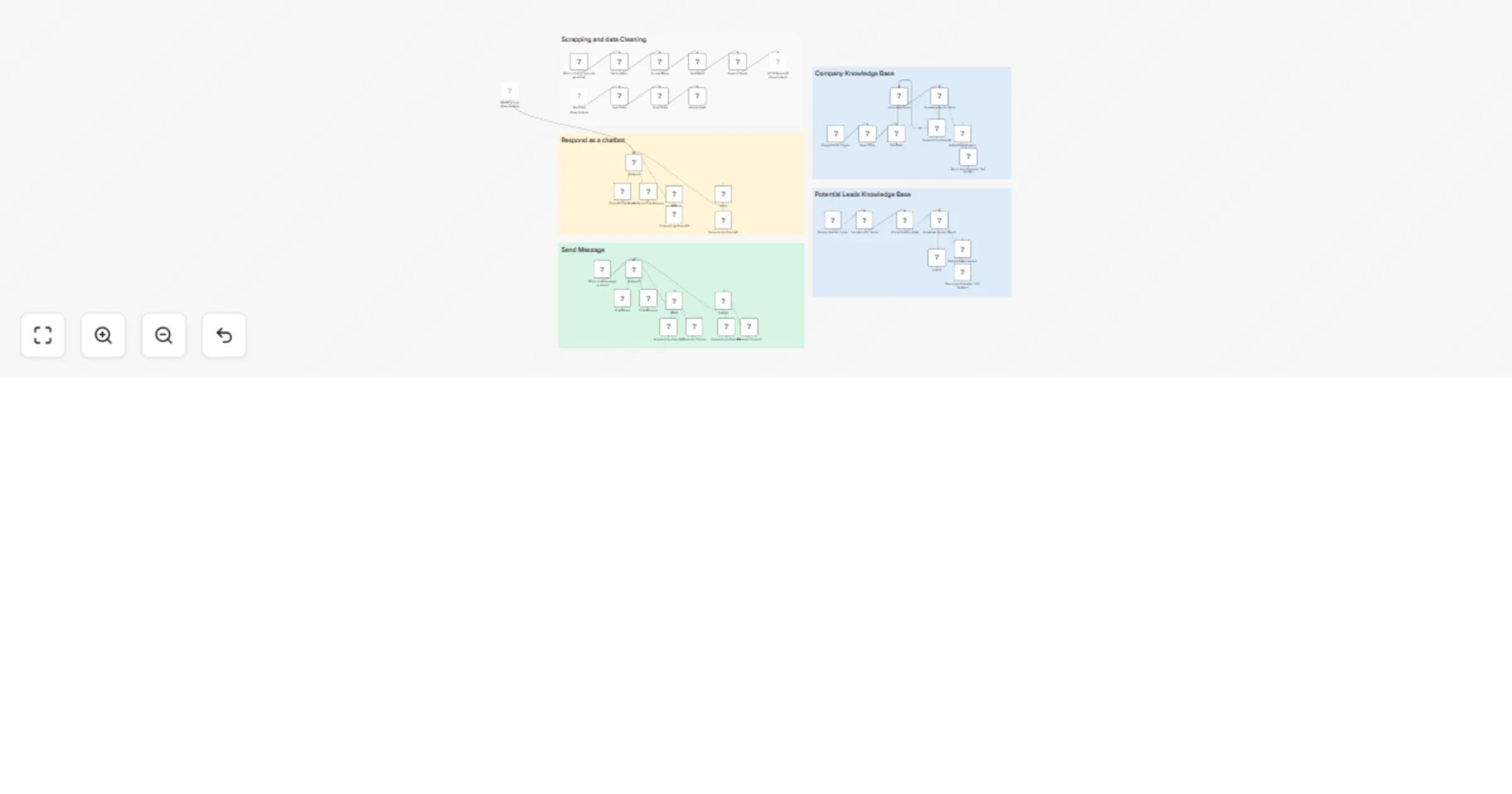
Automate sales cold calling pipeline with Apify, GPT-4o, and WhatsApp

Workflow preview

Workflow preview
100%
Automate sales cold calling pipeline with Apify, GPT-4o, and WhatsApp preview
Open on n8n.io

Important notice

This workflow is provided as-is. Please review and test before using in production.

1. Workflow Overview

This workflow contains community nodes that are only compatible with the self hosted version of n8n. Cold Calling Automation End to End Automated Cold Calling with Apify, RAG, and WhatsApp ![Screen...

Best for

  • Lead Nurturing automation workflows
  • AI RAG automation workflows
  • advanced n8n builders looking for reusable templates

Tools used

n8n-nodes-base.googledrive, @n8n/n8n-nodes-langchain.vectorstoresupabase, @n8n/n8n-nodes-langchain.embeddingsopenai, @n8n/n8n-nodes-langchain.documentdefaultdataloader, @n8n/n8n-nodes-langchain.textsplitterrecursivecharactertextsplitter, n8n-nodes-base.splitinbatches, @n8n/n8n-nodes-langchain.agent, @n8n/n8n-nodes-langchain.lmchatopenai

Source and attribution

This workflow is cataloged by N8N Workflows and links back to its original n8n.io source page by Khairul Muhtadin.

Original n8n.io source

1.1 Workflow description

Title
Automate sales cold calling pipeline with Apify, GPT-4o, and WhatsApp
Workflow name
Automate sales cold calling pipeline with Apify, GPT-4o, and WhatsApp

This workflow contains community nodes that are only compatible with the self-hosted version of n8n.

Cold Calling Automation - End-to-End Automated Cold Calling with Apify, RAG, and WhatsApp

The "Cold Calling Automation" workflow is designed to fully automate the end-to-end cold calling process by intelligently combining web scraping, AI-powered research, and WhatsApp messaging. Leveraging key technologies such as Apify for data scraping, RAG (Retrieval-Augmented Generation) for intelligent content creation, and WhatsApp integration for automated outreach, this workflow transforms raw prospect data into personalized, high-converting cold calling campaigns with minimal manual intervention.

💡 Why Use Cold Calling Automation?

  • Scale Your Outreach: Automate hundreds of personalized cold calls without manual effort or hiring additional staff.
  • Intelligent Personalization: RAG technology creates highly relevant, personalized messages based on prospect research.
  • Multi-Channel Approach: Seamlessly integrate WhatsApp messaging with traditional cold calling methods.
  • Real-Time Optimization: Continuously improve message performance and conversion rates through AI analysis.
  • Cost-Effective: Reduce cold calling costs while dramatically increasing reach and response rates.

⚡ Who Is This For?

  • Sales Teams: Looking to scale their cold calling efforts with intelligent automation and personalization.
  • Lead Generation Agencies: Needing to deliver high-volume, high-quality cold calling services to clients.
  • Business Development Professionals: Seeking to maximize outreach efficiency while maintaining personal touch.
  • Small Business Owners: Who want professional-grade cold calling capabilities without hiring expensive sales teams.
  • Marketing Agencies: Offering comprehensive lead generation and conversion services to clients.

❓ What Problem Does It Solve?

Traditional cold calling is time-consuming, expensive, and often ineffective due to lack of personalization and poor timing. Manual prospect research, script writing, and call execution create bottlenecks that limit outreach scale. Generic messages result in low response rates and damaged brand reputation. This workflow solves these problems by automating the entire cold calling pipeline - from prospect identification and research to personalized message creation and delivery - while maintaining high quality and relevance that converts prospects into qualified leads.

🔧 What This Workflow Does

Prospect Scraping: Uses Apify to automatically scrape and identify high-quality prospects based on your target criteria.
🔍 Intelligent Research: Employs RAG technology to research each prospect and gather relevant business intelligence.
✍️ Personalized Content: Automatically generates custom messages, scripts, and talking points for each prospect.
📱 WhatsApp Integration: Delivers personalized messages through WhatsApp automation for maximum engagement.
📊 Performance Tracking: Monitors response rates, engagement metrics, and conversion data for continuous optimization.
🤖 AI-Powered Follow-up: Automatically handles initial responses and schedules appropriate follow-up actions.
📈 Campaign Analytics: Provides detailed insights on campaign performance and ROI metrics.
🔄 Continuous Learning: Improves message effectiveness and targeting based on campaign results.

This workflow also using community node: @devlikeapro/n8n-nodes-waha

🔐 Setup Instructions

  1. Import the provided workflow JSON into your n8n instance (Cloud or self-hosted).
  2. Set up credentials:
    • Apify API credentials for prospect scraping
    • OpenAI API key for RAG and content generation
    • WhatsApp Business API credentials or WAHA integration
    • Database credentials for prospect and campaign tracking
    • Email credentials for notifications and reporting
  3. Customize parameters:
    • Target prospect criteria and scraping parameters
    • Message templates and personalization rules
    • Campaign timing and frequency settings
    • Response handling and follow-up logic
    • Performance tracking and reporting preferences
  4. Test the complete workflow with a small prospect list to verify scraping, personalization, and delivery.

🧩 Pre-Requirements

  • Active n8n instance (Cloud or Self-hosted)
  • Apify account with appropriate scraping credits
  • OpenAI API key with sufficient usage limits
  • WhatsApp Business account or WAHA setup
  • Database system for prospect and campaign management
  • Basic understanding of your target audience and value proposition

🛠️ Customize It Further

  • Integrate with CRM systems to sync prospects and track conversion through sales pipeline.
  • Add voice calling capabilities using VoIP services for complete omnichannel outreach.
  • Implement A/B testing for message templates and timing optimization.
  • Connect with social media platforms for multi-channel prospecting and engagement.
  • Add sentiment analysis to optimize message tone and approach for different prospect types.
  • Integrate with calendar systems for automatic meeting scheduling from qualified responses.

🧠 Nodes Used

  • Apify nodes for prospect scraping and data collection
  • OpenAI Chat Model and Embeddings for RAG implementation
  • WhatsApp/WAHA nodes for message delivery and response handling
  • Database nodes for prospect storage and campaign tracking
  • HTTP Request nodes for API integrations and webhooks
  • Code nodes for data processing and personalization logic
  • Schedule Trigger for automated campaign execution
  • Conditional nodes for response handling and follow-up logic
  • Set nodes for parameter configuration and data transformation
  • Split In Batches for efficient bulk processing

📊 Expected Results

  • 50-80% increase in cold calling efficiency and prospect reach
  • 25-40% higher response rates compared to generic cold calling
  • 60-75% reduction in manual research and message preparation time
  • Real-time insights into campaign performance and prospect engagement
  • Scalable system that grows with your business needs

📞 Support

Made by: khaisa Studio
Tag: automation, cold calling, lead generation, apify, RAG, whatsapp, AI, sales automation, outreach
Category: Sales Automation & Lead Generation
Need a custom? contact me for more tailored templates

1.2 Logical Blocks

This catalog entry is organized from the workflow JSON. The node-level section below shows the executable blocks available for review before importing the template.

2. Block-by-Block Analysis

Block 1 - Search File

Type / Role
n8n-nodes-base.googleDrive - googleDrive
Config choices
Version 3

Block 2 - Get Data

Type / Role
n8n-nodes-base.googleDrive - googleDrive
Config choices
Version 3

Block 3 - Supabase Vector Store

Type / Role
@n8n/n8n-nodes-langchain.vectorStoreSupabase - vectorStoreSupabase
Config choices
Version 1.1

Block 4 - Embeddings OpenAI

Type / Role
@n8n/n8n-nodes-langchain.embeddingsOpenAi - embeddingsOpenAi
Config choices
Version 1.2

Block 5 - Default Data Loader

Type / Role
@n8n/n8n-nodes-langchain.documentDefaultDataLoader - documentDefaultDataLoader
Config choices
Version 1

Block 6 - Recursive Character Text Splitter

Type / Role
@n8n/n8n-nodes-langchain.textSplitterRecursiveCharacterTextSplitter - textSplitterRecursiveCharacterTextSplitter
Config choices
Version 1

Block 7 - Loop Over Items

Type / Role
n8n-nodes-base.splitInBatches - splitInBatches
Config choices
Version 3

Block 8 - AI Agent

Type / Role
@n8n/n8n-nodes-langchain.agent - agent
Config choices
Version 2

Block 9 - OpenAI Chat Model

Type / Role
@n8n/n8n-nodes-langchain.lmChatOpenAi - lmChatOpenAi
Config choices
Version 1.2

Block 10 - Postgres Chat Memory

Type / Role
@n8n/n8n-nodes-langchain.memoryPostgresChat - memoryPostgresChat
Config choices
Version 1.3

Block 11 - Embeddings OpenAI1

Type / Role
@n8n/n8n-nodes-langchain.embeddingsOpenAi - embeddingsOpenAi
Config choices
Version 1.2

Block 12 - Google Drive Trigger

Type / Role
n8n-nodes-base.googleDriveTrigger - googleDriveTrigger
Config choices
Version 1

Block 13 - Sticky Note

Type / Role
n8n-nodes-base.stickyNote - stickyNote
Config choices
Version 1

Block 14 - When clicking ‘Execute workflow’

Type / Role
n8n-nodes-base.manualTrigger - manualTrigger
Config choices
Version 1

Block 15 - Scrape Maps

Type / Role
n8n-nodes-base.httpRequest - httpRequest
Config choices
Version 4.2

Block 16 - Clean Data

Type / Role
n8n-nodes-base.code - code
Config choices
Version 2

Block 17 - Update Data

Type / Role
n8n-nodes-base.googleSheets - googleSheets
Config choices
Version 4.6

Block 18 - Webhook

Type / Role
n8n-nodes-base.webhook - webhook
Config choices
Version 2

Block 19 - HTTP Request1

Type / Role
n8n-nodes-base.httpRequest - httpRequest
Config choices
Version 4.2

Block 20 - Get Result

Type / Role
n8n-nodes-base.httpRequest - httpRequest
Config choices
Version 4.2

Block 21 - Append Leads

Type / Role
n8n-nodes-base.googleSheets - googleSheets
Config choices
Version 4.6

Block 22 - Get Leads

Type / Role
n8n-nodes-base.googleSheets - googleSheets
Config choices
Version 4.6

Block 23 - Sticky Note1

Type / Role
n8n-nodes-base.stickyNote - stickyNote
Config choices
Version 1

Block 24 - Supabase Vector Store2

Type / Role
@n8n/n8n-nodes-langchain.vectorStoreSupabase - vectorStoreSupabase
Config choices
Version 1.3

Showing the first 24 of 48 workflow blocks. Download the JSON for the full node graph.

3. Summary Table

Workflow Automate sales cold calling pipeline with Apify, GPT-4o, and WhatsApp
Complexity advanced
Nodes 48
Categories Lead Nurturing, AI RAG
Author Khairul Muhtadin
Published 29 Jun 2025

4. Reproducing the Workflow from Scratch

  1. 1. Download the workflow JSON

    Use the JSON export at /data/workflows/5449/5449.json as the source template for this automation.

  2. 2. Import the template into n8n

    Open n8n, import the downloaded JSON, and review each node before activating the workflow.

  3. 3. Configure credentials and variables

    Replace placeholder credentials, API keys, webhook URLs, account IDs, and environment-specific values with your own settings.

  4. 4. Test with sample data

    Run the workflow manually or in a staging workspace, inspect node output, and confirm downstream systems receive the expected data.

  5. 5. Activate and monitor

    Enable the workflow only after testing, then monitor executions, errors, and rate limits during the first production runs.

5. General Notes & Resources

Review imported nodes carefully before activation. This catalog entry is intended to help you inspect the workflow structure, understand required services, and find related templates faster.

Node names, credentials, schedules, webhook paths, and external service limits may need adjustment for your workspace.

Frequently asked questions

What does Automate sales cold calling pipeline with Apify, GPT-4o, and WhatsApp do?

This workflow contains community nodes that are only compatible with the self hosted version of n8n. Cold Calling Automation End to End Automated Cold Calling with Apify, RAG, and WhatsApp ![Screen...

What do I need before importing this workflow?

Review the workflow JSON, configure any required credentials in n8n, and test the automation in a safe workspace before using it in production.

Can I customize this workflow?

Yes. Use the block-by-block analysis and the downloadable JSON to inspect each node, then adjust credentials, prompts, schedules, filters, or destinations for your Lead Nurturing, AI RAG use case.