Block 1 - Input
- Type / Role
- n8n-nodes-base.set - set
- Config choices
- Version 3.4


 Early Deal
This workflow is provided as-is. Please review and test before using in production.
This n8n workflow automates the process of creating and sending high quality newsletters with images generated by a GPT image generator. It is triggered on a schedule. What is included? 1 n8n workf...
n8n-nodes-base.set, n8n-nodes-base.stickynote, n8n-nodes-base.scheduletrigger, @n8n/n8n-nodes-langchain.outputparserstructured, @n8n/n8n-nodes-langchain.lmchatopenai, n8n-nodes-base.googlecloudstorage, n8n-nodes-base.googlesheets, n8n-nodes-base.merge
This workflow is cataloged by N8N Workflows and links back to its original n8n.io source page by Tianyi.
Original n8n.io sourceThis n8n workflow automates the process of creating and sending high-quality newsletters with images generated by a GPT image generator. It is triggered on a schedule.
This template is ideal for:
Manually creating and sending newsletters can be time-consuming, especially when including relevant and engaging content and imagery. This workflow automates the content generation (using AI and web search), image creation, and sending process, freeing up time and ensuring consistent communication with clients.
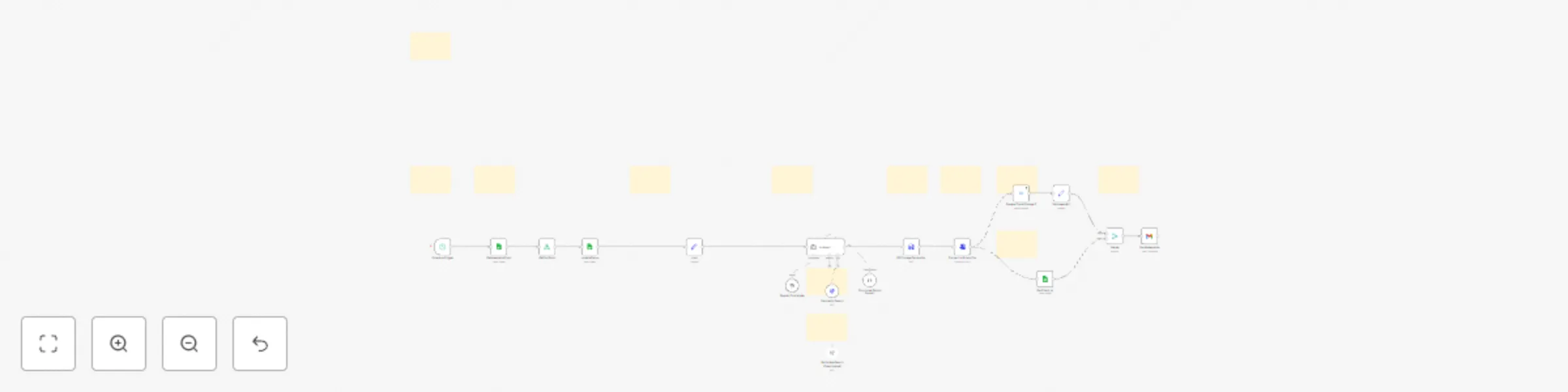
This workflow automates the following steps:
Scheduled Trigger: The workflow is triggered automatically on a predefined schedule.
Get Newsletter Topic: Retrieves the first unpublished newsletter topic from a Google Sheet titled "Newsletter Topics". It then updates the status of this topic and records the publication date to avoid duplication in future runs.
AI Newsletter & Image Generator: This is the core content creation step. It uses an AI agent (configured with OpenAI and Perplexity APIs) to generate an engaging newsletter and a detailed, ultra-realistic image prompt based on the selected topic and real-time web research.
GPT Image Generation: Uses the OpenAI API to generate an image based on the detailed image prompt created in the previous step.
Get Client List: Retrieves client names and email addresses from a Google Sheet titled "Clients".
Send Newsletter: Sends the personalized newsletter via Gmail to each client on the list, including the AI-generated title, content, and the uploaded image. The email body HTML is customizable.
Configure the workflow's run frequency within the "Schedule Trigger" node.
Create a Google Sheet named "Newsletter Topics" and "Clients" in your Google Drive.
Enter your OpenAI and Perplexity API key in the 'Input' node.
Connect your Gmail account to the "SendNewsletter" node.
Adjust the prompt for your newsletter style in the "AI Agent" node.
Adjust the Email Body HTML for your newsletter style in the "SendNewsletter" node.
Optionally, enable the "Tavily WebSearch" node and configure it if you prefer to use Tavily instead of Perplexity for web search.
Marketing, Content Creation, Automation
This catalog entry is organized from the workflow JSON. The node-level section below shows the executable blocks available for review before importing the template.
Showing the first 24 of 29 workflow blocks. Download the JSON for the full node graph.
| Workflow | Automate research-based newsletters with Perplexity, GPT-4, and image generation |
|---|---|
| Complexity | advanced |
| Nodes | 29 |
| Categories | Social Media, Multimodal AI |
| Author | Tianyi |
| Published | 04 May 2025 |
Use the JSON export at /data/workflows/3862/3862.json as the source template for this automation.
Open n8n, import the downloaded JSON, and review each node before activating the workflow.
Replace placeholder credentials, API keys, webhook URLs, account IDs, and environment-specific values with your own settings.
Run the workflow manually or in a staging workspace, inspect node output, and confirm downstream systems receive the expected data.
Enable the workflow only after testing, then monitor executions, errors, and rate limits during the first production runs.
Review imported nodes carefully before activation. This catalog entry is intended to help you inspect the workflow structure, understand required services, and find related templates faster.
Node names, credentials, schedules, webhook paths, and external service limits may need adjustment for your workspace.
This n8n workflow automates the process of creating and sending high quality newsletters with images generated by a GPT image generator. It is triggered on a schedule. What is included? 1 n8n workf...
Review the workflow JSON, configure any required credentials in n8n, and test the automation in a safe workspace before using it in production.
Yes. Use the block-by-block analysis and the downloadable JSON to inspect each node, then adjust credentials, prompts, schedules, filters, or destinations for your Social Media, Multimodal AI use case.