Block 1 - Search LinkedIn Posts
- Type / Role
- n8n-nodes-base.httpRequest - httpRequest
- Config choices
- Version 4.2


 Early Deal
This workflow is provided as-is. Please review and test before using in production.
LinkedIn Auto Engagement AI Agent Automatically find, analyze, and engage with relevant LinkedIn posts using AI powered sentiment analysis and comment generation Template Overview This workflow ...
n8n-nodes-base.httprequest, n8n-nodes-base.code, @n8n/n8n-nodes-langchain.chainllm, n8n-nodes-base.if, @n8n/n8n-nodes-langchain.lmchatopenrouter, @n8n/n8n-nodes-langchain.outputparserstructured, @n8n/n8n-nodes-langchain.agent, @n8n/n8n-nodes-langchain.sentimentanalysis
This workflow is cataloged by N8N Workflows and links back to its original n8n.io source page by Punit.
Original n8n.io sourceAutomatically find, analyze, and engage with relevant LinkedIn posts using AI-powered sentiment analysis and comment generation
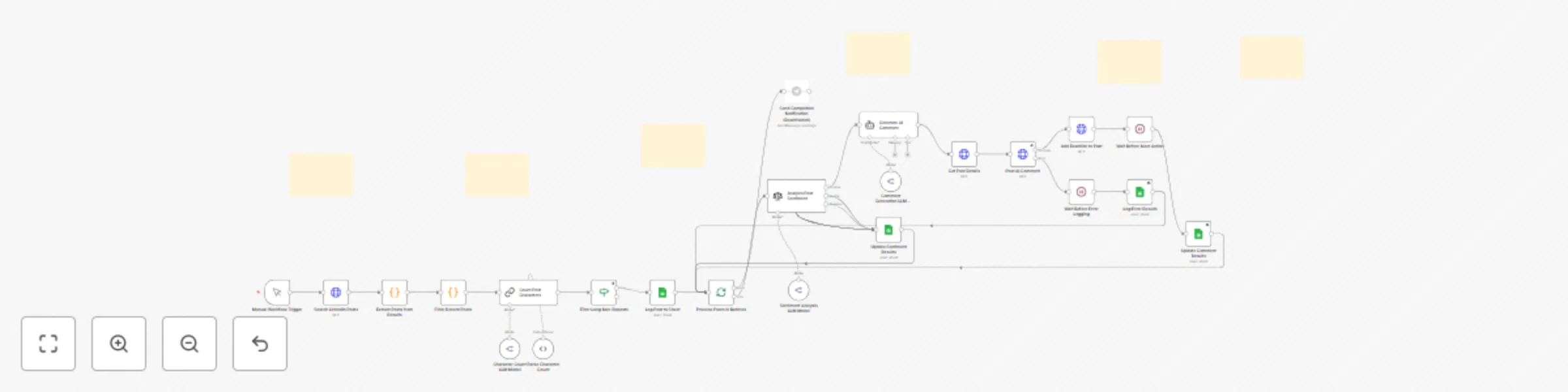
This workflow automates LinkedIn engagement by searching for relevant posts, analyzing their sentiment, generating contextual comments using AI, and posting them automatically. Perfect for DevOps professionals, cloud architects, and automation enthusiasts who want to maintain an active LinkedIn presence without spending hours manually commenting.
Before you can use this workflow, you'll need:
openai/gpt-4o-mini (cost-effective)Create a new Google Sheet with these exact column headers in Row 1:
| Post URL | Post Content | Name of Author | Author's Profile Headline | Profile URL of Author | ID | Sentiment of Post | Comment Generated by AI | Error |
|---|
Name the sheet tab: "Open - New n Random Niche Posts Comment"
Share the sheet with your Google account connected to n8n
Copy the Sheet ID from the URL (between /d/ and /edit)
Update the Sheet ID in these 4 nodes:
Append row in sheet2Update row in sheet9Update row in sheet10Update row in sheet11For each node:
LinkedIn SearchGet Post from LinkedIn2Comment On Post2Leave Reaction on Post2For each node:
X-API-KEY header parameteraccount_id parameterOpenRouter Chat Model6OpenRouter Chat Model7OpenRouter Chat Model8For each node:
Create a Telegram Bot:
@BotFather/newbotGet Your Chat ID:
https://api.telegram.org/botYOUR_TOKEN/getUpdatesConfigure the Telegram Node:
Send a text message2 nodechatId with your Chat IDWant to search for different topics? Update the LinkedIn Search URL:
Current keywords: Kubernetes, Azure, n8n, AWS, AI, Automation, SaaS
To change:
LinkedIn Search nodeurl parameter under Body Parameterskeywords= sectionExample for DevOps tools:
keywords=%22Terraform%22%20OR%20%22Docker%22%20OR%20%22Kubernetes%22%20OR%20%22Jenkins%22
Edit the AI Agent2 node prompt to change comment style:
You're an expert on [YOUR EXPERTISE].

Look at this post and drop in a thoughtful comment - {{ $json['Post Content'] }}

Guidelines:
- Write like a [YOUR STYLE]
- [YOUR RULES]
- Maximum 2 sentences

Only export the response and nothing else.
Edit the Sentiment Analysis2 node to add/remove categories based on your needs.
Modify the If2 node to change:
Add a Schedule Trigger node to run automatically:
The workflow includes 1-minute wait times between actions to avoid LinkedIn's spam detection. You can adjust these in the Wait nodes.
To engage with multiple niches:
LinkedIn Search nodeMerge node to combine resultsTotal estimated cost: $30-50/month for full automation
Issue: "Column names were updated" error
Issue: LinkedIn API returns 403 error
Issue: AI comments are generic or low quality
Issue: No posts found
Issue: Workflow hangs on Loop Over Items
This workflow is designed for: ✅ Authentic professional networking ✅ Adding value to discussions ✅ Saving time on routine engagement
Please avoid: ❌ Spamming or aggressive self-promotion ❌ Misleading or deceptive comments ❌ Violating LinkedIn's community guidelines
This workflow was created to solve the challenge of maintaining consistent LinkedIn engagement while focusing on actual work. After spending too many hours manually commenting, I built this automation to handle the repetitive parts while keeping comments authentic and valuable.
This workflow template is free to use and modify for personal and commercial purposes. Attribution is appreciated but not required.
Found a bug? Have an improvement idea?
Feel free to:
Built with:
Ready to automate your LinkedIn engagement? Import this workflow and start building your professional network on autopilot!
Last updated: October 2025
This catalog entry is organized from the workflow JSON. The node-level section below shows the executable blocks available for review before importing the template.
Showing the first 24 of 29 workflow blocks. Download the JSON for the full node graph.
| Workflow | Automate LinkedIn engagement with GPT-4o sentiment analysis & smart comments |
|---|---|
| Complexity | advanced |
| Nodes | 29 |
| Categories | Social Media, AI Chatbot |
| Author | Punit |
| Published | 08 Oct 2025 |
Use the JSON export at /data/workflows/9385/9385.json as the source template for this automation.
Open n8n, import the downloaded JSON, and review each node before activating the workflow.
Replace placeholder credentials, API keys, webhook URLs, account IDs, and environment-specific values with your own settings.
Run the workflow manually or in a staging workspace, inspect node output, and confirm downstream systems receive the expected data.
Enable the workflow only after testing, then monitor executions, errors, and rate limits during the first production runs.
Review imported nodes carefully before activation. This catalog entry is intended to help you inspect the workflow structure, understand required services, and find related templates faster.
Node names, credentials, schedules, webhook paths, and external service limits may need adjustment for your workspace.
LinkedIn Auto Engagement AI Agent Automatically find, analyze, and engage with relevant LinkedIn posts using AI powered sentiment analysis and comment generation Template Overview This workflow ...
Review the workflow JSON, configure any required credentials in n8n, and test the automation in a safe workspace before using it in production.
Yes. Use the block-by-block analysis and the downloadable JSON to inspect each node, then adjust credentials, prompts, schedules, filters, or destinations for your Social Media, AI Chatbot use case.