πŸ“š Auto-generate documentation for n8n workflows with GPT and Docsify

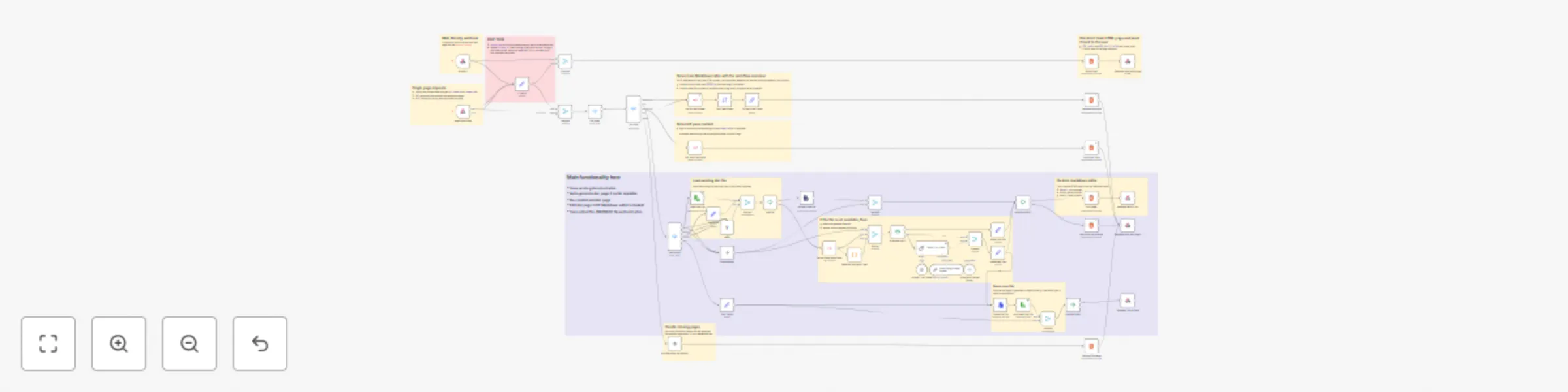
Workflow preview

Workflow preview
100%
πŸ“š Auto-generate documentation for n8n workflows with GPT and Docsify preview
Open on n8n.io

Important notice

This workflow is provided as-is. Please review and test before using in production.

1. Workflow Overview

This workflow creates a documentation system for n8n instances using Docsify.js. It serves a dynamic documentation website that allows users to: View an overview of all workflows in a tabular forma...

Best for

  • Internal Wiki automation workflows
  • Multimodal AI automation workflows
  • advanced n8n builders looking for reusable templates

Tools used

n8n-nodes-base.set, n8n-nodes-base.converttofile, n8n-nodes-base.if, n8n-nodes-base.extractfromfile, n8n-nodes-base.html, n8n-nodes-base.sort, n8n-nodes-base.switch, n8n-nodes-base.readwritefile

Source and attribution

This workflow is cataloged by N8N Workflows and links back to its original n8n.io source page by Eduard.

Original n8n.io source

1.1 Workflow description

Title
πŸ“š Auto-generate documentation for n8n workflows with GPT and Docsify
Workflow name
πŸ“š Auto-generate documentation for n8n workflows with GPT and Docsify

This workflow creates a documentation system for n8n instances using Docsify.js. It serves a dynamic documentation website that allows users to:

  • View an overview of all workflows in a tabular format
  • Filter workflows by tags
  • Access automatically generated documentation for each workflow
  • Edit documentation with a live Markdown preview
  • Visualize workflow structures using Mermaid.js diagrams

> πŸ“Ί Check out the short 2-min demonstration on LinkedIn. Don't forget to connect!

πŸ”§ Key Components

  1. Main Documentation Portal
  • Serves a Docsify-powered website
  • Provides a navigation sidebar with workflow tags
  • Displays workflow status, creation date, and documentation links
  1. Documentation Generator
  • Uses GPT model to auto-generate workflow descriptions
  • Creates Mermaid.js diagrams of workflow structures
  • Maintains consistent documentation format
  1. Live Editor
  • Split-screen Markdown editor with preview
  • Real-time Mermaid diagram rendering
  • Save/Cancel functionality

βš™οΈ Technical Details

Environment Setup

  • Requires write access to the specified project directory
  • Uses environment variables for n8n instance URL configuration
  • Implements webhook endpoints for serving documentation

⚠️ Security Considerations

> Note: The current implementation doesn't include authentication for editing. Consider adding authentication for production use.

Dependencies

  • Docsify.js for documentation rendering
  • Mermaid.js for workflow visualization
  • OpenAI GPT for documentation generation

πŸ” Part of the n8n Observability Series

This workflow is part of a broader series focused on n8n instance observability. Check out these related workflows:

  1. Workflow Dashboard - Get comprehensive analytics of your n8n instance
  2. Visualize Your n8n Workflows with Mermaid.js - Create beautiful workflow visualizations

Each workflow in this series helps you better understand and manage your n8n automation ecosystem!

1.2 Logical Blocks

This catalog entry is organized from the workflow JSON. The node-level section below shows the executable blocks available for review before importing the template.

2. Block-by-Block Analysis

Block 1 - CONFIG

Type / Role
n8n-nodes-base.set - set
Config choices
Version 3.4

Block 2 - Convert to File

Type / Role
n8n-nodes-base.convertToFile - convertToFile
Config choices
Version 1.1

Block 3 - HasFile?

Type / Role
n8n-nodes-base.if - if
Config choices
Version 2.2

Block 4 - Extract from File

Type / Role
n8n-nodes-base.extractFromFile - extractFromFile
Config choices
Version 1

Block 5 - Main Page

Type / Role
n8n-nodes-base.html - html
Config choices
Version 1.2

Block 6 - Instance overview

Type / Role
n8n-nodes-base.html - html
Config choices
Version 1.2

Block 7 - Sort-workflows

Type / Role
n8n-nodes-base.sort - sort
Config choices
Version 1

Block 8 - doc action

Type / Role
n8n-nodes-base.switch - switch
Config choices
Version 3.2

Block 9 - Empty Set

Type / Role
n8n-nodes-base.set - set
Config choices
Version 3.4

Block 10 - Load Doc File

Type / Role
n8n-nodes-base.readWriteFile - readWriteFile
Config choices
Version 1

Block 11 - Respond with markdown

Type / Role
n8n-nodes-base.respondToWebhook - respondToWebhook
Config choices
Version 1.1

Block 12 - Respond with HTML

Type / Role
n8n-nodes-base.respondToWebhook - respondToWebhook
Config choices
Version 1.1

Block 13 - Save New Doc File

Type / Role
n8n-nodes-base.readWriteFile - readWriteFile
Config choices
Version 1

Block 14 - Blank Doc File

Type / Role
n8n-nodes-base.set - set
Config choices
Version 3.4

Block 15 - Fetch Single Workflow1

Type / Role
n8n-nodes-base.n8n - n8n
Config choices
Version 1

Block 16 - Fill Workflow Table

Type / Role
n8n-nodes-base.set - set
Config choices
Version 3.4

Block 17 - Basic LLM Chain

Type / Role
@n8n/n8n-nodes-langchain.chainLlm - chainLlm
Config choices
Version 1.4

Block 18 - OpenAI Chat Model

Type / Role
@n8n/n8n-nodes-langchain.lmChatOpenAi - lmChatOpenAi
Config choices
Version 1

Block 19 - Structured Output Parser

Type / Role
@n8n/n8n-nodes-langchain.outputParserStructured - outputParserStructured
Config choices
Version 1.2

Block 20 - Auto-fixing Output Parser

Type / Role
@n8n/n8n-nodes-langchain.outputParserAutofixing - outputParserAutofixing
Config choices
Version 1

Block 21 - Respond with main page HTML

Type / Role
n8n-nodes-base.respondToWebhook - respondToWebhook
Config choices
Version 1.1

Block 22 - Workflow Tags

Type / Role
n8n-nodes-base.html - html
Config choices
Version 1.2

Block 23 - No Operation, do nothing

Type / Role
n8n-nodes-base.noOp - noOp
Config choices
Version 1

Block 24 - Merge

Type / Role
n8n-nodes-base.merge - merge
Config choices
Version 3

Showing the first 24 of 60 workflow blocks. Download the JSON for the full node graph.

3. Summary Table

Workflow πŸ“š Auto-generate documentation for n8n workflows with GPT and Docsify
Complexity advanced
Nodes 60
Categories Internal Wiki, Multimodal AI
Author Eduard
Published 22 Dec 2024

4. Reproducing the Workflow from Scratch

  1. 1. Download the workflow JSON

    Use the JSON export at /data/workflows/2669/2669.json as the source template for this automation.

  2. 2. Import the template into n8n

    Open n8n, import the downloaded JSON, and review each node before activating the workflow.

  3. 3. Configure credentials and variables

    Replace placeholder credentials, API keys, webhook URLs, account IDs, and environment-specific values with your own settings.

  4. 4. Test with sample data

    Run the workflow manually or in a staging workspace, inspect node output, and confirm downstream systems receive the expected data.

  5. 5. Activate and monitor

    Enable the workflow only after testing, then monitor executions, errors, and rate limits during the first production runs.

5. General Notes & Resources

Review imported nodes carefully before activation. This catalog entry is intended to help you inspect the workflow structure, understand required services, and find related templates faster.

Node names, credentials, schedules, webhook paths, and external service limits may need adjustment for your workspace.

Frequently asked questions

What does πŸ“š Auto-generate documentation for n8n workflows with GPT and Docsify do?

This workflow creates a documentation system for n8n instances using Docsify.js. It serves a dynamic documentation website that allows users to: View an overview of all workflows in a tabular forma...

What do I need before importing this workflow?

Review the workflow JSON, configure any required credentials in n8n, and test the automation in a safe workspace before using it in production.

Can I customize this workflow?

Yes. Use the block-by-block analysis and the downloadable JSON to inspect each node, then adjust credentials, prompts, schedules, filters, or destinations for your Internal Wiki, Multimodal AI use case.