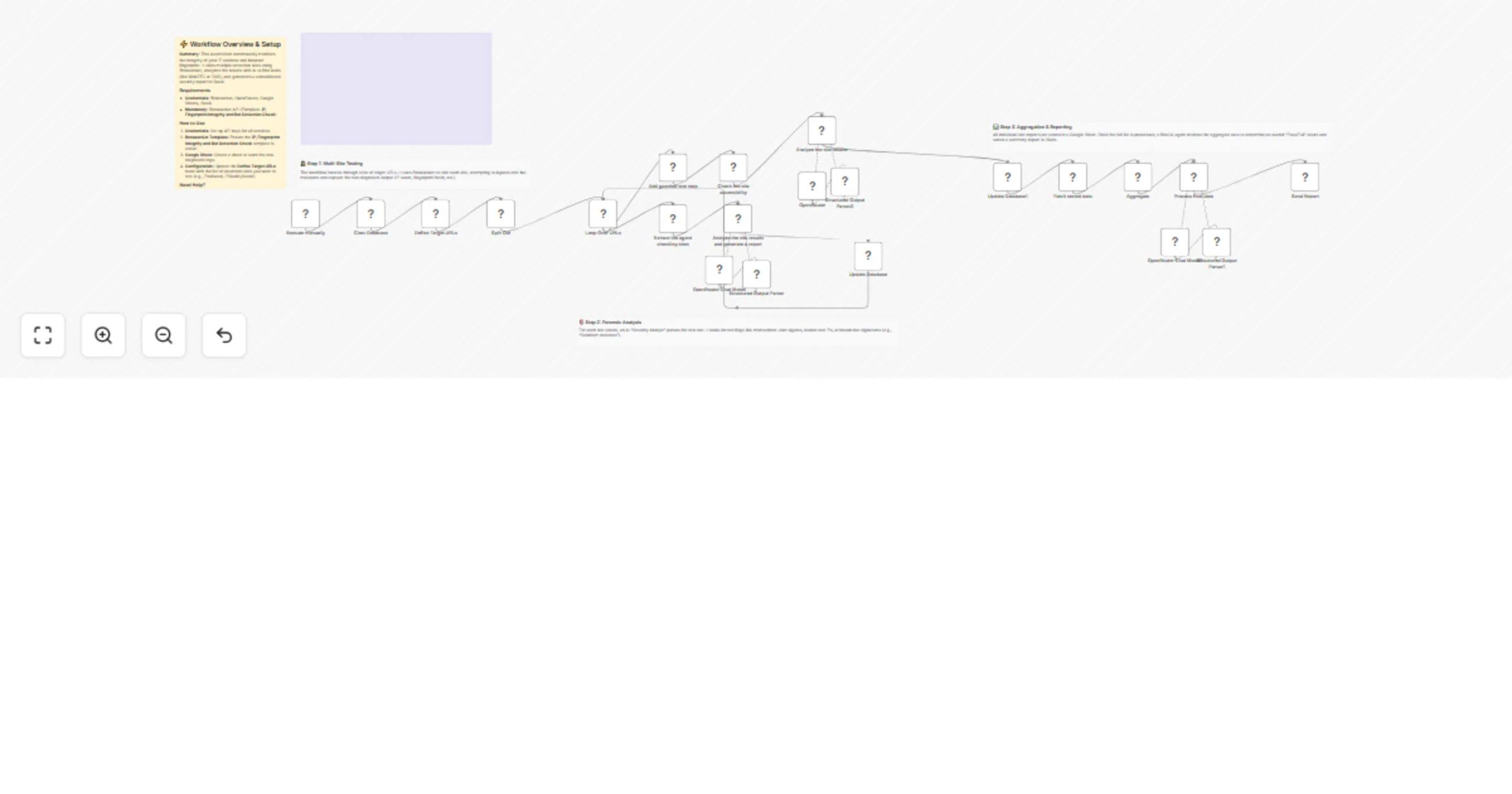
Audit browser and proxy fingerprint/IP integrity with GPT-4o, Sheets and Slack

Workflow preview

Workflow preview
100%
Audit browser and proxy fingerprint/IP integrity with GPT-4o, Sheets and Slack preview
Open on n8n.io

1. Workflow Overview

Audit browser & Proxies fingerprint and IP integrity to Slack reports Introduction This workflow performs a comprehensive security audit on your web scraping infrastructure to detect potential IP l...

Best for

  • SecOps automation workflows
  • AI Summarization automation workflows
  • advanced n8n builders looking for reusable templates

Tools used

n8n-nodes-base.set, n8n-nodes-base.splitinbatches, n8n-nodes-base.splitout, @n8n/n8n-nodes-langchain.lmchatopenrouter, @n8n/n8n-nodes-langchain.outputparserstructured, n8n-nodes-base.aggregate, n8n-nodes-base.googlesheets, n8n-nodes-base.manualtrigger

Source and attribution

This workflow is cataloged by N8N Workflows and links back to its original n8n.io source page by Madame AI Team | Kai.

Original n8n.io source

1.1 Workflow description

Title
Audit browser and proxy fingerprint/IP integrity with GPT-4o, Sheets and Slack
Workflow name
Audit browser and proxy fingerprint/IP integrity with GPT-4o, Sheets and Slack

Audit browser & Proxies fingerprint and IP integrity to Slack reports

Introduction

This workflow performs a comprehensive security audit on your web scraping infrastructure to detect potential IP leaks or bot detection flags. It iterates through a list of fingerprinting services and guarded websites using BrowserAct, uses AI to analyze the diagnostic data for anomalies (like mismatched User-Agents or leaked WebRTC IPs), and logs the results to Google Sheets before delivering a final "Go/No-Go" report to Slack.

Target Audience

Web scraping developers, DevOps engineers, and security analysts who need to verify that their automation infrastructure is not being flagged as a bot.

How it works

  1. Initialization: The workflow starts by clearing a designated Google Sheet to prepare for a fresh audit.
  2. Target Definition: A Set node defines a list of diagnostic URLs (e.g., BrowserScan, IPQualityScore) and specific guarded websites (e.g., Footlocker) to test.
  3. Looping: A Split In Batches node iterates through each URL one by one.
  4. Data Extraction: The BrowserAct node visits each URL. It executes the "Bot Detection Check" template to extract raw fingerprint data, headers, and access logs.
  5. Forensic Analysis: An AI Agent (using OpenRouter/GPT-4o) acts as a security analyst. It parses the raw scraping output to identify specific red flags, such as "WebDriver" leaks, IP blacklisting, or CAPTCHA blocks.
  6. Logging: The individual analysis for each site is appended to a Google Sheet.
  7. Aggregation: Once all sites are checked, the workflow fetches all rows from the Google Sheet.
  8. Final Verdict: A second AI Agent reviews the aggregate data to generate a master report, calculating a success rate and identifying consistency issues across different checks.
  9. Notification: The final formatted report is sent to a Slack channel.

How to set up

  1. Configure Credentials: Connect your BrowserAct, OpenRouter, Google Sheets, and Slack accounts in n8n.
  2. Prepare BrowserAct: Ensure you have the Bot Detection Check template saved and active in your BrowserAct library.
  3. Setup Google Sheet: Create a new Google Sheet. (See headers below).
  4. Define Targets: Open the Define Target URLs node and populate the array with the detection services you wish to test.
  5. Configure Guarded Sites: Open the Add guarded test step node if you wish to change the specific e-commerce or protected site being tested (default is Footlocker).
  6. Select Slack Channel: Update the Send Report node to point to your desired Slack channel.

Google Sheet Headers

To use this workflow, create a Google Sheet with the following header in the first row:

  • Result

Requirements

  • BrowserAct Account: Required to perform the browser-based checks. You must have the Bot Detection Check template.
  • OpenRouter Account: Required for the GPT-4o model to perform the forensic analysis.
  • Google Sheets: Used as a temporary database to store logs during the loop.
  • Slack Account: Used to receive the final audit report.

How to customize the workflow

  1. Add Email Alerts: Add a Gmail or SendGrid node after the final AI Agent to email the report to stakeholders if the "Scorecard" falls below a certain threshold.
  2. Deepen the Analysis: Modify the System Prompt in the Analyze the site results node to check for specific custom headers or headers required by your target websites.
  3. Rotate Proxies: If the report returns a "Fail," you could extend the workflow to trigger a proxy rotation API (like Bright Data or IPRoyal) automatically.

Need Help?


Workflow Guidance and Showcase Video

1.2 Logical Blocks

This catalog entry is organized from the workflow JSON. The node-level section below shows the executable blocks available for review before importing the template.

2. Block-by-Block Analysis

Block 1 - Define Target URLs

Type / Role
n8n-nodes-base.set - set
Config choices
Version 3.4

Block 2 - Loop Over URLs

Type / Role
n8n-nodes-base.splitInBatches - splitInBatches
Config choices
Version 3

Block 3 - Split Out

Type / Role
n8n-nodes-base.splitOut - splitOut
Config choices
Version 1

Block 4 - OpenRouter Chat Model

Type / Role
@n8n/n8n-nodes-langchain.lmChatOpenRouter - lmChatOpenRouter
Config choices
Version 1

Block 5 - Structured Output Parser

Type / Role
@n8n/n8n-nodes-langchain.outputParserStructured - outputParserStructured
Config choices
Version 1.3

Block 6 - OpenRouter Chat Model1

Type / Role
@n8n/n8n-nodes-langchain.lmChatOpenRouter - lmChatOpenRouter
Config choices
Version 1

Block 7 - Structured Output Parser1

Type / Role
@n8n/n8n-nodes-langchain.outputParserStructured - outputParserStructured
Config choices
Version 1.3

Block 8 - Aggregate

Type / Role
n8n-nodes-base.aggregate - aggregate
Config choices
Version 1

Block 9 - Structured Output Parser2

Type / Role
@n8n/n8n-nodes-langchain.outputParserStructured - outputParserStructured
Config choices
Version 1.3

Block 10 - Clear Database

Type / Role
n8n-nodes-base.googleSheets - googleSheets
Config choices
Version 4.7

Block 11 - Execute manually

Type / Role
n8n-nodes-base.manualTrigger - manualTrigger
Config choices
Version 1

Block 12 - Analyze the site results and generate a report

Type / Role
@n8n/n8n-nodes-langchain.agent - agent
Config choices
Version 3

Block 13 - Update Database

Type / Role
n8n-nodes-base.googleSheets - googleSheets
Config choices
Version 4.7

Block 14 - Add guarded test step

Type / Role
n8n-nodes-base.set - set
Config choices
Version 3.4

Block 15 - Check the site accessibility

Type / Role
n8n-nodes-browseract.browserAct - browserAct
Config choices
Version 1

Block 16 - Analyze the site results

Type / Role
@n8n/n8n-nodes-langchain.agent - agent
Config choices
Version 3

Block 17 - Update Database1

Type / Role
n8n-nodes-base.googleSheets - googleSheets
Config choices
Version 4.7

Block 18 - Fetch stored data

Type / Role
n8n-nodes-base.googleSheets - googleSheets
Config choices
Version 4.7

Block 19 - Process final data

Type / Role
@n8n/n8n-nodes-langchain.agent - agent
Config choices
Version 3

Block 20 - Send Report

Type / Role
n8n-nodes-base.slack - slack
Config choices
Version 2.4

Block 21 - Documentation

Type / Role
n8n-nodes-base.stickyNote - stickyNote
Config choices
Version 1

Block 22 - Step 1 Explanation

Type / Role
n8n-nodes-base.stickyNote - stickyNote
Config choices
Version 1

Block 23 - Step 2 Explanation

Type / Role
n8n-nodes-base.stickyNote - stickyNote
Config choices
Version 1

Block 24 - Step 3 Explanation

Type / Role
n8n-nodes-base.stickyNote - stickyNote
Config choices
Version 1

Showing the first 24 of 27 workflow blocks. Download the JSON for the full node graph.

3. Summary Table

Workflow Audit browser and proxy fingerprint/IP integrity with GPT-4o, Sheets and Slack
Complexity advanced
Nodes 27
Categories SecOps, AI Summarization
Author Madame AI Team | Kai
Published 13 Feb 2026

4. Reproducing the Workflow from Scratch

  1. 1. Download the workflow JSON

    Use the JSON export at /data/workflows/13375/13375.json as the source template for this automation.

  2. 2. Import the template into n8n

    Open n8n, import the downloaded JSON, and review each node before activating the workflow.

  3. 3. Configure credentials and variables

    Replace placeholder credentials, API keys, webhook URLs, account IDs, and environment-specific values with your own settings.

  4. 4. Test with sample data

    Run the workflow manually or in a staging workspace, inspect node output, and confirm downstream systems receive the expected data.

  5. 5. Activate and monitor

    Enable the workflow only after testing, then monitor executions, errors, and rate limits during the first production runs.

5. General Notes & Resources

Review imported nodes carefully before activation. This catalog entry is intended to help you inspect the workflow structure, understand required services, and find related templates faster.

Node names, credentials, schedules, webhook paths, and external service limits may need adjustment for your workspace.

Frequently asked questions

What does Audit browser and proxy fingerprint/IP integrity with GPT-4o, Sheets and Slack do?

Audit browser & Proxies fingerprint and IP integrity to Slack reports Introduction This workflow performs a comprehensive security audit on your web scraping infrastructure to detect potential IP l...

What do I need before importing this workflow?

Review the workflow JSON, configure any required credentials in n8n, and test the automation in a safe workspace before using it in production.

Can I customize this workflow?

Yes. Use the block-by-block analysis and the downloadable JSON to inspect each node, then adjust credentials, prompts, schedules, filters, or destinations for your SecOps, AI Summarization use case.