AI YouTube playlist & video analyst chatbot

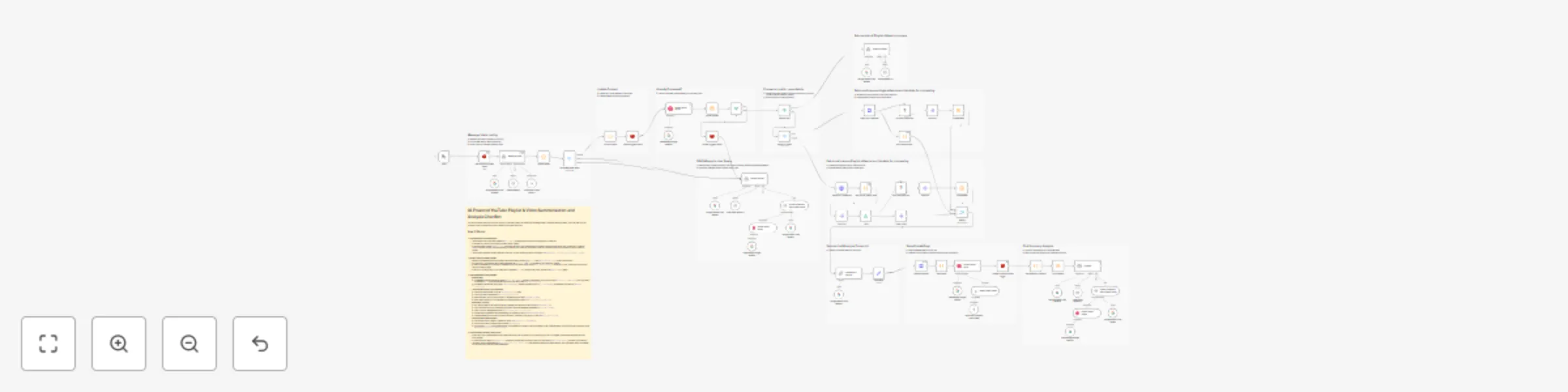
Workflow preview

Workflow preview
100%
AI YouTube playlist & video analyst chatbot preview
Open on n8n.io

Important notice

This workflow is provided as-is. Please review and test before using in production.

1. Workflow Overview

AI YouTube Playlist & Video Analyst Chatbot This n8n workflow transforms entire YouTube playlists or single videos into interactive knowledge bases you can chat with. Ask questions and get summarie...

Best for

  • Market Research automation workflows
  • AI RAG automation workflows
  • advanced n8n builders looking for reusable templates

Tools used

@n8n/n8n-nodes-langchain.lmchatgooglegemini, @n8n/n8n-nodes-langchain.agent, n8n-nodes-base.splitout, @n8n/n8n-nodes-langchain.chainllm, n8n-nodes-base.summarize, n8n-nodes-base.limit, @n8n/n8n-nodes-langchain.vectorstoreqdrant, @n8n/n8n-nodes-langchain.textsplitterrecursivecharactertextsplitter

Source and attribution

This workflow is cataloged by N8N Workflows and links back to its original n8n.io source page by dmr.

Original n8n.io source

1.1 Workflow description

Title
AI YouTube playlist & video analyst chatbot
Workflow name
AI YouTube playlist & video analyst chatbot

AI YouTube Playlist & Video Analyst Chatbot

This n8n workflow transforms entire YouTube playlists or single videos into interactive knowledge bases you can chat with. Ask questions and get summaries without needing to watch hours of content.

🌟 How it Works

  1. 🔗 Provide a Link: Start by giving the workflow a URL for a YouTube playlist or a single video.
  2. 📄 Content Retrieval: The workflow automatically fetches the video details and transcripts for the provided link. For playlists, it can process multiple videos at once (you might be asked how many).
  3. 🧠 AI Processing: Google's Gemini AI reads through the transcripts, understands the content, and creates summaries.
  4. 💾 Storage & Context: The processed information and summaries are stored in a vector database (Qdrant), making them ready for conversation. Context is managed using Redis, remembering the current video/playlist you're discussing.
  5. 💬 Chat & Ask: Now, you can ask the AI agent questions about the playlist or video content! Because context is maintained, you can ask follow-up questions (like "expand on point X") without needing to provide the URL again.

🛠️ Requirements

  • Community Node: This workflow uses the youtubeTranscripter community node to fetch video transcripts. You'll need to install it in your n8n environment.
    • Installation: npm install n8n-nodes-youtube-transcription-dmr
    • Important: Community nodes require a self-hosted n8n instance.
  • Redis: A Redis instance is required for managing conversation context and status between interactions.
  • Credentials: You will need API credentials configured in your n8n instance for:
    • Google Gemini (AI Models)
    • Qdrant (Vector Store)
    • Redis (Context Store)

🤖 AI Agent Capabilities

Engage with the AI agent to explore the video content. Since the agent remembers the context of your conversation, you can ask detailed follow-up questions naturally:

  • Get a quick summary of a single video or an entire playlist.
  • Ask for key takeaways or main topics discussed.
  • Query for specific information mentioned in the videos.
  • Ask the agent to elaborate on a specific point previously mentioned.
  • Understand complex subjects without watching the full duration.

🚀 Use Cases

  • 📊 Content Analysis: Quickly understand the themes and key points across a playlist or long video.
  • 📚 Research & Learning: Extract insights from educational series or tutorials efficiently.
  • ✍️ Content Creation: Easily repurpose video transcript information into blog posts, notes, or social media content.
  • ⏱️ Save Time: Get the essence of video content when you're short on time.
  • ♿ Accessibility: Offers a text-based way to interact with and understand video content.

✨ Sample Prompts

  • Please analyze this playlist and tell me the main topics covered: [YouTube Playlist URL]
  • Summarize the first 5 videos in this playlist: [YouTube Playlist URL]
  • (Follow-up) Tell me more about the main point in video 3.
  • What are the key points discussed in this video? [YouTube Video URL]
  • (Follow-up) Expand on the second key point you mentioned.
  • Does the video at [YouTube Video URL] mention [specific topic]?

1.2 Logical Blocks

This catalog entry is organized from the workflow JSON. The node-level section below shows the executable blocks available for review before importing the template.

2. Block-by-Block Analysis

Block 1 - Google Gemini Chat Model1

Type / Role
@n8n/n8n-nodes-langchain.lmChatGoogleGemini - lmChatGoogleGemini
Config choices
Version 1

Block 2 - Handle Queries

Type / Role
@n8n/n8n-nodes-langchain.agent - agent
Config choices
Version 1.7

Block 3 - Split Out

Type / Role
n8n-nodes-base.splitOut - splitOut
Config choices
Version 1

Block 4 - Summarize & Analyze Transcript

Type / Role
@n8n/n8n-nodes-langchain.chainLlm - chainLlm
Config choices
Version 1.4

Block 5 - Concatenate

Type / Role
n8n-nodes-base.summarize - summarize
Config choices
Version 1

Block 6 - Split Out1

Type / Role
n8n-nodes-base.splitOut - splitOut
Config choices
Version 1

Block 7 - Limit

Type / Role
n8n-nodes-base.limit - limit
Config choices
Version 1

Block 8 - Qdrant Vector Store

Type / Role
@n8n/n8n-nodes-langchain.vectorStoreQdrant - vectorStoreQdrant
Config choices
Version 1

Block 9 - Recursive Character Text Splitter

Type / Role
@n8n/n8n-nodes-langchain.textSplitterRecursiveCharacterTextSplitter - textSplitterRecursiveCharacterTextSplitter
Config choices
Version 1

Block 10 - Embeddings Google Gemini

Type / Role
@n8n/n8n-nodes-langchain.embeddingsGoogleGemini - embeddingsGoogleGemini
Config choices
Version 1

Block 11 - Google Gemini Chat Model2

Type / Role
@n8n/n8n-nodes-langchain.lmChatGoogleGemini - lmChatGoogleGemini
Config choices
Version 1

Block 12 - Embeddings Google Gemini1

Type / Role
@n8n/n8n-nodes-langchain.embeddingsGoogleGemini - embeddingsGoogleGemini
Config choices
Version 1

Block 13 - Chat

Type / Role
@n8n/n8n-nodes-langchain.chatTrigger - chatTrigger
Config choices
Version 1.1

Block 14 - Video Titles

Type / Role
n8n-nodes-base.splitOut - splitOut
Config choices
Version 1

Block 15 - Merge

Type / Role
n8n-nodes-base.merge - merge
Config choices
Version 3

Block 16 - Edit Fields

Type / Role
n8n-nodes-base.set - set
Config choices
Version 3.4

Block 17 - AI Agent

Type / Role
@n8n/n8n-nodes-langchain.agent - agent
Config choices
Version 1.7

Block 18 - Google Gemini Chat Model4

Type / Role
@n8n/n8n-nodes-langchain.lmChatGoogleGemini - lmChatGoogleGemini
Config choices
Version 1

Block 19 - Delete Collection

Type / Role
n8n-nodes-base.httpRequest - httpRequest
Config choices
Version 4.2

Block 20 - Default Data Loader

Type / Role
@n8n/n8n-nodes-langchain.documentDefaultDataLoader - documentDefaultDataLoader
Config choices
Version 1

Block 21 - Chat Buffer Memory

Type / Role
@n8n/n8n-nodes-langchain.memoryBufferWindow - memoryBufferWindow
Config choices
Version 1.3

Block 22 - Full Summary

Type / Role
n8n-nodes-base.summarize - summarize
Config choices
Version 1.1

Block 23 - Sticky Note2

Type / Role
n8n-nodes-base.stickyNote - stickyNote
Config choices
Version 1

Block 24 - Sticky Note3

Type / Role
n8n-nodes-base.stickyNote - stickyNote
Config choices
Version 1

Showing the first 24 of 72 workflow blocks. Download the JSON for the full node graph.

3. Summary Table

Workflow AI YouTube playlist & video analyst chatbot
Complexity advanced
Nodes 72
Categories Market Research, AI RAG
Author dmr
Published 02 Apr 2025

4. Reproducing the Workflow from Scratch

  1. 1. Download the workflow JSON

    Use the JSON export at /data/workflows/3408/3408.json as the source template for this automation.

  2. 2. Import the template into n8n

    Open n8n, import the downloaded JSON, and review each node before activating the workflow.

  3. 3. Configure credentials and variables

    Replace placeholder credentials, API keys, webhook URLs, account IDs, and environment-specific values with your own settings.

  4. 4. Test with sample data

    Run the workflow manually or in a staging workspace, inspect node output, and confirm downstream systems receive the expected data.

  5. 5. Activate and monitor

    Enable the workflow only after testing, then monitor executions, errors, and rate limits during the first production runs.

5. General Notes & Resources

Review imported nodes carefully before activation. This catalog entry is intended to help you inspect the workflow structure, understand required services, and find related templates faster.

Node names, credentials, schedules, webhook paths, and external service limits may need adjustment for your workspace.

Frequently asked questions

What does AI YouTube playlist & video analyst chatbot do?

AI YouTube Playlist & Video Analyst Chatbot This n8n workflow transforms entire YouTube playlists or single videos into interactive knowledge bases you can chat with. Ask questions and get summarie...

What do I need before importing this workflow?

Review the workflow JSON, configure any required credentials in n8n, and test the automation in a safe workspace before using it in production.

Can I customize this workflow?

Yes. Use the block-by-block analysis and the downloadable JSON to inspect each node, then adjust credentials, prompts, schedules, filters, or destinations for your Market Research, AI RAG use case.