Block 1 - Sticky Note12
- Type / Role
- n8n-nodes-base.stickyNote - stickyNote
- Config choices
- Version 1


 Early Deal
This workflow is provided as-is. Please review and test before using in production.
Transform YouTube comments into actionable insights with automated AI analysis and professional email reports. This intelligent workflow monitors your Google Sheets for YouTube video IDs, fetches c...
n8n-nodes-base.stickynote, n8n-nodes-base.limit, @n8n/n8n-nodes-langchain.agent, @n8n/n8n-nodes-langchain.lmchatopenai, n8n-nodes-base.if, n8n-nodes-base.set, n8n-nodes-base.youtube, n8n-nodes-base.httprequest
This workflow is cataloged by N8N Workflows and links back to its original n8n.io source page by Yaron Been.
Original n8n.io sourceTransform YouTube comments into actionable insights with automated AI analysis and professional email reports.
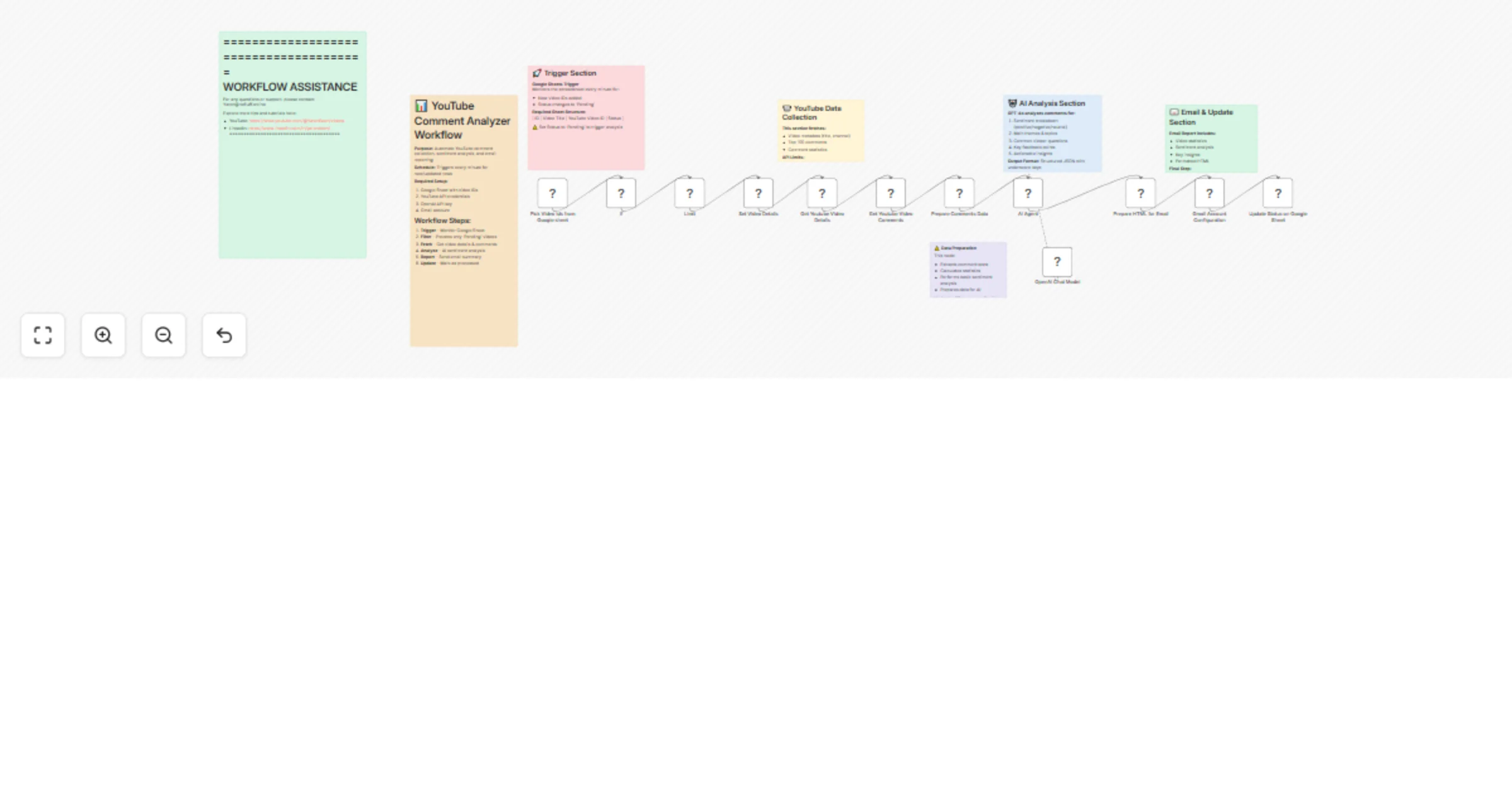
This intelligent workflow monitors your Google Sheets for YouTube video IDs, fetches comments using YouTube API, performs comprehensive AI sentiment analysis, and delivers formatted email reports with viewer insights - helping content creators understand their audience and improve engagement.
Smart Video Monitoring: Watches Google Sheets for new YouTube video IDs marked as "Pending" and triggers automated analysis
Complete Comment Collection: Fetches up to 100 top comments per video using YouTube API with relevance-based ordering
AI-Powered Analysis: Uses GPT-4 to analyze comments for sentiment, themes, questions, feedback, and actionable insights
Professional Email Reports: Generates detailed HTML reports with statistics, sentiment breakdown, and improvement recommendations
Automated Status Tracking: Updates spreadsheet status to prevent duplicate processing and maintain organized workflow
✅ Deep Audience Insights: Understand what viewers really think about your content
✅ Save Hours of Manual Work: Automated comment analysis vs reading hundreds of comments
✅ Improve Content Strategy: Get actionable feedback for better video performance
✅ Track Sentiment Trends: Monitor positive/negative feedback patterns
✅ Professional Reporting: Receive formatted analysis reports via email
✅ Scalable Analysis: Process multiple videos automatically
Complete Analytics Workflow: Ready-to-deploy YouTube comment analysis system Google Sheets Integration: Simple spreadsheet-based video management YouTube API Integration: Automated comment fetching with proper authentication AI Analysis Engine: GPT-4 powered sentiment and insight generation Email Reporting System: Professional HTML-formatted reports Status Management: Automatic processing tracking and duplicate prevention
| ID | Video Title | YouTube Video ID | Status |
|----|-------------|------------------|---------|
| 1  | My Tutorial | dQw4w9WgXcQ     | Pending |
| 2  | Product Demo| abc123def456    | Mail Sent |
| 3  | Weekly Vlog | xyz789uvw012    | Draft |
Status Options: Draft → Pending → Mail Sent
📺 YouTube Comments Analysis Report
Video: "How to Build Your First Website"

📊 Quick Statistics:
• Total Comments Analyzed: 87
• Average Likes per Comment: 3.2
• Total Replies: 156
• Sentiment Summary: Positive: 65%, Negative: 10%, Neutral: 25%

❓ Common Questions:
• "What hosting service do you recommend?"
• "Can I do this without coding experience?"
• "How much does domain registration cost?"

💡 Key Feedback Points:
• Tutorial pace is perfect for beginners
• More examples of finished websites requested
• Viewers want follow-up video on advanced features

🎯 Actionable Insights:
• Create hosting comparison video
• Add timestamps for different skill levels
• Consider beginner-friendly series expansion
Analysis Depth: Adjust AI prompts for different analysis focuses (engagement, education, entertainment) Comment Limits: Modify maximum comments processed (default: 100, AI analysis: 50) Report Recipients: Send reports to multiple team members or clients Custom Metrics: Add specific analysis criteria for your content niche Multi-Channel: Process videos from multiple YouTube channels Scheduling: Set up regular analysis of your latest videos
#youtube-analytics #comment-analysis #content-creator-tools #ai-sentiment-analysis #video-insights #audience-research #youtube-api #content-optimization #social-media-analytics #creator-economy #video-marketing #engagement-analysis #content-strategy #ai-reporting #youtube-automation
Educational Channel: Analyze tutorial comments to identify confusing concepts and improve teaching methods
Product Reviews: Monitor sentiment on review videos to understand customer satisfaction trends
Entertainment Creator: Track audience reactions to different content formats and optimize future videos
This catalog entry is organized from the workflow JSON. The node-level section below shows the executable blocks available for review before importing the template.
| Workflow | AI YouTube analytics agent: Comment analyzer & insights reporter |
|---|---|
| Complexity | advanced |
| Nodes | 19 |
| Categories | Market Research, AI Summarization |
| Author | Yaron Been |
| Published | 28 May 2025 |
Use the JSON export at /data/workflows/4459/4459.json as the source template for this automation.
Open n8n, import the downloaded JSON, and review each node before activating the workflow.
Replace placeholder credentials, API keys, webhook URLs, account IDs, and environment-specific values with your own settings.
Run the workflow manually or in a staging workspace, inspect node output, and confirm downstream systems receive the expected data.
Enable the workflow only after testing, then monitor executions, errors, and rate limits during the first production runs.
Review imported nodes carefully before activation. This catalog entry is intended to help you inspect the workflow structure, understand required services, and find related templates faster.
Node names, credentials, schedules, webhook paths, and external service limits may need adjustment for your workspace.
Transform YouTube comments into actionable insights with automated AI analysis and professional email reports. This intelligent workflow monitors your Google Sheets for YouTube video IDs, fetches c...
Review the workflow JSON, configure any required credentials in n8n, and test the automation in a safe workspace before using it in production.
Yes. Use the block-by-block analysis and the downloadable JSON to inspect each node, then adjust credentials, prompts, schedules, filters, or destinations for your Market Research, AI Summarization use case.