Block 1 - Sticky Note6
- Type / Role
- n8n-nodes-base.stickyNote - stickyNote
- Config choices
- Version 1


 Early Deal
This workflow is provided as-is. Please review and test before using in production.
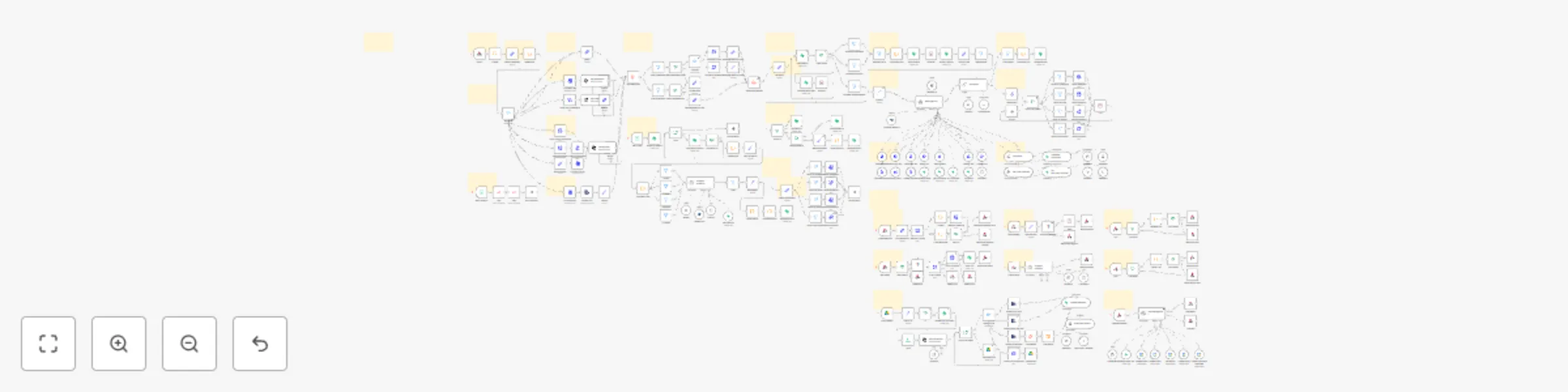
Hi! I’m Amanda This is honestly one of the cutest, smartest workflows I’ve ever built. It was designed with a lot of love to help petshops give their customers fast, modern, and sweet service ...
n8n-nodes-base.stickynote, n8n-nodes-base.set, n8n-nodes-base.code, n8n-nodes-base.converttofile, @n8n/n8n-nodes-langchain.openai, n8n-nodes-base.switch, n8n-nodes-base.wait, n8n-nodes-base.extractfromfile
This workflow is cataloged by N8N Workflows and links back to its original n8n.io source page by Amanda Benks.
Original n8n.io sourceThis is honestly one of the cutest, smartest workflows I’ve ever built. It was designed with a lot of love to help petshops give their customers fast, modern, and sweet service — without losing the personal touch.
Imagine a client sending a message on WhatsApp, Instagram or Messenger, and in seconds, they’re greeted with a kind message, a helpful menu, and everything they need. No delays. No stress. Just smooth, intelligent automation.
This AI agent chats, books, checks, confirms, charges, and saves — all powered by GPT-4o, LangChain, Google Calendar, Asaas, Supabase, and more. It’s like having a super capable receptionist who works 24/7 and never forgets a detail 🐾
Serve customers across WhatsApp (official or Evolution API), Instagram Direct, Facebook Messenger, and more — all in one single flow.
Powered by OpenAI GPT-4o, this assistant understands natural language, voice messages, even PDFs and images. It keeps context, remembers the client, and replies with clarity and warmth.
Book baths, check-ups or grooming sessions instantly. It checks availability, suggests times, and even handles rescheduling when needed.
It can generate payment links or invoices through the Asaas API and send them straight to the customer — no manual work involved.
Clients can ask things like “Do you have Royal Canin puppy food?” and get a real-time answer based on your inventory stored in Supabase.
Whether it’s a voice note describing symptoms or a picture of a vaccine card, the assistant processes and responds intelligently.
You can adjust the AI’s prompt, tweak the tone of voice, include emojis, and make the whole flow match your brand’s style perfectly.
All conversations, bookings, names, preferences and contact info are stored in Supabase — safe and organized.
The flow respects your opening hours and avoids scheduling on holidays or weekends (unless you say otherwise). It can even respond politely if a message arrives after hours.
✅ Works on n8n Cloud and Self-hosted
🔒 Secure credential management built into n8n
🐾 Recommended for users with basic n8n experience
❤️ Buy Workflows: https://iloveflows.gumroad.com
E olha… esse aqui é um dos meus fluxos favoritos da vida! Ele foi feito com muito amor pra ajudar petshops a oferecerem um atendimento moderno, gentil e automático — sem perder o toque humano, sabe?
Imagina só: seu cliente envia uma mensagem por WhatsApp, Instagram ou Facebook, e em segundos, ele já recebe um “oi” carinhoso, com menu de opções, horários disponíveis e tudo o que precisa. ✨
Esse fluxo conversa, entende, agenda, confirma, cobra, atualiza e registra — tudo com a inteligência do GPT-4o e várias integrações superpoderosas. É tipo ter uma atendente virtual carismática, atenta e que nunca tira férias 🐾
Isso mesmo! Seu cliente pode falar com você pelo WhatsApp API oficial, Evolution API, Instagram Direct, Messenger do Facebook e muito mais. Um só fluxo pra todos os lugares onde seu cliente está.
O assistente usa OpenAI GPT-4o com LangChain pra entender texto, áudio e até imagens. Ele mantém o contexto da conversa, lembra do cliente, responde com naturalidade e se adapta à personalidade do seu petshop.
Seja banho, tosa, consulta ou vacinação, o fluxo se conecta com o Google Calendar e encontra o horário perfeito. Se o cliente quiser reagendar, ele oferece novas datas com todo o cuidado.
Integrado com a API do Asaas, o assistente pode gerar boletos ou links de pagamento e enviar para o cliente direto no chat. Tudo isso com confirmação automática.
O cliente pode perguntar: “tem ração Golden para gatos de 10kg?” — e pronto, o assistente verifica no Supabase e responde rapidinho se tem ou não, com base no que você cadastrou.
Sim! Se o cliente mandar um áudio explicando o problema do pet, ou até uma foto da carteirinha de vacinação, o assistente analisa com a IA e responde com base nessas informações.
Você pode editar o prompt da IA, mudar o tom de voz, escolher emojis, ajustar frases… assim, o atendimento fica com a carinha e a linguagem da sua marca.
O fluxo guarda todo o histórico no Supabase: nome do cliente, horário do atendimento, preferência, pedidos anteriores, endereço e muito mais.
Não tem risco de marcar agendamentos fora do horário. Você define os dias e períodos de atendimento, e ele segue direitinho — com lembretes e mensagens fofas se o cliente escrever fora do horário.
✅ Compatível com n8n Cloud e n8n Auto-hospedado
🔒 Segurança total usando credenciais protegidas no n8n
🐾 Recomendado para quem já conhece um pouquinho de n8n
❤️ Buy Workflows: https://iloveflows.gumroad.com
This catalog entry is organized from the workflow JSON. The node-level section below shows the executable blocks available for review before importing the template.
Showing the first 24 of 244 workflow blocks. Download the JSON for the full node graph.
| Workflow | 🐶 AI Petshop Assistant with GPT-4o, Google Calendar & WhatsApp/Instagram/FB |
|---|---|
| Complexity | advanced |
| Nodes | 244 |
| Categories | Support Chatbot, AI Chatbot |
| Author | Amanda Benks |
| Published | 24 Apr 2025 |
Use the JSON export at /data/workflows/3683/3683.json as the source template for this automation.
Open n8n, import the downloaded JSON, and review each node before activating the workflow.
Replace placeholder credentials, API keys, webhook URLs, account IDs, and environment-specific values with your own settings.
Run the workflow manually or in a staging workspace, inspect node output, and confirm downstream systems receive the expected data.
Enable the workflow only after testing, then monitor executions, errors, and rate limits during the first production runs.
Review imported nodes carefully before activation. This catalog entry is intended to help you inspect the workflow structure, understand required services, and find related templates faster.
Node names, credentials, schedules, webhook paths, and external service limits may need adjustment for your workspace.
Hi! I’m Amanda This is honestly one of the cutest, smartest workflows I’ve ever built. It was designed with a lot of love to help petshops give their customers fast, modern, and sweet service ...
Review the workflow JSON, configure any required credentials in n8n, and test the automation in a safe workspace before using it in production.
Yes. Use the block-by-block analysis and the downloadable JSON to inspect each node, then adjust credentials, prompts, schedules, filters, or destinations for your Support Chatbot, AI Chatbot use case.