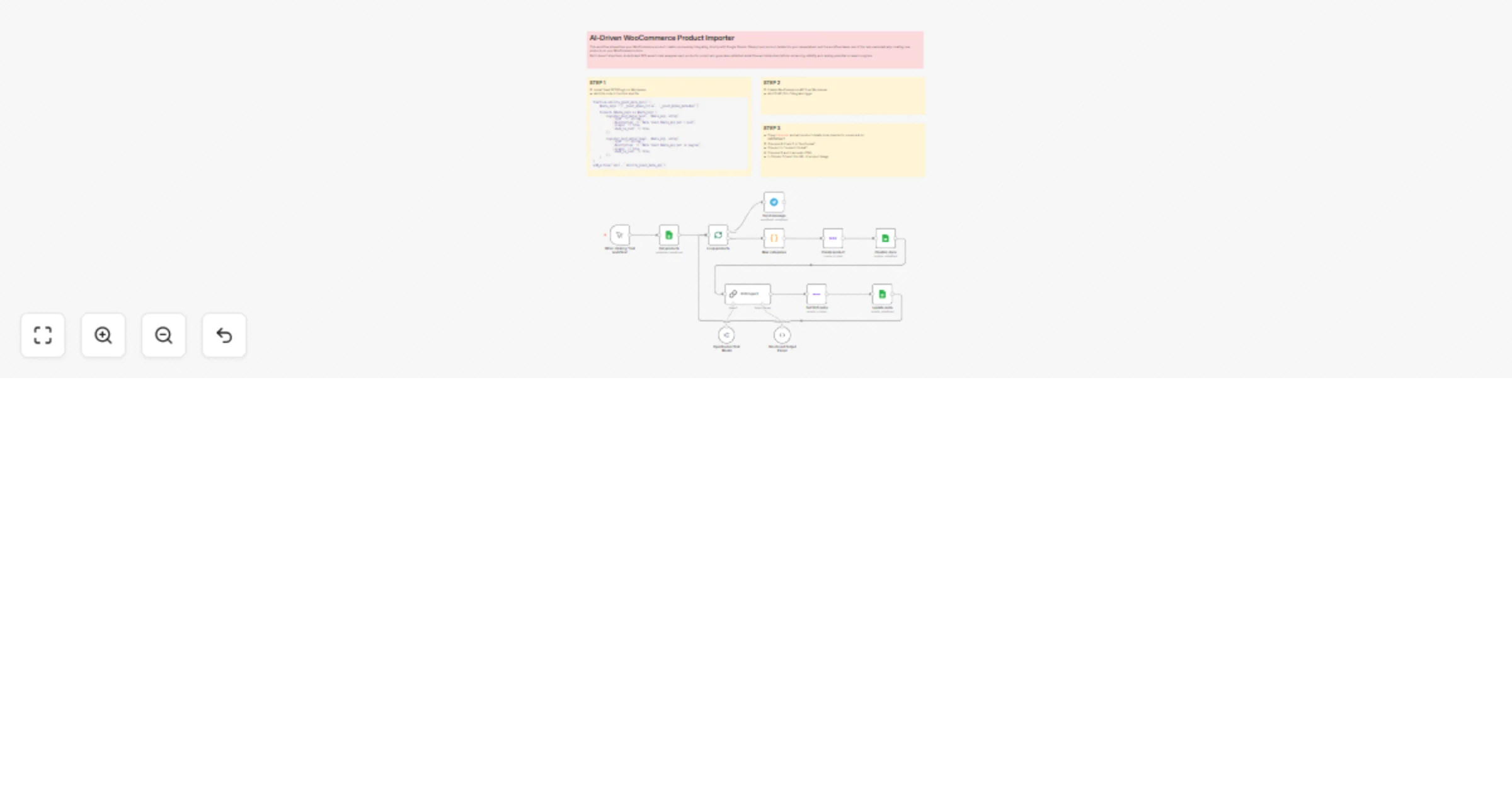
AI-driven WooCommerce product importer from Google Sheet with Yoast SEO meta

Workflow preview

Workflow preview
100%
AI-driven WooCommerce product importer from Google Sheet with Yoast SEO meta preview
Open on n8n.io

Important notice

This workflow is provided as-is. Please review and test before using in production.

1. Workflow Overview

This workflow streamlines your WooCommerce product creation process by integrating directly with Google Sheets . Simply input product details into your spreadsheet, and the workflow takes care of t...

Best for

  • Content Creation automation workflows
  • Multimodal AI automation workflows
  • advanced n8n builders looking for reusable templates

Tools used

n8n-nodes-base.manualtrigger, @n8n/n8n-nodes-langchain.lmchatopenrouter, @n8n/n8n-nodes-langchain.chainllm, n8n-nodes-base.googlesheets, n8n-nodes-base.code, n8n-nodes-base.woocommerce, n8n-nodes-base.splitinbatches, n8n-nodes-base.telegram

Source and attribution

This workflow is cataloged by N8N Workflows and links back to its original n8n.io source page by Davide.

Original n8n.io source

1.1 Workflow description

Title
AI-driven WooCommerce product importer from Google Sheet with Yoast SEO meta
Workflow name
AI-driven WooCommerce product importer from Google Sheet with Yoast SEO meta

This workflow streamlines your WooCommerce product creation process by integrating directly with Google Sheets. Simply input product details into your spreadsheet, and the workflow takes care of the rest-automatically creating new products on your WooCommerce store with inventory management.

But it doesn’t stop there. A dedicated SEO expert chain analyzes each product’s content and generates optimized meta titles and meta descriptions for the plugin Yoast SEO, enhancing visibility and ranking potential on search engines.

Key Benefits:

  • 🔄 Automation: No more manual uploads—save time and reduce errors by syncing Google Sheets directly with WooCommerce.
  • Speed: Instantly publish multiple products with just one action.
  • 🧠 Built-in SEO Intelligence: Automatically generate SEO-friendly meta titles and descriptions tailored to each product.
  • 📈 Improved Search Visibility: Boost your store's traffic with optimized product listings.
  • 🧩 Customizable: Easily adapt the workflow to your specific needs or integrate with other platforms.

How It Works

This workflow automates the creation of WooCommerce products and generates optimized SEO meta tags (title and description) using AI. Here’s the step-by-step process:

  • Data Retrieval: The workflow starts by fetching product details (title, category, description, price, etc.) from a Google Sheets document.
  • Product Creation: Each product is created in WooCommerce using the retrieved data, including categories, pricing, stock details, and images.
  • AI-Powered SEO Optimization: An AI model (Google Gemini via OpenRouter) analyzes the product details and generates SEO-optimized meta titles (≤60 chars) and meta descriptions (≤160 chars).
  • Meta Tag Assignment: The generated meta tags are saved back to the Google Sheets and applied to the WooCommerce product using Yoast SEO metadata.
  • Completion Tracking: The workflow marks completed entries in Google Sheets and sends a Telegram notification upon finishing all products.

Set Up Steps

Before running the workflow, ensure the following steps are completed:

  • Step 1: Install the Yoast SEO plugin on WordPress and add the provided PHP code to functions.php to enable meta tag API support.
  • Step 2: Enable the WooCommerce REST API in WordPress and configure the Telegram node with a valid CHAT_ID for notifications.
  • Step 3: Prepare a Google Sheet with product data (columns A-I in specific formats) and share its ID in the workflow. Ensure columns B, E, and F are in text format, and column I is numeric.

Once set up, the workflow can be triggered manually or scheduled to run automatically, streamlining product creation and SEO optimization.


Who is it useful for?

Ideal for eCommerce managers, digital marketers, or anyone managing large product catalogs-this workflow turns your spreadsheet into a powerful product launcher.


Need help customizing?

Contact me for consulting and support or add me on Linkedin.

1.2 Logical Blocks

This catalog entry is organized from the workflow JSON. The node-level section below shows the executable blocks available for review before importing the template.

2. Block-by-Block Analysis

Block 1 - When clicking ‘Test workflow’

Type / Role
n8n-nodes-base.manualTrigger - manualTrigger
Config choices
Version 1

Block 2 - OpenRouter Chat Model

Type / Role
@n8n/n8n-nodes-langchain.lmChatOpenRouter - lmChatOpenRouter
Config choices
Version 1

Block 3 - SEO Expert

Type / Role
@n8n/n8n-nodes-langchain.chainLlm - chainLlm
Config choices
Version 1.5

Block 4 - Get products

Type / Role
n8n-nodes-base.googleSheets - googleSheets
Config choices
Version 4.5

Block 5 - Map categories

Type / Role
n8n-nodes-base.code - code
Config choices
Version 2

Block 6 - Create product

Type / Role
n8n-nodes-base.wooCommerce - wooCommerce
Config choices
Version 1

Block 7 - Creation done

Type / Role
n8n-nodes-base.googleSheets - googleSheets
Config choices
Version 4.5

Block 8 - Update meta

Type / Role
n8n-nodes-base.googleSheets - googleSheets
Config choices
Version 4.5

Block 9 - Set SEO meta

Type / Role
n8n-nodes-base.wooCommerce - wooCommerce
Config choices
Version 1

Block 10 - Loop products

Type / Role
n8n-nodes-base.splitInBatches - splitInBatches
Config choices
Version 3

Block 11 - Send message

Type / Role
n8n-nodes-base.telegram - telegram
Config choices
Version 1.2

Block 12 - Structured Output Parser

Type / Role
@n8n/n8n-nodes-langchain.outputParserStructured - outputParserStructured
Config choices
Version 1.2

Block 13 - Sticky Note

Type / Role
n8n-nodes-base.stickyNote - stickyNote
Config choices
Version 1

Block 14 - Sticky Note1

Type / Role
n8n-nodes-base.stickyNote - stickyNote
Config choices
Version 1

Block 15 - Sticky Note2

Type / Role
n8n-nodes-base.stickyNote - stickyNote
Config choices
Version 1

Block 16 - Sticky Note3

Type / Role
n8n-nodes-base.stickyNote - stickyNote
Config choices
Version 1

3. Summary Table

Workflow AI-driven WooCommerce product importer from Google Sheet with Yoast SEO meta
Complexity advanced
Nodes 16
Categories Content Creation, Multimodal AI
Author Davide
Published 10 Apr 2025

4. Reproducing the Workflow from Scratch

  1. 1. Download the workflow JSON

    Use the JSON export at /data/workflows/3510/3510.json as the source template for this automation.

  2. 2. Import the template into n8n

    Open n8n, import the downloaded JSON, and review each node before activating the workflow.

  3. 3. Configure credentials and variables

    Replace placeholder credentials, API keys, webhook URLs, account IDs, and environment-specific values with your own settings.

  4. 4. Test with sample data

    Run the workflow manually or in a staging workspace, inspect node output, and confirm downstream systems receive the expected data.

  5. 5. Activate and monitor

    Enable the workflow only after testing, then monitor executions, errors, and rate limits during the first production runs.

5. General Notes & Resources

Review imported nodes carefully before activation. This catalog entry is intended to help you inspect the workflow structure, understand required services, and find related templates faster.

Node names, credentials, schedules, webhook paths, and external service limits may need adjustment for your workspace.

Frequently asked questions

What does AI-driven WooCommerce product importer from Google Sheet with Yoast SEO meta do?

This workflow streamlines your WooCommerce product creation process by integrating directly with Google Sheets . Simply input product details into your spreadsheet, and the workflow takes care of t...

What do I need before importing this workflow?

Review the workflow JSON, configure any required credentials in n8n, and test the automation in a safe workspace before using it in production.

Can I customize this workflow?

Yes. Use the block-by-block analysis and the downloadable JSON to inspect each node, then adjust credentials, prompts, schedules, filters, or destinations for your Content Creation, Multimodal AI use case.