♻️ AI multi-stop planner for circular logistics with GPT-4o & Open Route API


DISCOUNT 20%

Tags: AI Agent, Supply Chain, Logistics, Circular Economy, Route Planning, Transportation, GPS API
Context
Hi! I’m Samir — a Supply Chain Engineer and Data Scientist based in Paris, and founder of LogiGreen Consulting.
I help logistics teams reduce operational workload and errors by combining AI automation, route optimisation APIs, and workflow automation.
This workflow is part of a circular economy project, where stores return reusable packaging (bins, crates, containers) to a central warehouse.
> Let's create circular economies with AI-powered automation using n8n!
📬 For business inquiries, you can find me on LinkedIn
Who is this template for?
This workflow is designed for logistics teams participating in circular economy loops.
Let us imagine your transportation company receives this pickup request:
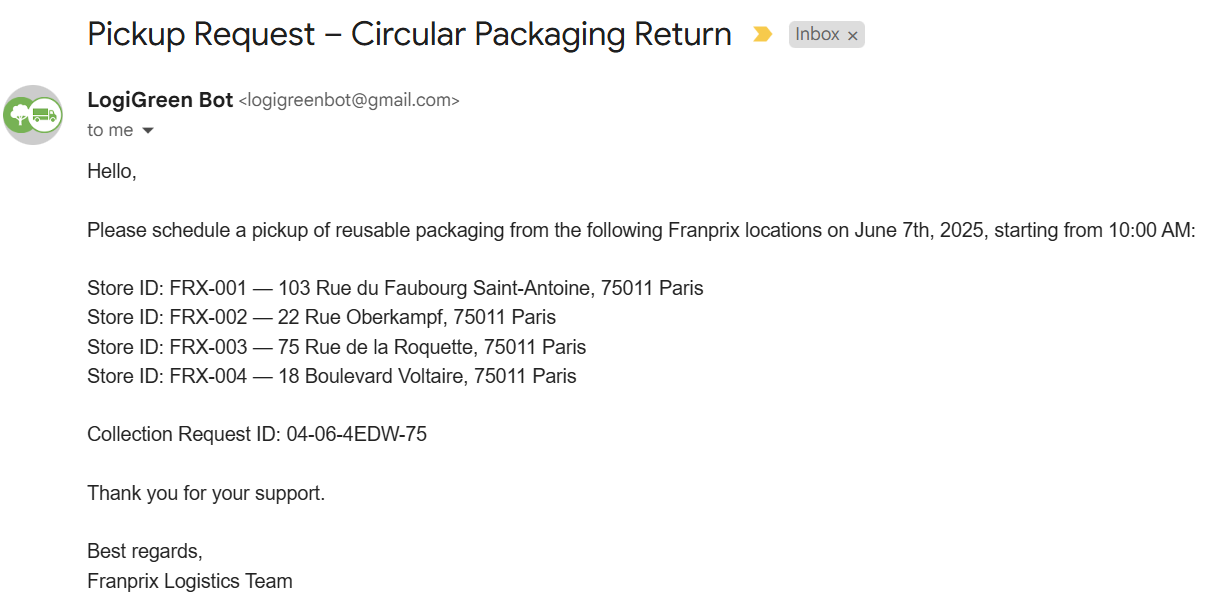
The two AI Agent nodes connected to Openroute Service API will process the information and reply with the detailed route plan.
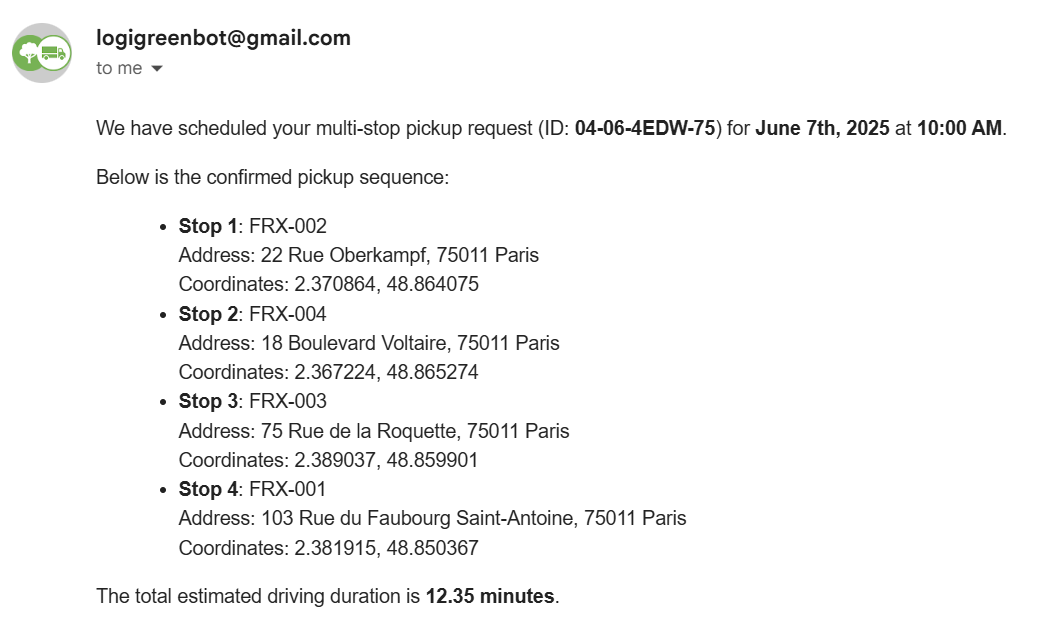
The results include driving time and the optimal sequence of stops generated by the multi-stop optimization endpoint of the API.
How does it work?
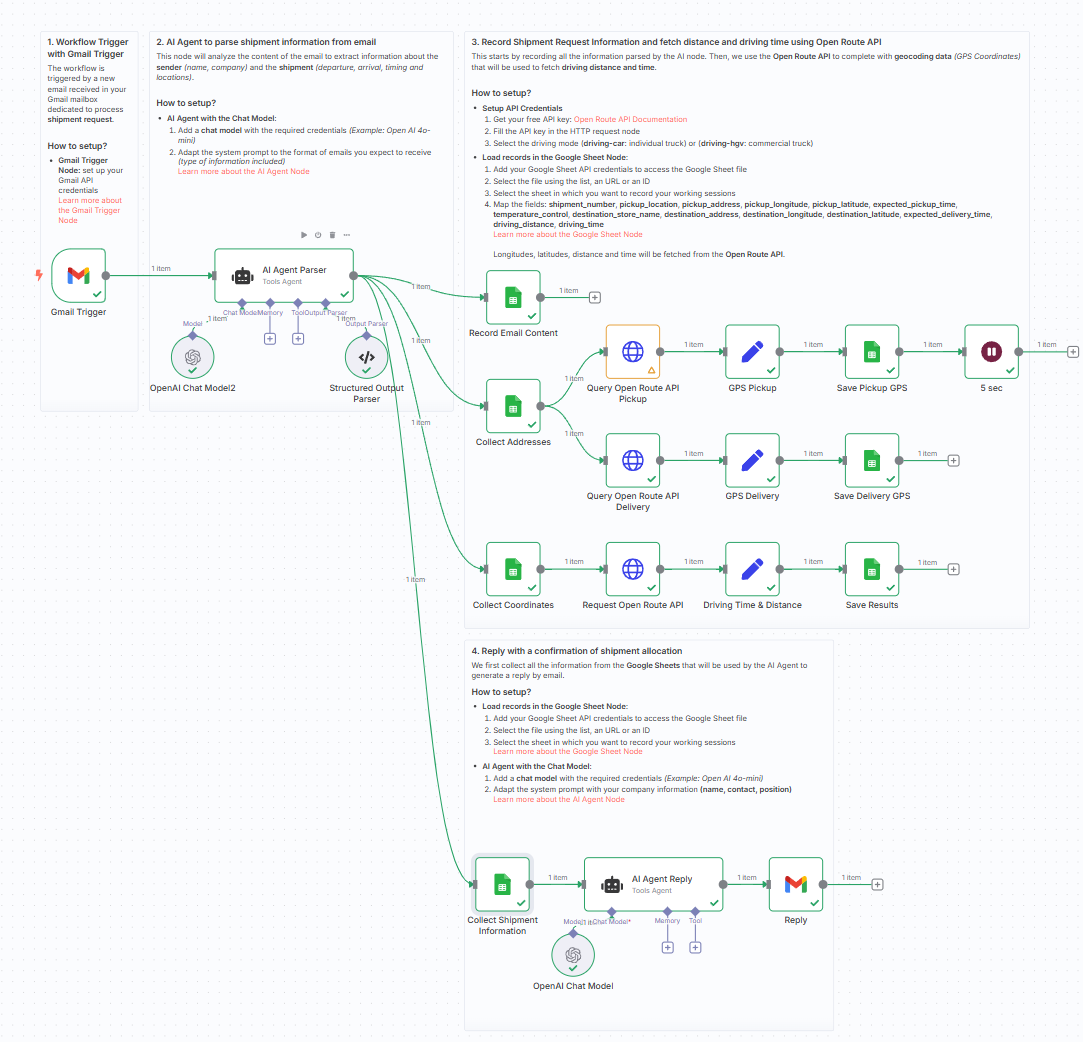
This workflow automates the end-to-end processing of multi-stop pickup requests for reusable packaging:
- 📨 Gmail Trigger listens for collection request emails
- 🧠 AI Agent parses the email into structured data (store ID, address, date)
- 📍 Each stop is geocoded into GPS coordinates
- 🗺️ OpenRouteService optimizes the stop sequence using truck-specific routing
- 📄 A second AI Agent formats a confirmation email in HTML with the ordered pickup plan
- 📧 The reply is sent back with all details including duration and route
Steps:
- 💌 Trigger on a new Gmail message
- 🧠 Extract data using AI Agent (e.g., stores, addresses, times)
- 📑 Store raw and processed data in Google Sheets
- 📍 Enrich with GPS coordinates
- 🚚 Optimize route using OpenRouteService (truck profile)
- 📄 Format the confirmation using an AI Agent
- 📬 Send reply to requester with route and timing
What do I need to get started?
You’ll need:
- A Gmail account to receive collection requests
- A Google Sheet to store and review data
- A free OpenRouteService API key
- Access to OpenAI for using AI Agent nodes
- Sample pickup request emails to test
Next Steps
🗒️ Use the sticky notes inside the n8n canvas to:
- Plug in your Gmail and OpenRouteService credentials
- Try with a sample store collection email
- Validate the confirmation format and route accuracy
📺 Learn More with n8n Tutorials
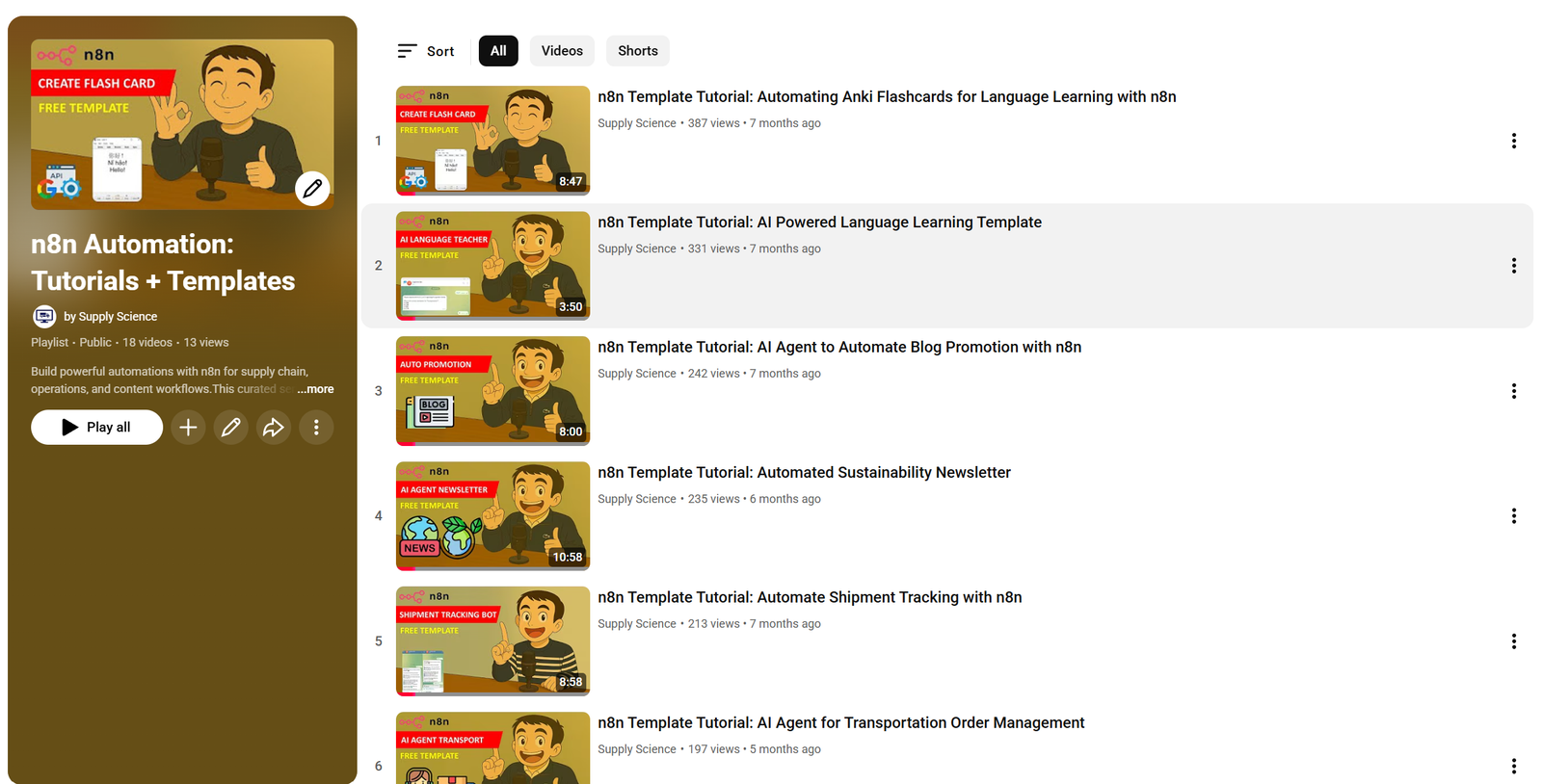
Get hands-on experience with automation through my comprehensive n8n tutorial playlist, featuring 18+ complete, step-by-step videos and ready-to-use templates.
This template was built using n8n v1.93.0
Submitted: June 7, 2025