AI email organizer for GMail - advanced email management & sorting

$20/month : Unlimited workflows
2500 executions/month

THE #1 IN WEB SCRAPING
Scrape any website without limits
HOSTINGER 🎉 Early Black Friday Deal
DISCOUNT 20% Try free
DISCOUNT 20%
Self-hosted n8n
Unlimited workflows - from $4.99/mo

#1 hub for scraping, AI & automation
6000+ actors - $5 credits/mo
Video Introduction
Want to automate your inbox or need a custom workflow? 📞 Book a Call | 💬 DM me on Linkedin
Transform your messy inbox into a calm, organized command center - in minutes - using this ready-to-use n8n automation!
Tired of your Gmail looking like this?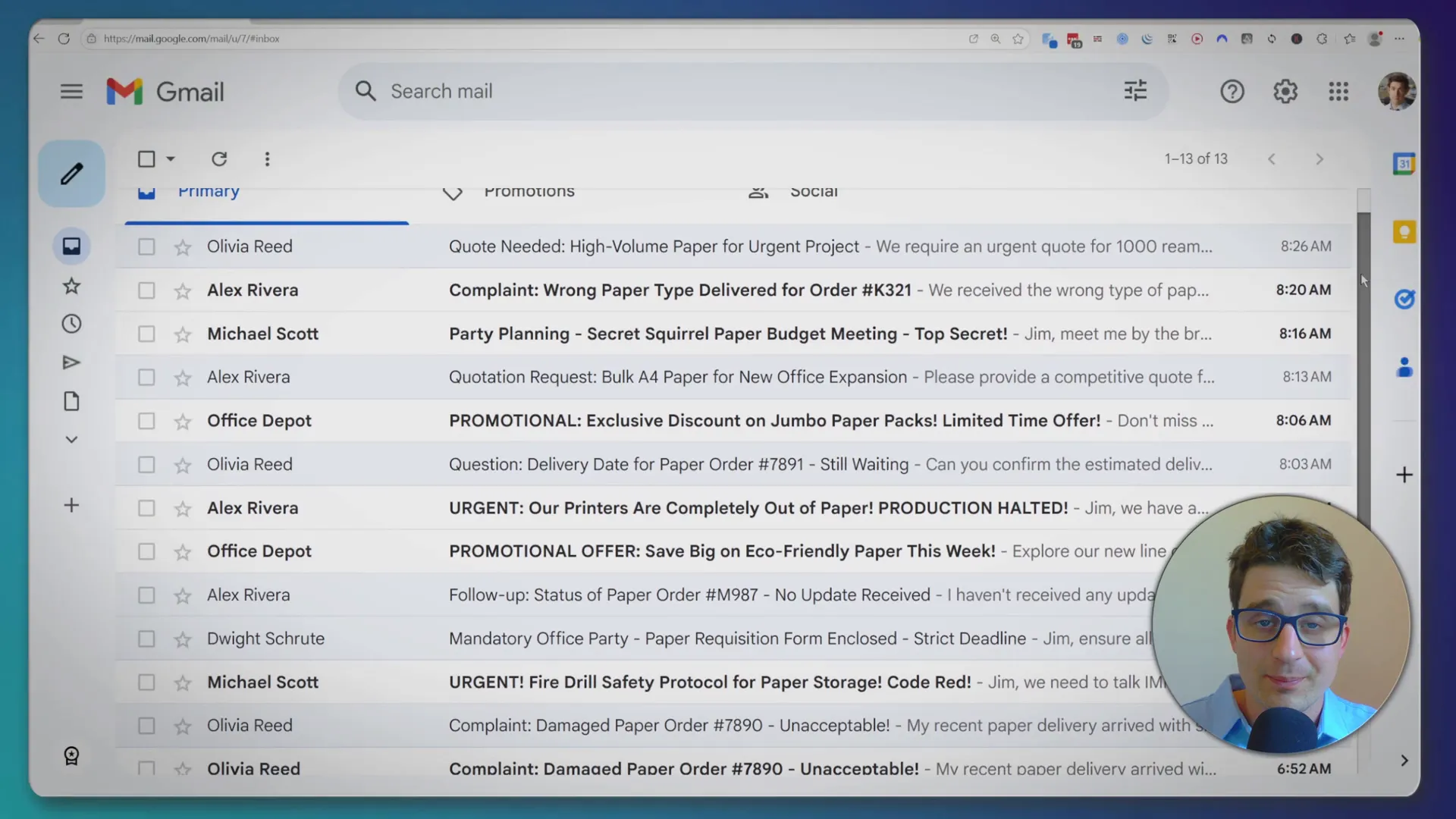
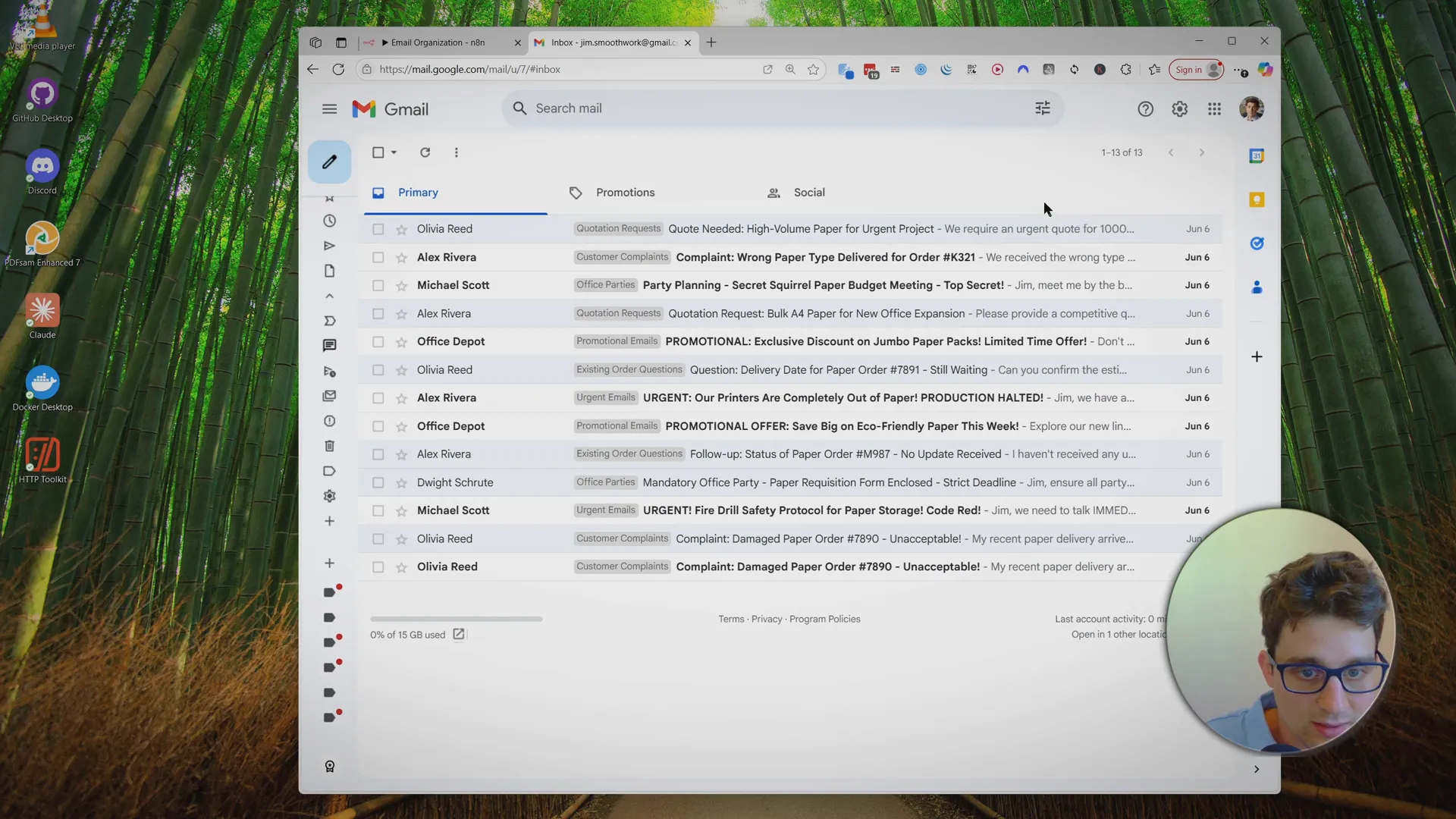
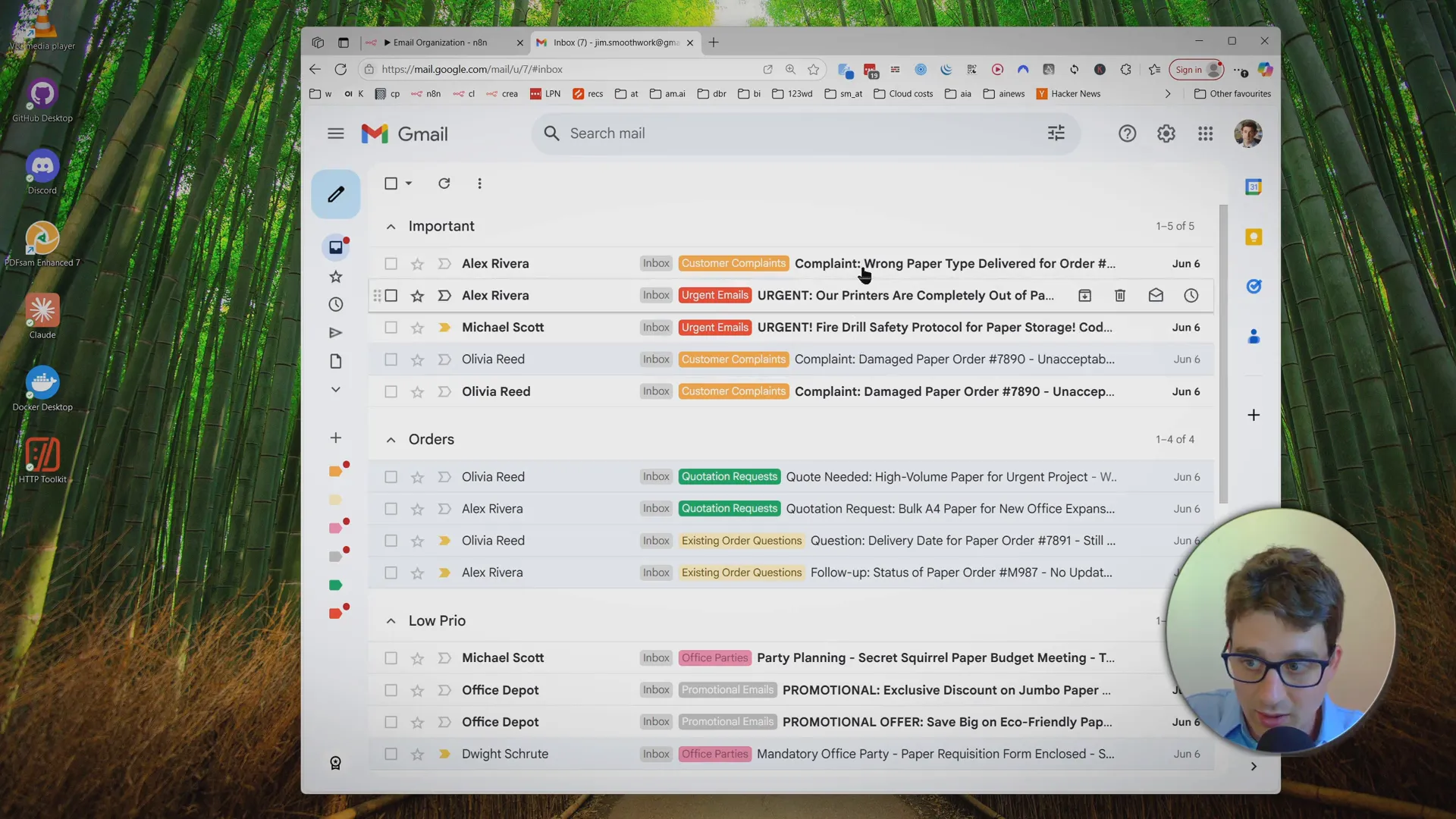
With this template, you can have this instead: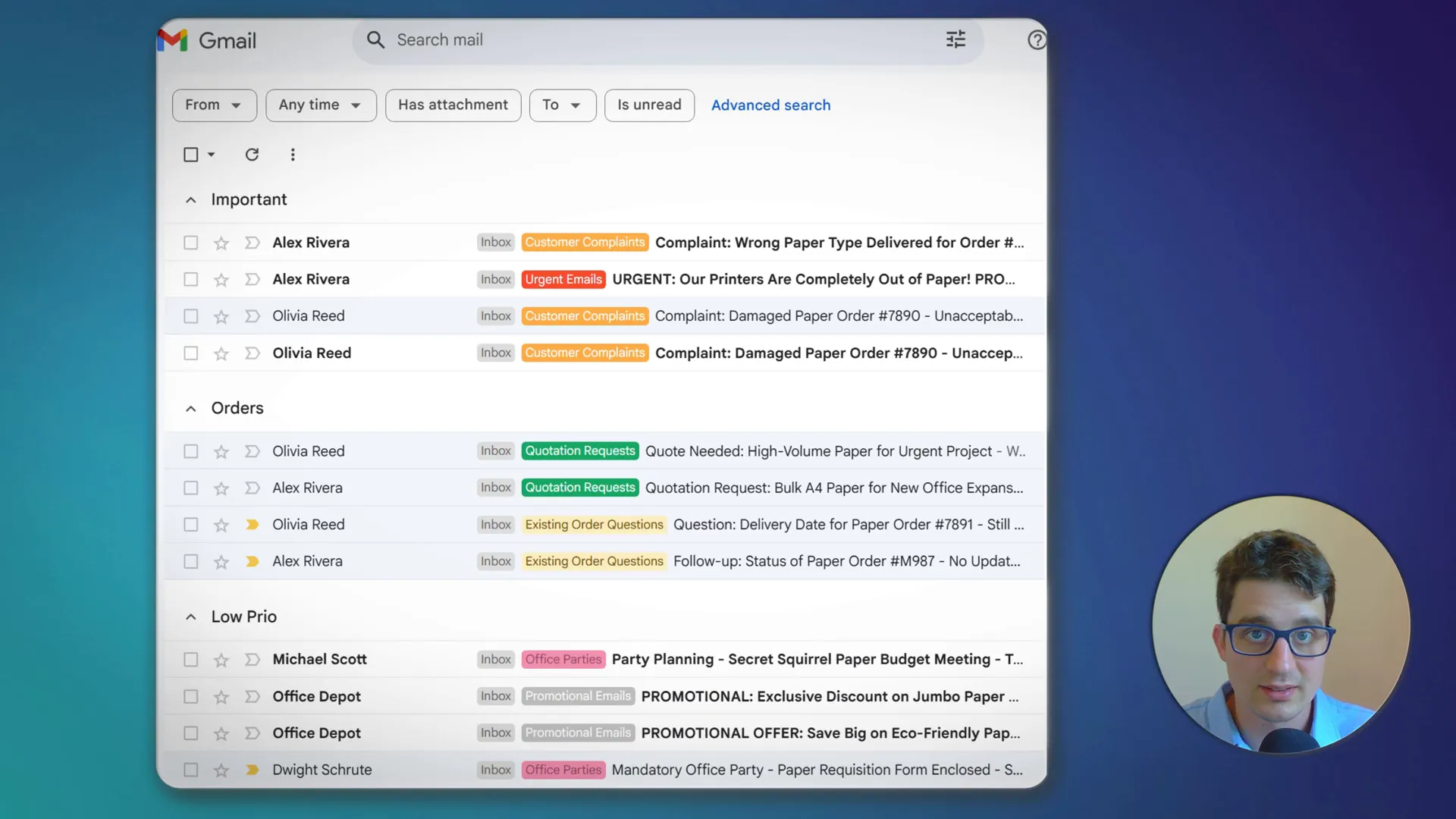
What does this automation do?
- AI-powered categorization: Every new email is analyzed with OpenRouter AI and sorted into categories you define (like Orders, Support, Invoices, Urgent, etc.).
- Instant color-coded labels: The workflow creates and applies Gmail labels with custom colors, so you can spot important messages at a glance.
- Supports Gmail’s Multiple Inboxes: Display different categories in their own sections—see what matters most right away.
- Flexible and customizable: You control the categories and definitions using a simple Google Sheet.
How it works – Step by Step
See the full setup & demo:
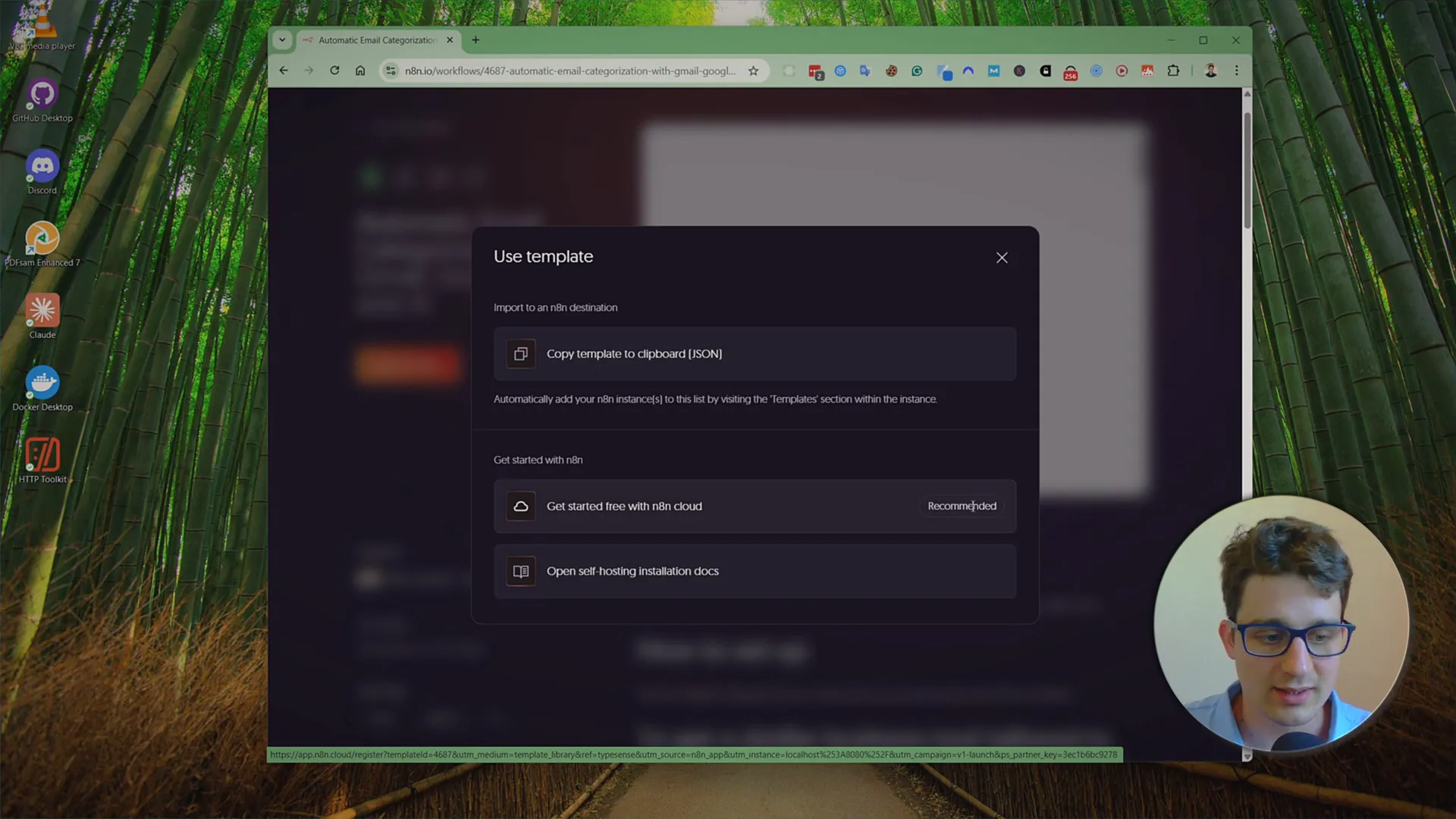
Copy the Template
- Open the n8n workflow template and click Use for free.
- Log in (or sign up) for n8n Cloud for the quickest start.
Customize Your Categories in Google Sheets
- Use the provided Google Sheets template linked in the workflow notes.
- Go to File → Make a copy to your own Drive.
- Edit the categories and their definitions for your business.
Example:
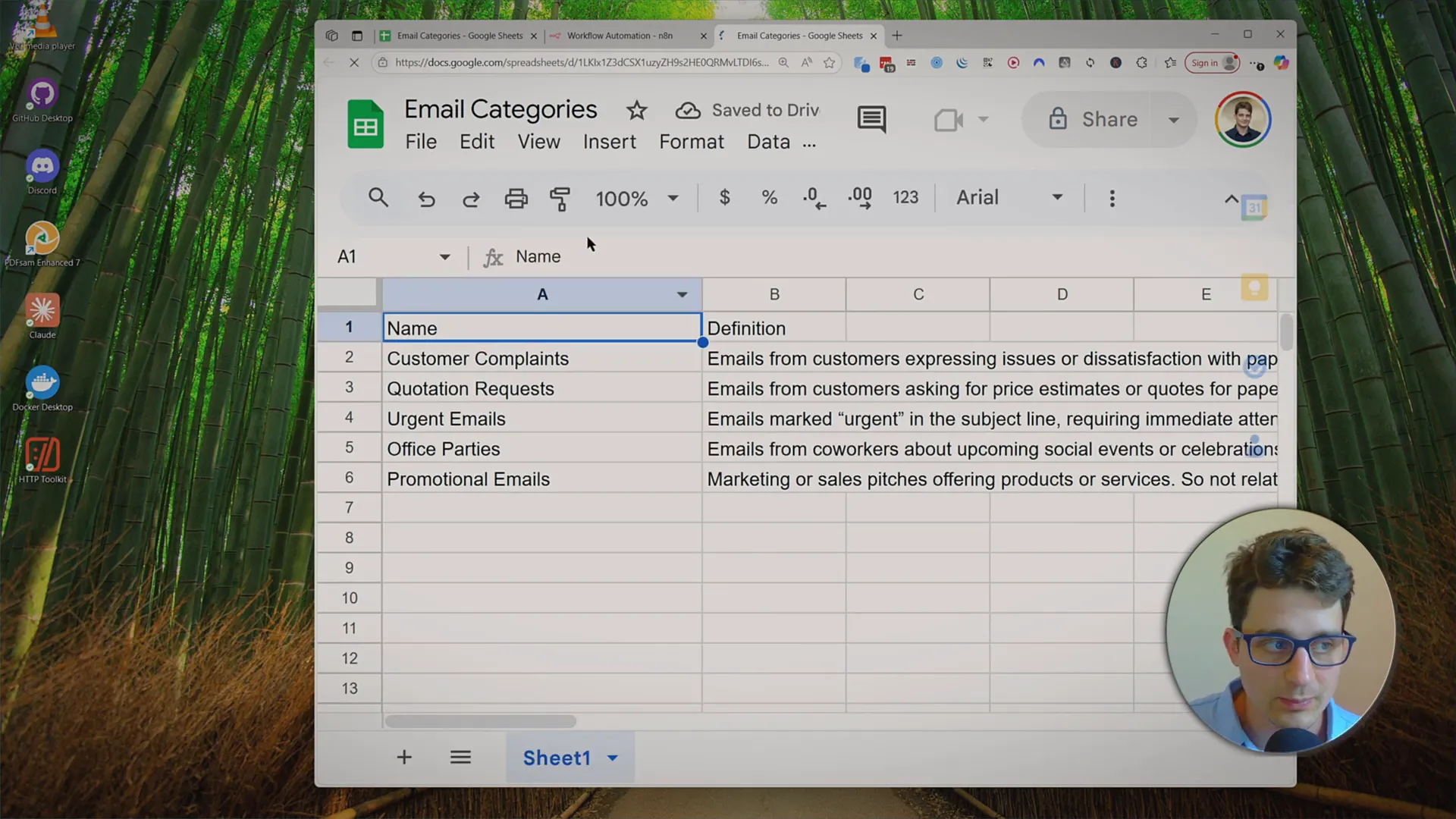
- Add categories like “Existing Order Questions,” define each one to guide the AI, and copy your Google Sheet’s URL into the workflow config node.
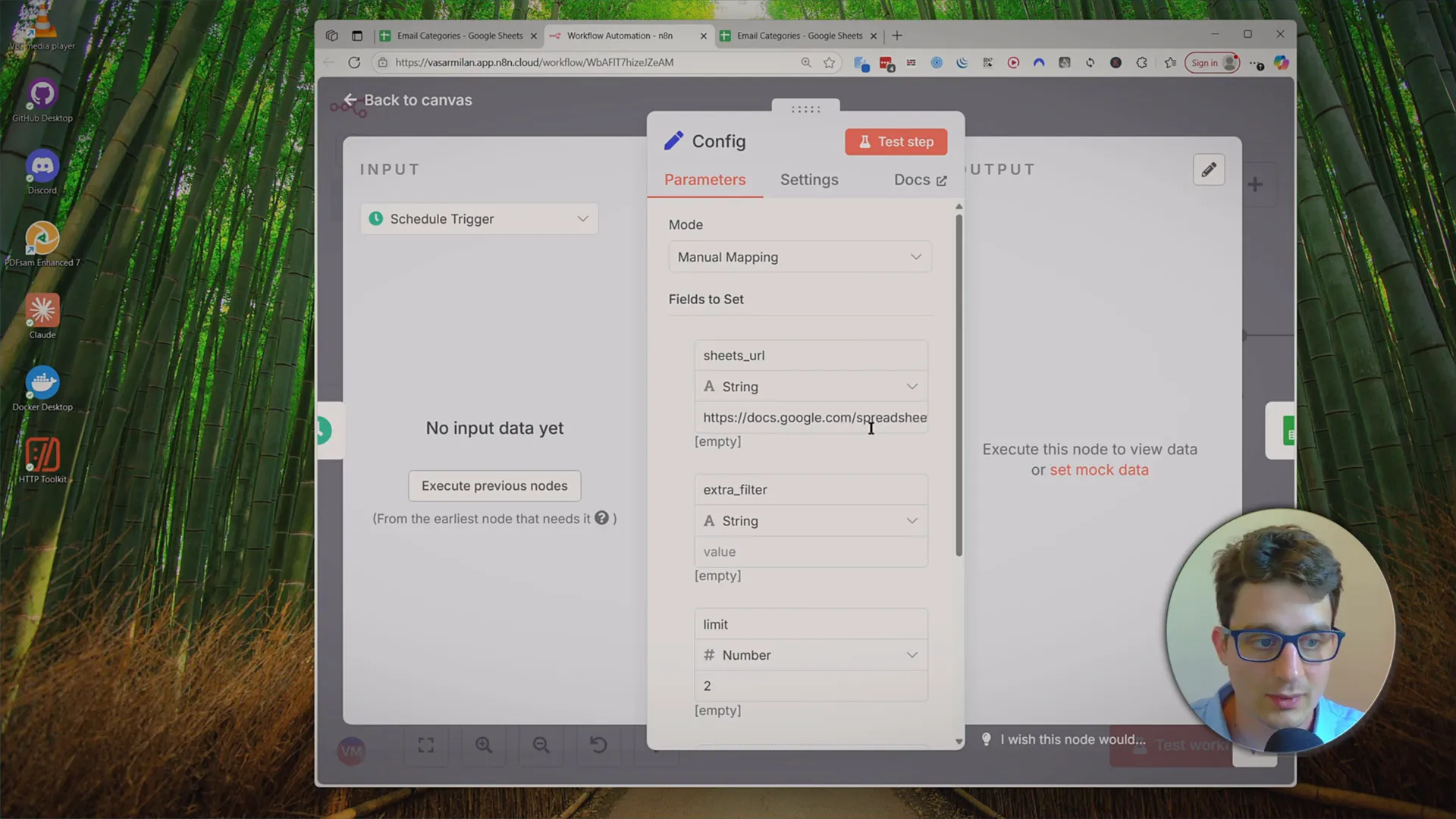
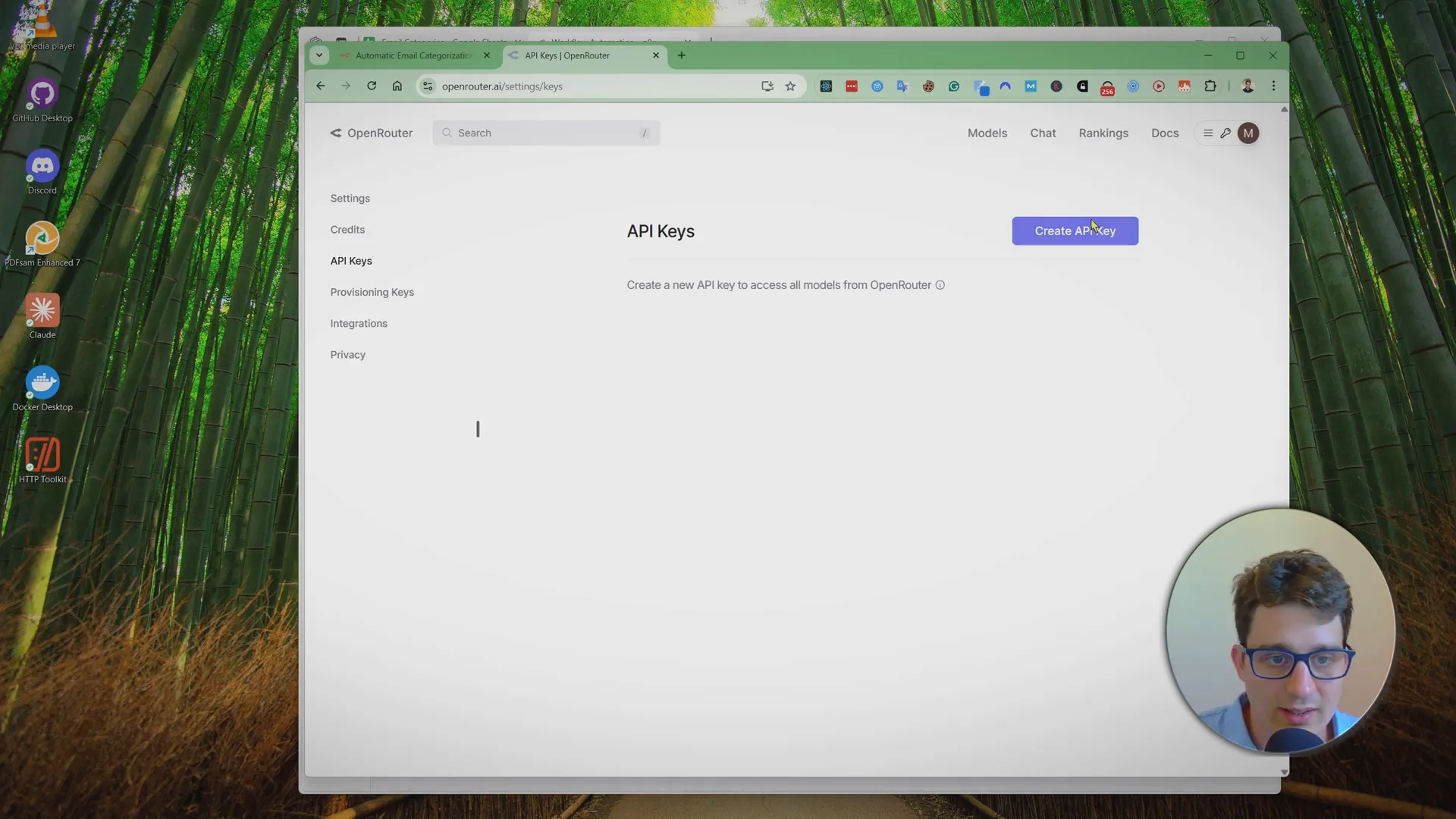
Connect AI with OpenRouter
- Go to OpenRouter.ai, log in, and generate a new API key.
- Paste your API key into the workflow where prompted.
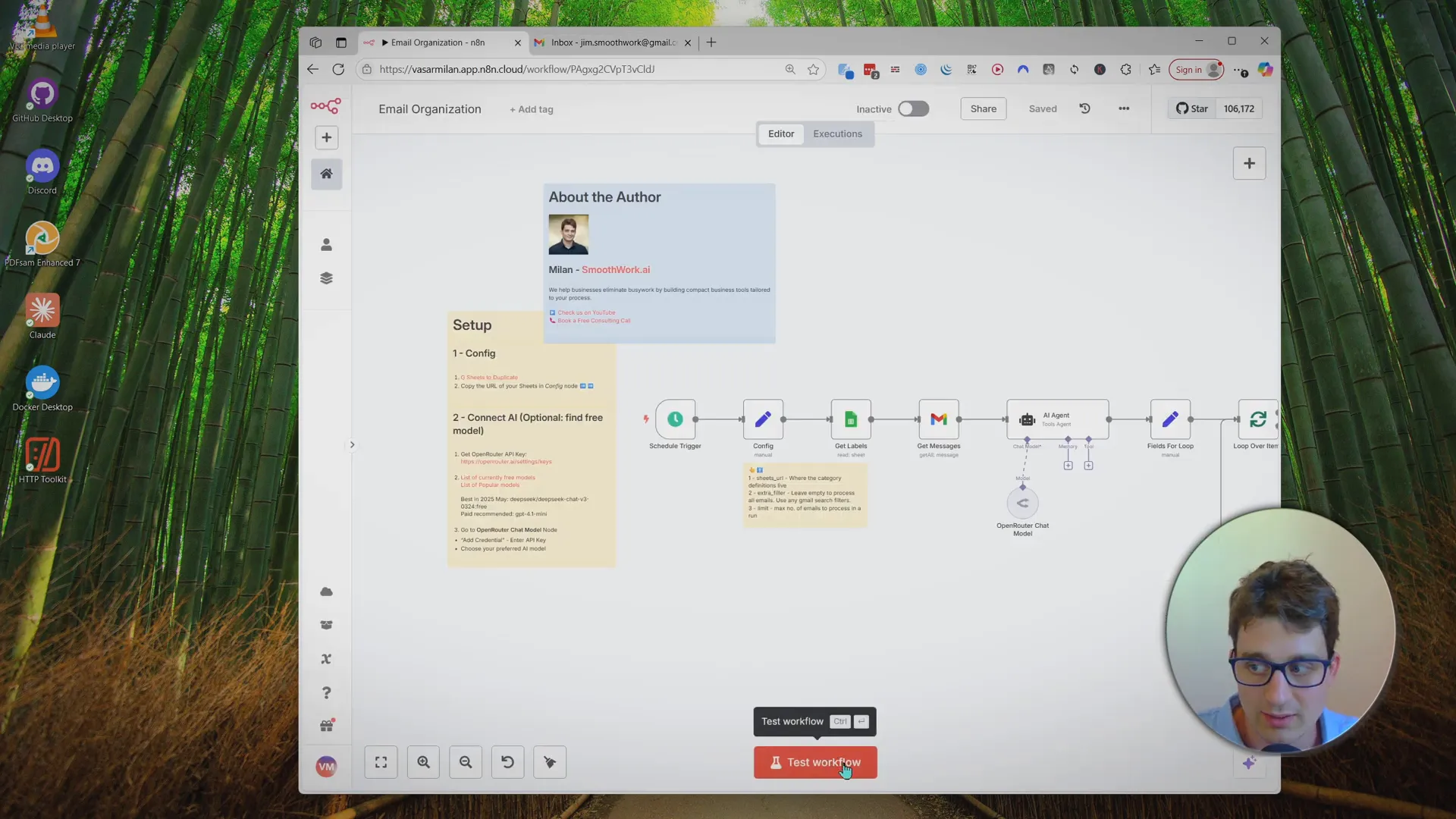
Test and Activate the Workflow
- Connect your Gmail account to n8n.
- Hit “Test Workflow”—watch as the AI processes your latest emails and applies labels automatically.
- Labels will appear instantly in Gmail, and any missing ones are created by the automation.
Schedule Automatic Runs
- Switch workflow status to Active in n8n.
- Set the scheduler trigger—most people use hourly, but you can use crontab.guru for custom times (like only business hours).
Tips for Best Results
Color Code Your Labels:
In Gmail, you can assign colors to labels—set high-priority categories (like “Customer Complaints”) to a bright color to stand out.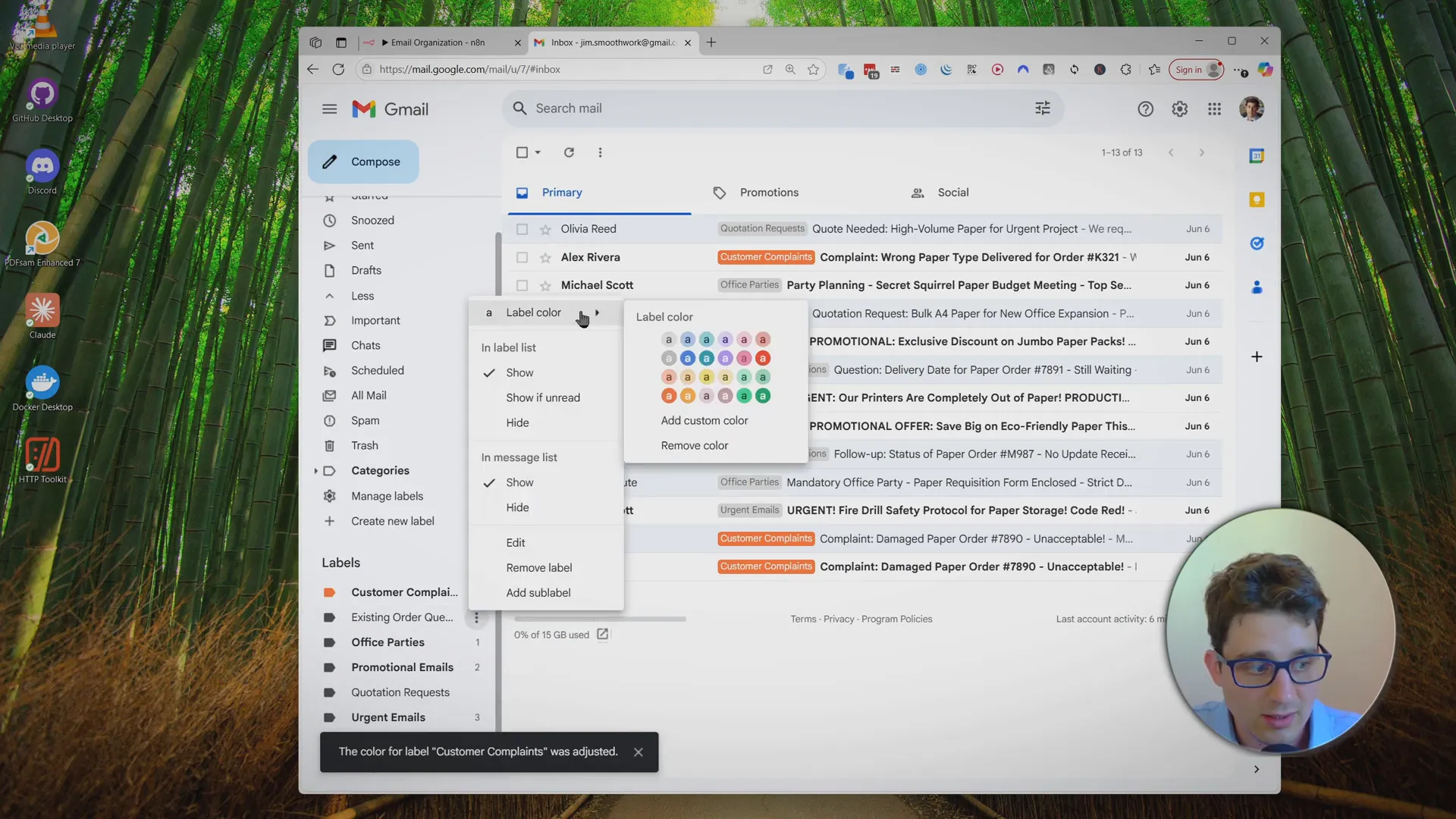
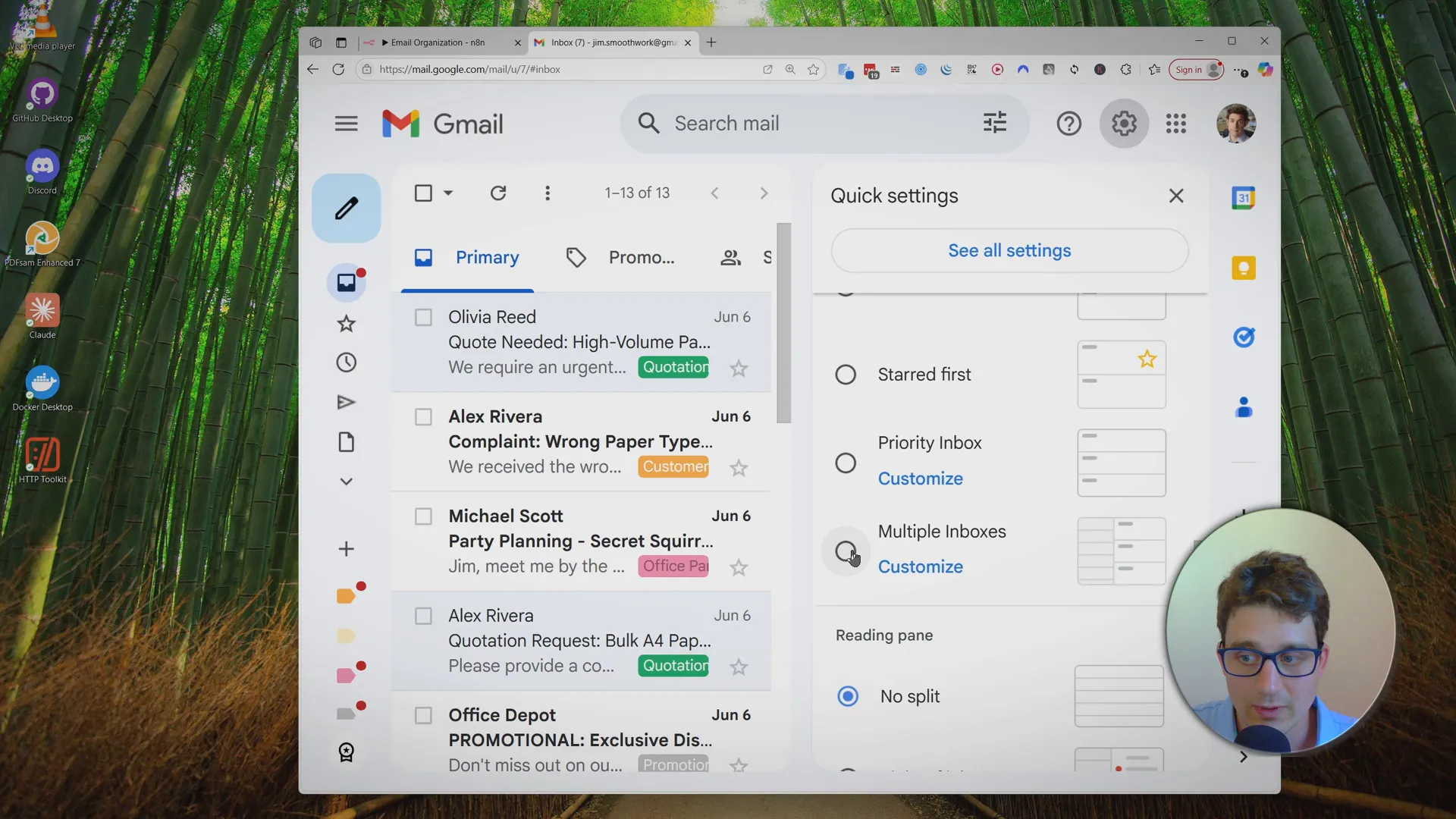
Upgrade Your Gmail View:
Enable Multiple Inboxes in Gmail’s settings and set up sections for your key categories. Example search queries:in:inbox label:customer-complaints OR label:urgent-emailsin:inbox label:existing-order-questionsin:inbox label:support-requests
Why Use This?
- Get rid of inbox chaos for good - no more lost emails or missed deadlines
- Fully customize the system to your business with just a Google Sheet
- Works with zero coding - set up in 10-15 minutes
- Flexible: add auto-replies, draft suggestions, and more as you grow