D

David Roberts

18
Workflows

Workflows by David Roberts

Workflow preview: Evaluation metric example: String similarity
Free intermediate

Evaluation metric example: String similarity

## AI evaluation in n8n This is a template for n8n's [evaluation feature](https://docs.n8n.io/advanced-ai/evaluations/overview). Evaluation is a technique for getting confidence that your AI workflow performs reliably, by running a test dataset containing different inputs through the workflow. By calculating a metric (score) for each input, you can see where the workflow is performing well and where it isn't. ## How it works This template shows how to calculate a workflow evaluation metric: **text similarity, measured character-by-character**. The workflow takes images of hand-written codes, extracts the code and compares it with the expected answer from the dataset. The images look like this: ![image](https://storage.googleapis.com/n8n_template_data/handwriting_scans/doc20250302_08223946_001.jpg) The workflow works as follows: - We use an evaluation trigger to read in our dataset - It is wired up in parallel with the regular trigger so that the workflow can be started from either one. [More info](https://docs.n8n.io/advanced-ai/evaluations/tips-and-common-issues/#combining-multiple-triggers) - We download the image and use AI to extract the code - If we’re evaluating (i.e. the execution started from the evaluation trigger), we calculate the string distance metric - We pass this information back to n8n as a metric

D
David Roberts
Engineering
21 May 2025
1057
0
Workflow preview: Evaluation metric example: RAG document relevance
Free advanced

Evaluation metric example: RAG document relevance

## AI evaluation in n8n This is a template for n8n's [evaluation feature](https://docs.n8n.io/advanced-ai/evaluations/overview). Evaluation is a technique for getting confidence that your AI workflow performs reliably, by running a test dataset containing different inputs through the workflow. By calculating a metric (score) for each input, you can see where the workflow is performing well and where it isn't. ## How it works This template shows how to calculate a workflow evaluation metric: **retrieved document relevance** (i.e. whether the information retrieved from a vector store is relevant to the question). The workflow takes a question and checks whether the information retrieved to answer it is relevant. To run this workflow, you need to insert documents into a vector data store, so that they can be retrieved by the agent to answer questions. You can do this by running the top part of the workflow once. The main workflow works as follows: - We use an evaluation trigger to read in our dataset - It is wired up in parallel with the regular trigger so that the workflow can be started from either one. [More info](https://docs.n8n.io/advanced-ai/evaluations/tips-and-common-issues/#combining-multiple-triggers) - We make sure that the agent outputs the list data from the tools that it used - If we’re evaluating (i.e. the execution started from the evaluation trigger), we calculate the relevance metric using AI to compare the retrieved documents with the question - We pass this information back to n8n as a metric - If we’re not evaluating we avoid calculating the metric, to reduce cost

D
David Roberts
Engineering
21 May 2025
3481
0
Workflow preview: Evaluation metric example: Correctness (judged by AI)
Free intermediate

Evaluation metric example: Correctness (judged by AI)

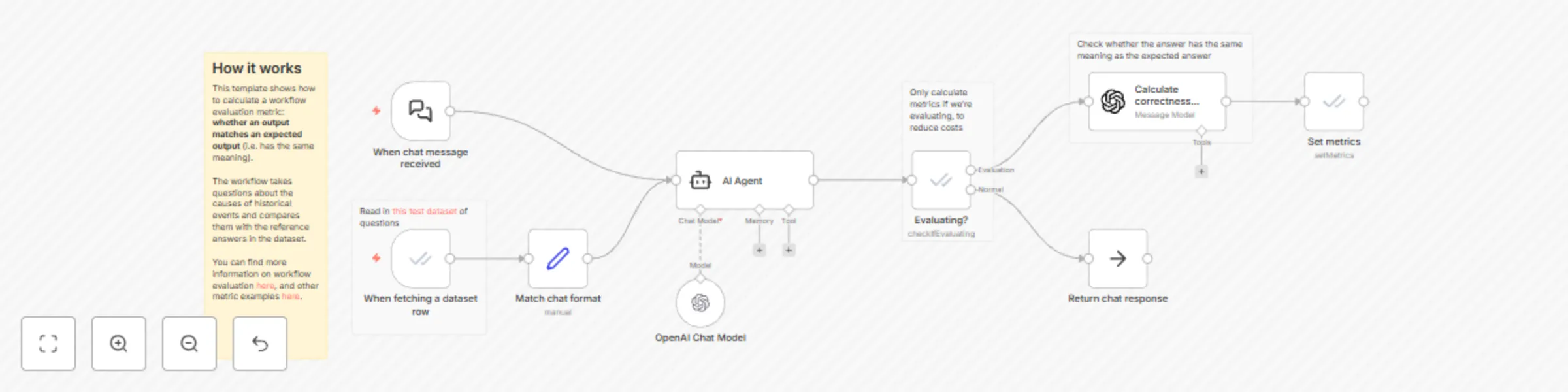
## AI evaluation in n8n This is a template for n8n's [evaluation feature](https://docs.n8n.io/advanced-ai/evaluations/overview). Evaluation is a technique for getting confidence that your AI workflow performs reliably, by running a test dataset containing different inputs through the workflow. By calculating a metric (score) for each input, you can see where the workflow is performing well and where it isn't. ## How it works This template shows how to calculate a workflow evaluation metric: **whether an output matches an expected output** (i.e. has the same meaning). The workflow takes questions about the causes of historical events and compares them with the reference answers in the dataset. - We use an evaluation trigger to read in our dataset - It is wired up in parallel with the regular chat trigger so that the workflow can be started from either one. [More info](https://docs.n8n.io/advanced-ai/evaluations/tips-and-common-issues/#combining-multiple-triggers) - If we're evaluating (i.e. the execution started from the evaluation trigger), we calculate the correctness metric using AI - We pass this information back to n8n as a metric - If we're not evaluating we avoid calculating the metric, to reduce cost

D
David Roberts
Engineering
21 May 2025
1551
0
Workflow preview: Evaluation metric example: categorization
Free intermediate

Evaluation metric example: categorization

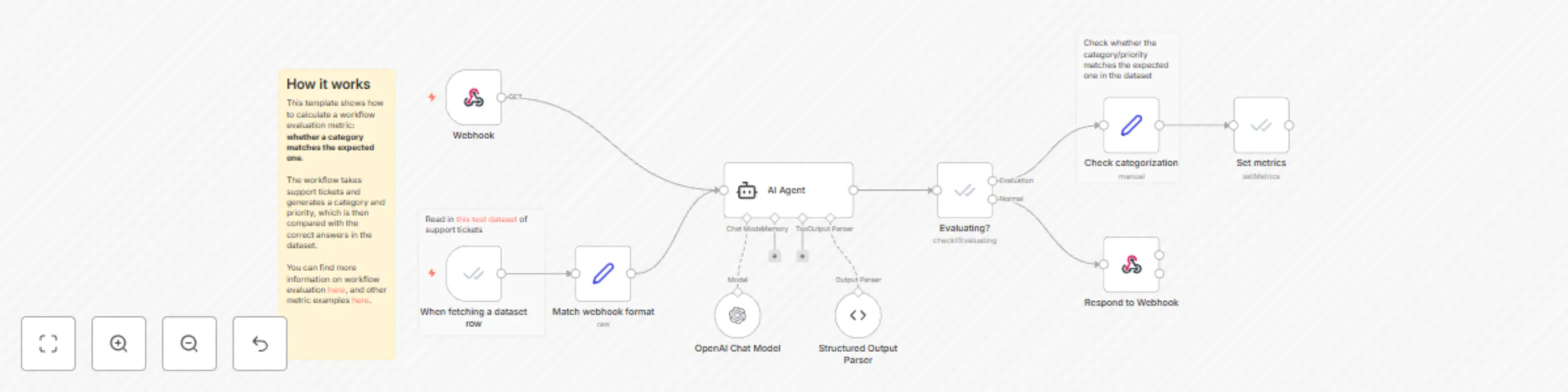
## AI evaluation in n8n This is a template for n8n's [evaluation feature](https://docs.n8n.io/advanced-ai/evaluations/overview). Evaluation is a technique for getting confidence that your AI workflow performs reliably, by running a test dataset containing different inputs through the workflow. By calculating a metric (score) for each input, you can see where the workflow is performing well and where it isn't. ## How it works This template shows how to calculate a workflow evaluation metric: **whether a category matches the expected one**. The workflow takes support tickets and generates a category and priority, which is then compared with the correct answers in the dataset. - We use an evaluation trigger to read in our dataset - It is wired up in parallel with the regular trigger so that the workflow can be started from either one. [More info](https://docs.n8n.io/advanced-ai/evaluations/tips-and-common-issues/#combining-multiple-triggers) - Once the category is generated by the agent, we check whether it matches the expected one in the dataset - Finally we pass this information back to n8n as a metric

D
David Roberts
Engineering
21 May 2025
1364
0
Workflow preview: Evaluation metric example: Check if tool was called
Free advanced

Evaluation metric example: Check if tool was called

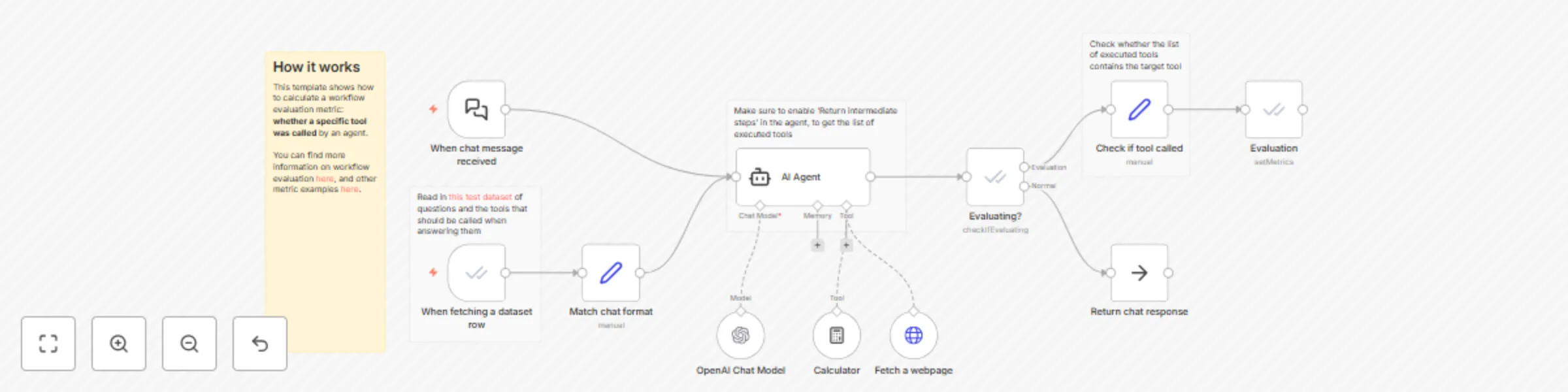
## AI evaluation in n8n This is a template for n8n's [evaluation feature](https://docs.n8n.io/advanced-ai/evaluations/overview). Evaluation is a technique for getting confidence that your AI workflow performs reliably, by running a test dataset containing different inputs through the workflow. By calculating a metric (score) for each input, you can see where the workflow is performing well and where it isn't. ## How it works This template shows how to calculate a workflow evaluation metric: **whether a specific tool was called** by an agent. - We use an evaluation trigger to read in our dataset - It is wired up in parallel with the regular trigger so that the workflow can be started from either one. [More info](https://docs.n8n.io/advanced-ai/evaluations/tips-and-common-issues/#combining-multiple-triggers) - We make sure that the agent outputs the list of tools that it used - We then check whether the expected tool (from the dataset) is in that list - Finally we pass this information back to n8n as a metric

D
David Roberts
Engineering
21 May 2025
1100
0
Workflow preview: Access execution data from an error workflow
Free beginner

Access execution data from an error workflow

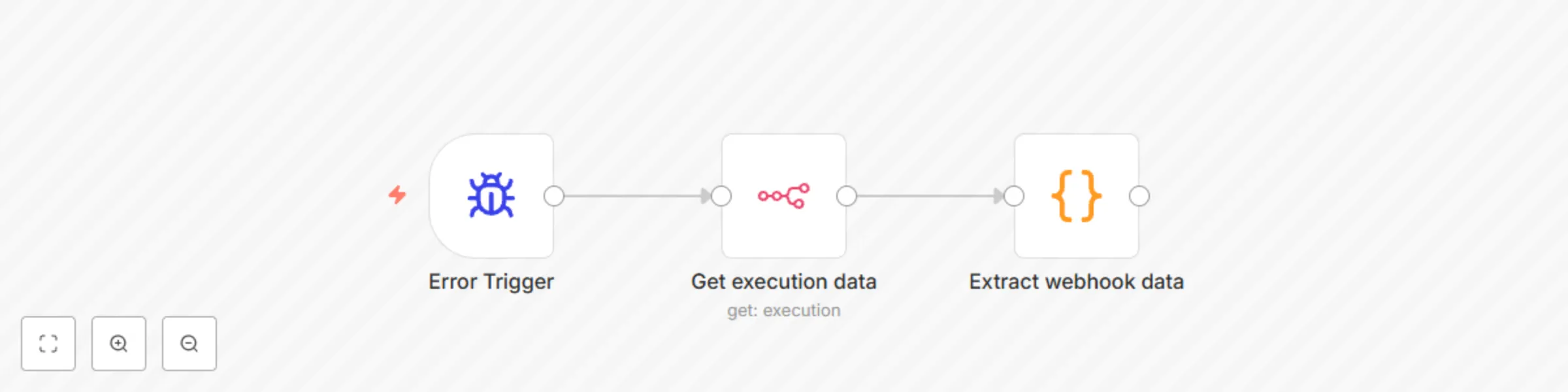
Sometimes you want to take a different action in your error workflow based on the data that was flowing through it. This template illustrates how you can do that (more specifically, how you can retrieve the data of a webhook node). ## How it works 1. Use the 'n8n' node to fetch the data of the failed execution 2. Parse that data to find webhook nodes and extract the data of the one that was executed

D
David Roberts
DevOps
17 Jul 2024
2153
0
Workflow preview: Send a message with an inline embedded image with Gmail
Free intermediate

Send a message with an inline embedded image with Gmail

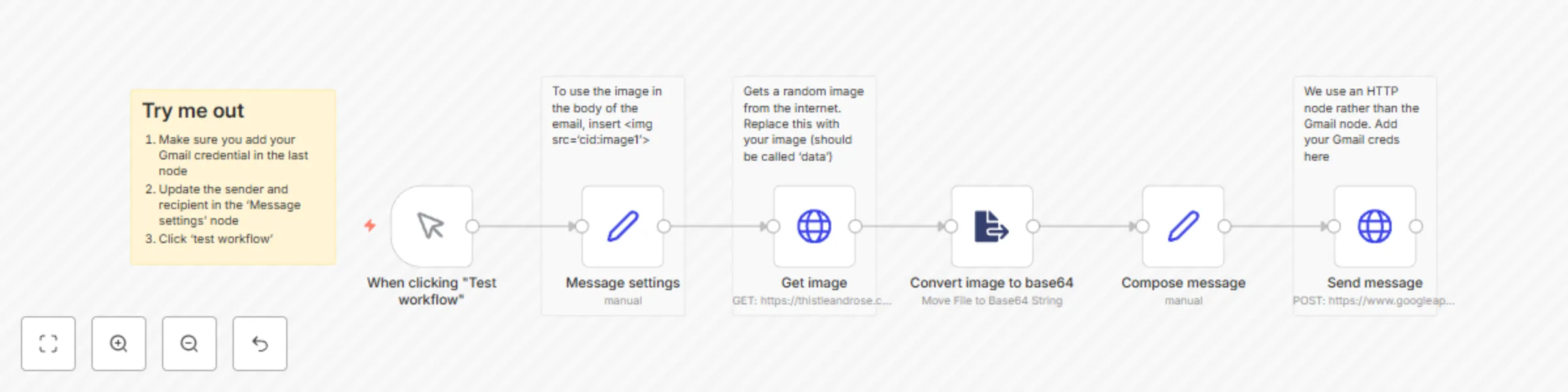
The built-in Gmail node doesn't yet support embedding images within the body of the email, but you can pull this off using the HTTP node, and this template shows you how. ## Requirements - A Gmail account ## How it works The workflow downloads an image, converts it into the format that the Gmail API expects (base64), packages it into a multipart MIME email and uses the HTTP node to send it.

D
David Roberts
Personal Productivity
6 Jun 2024
3700
0
Workflow preview: Chat with PDF docs using AI (quoting sources)
Free advanced

Chat with PDF docs using AI (quoting sources)

This workflow allows you to ask questions about a PDF document. The answers are provided by an AI model of your choice, and the answer includes a citation pointing to the information it used. You can use n8n’s built-in chat interface to ask the questions, or you could customise this workflow to use another one (e.g. Slack, Teams, etc.) ### Example The workflow is set up with the Bitcoin whitepaper. So you could ask things like: *Question: “Which email provider does the creator of Bitcoin use?“* *Answer: “GMX [Bitcoin whitepaper.pdf, lines 1-35]”* ### Requirements 1. A Pinecone account (they have a free tier at the time of writing that is easily enough for this workflow) 2. Access to a large language model (e.g. an OpenAI account) ### Customizing this workflow The workflow only reads in one document, but you could customise it to read in all the documents in a folder (or more). The workflow is set up to use GPT 3.5, but you could swap that out for any other model (including self-hosted ones).

D
David Roberts
Document Extraction
6 Mar 2024
113346
0
Workflow preview: Create Linear tickets from Notion content
Free advanced

Create Linear tickets from Notion content

This workflow allows you to define multiple tickets/issues in a Notion page, then easily import them into Linear. ### Why is it useful? We use this workflow internally at n8n for collaboration between Product and Engineering teams: - Engineering needs all work to be in our ticketing system (Linear) in order to keep track of it - Product prefers to review features in Notion. This is because it and can be used to dump all your thoughts and organise them into themes afterwards, plus it better supports rich content like videos ### Features - Supports rich formatting (bullets, images, videos, links, etc.) - Keeps links between the Notion and Linear version, in case you need to refer back - Allows you to assign each issue to a team member in the Notion definition - Avoids importing the same issues twice if you run it again on the same page (meaning you can issues incrementally) You can see an example of the required format of the Notion page [here](https://www.notion.so/Template-for-importing-Notion-blocks-as-issues-in-Linear-8848dd09892341969faedd1313eea586?pvs=21).

D
David Roberts
Project Management
28 Feb 2024
2013
0
Workflow preview: Gmail campaign sender: Bulk-send emails and follow up automatically if no reply
Free advanced

Gmail campaign sender: Bulk-send emails and follow up automatically if no reply

This workflow allows you to send multi-step email campaigns using n8n, Gmail and Google Sheets. You define a sequence of emails, and a list of email addresses to send them to. The first email is sent to everyone, but the later emails in the sequence are only sent if no-one has replied to the thread yet. This means you only need to worry about replying to people who respond to your email, not chasing people who don’t. ### Requirements 1. A list of emails in a Google sheet. You can define extra info that will be available to your email templates (e.g. name, company, etc.) ![table.png](fileId:750) 2. A sequence of emails to send, plus how long to wait to send each one, e.g. - **On day 0:** “Hi, {name} — nice to meet you at the conference. Was wondering whether {company} would be interested in a quick call about X?” - **On day 3:** “Hi, {name}, just wanted to check in on this. Let me know if there’s any interest!” - **On day 7:** “{name}, just wanted to give this one last try” 3. A Gmail account (although you could also swap out that part for any other email service) ### How it works When sending the emails, n8n inserts a hidden attribute in each one that tags it as being part of the email campaign. It then regularly looks through the email threads with that tag and checks whether: 1. No-one has replied yet 2. It’s time to send the next message The workflow doesn’t send emails on weekends. ### Notes - This workflow is not intended for spam! Please use responsibly - You can use this workflow for multiple different campaigns by making copies of the workflow and changing the sequence / Google Sheet that it uses

D
David Roberts
Lead Nurturing
28 Feb 2024
51299
0
Workflow preview: Chat with OpenAI Assistant (by adding a memory)
Free intermediate

Chat with OpenAI Assistant (by adding a memory)

OpenAI Assistant is a powerful tool, but at the time of writing it doesn't automatically remember past messages from a conversation. This workflow demonstrates how to get around this, by managing the chat history in n8n and passing it to the assistant when required. This makes it possible to use OpenAI Assistant for chatbot use cases. Note that to use this template, you need to be on n8n version 1.28.0 or later.

D
David Roberts
Personal Productivity
16 Feb 2024
65222
0
Workflow preview: Chat with a database using AI
Free intermediate

Chat with a database using AI

This workflow allows you to ask questions about data stored in a database using AI. To use it, you'll need an OpenAI API key (although you could also swap in a model from another service). Supported databases: - Postgres - MySQL - SQLite The workflow uses n8n's embedded chat, but you could also modify it to work with a chat service such as Slack, MS Teams or WhatsApp. Note that to use this template, you need to be on n8n version 1.19.4 or later.

D
David Roberts
Internal Wiki
13 Feb 2024
204365
0
Workflow preview: Chat with a Google Sheet using AI
Free advanced

Chat with a Google Sheet using AI

This workflow allows you to ask questions about the data in a Google Sheet over a chat interface. It uses n8n's built-in chat, but could be modified to work with Slack, Teams, WhatsApp, etc. Behind the scenes, the workflow uses GPT4, so you'll need to have an OpenAI API key that supports it. ### How it works The workflow uses an AI agent with custom tools that call a sub-workflow. That sub-workflow reads the Google Sheet and returns information from it. Because models have a context window (and therefore a maximum number of characters they can accept), we can't pass the whole Google Sheet to GPT - at least not for big sheets. So we provide three ways of querying less data, that can be used in combination to answer questions. Those three functions are: 1. List all the columns in the sheet 2. Get all values of a single column 3. Get all values of a single row Note that to use this template, you need to be on n8n version 1.19.4 or later.

D
David Roberts
Internal Wiki
7 Feb 2024
59855
0
Workflow preview: Translate audio using AI
Free intermediate

Translate audio using AI

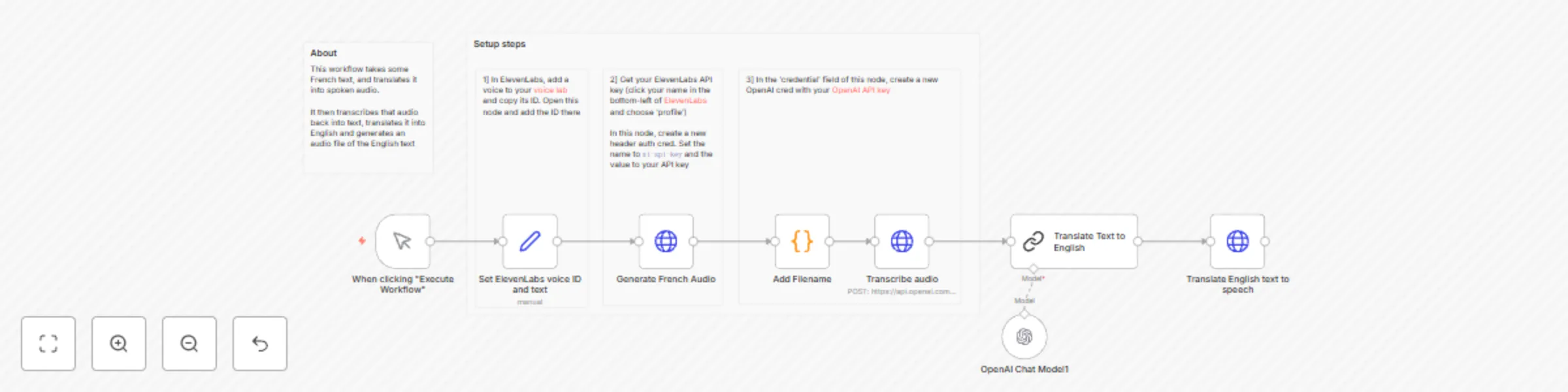
### Overview This workflow takes some French text, and translates it into spoken audio. It then transcribes that audio back into text, translates it into English and generates an audio file of the English text. To do so, it uses ElevenLabs (which has a free tier) and OpenAI. ### Setup These steps should only take a few minutes: 1. In ElevenLabs, add a voice to your [voice lab](https://elevenlabs.io/voice-lab) and copy its ID. Add it to the 'Set voice ID' node 2. Get your ElevenLabs API key (click your name in the bottom-left of [ElevenLabs](https://elevenlabs.io/voice-lab) and choose ‘profile’) 3. In the 'Generate French audio' node, create a new header auth cred. Set the name to `xi-api-key` and the value to your API key 4. In the 'credential' field of the 'Transcribe audio' node, create a new OpenAI cred with your [OpenAI API key](https://platform.openai.com/api-keys) 5. Run the workflow by clicking the orange button at the bottom of the canvas

D
David Roberts
Content Creation
6 Feb 2024
10782
0
Workflow preview: Use any LangChain module in n8n (with the LangChain code node)
Free intermediate

Use any LangChain module in n8n (with the LangChain code node)

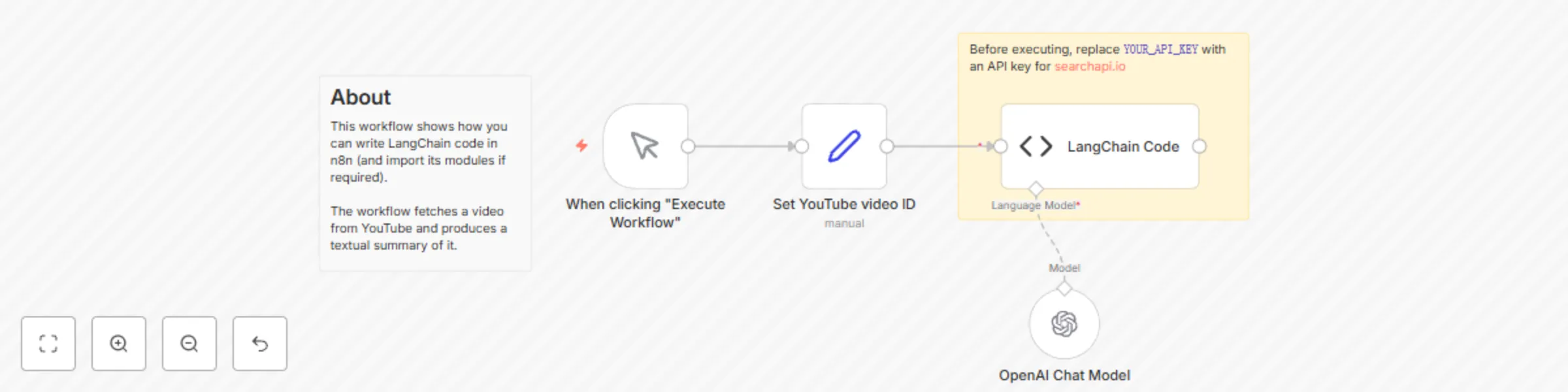
[LangChain](https://www.langchain.com/) is a framework for building AI functionality that users large language models. By leveraging the functionality of LangChain, you can write even more powerful workflows. This workflow shows how you can write LangChain code within n8n, including importing LangChain modules. The workflow itself produces a summary of a YouTube video, when given the video's ID. Note that to use this template, you need to be on n8n version 1.19.4 or later.

D
David Roberts
Engineering
6 Feb 2024
12582
0
Workflow preview: AI chat with any data source (using the n8n workflow tool)
Free intermediate

AI chat with any data source (using the n8n workflow tool)

This AI agent can access data provided by another n8n workflow. Since that workflow can be used to retrieve any data from any service, this template can be used give an agent access to any data. Note that to use this template, you need to be on n8n version 1.19.4 or later.

D
David Roberts
Internal Wiki
16 Dec 2023
44285
0
Workflow preview: OpenAI assistant with custom tools
Free intermediate

OpenAI assistant with custom tools

This workflow shows how you can get your OpenAI assistant to call an n8n workflow as a tool. Since you can put almost any functionality in an n8n workflow, this means you can give your assistant access to almost any data source. Note that to use this template, you need to be on n8n version 1.19.4 or later.

D
David Roberts
Engineering
15 Dec 2023
14365
0
Workflow preview: Ask questions about a PDF using AI
Free intermediate

Ask questions about a PDF using AI

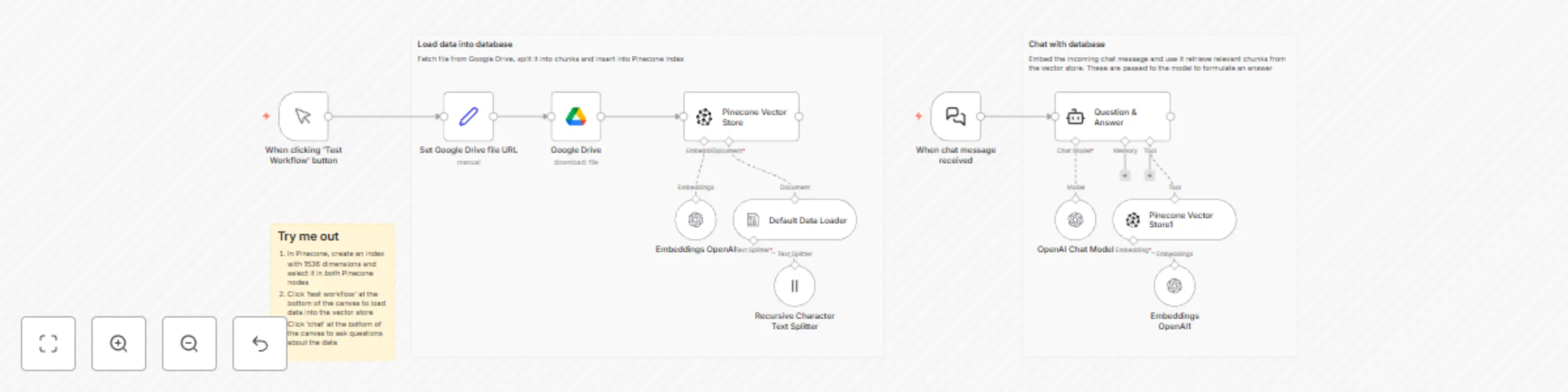
The workflow first populates a Pinecone index with vectors from a Bitcoin whitepaper. Then, it waits for a manual chat message. When received, the chat message is turned into a vector and compared to the vectors in Pinecone. The most similar vectors are retrieved and passed to OpenAI for generating a chat response. Note that to use this template, you need to be on n8n version 1.19.4 or later.

D
David Roberts
Internal Wiki
3 Oct 2023
138958
0