Udit Rawat
Workflows by Udit Rawat
AI-powered Upwork cover letter generator – Pinecone, Groq, Google Gemin, SerpAPI
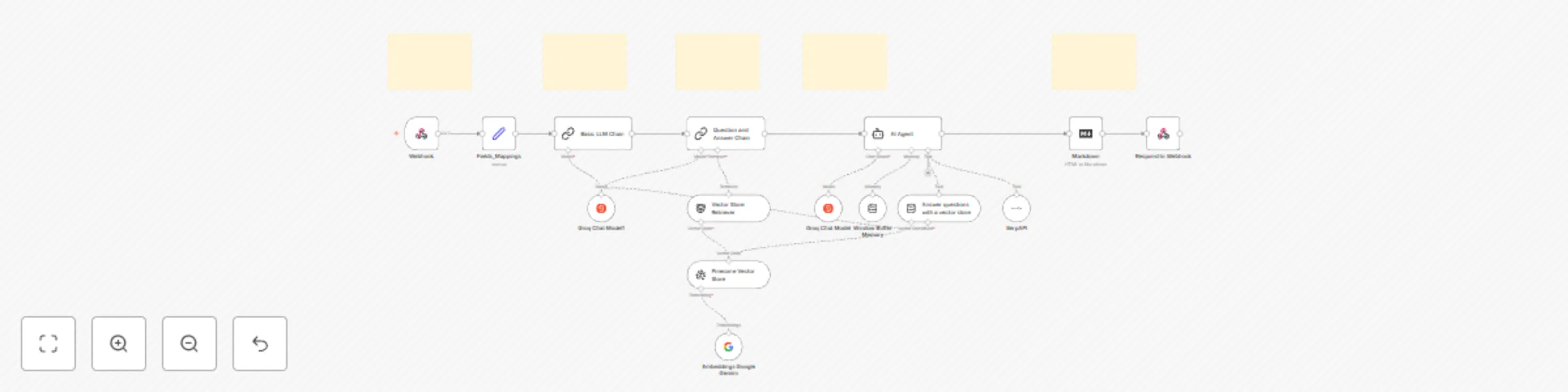
[](https://www.youtube.com/watch?v=AqVSLj7qb2Q) # 🚀 Automated Upwork Cover Letter Generator with n8n + MacOS Shortcut + Pinecone Context Retrieval This `n8n` automation is designed to streamline the Upwork proposal process by generating highly personalized, context-aware cover letters using your own skills and project data stored in a Pinecone vector store. With the help of an AI Agent powered by **Groq’s Qwen LLM**, and triggered instantly via a **MacOS Shortcut**, this system takes job descriptions from your clipboard and returns a ready-to-use HTML cover letter—right on your desktop. --- ## ⚙️ Workflow Breakdown ### 🔹 MacOS Shortcut – Trigger the Workflow Instantly The process begins with a **MacOS Shortcut** that captures job description text from your clipboard and sends it to a custom webhook in `n8n`. ### 🔹 Webhook Node – Receive and Process Input The **webhook node** receives the clipboard data, along with the required credentials for authentication. This node serves as the entry point to the full automation. ### 🔹 Field Mapping & Pre-Processing A series of basic logic nodes map and clean up the input fields. These are then passed to an **LLM Chain** to generate specific questions related to the job description. ### 🔹 Question Answer Chain + Vector Search (Pinecone) Using your previously stored skills and project data in a **Pinecone vector store**, the system retrieves relevant information to answer the generated questions and builds a rich context around the job description. ### 🔹 AI Agent Node – Generate Personalized Cover Letter With both the job post and contextual data, the **AI Agent** (powered by **Groq’s Qwen LLM**) creates a tailored cover letter. The agent is equipped with: - 🔍 Google Search Tool - 🧠 Vector Store Retriever Tool - 🗃️ Buffer Memory This ensures the generated proposal is **insightful**, **relevant**, and **professional**. ### 🔹 Markdown to HTML – Clean Output Conversion The markdown output from the AI is converted into **HTML** using a **Markdown node**, making it easy to paste directly into Upwork or emails. ### 🔹 Return to Shortcut – Display Final Result The final HTML response is sent back to the **MacOS Shortcut**, which displays it in a **modal window** for easy review and copy-paste. --- ## 💼 Use Case This automation is built specifically for freelancers on **Upwork** (or any freelance platform) who want to: - ✅ Save time on repetitive proposal writing - ✅ Create job-specific cover letters with context - ✅ Stand out with better personalization - ✅ Reduce manual effort with automation Whether you’re a beginner or a seasoned pro, this tool **elevates your workflow** while staying simple to use. --- ## 📦 Setup Instructions 1. **Import Workflow** to your `n8n` instance 2. **Create and Configure MacOS Shortcut** (drag-and-drop ready) 3. **Prepare and Embed Your Skills/Project Data** into Pinecone 4. **Add API Credentials:** - Groq (for Qwen LLM) - Pinecone - n8n Webhook (Basic Auth if needed) 5. **Run the Workflow & Submit Smarter Proposals** > **Note:** This workflow is designed for building and returning Upwork cover letters using job descriptions copied to your clipboard. All generation is context-aware and tailored per submission.
Android to n8n automation | Save links to with Readeck, Openrouter, SerpAPI
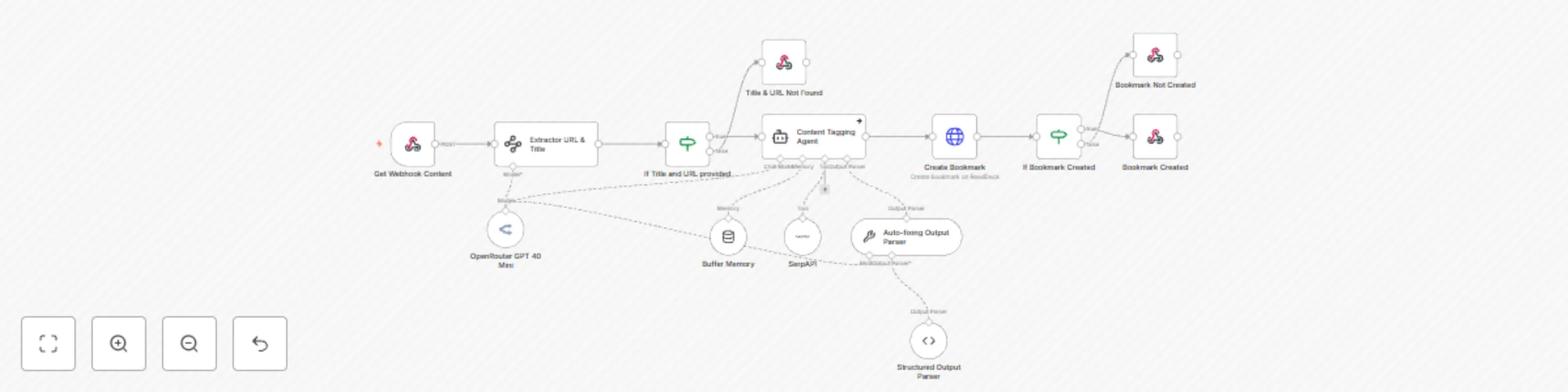
This workflow is for automating and centralizing your bookmarking process using AI-powered tagging and seamless integration between your Android device and a self-hosted Read Deck platform (https://readeck.org/en/). This workflow eliminates manual entry, organizes links with smart AI-generated tags, and ensures your bookmarks are always accessible, searchable, and secure. [](https://youtu.be/xveKt6dcWqc?si=7KN9eZoKqS7bKrqL) **How It Works** 📱 **Android Shortcut Integration** Use the HTTP Shortcuts app to create a 1-tap trigger that sends URLs and titles from your Android phone directly to n8n. 🤖 **AI-Powered Tagging & Processing** Leverage ChatGPT-4 to analyze content context and auto-generate relevant tags (e.g., “Tech Tutorials,” “Productivity Tools”). Extract clean titles and URLs from messy shared data (even from apps like Twitter or Reddit). 🔗 **Readeck Integration** Automatically save processed bookmarks to your self-hosted Readeck-like platform with structured metadata (title, URL, tags). ⚡ **Silent Automation** It runs in the background—no pop-ups or interruptions. 🔒 **Pro Security** Optional authentication (API tokens, headers) to protect your data. ### Use Case Perfect for researchers, content creators, or anyone drowning in tabs who wants to: 1. Save articles, videos, or social posts in one click. 2. Organize bookmarks with AI-generated tags. 3. Build a personal knowledge base that’s always accessible. ### Tutorial 1️⃣ **Set Up Android Shortcut** 1. Install "HTTP Shortcuts" and configure it to send data to your n8n webhook. 2. Enable “Share Menu” to trigger bookmarks from any app. 2️⃣ **Configure n8n Workflow** Import the template and add your Read Deck API token (or similar service). 3️⃣ **Test & Scale** Share a link from your phone—watch it appear in Read Deck instantly! **Add error handling or notifications for advanced use.** **Note:** For self-hosted platforms, ensure your instance is publicly accessible (or use a VPN). ### Why Choose This Workflow? **Zero Manual Entry:** Save hours of copying/pasting. **AI Organization:** Say goodbye to chaotic bookmark folders. **Privacy First:** Host your data on your terms. Transform your bookmarking chaos into a streamlined system—try “Save: Bookmark” today! 🚀
AI-powered financial chart analyzer | OpenRouter, MarketStack, macOS Shortcuts
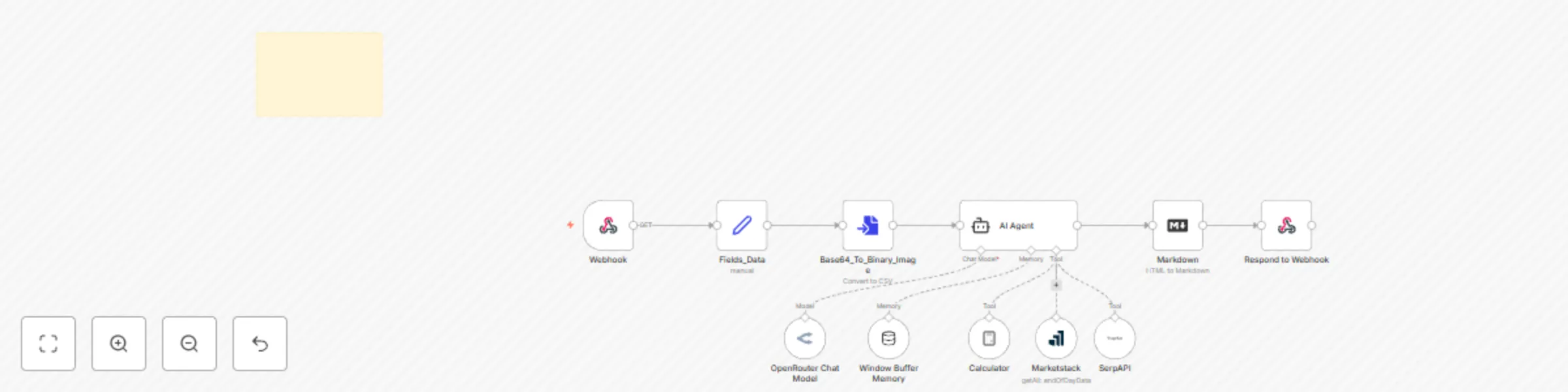
The **AI-Powered Financial Chart Analyzer** is a cutting-edge automation tool that streamlines financial analysis using n8n workflows, AI agents, and **MacOS Shortcuts**. It enables users to capture, process, and analyze candlestick charts for both **stocks and cryptocurrencies**. By integrating powerful tools like **ChatGPT-4o-mini** (via **OpenRouter**), **MarketStack**, and **SerpAPI**, this automation provides real-time market insights, technical analysis, and AI-driven stock trend predictions. [](https://youtu.be/CeEysWsV8RQ?si=EXxjmzF3ofXJa7Q9) ### Workflow 1. The Webhook node will receive image data from a macOS shortcut in Base64 format. 2. The Convert to File node will convert the Base64 image into a binary file. 3. The AI Agent node will process the binary image. It utilizes OpenRouter, Windows buffer memory, MarketStack, and the SerpAPI tool. 4. Remember to use a model capable of processing images; otherwise, the workflow will throw an error. 5. We use the MarketStack tool to fetch the latest stock data; however, it is rarely used. 6. SerpAPI is used for market research, such as news and insights about stocks. 7. Finally, the Markdown node converts Markdown to HTML. 8. The response is then sent to the Webhook. ### Use Case **Traders & Investors:** Quickly analyze candlestick charts and identify trading opportunities. **Financial Analysts:** Automate chart interpretation and data aggregation for in-depth reports. **AI & Automation Enthusiasts:** Experiment with AI-driven financial workflows using n8n. **Business Owners:** Gain real-time stock insights to make informed investment decisions. ### Setup Instructions **Install MacOS Shortcut** - Download the MacOS Shortcut provided with this product and double-click on it to install. - If you don’t have the Shortcuts app (parent app) installed, first download it from the App Store, then follow Step 1. **Set Up Workflow** - Import the n8n workflow provided with this product. **Set Up Credentials** 🔹**Webhook Authentication** - Create an API key (you can use a key generation tool or simply use a custom string). - Add the API key to your n8n Webhook and MacOS Shortcut. - If you prefer not to use authentication, remove it from both the n8n Webhook and the MacOS Shortcut. 🔹**OpenRouter API Setup** - Get a free API key from OpenRouter and add it to your workflow. - Free API keys have usage limits. - OpenRouter provides multiple models—ensure that the selected model supports image processing. 🔹**MarketStack API Setup** - Get a free API key from MarketStack and use it in your workflow. - Free API keys have usage limits. 🔹**SerpAPI Setup** - Get a free API key from SerpAPI and use it in your workflow. - Free API keys have usage limits. ### Disclaimer This tool is designed for educational and informational purposes only. The AI-generated insights should not be considered as financial advice. Users should conduct their own research before making investment decisions. AgentsOps is not responsible for any financial losses incurred from using this automation.
AI-powered crypto analysis using OpenRouter, Gemini, and SerpAPI
This n8n automation is designed to analyze cryptocurrency trends by extracting, processing, and interpreting candlestick charts using AI-powered agents. The workflow enhances technical analysis by integrating real-time market data, ensuring traders receive accurate and actionable insights. [](https://www.youtube.com/watch?v=XW03ztGgbg0) ## Workflow Breakdown: 🔹 1. **Chat Node – Provide Crypto Information** Users enter a crypto symbol in the required format (EXCHANGE:SYMBOL), such as BINANCE:BTCUSDT. This ensures the workflow retrieves the correct market data. 🔹 **Retrieve Daily Candlestick Chart** Once the input is received, the workflow fetches the full-day candlestick chart for the selected crypto, providing a macro-level market trend. 🔹 **AI Agent – Analyze Daily Chart** The first AI agent, powered by Google Gemini 2.0 Flash via OpenRouter, analyzes the daily candlestick pattern to detect trends and potential market signals. 🔹 **Fetch 5-Minute Candlestick Chart** To refine the analysis, the workflow retrieves a 5-minute interval candlestick chart, allowing for real-time market movement evaluation. 🔹 **AI Agent – Advanced Candlestick Analysis** This AI agent combines the 5-minute chart with the daily analysis to provide an in-depth market prediction. Here’s where the real magic happens—AI interprets short-term trends in the context of long-term movements. 🔹 **Shared Windows Buffer – Store Intermediate Results** The Windows Buffer temporarily stores analysis results, ensuring seamless data flow between AI agents for a more structured interpretation. 🔹 **Serp API – Retrieve Crypto News** To add fundamental analysis, the Serp API tool fetches the latest crypto-related news from the web, providing additional market context. 🔹 **Chat Window – Deliver Final Insights** Once all data points are processed, the final market analysis is displayed in the chat window, combining technical and fundamental analysis for a more comprehensive trading strategy. ## Use Case: This automation simplifies crypto market analysis by integrating AI-driven technical and fundamental insights. It’s ideal for: ✅ Traders looking for automated market insights ✅ Analysts seeking structured candlestick interpretations ✅ Developers wanting to integrate AI-powered trading analysis into applications By automating candlestick chart analysis, this workflow enhances decision-making and reduces manual effort, making it a valuable tool for anyone involved in cryptocurrency trading. ## Setup Instructions: 1️⃣ Import the workflow to your n8n instance 2️⃣ Prepare & add credentials: 1. OpenRouter (Google Gemini 2.0 Flash) Get a free API key from https://openrouter.ai/ 2. Serp API (for news retrieval) Get a free API key from https://serpapi.com/ 3. Chart Img (For candlestick chart) Get a free API key from https://chart-img.com/ 3️⃣ Run the workflow and get AI-powered crypto insights! ## NOTE **Remember:** Not all LLM models are capable of analyzing image data, so choose your model wisely. **Limitations:** All free services come with usage limits. For example, OpenRouter has a daily limit, and once it's consumed, the workflow will stop processing further requests. ## Disclaimer This workflow is designed purely for educational and research purposes. It does not provide financial advice. 🚀
RAG: context-aware chunking | Google Drive to Pinecone via OpenRouter & Gemini
Workflow based **on** the following article. https://www.anthropic.com/news/contextual-retrieval This n8n automation is designed to extract, process, and store content from documents into a **Pinecone** vector store using context-based chunking. The workflow enhances retrieval accuracy in **RAG (Retrieval-Augmented Generation)** setups by ensuring each chunk retains meaningful context. **Workflow Breakdown:** 🔹 **Google Drive** - Retrieve Document: The automation starts by fetching a source document from Google Drive. This document contains structured content, with predefined boundary markers for easy segmentation. 🔹 **Extract Text Content** - Once retrieved, the document’s text is extracted for processing. Special section boundary markers are used to divide the text into logical sections. 🔹 **Code Node** - Create Context-Based Chunks: A custom code node processes the extracted text, identifying section boundaries and splitting the document into meaningful chunks. Each chunk is structured to retain its context within the entire document. 🔹 **Loop Node** - Process Each Chunk: The workflow loops through each chunk, ensuring they are processed individually while maintaining a connection to the overall document context. 🔹 **Agent Node** - Generate Context for Each Chunk: We use an Agent node powered by OpenAI’s GPT-4.0-mini via OpenRouter to generate contextual metadata for each chunk, ensuring better retrieval accuracy. 🔹 **Prepend Context to Chunks & Create Embeddings** - The generated context is prepended to the original chunk, creating context-rich embeddings that improve searchability. 🔹 **Google Gemini** - Text Embeddings: The processed text is passed through Google Gemini text-embedding-004, which converts the text into semantic vector representations. 🔹 **Pinecone Vector Store** - Store Embeddings: The final embeddings, along with the enriched chunk content and metadata, are stored in Pinecone, making them easily retrievable for RAG-based AI applications. **Use Case:** This automation enhances RAG retrieval by ensuring each chunk is contextually aware of the entire document, leading to more accurate AI responses. It’s perfect for applications that require semantic search, AI-powered knowledge management, or intelligent document retrieval. By implementing context-based chunking, this workflow ensures that LLMs retrieve the most relevant data, improving response quality and accuracy in AI-driven applications. [](https://www.youtube.com/watch?v=qBeWP65I4hg)
Notion to Pinecone vector store integration
This n8n automation is designed to extract, process, and store content from Notion pages into a Pinecone vector store. Here's a breakdown of the workflow: **Notion - Page Added Trigger:** The automation starts by monitoring for newly added pages in a specific Notion database. It triggers whenever a new page is created, capturing the page's metadata. **Notion - Retrieve Page Content:** Once triggered, the automation fetches the full content of the newly added Notion page, including blocks like text, images, and videos. **Filter Non-Text Content:** The next step filters out non-text content (such as images and videos), ensuring only textual content is processed. **Summarize - Concatenate Notion's blocks content:** The remaining text content is concatenated into a single block of text for easier processing. **Token Splitter:** The concatenated text is then split into manageable tokens, which are chunks of text that can be used for embedding. **Create metadata and load content:** Metadata such as the page ID, creation time, and title are added to the content, making it easy to reference and track. **Embeddings Google Gemini:** The processed text is passed through a Google Gemini model to generate embeddings, which are numerical representations of the text that capture its semantic meaning. **Pinecone Vector Store:** Finally, the embeddings, along with the content and metadata, are stored in a Pinecone vector store, making it searchable and ready for use in applications like document retrieval or natural language processing tasks. This workflow ensures that every new page added to the Notion database is processed into a format that can be easily searched and used in machine learning applications. The automation runs every minute to capture new data in real-time, providing an up-to-date and searchable vector database of Notion content. **Use Case:** This automation converts Notion pages into vector embeddings and stores them in Pinecone for enhanced search and AI-driven insights. It’s ideal for teams using Notion for knowledge management, enabling semantic search and context-based content retrieval. For example, employees can easily find relevant information across documents, and data scientists can use AI models to analyze and summarize the content stored in Notion.
Stock technical analysis with Google Gemini
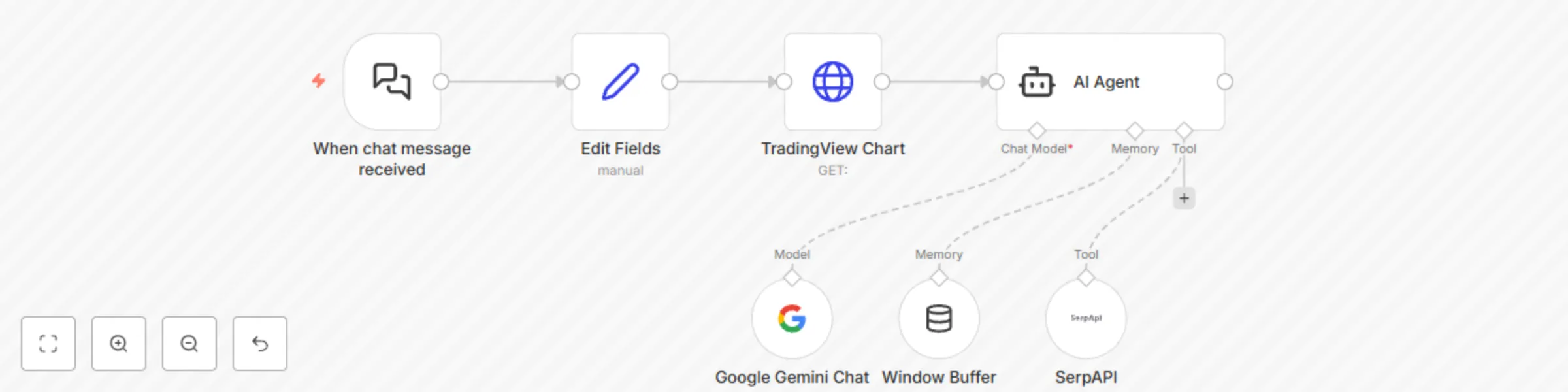
The purpose of this workflow, "Sell: Stock Vision," is to create an AI-powered technical analysis agent capable of analyzing financial charts for equity stocks and cryptocurrencies. This workflow provides users with actionable insights into market trends, price movements, candlestick patterns, and technical indicators to support informed trading decisions. **How It Works** - **Integration with TradingView:** The workflow uses the Chart-Img.com API to fetch detailed financial charts for the specified stock or cryptocurrency. - **AI-Powered Analysis:** The workflow employs advanced AI models, including Google's Gemini Chat Model, to analyze the retrieved charts for candlestick patterns, support/resistance levels, and technical indicators like MACD and RSI. - **News and Sentiment Analysis:** By integrating with SerpAPI, the workflow gathers relevant news about the stock or cryptocurrency to evaluate its potential impact on market movements. - **Comprehensive Insights:** It provides detailed trading strategies, including buy/sell recommendations, stop-loss levels, and risk-reward evaluations. - **Continuous Memory:** The AI agent uses buffer memory to retain context for enhanced analysis and continuity. **Use Case** This workflow is perfect for traders and analysts who need reliable and AI-powered market analysis to make informed trading decisions efficiently. **Tutorial** - Obtain API keys for Chart-Img.com and SerpAPI. - Configure the workflow in your n8n instance by inputting the required API keys and connecting the nodes. - Trigger the workflow by providing the stock or cryptocurrency symbol, and let the agent do the rest! https://youtu.be/9fR4qNMT5LM