Block 1 - Sticky Note
- Type / Role
- n8n-nodes-base.stickyNote - stickyNote
- Config choices
- Version 1


 Early Deal
This workflow is provided as-is. Please review and test before using in production.
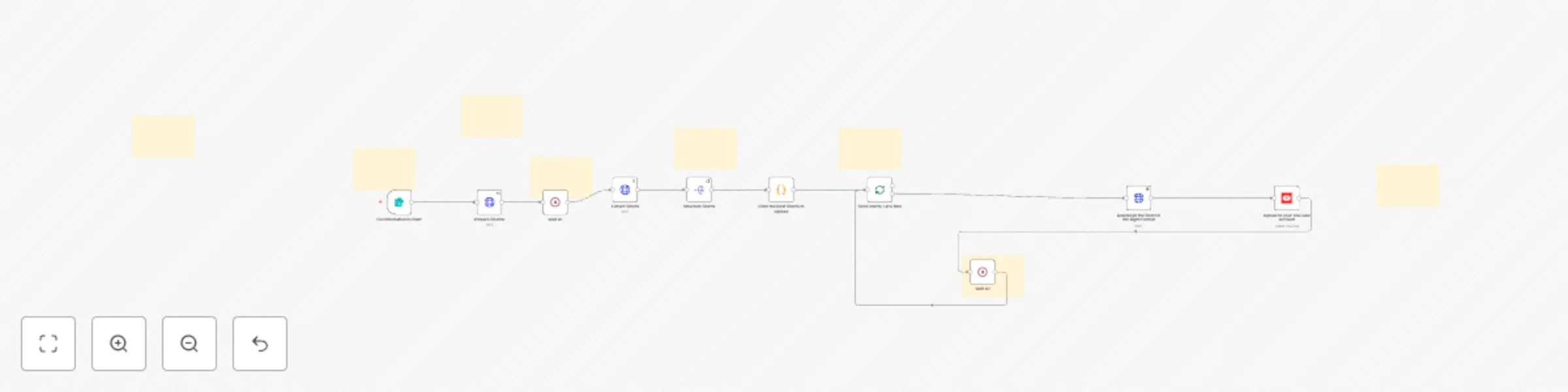
Automatically Create and Post YouTube Shorts from Podcasts and Other Videos Using AI (Simplified). Transform podcasts and other videos into captivating, fully optimized YouTube Shorts with this all...
n8n-nodes-base.stickynote, n8n-nodes-base.formtrigger, n8n-nodes-base.httprequest, n8n-nodes-base.splitout, n8n-nodes-base.code, n8n-nodes-base.splitinbatches, n8n-nodes-base.youtube, n8n-nodes-base.wait
This workflow is cataloged by N8N Workflows and links back to its original n8n.io source page by Matt F..
Original n8n.io sourceTransform podcasts and other videos into captivating, fully optimized YouTube Shorts with this all-in-one automation solution—designed for content creators who repurpose engaging clips. By leveraging advanced YouTube analytics, this template identifies the most compelling moments from your source material and automatically crafts them into scroll-stopping shorts. With intelligent editing, auto-generated titles and descriptions, and customizable scheduling, your clips become instantly post-ready, helping you expand your reach while saving hours on manual editing.
Analytics-Driven Highlight Extraction:
Automatically analyzes engagement metrics to select the best moments from podcasts or other creators' videos, ensuring each clip resonates with your audience.
AI-Powered Editing:
Applies professional-grade editing—adding captions, effects, transitions, and more—to create visually stunning, high-impact shorts.
Auto-Generated Metadata:
Seamlessly creates dynamic titles and descriptions, fully optimizing your clips for immediate upload.
Customizable Scheduling:
Enables you to set upload intervals that align with your strategy, ensuring a steady stream of content on your channel.
Seamless YouTube Integration:
Directly connects with YouTube’s API, streamlining the process so your channel remains active and engaging with minimal effort.
Designed specifically for content creators repurposing YouTube videos—and requiring only a Sipkes Studio account (it's Free) for full functionality—this simplified automation template streamlines the conversion of long-form content into bite-sized, shareable clips. Elevate your content strategy, maximize audience engagement, and reclaim valuable time with a solution built to drive your channel's growth.
This catalog entry is organized from the workflow JSON. The node-level section below shows the executable blocks available for review before importing the template.
| Workflow | YouTube shorts automation - the game-changer in scroll-stopping short clips |
|---|---|
| Complexity | advanced |
| Nodes | 18 |
| Categories | Content Creation, Multimodal AI |
| Author | Matt F. |
| Published | 25 Feb 2025 |
Use the JSON export at /data/workflows/3007/3007.json as the source template for this automation.
Open n8n, import the downloaded JSON, and review each node before activating the workflow.
Replace placeholder credentials, API keys, webhook URLs, account IDs, and environment-specific values with your own settings.
Run the workflow manually or in a staging workspace, inspect node output, and confirm downstream systems receive the expected data.
Enable the workflow only after testing, then monitor executions, errors, and rate limits during the first production runs.
Review imported nodes carefully before activation. This catalog entry is intended to help you inspect the workflow structure, understand required services, and find related templates faster.
Node names, credentials, schedules, webhook paths, and external service limits may need adjustment for your workspace.
Automatically Create and Post YouTube Shorts from Podcasts and Other Videos Using AI (Simplified). Transform podcasts and other videos into captivating, fully optimized YouTube Shorts with this all...
Review the workflow JSON, configure any required credentials in n8n, and test the automation in a safe workspace before using it in production.
Yes. Use the block-by-block analysis and the downloadable JSON to inspect each node, then adjust credentials, prompts, schedules, filters, or destinations for your Content Creation, Multimodal AI use case.