WordPress auto-blogging pro - with deep research - content automation machine

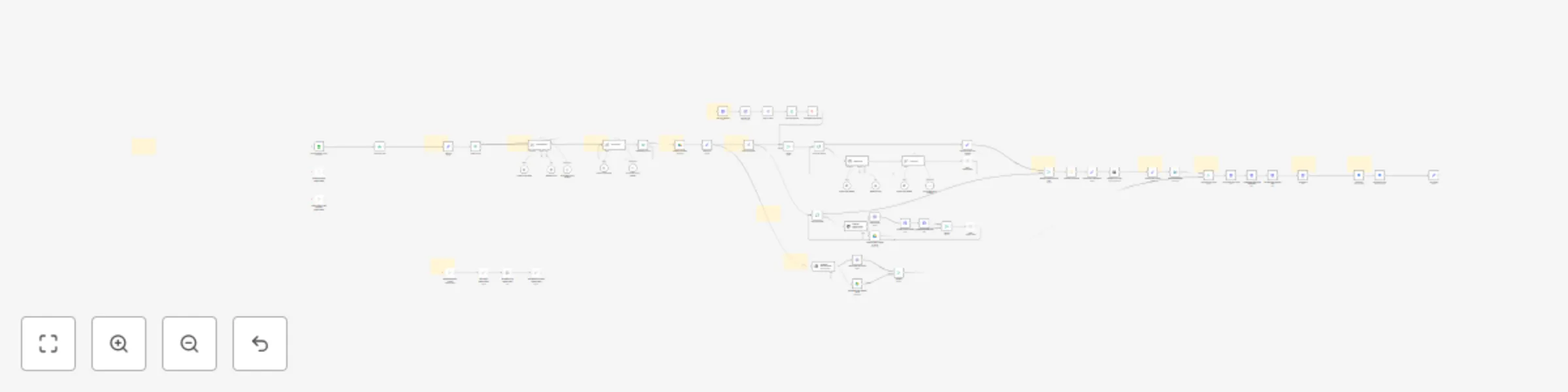
Workflow preview

Workflow preview
100%
WordPress auto-blogging pro - with deep research - content automation machine preview
Open on n8n.io

Important notice

This workflow is provided as-is. Please review and test before using in production.

1. Workflow Overview

The best content automation template in the market is now even better—with “ deep research” on time sensitive topics \! Unlike most n8n content automation templates that are mainly for “demo purpos...

Best for

  • Content Creation automation workflows
  • Multimodal AI automation workflows
  • advanced n8n builders looking for reusable templates

Tools used

@n8n/n8n-nodes-langchain.openai, n8n-nodes-base.merge, n8n-nodes-base.stickynote, n8n-nodes-base.httprequest, n8n-nodes-base.xml, n8n-nodes-base.splitout, n8n-nodes-base.editimage, n8n-nodes-base.markdown

Source and attribution

This workflow is cataloged by N8N Workflows and links back to its original n8n.io source page by Daniel Ng.

Original n8n.io source

1.1 Workflow description

Title
WordPress auto-blogging pro - with deep research - content automation machine
Workflow name
WordPress auto-blogging pro - with deep research - content automation machine

The best content automation template in the market is now even better—with “deep research” on time-sensitive topics! Unlike most n8n content automation templates that are mainly for “demo purposes,” this advanced n8n workflow is for the real PROs. It conducts in-depth research on the latest information about a topic, then automatically creates and publishes SEO-optimized blog posts to your WordPress website. In addition, it generates a unique image for each chapter and a featured image for the overall article, and it collects internal website links—seamlessly inserting links throughout each chapter and the entire article. Furthermore, it backs up all content and images to a designated folder in your Google Drive.

This integrated approach not only creates high-quality, comprehensive content for readers but also enhances on-page SEO, improves navigation, and streamlines your content creation process—saving you time while ensuring your work is securely stored.

This is a complimentary variation of the n8n WordPress Auto-Blogging Pro for SEO topics. That one specializes in auto-blogging content about established topics that do not need up-to-date information while this one takes it further by incorporating online research into the workflow. Both make up the perfect combo to run your blog on autopilot!


How It Works

  1. Trigger: It activates upon adding a new row to a Google Sheet. Users can control many customizable parameters, such as key topic, number of subtopics, target audience, length, and style.
  2. Initial Research: The workflow initiates preliminary research on the topic to gather insights for the content planning phase.
  3. Structure Planning: Based on the initial research, it plans a detailed structure for the entire article and breaks the article into subtopics strongly tied to the main topic.
  4. In-Depth Research & Writing: For each subtopic, it conducts further research to gather the most up-to-date, relevant information, then uses that research to write each chapter in depth.
  5. Image Generation: It generates and adds images for each chapter, as well as a featured image for the article.
  6. Internal Linking: The system gathers internal website links and strategically embeds them within each chapter and throughout the article, boosting SEO and enhancing user navigation.
  7. Final Assembly & Publishing: All texts, images, and links are combined into one comprehensive article, which is then published directly to your WordPress website. You can also choose to post it as a draft for final review.
  8. Auto Backup to Drive: Get peace of mind knowing all content (blog post and images) is automatically saved to Google Drive, organized in a folder named after the blog post title.

Unique Features

  1. Deep Research: The workflow leverages advanced, real-time research to gather the latest information about a topic. It breaks down the key topic into subtopics and conducts in-depth research on each one, ensuring the most comprehensive and current knowledge.
  2. Full Automation: Designed to be 100% automated, the workflow runs without manual intervention once imported and configured.
  3. Simple Activation: It is easily triggered through the Google Sheets interface—simply add a new row to a Google Sheet.
  4. Customization Options: Offers a wide array of options, including topic, category, target audience, word count, number of chapters, length of introduction and conclusion, and writing style. It also allows for the inclusion of calls-to-action (CTAs) and company/product introductions.
  5. Advanced Loop in Loop: Clever looping is used to write each chapter and generate images, ensuring optimal results. “Wait” nodes are added where appropriate to avoid API call rate limits.
  6. Automatic Content Saving: After the blog post is created, all content and images are automatically saved to Google Drive, preventing data loss. The folder is named after the blog post title.
  7. SEO-Optimized Content: It is designed to create SEO-optimized content using seed keywords.
  8. Internal Link Limit: The workflow limits the number of internal links to 20 by default.
  9. Error Catch: “If” nodes are strategically used to ensure that the output from AI nodes strictly meets the JSON schema, ensuring a smooth flow of data without interruption.

And many more big and small improvements.


Requirements

Please make sure you have these requirements ready to ensure smooth deployment of this n8n workflow template:

  1. OpenAI API or equivalent for text and image generation
  2. PerplexityAI API or equivalent for online research
  3. A WordPress website (other website platforms will not work!)
  4. Google Sheets for triggering the workflow, or a trigger of your choice
  5. Google Drive and Google Docs for auto backup

Set Up Steps

  1. Install the Workflow Template: Import the JSON files into your n8n instance. There are 2 files: one for the main workflow and one for the research tool (PerplexityAI).
  2. Connect the Workflow with Your Accounts: Link your accounts for OpenAI API, PerplexityAI API, Google Drive, Google Sheets, Google Docs, and WordPress website.
  3. Configure the Google Sheet: Ensure your Google Sheet is set up to trigger the workflow upon adding a new row and that the input data is correctly formatted.
  4. Customize the Inputs: Adjust parameters like topic, target audience, and writing style to match your specific content needs. Optimize prompts for the best results.
  5. Test the Workflow: Use low-cost AI models and image settings initially to ensure everything runs smoothly.
  6. Tailor Further as Needed: Modify workflow elements to perfectly align with your needs and content strategy.

Tips for PROs

  1. Image Generation: The default AI model for image generation is OpenAI’s Dall-E. However, the outputs of this model are not impressive. Consider using FLUX.1 for better image quality.
  2. Research: PerplexityAI is the tool of choice for research. The default model used in this workflow is “sonar” due to its fast speed and low cost. Feel free to experiment with its other models, including the “sonar-deep-research” model, which is dedicated to deep research.
  3. Triggering: Triggering with a new row on Google Sheets is limited and unreliable. Consider setting an auto trigger with a daily schedule at a specific time. You can even put the whole workflow in a loop to process multiple rows one-by-one from Google Sheets.
  4. Human in the Loop: It is possible to incorporate a human review process. For example, after the article is posted to WordPress as a draft, a human can review the draft. Only after approval will the post be published, and a final copy of the post will be saved to the shared Drive folder.

1.2 Logical Blocks

This catalog entry is organized from the workflow JSON. The node-level section below shows the executable blocks available for review before importing the template.

2. Block-by-Block Analysis

Block 1 - Generate featured image

Type / Role
@n8n/n8n-nodes-langchain.openAi - openAi
Config choices
Version 1

Block 2 - Merge

Type / Role
n8n-nodes-base.merge - merge
Config choices
Version 3

Block 3 - Sticky Note8

Type / Role
n8n-nodes-base.stickyNote - stickyNote
Config choices
Version 1

Block 4 - Sticky Note

Type / Role
n8n-nodes-base.stickyNote - stickyNote
Config choices
Version 1

Block 5 - Sticky Note1

Type / Role
n8n-nodes-base.stickyNote - stickyNote
Config choices
Version 1

Block 6 - Sticky Note2

Type / Role
n8n-nodes-base.stickyNote - stickyNote
Config choices
Version 1

Block 7 - Sticky Note3

Type / Role
n8n-nodes-base.stickyNote - stickyNote
Config choices
Version 1

Block 8 - Sticky Note4

Type / Role
n8n-nodes-base.stickyNote - stickyNote
Config choices
Version 1

Block 9 - Sticky Note5

Type / Role
n8n-nodes-base.stickyNote - stickyNote
Config choices
Version 1

Block 10 - Sticky Note6

Type / Role
n8n-nodes-base.stickyNote - stickyNote
Config choices
Version 1

Block 11 - Get post sitemap

Type / Role
n8n-nodes-base.httpRequest - httpRequest
Config choices
Version 4.2

Block 12 - Get XML file

Type / Role
n8n-nodes-base.xml - xml
Config choices
Version 1

Block 13 - Split out links

Type / Role
n8n-nodes-base.splitOut - splitOut
Config choices
Version 1

Block 14 - Generate chapter image

Type / Role
@n8n/n8n-nodes-langchain.openAi - openAi
Config choices
Version 1.7

Block 15 - Resize Image

Type / Role
n8n-nodes-base.editImage - editImage
Config choices
Version 1

Block 16 - Upload chapter images

Type / Role
n8n-nodes-base.httpRequest - httpRequest
Config choices
Version 4.1

Block 17 - Merge chapters title and text

Type / Role
n8n-nodes-base.merge - merge
Config choices
Version 2.1

Block 18 - Markdown to HTML

Type / Role
n8n-nodes-base.markdown - markdown
Config choices
Version 1

Block 19 - Post on Wordpress

Type / Role
n8n-nodes-base.wordpress - wordpress
Config choices
Version 1

Block 20 - Resize featured image

Type / Role
n8n-nodes-base.editImage - editImage
Config choices
Version 1

Block 21 - Upload featured image

Type / Role
n8n-nodes-base.httpRequest - httpRequest
Config choices
Version 4.1

Block 22 - Set featured image for post

Type / Role
n8n-nodes-base.httpRequest - httpRequest
Config choices
Version 4.1

Block 23 - Update image meta data

Type / Role
n8n-nodes-base.httpRequest - httpRequest
Config choices
Version 4.2

Block 24 - Loop Over Items

Type / Role
n8n-nodes-base.splitInBatches - splitInBatches
Config choices
Version 3

Showing the first 24 of 77 workflow blocks. Download the JSON for the full node graph.

3. Summary Table

Workflow WordPress auto-blogging pro - with deep research - content automation machine
Complexity advanced
Nodes 77
Categories Content Creation, Multimodal AI
Author Daniel Ng
Published 28 Feb 2025

4. Reproducing the Workflow from Scratch

  1. 1. Download the workflow JSON

    Use the JSON export at /data/workflows/3041/3041.json as the source template for this automation.

  2. 2. Import the template into n8n

    Open n8n, import the downloaded JSON, and review each node before activating the workflow.

  3. 3. Configure credentials and variables

    Replace placeholder credentials, API keys, webhook URLs, account IDs, and environment-specific values with your own settings.

  4. 4. Test with sample data

    Run the workflow manually or in a staging workspace, inspect node output, and confirm downstream systems receive the expected data.

  5. 5. Activate and monitor

    Enable the workflow only after testing, then monitor executions, errors, and rate limits during the first production runs.

5. General Notes & Resources

Review imported nodes carefully before activation. This catalog entry is intended to help you inspect the workflow structure, understand required services, and find related templates faster.

Node names, credentials, schedules, webhook paths, and external service limits may need adjustment for your workspace.

Frequently asked questions

What does WordPress auto-blogging pro - with deep research - content automation machine do?

The best content automation template in the market is now even better—with “ deep research” on time sensitive topics \! Unlike most n8n content automation templates that are mainly for “demo purpos...

What do I need before importing this workflow?

Review the workflow JSON, configure any required credentials in n8n, and test the automation in a safe workspace before using it in production.

Can I customize this workflow?

Yes. Use the block-by-block analysis and the downloadable JSON to inspect each node, then adjust credentials, prompts, schedules, filters, or destinations for your Content Creation, Multimodal AI use case.