Verify email content against Google Sheets and Gmail logs
Workflow preview

$20/month : Unlimited workflows
2500 executions/month

THE #1 IN WEB SCRAPING
Scrape any website without limits
HOSTINGER  Early Deal
DISCOUNT 20% Try free
Early DealDISCOUNT 20%
Self-hosted n8n
Unlimited workflows - from $4.99/mo

#1 hub for scraping, AI & automation
6000+ actors - $5 credits/mo
Overview
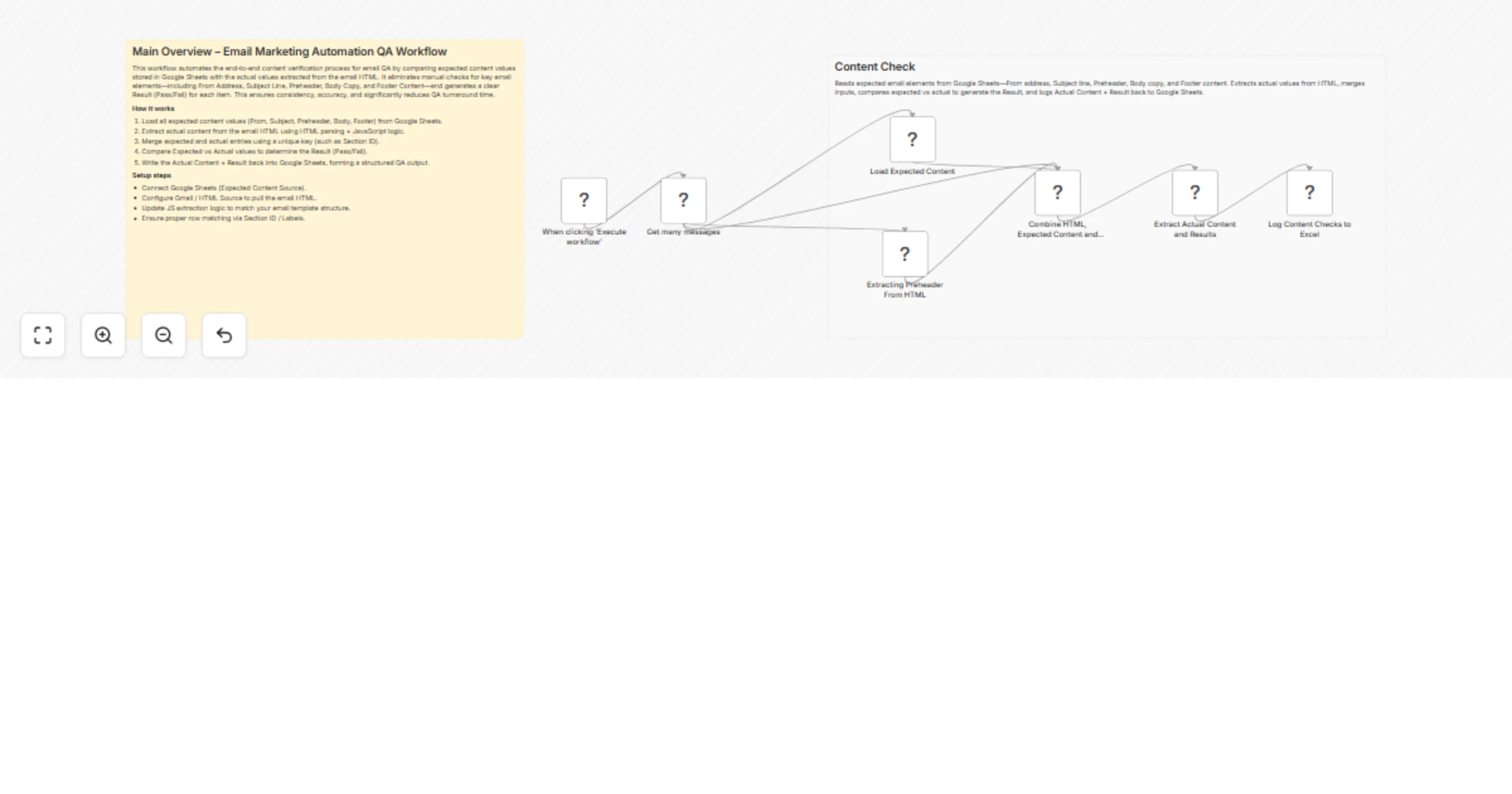
How it works
- Input: Google Sheets provides “Expected Content” rows (one per block/section).
- HTML Parse: A JS/HTML step extracts Actual Content from the email’s HTML (from Gmail or any provided HTML source).
- Merge: Expected and Actual items are merged into aligned pairs for comparison.
- Compare: A JS node compares strings and produces a Result (Pass/Fail). (This flow intentionally stops at the result and does not compute a mismatch reason.)
- Log: The workflow writes back “Actual Content” + “Result” to Google Sheets for reporting.
Setup steps
- Google Sheets Create a sheet with columns: SectionId, ExpectedContent, ActualContent, Result. Populate SectionId + ExpectedContent for each content block you want to verify.
- Email HTML source Use a Gmail node to pull message HTML or use HTTP Request/Read Binary File + HTML/JS to supply the HTML.
- Extraction logic (JS/HTML) Implement selectors/XPaths/DOM parsing for each SectionId to extract Actual Content. Normalize whitespace and trim HTML entities for a fair comparison.
- Merge & Compare Merge on SectionId to align Expected ↔ Actual. In the Code (JS) node, compare strings and set Result to Pass if equal (or meets your rule), otherwise Fail.
- Write back Use Google Sheets to update ActualContent and Result for each row.
Requirements
n8n with access to: Google Sheets, Code/HTML, and (optionally) Gmail nodes. A Google Sheets document with at least these columns:
SectionId (or Key) ExpectedContent ActualContent (output) Result (output: Pass/Fail)
Access to the email HTML (Gmail node, HTTP fetch, or paste‐in).