Block 1 - No Operation, do nothing
- Type / Role
- n8n-nodes-base.noOp - noOp
- Config choices
- Version 1


 Early Deal
This workflow is provided as-is. Please review and test before using in production.
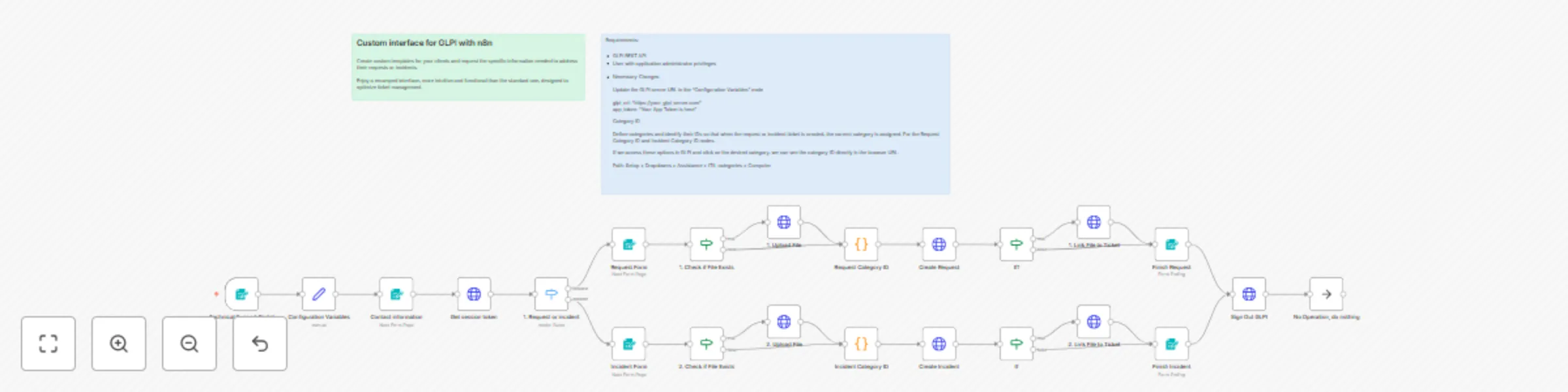
Custom Interface for GLPI with n8n Transform your GLPI system's user experience with a modern, optimized web interface that simplifies technical support ticket creation. How it works Unified entry ...
n8n-nodes-base.noop, n8n-nodes-base.formtrigger, n8n-nodes-base.form, n8n-nodes-base.switch, n8n-nodes-base.code, n8n-nodes-base.httprequest, n8n-nodes-base.set, n8n-nodes-base.if
This workflow is cataloged by N8N Workflows and links back to its original n8n.io source page by Luis Hernandez.
Original n8n.io sourceTransform your GLPI system's user experience with a modern, optimized web interface that simplifies technical support ticket creation. How it works
Unified entry portal: Users access an intuitive web form where they select between "Request" or "Incident" Custom data collection: Specific forms adapt fields based on ticket type, requesting only relevant information Automatic processing: The system automatically maps categories and priorities, creates tickets in GLPI via REST API File management: Allows document attachments that are automatically linked to the created ticket Confirmation and tracking: Provides the generated ticket ID for future follow-up
✅ More user-friendly interface than native GLPI interface ✅ Adaptive forms based on request type ✅ Error reduction through automatic validations ✅ Mobile-optimized user experience ✅ Seamless integration with existing GLPI
⏱️ Estimated time: 15-20 minutes Prerequisites
GLPI server with REST API enabled User with application administrator privileges Application token generated in GLPI
Connection variables: Update GLPI server URL and application token in the "Configuration Variables" node Authentication credentials: Configure HTTP Basic Auth credentials for GLPI connection Category IDs: Identify and map ITIL category IDs in the processing nodes Form customization: Adapt fields, options, and categories according to organizational needs
Activate the workflow and obtain web form URLs Share the portal link with end users Perform ticket creation tests
Companies looking to improve GLPI user experience Organizations needing more intuitive support forms IT teams wanting to reduce miscategorized tickets Companies requiring mobile-friendly support interfaces
n8n (orchestration and web forms) GLPI REST API HTTP Basic Authentication Automatic session management
This catalog entry is organized from the workflow JSON. The node-level section below shows the executable blocks available for review before importing the template.
Showing the first 24 of 25 workflow blocks. Download the JSON for the full node graph.
| Workflow | User-friendly technical support portal for GLPI ticket management |
|---|---|
| Complexity | advanced |
| Nodes | 25 |
| Categories | Ticket Management, Multimodal AI |
| Author | Luis Hernandez |
| Published | 14 Aug 2025 |
Use the JSON export at /data/workflows/7392/7392.json as the source template for this automation.
Open n8n, import the downloaded JSON, and review each node before activating the workflow.
Replace placeholder credentials, API keys, webhook URLs, account IDs, and environment-specific values with your own settings.
Run the workflow manually or in a staging workspace, inspect node output, and confirm downstream systems receive the expected data.
Enable the workflow only after testing, then monitor executions, errors, and rate limits during the first production runs.
Review imported nodes carefully before activation. This catalog entry is intended to help you inspect the workflow structure, understand required services, and find related templates faster.
Node names, credentials, schedules, webhook paths, and external service limits may need adjustment for your workspace.
Custom Interface for GLPI with n8n Transform your GLPI system's user experience with a modern, optimized web interface that simplifies technical support ticket creation. How it works Unified entry ...
Review the workflow JSON, configure any required credentials in n8n, and test the automation in a safe workspace before using it in production.
Yes. Use the block-by-block analysis and the downloadable JSON to inspect each node, then adjust credentials, prompts, schedules, filters, or destinations for your Ticket Management, Multimodal AI use case.