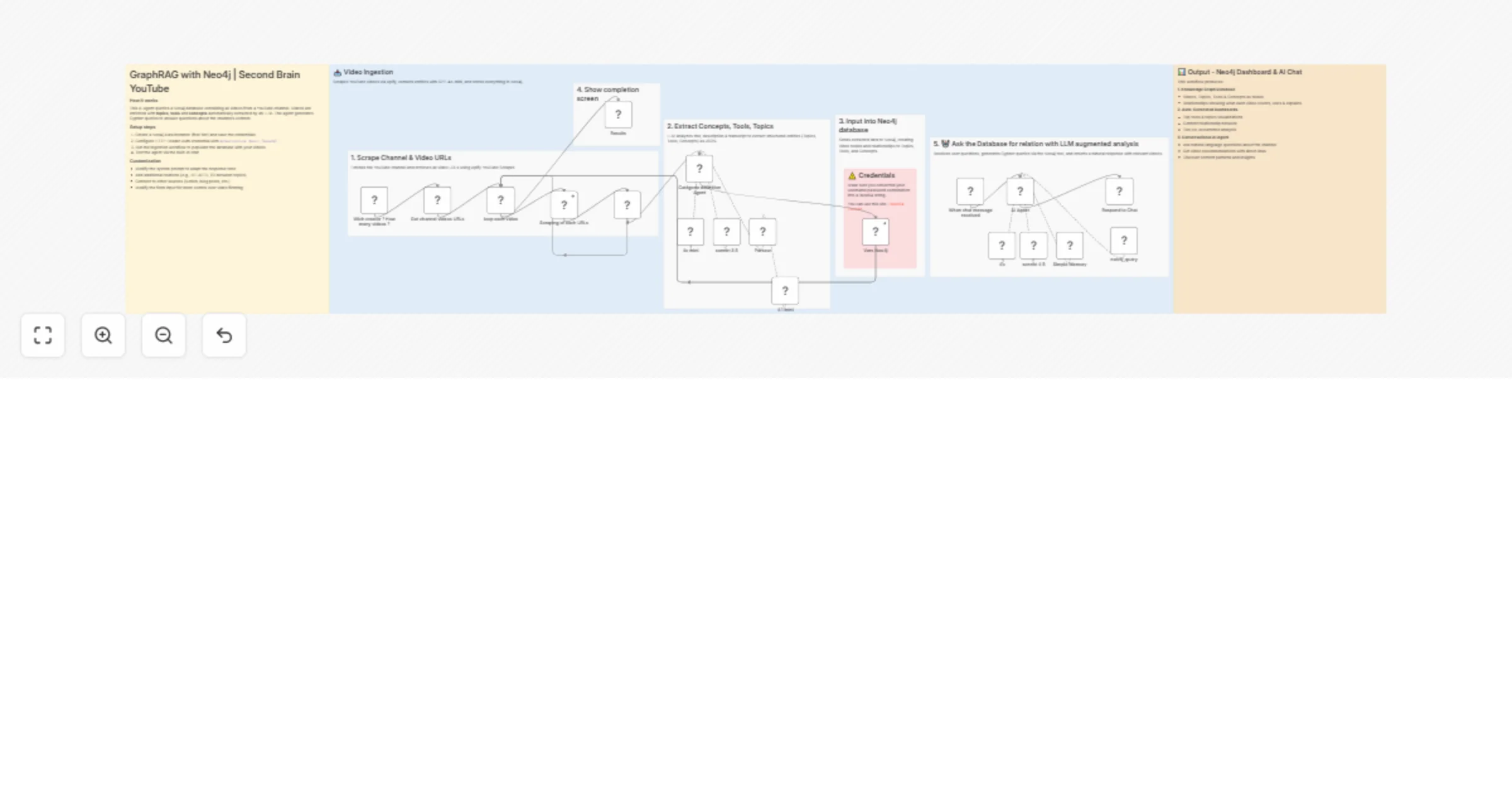
Turn a YouTube channel into a second brain with Neo4j GraphRAG and GPT-4o-mini

Workflow preview

Workflow preview
100%
Turn a YouTube channel into a second brain with Neo4j GraphRAG and GPT-4o-mini preview
Open on n8n.io

1. Workflow Overview

AI powered "Second Brain" that can answer questions about any YouTube channel's content using Neo4j Graph Database and RAG. Turn any YouTube channel into a searchable knowledge base. The AI agent u...

Best for

  • Internal Wiki automation workflows
  • AI RAG automation workflows
  • advanced n8n builders looking for reusable templates

Tools used

@n8n/n8n-nodes-langchain.lmchatopenrouter, @n8n/n8n-nodes-langchain.agent, n8n-nodes-base.if, @n8n/n8n-nodes-langchain.chattrigger, @n8n/n8n-nodes-langchain.memorybufferwindow, @n8n/n8n-nodes-langchain.chat, n8n-nodes-base.stickynote, n8n-nodes-base.httprequesttool

Source and attribution

This workflow is cataloged by N8N Workflows and links back to its original n8n.io source page by Hugo Le Poole.

Original n8n.io source

1.1 Workflow description

Title
Turn a YouTube channel into a second brain with Neo4j GraphRAG and GPT-4o-mini
Workflow name
Turn a YouTube channel into a second brain with Neo4j GraphRAG and GPT-4o-mini

AI-powered "Second Brain" that can answer questions about any YouTube channel's content using Neo4j Graph Database and RAG.

Turn any YouTube channel into a searchable knowledge base. The AI agent understands relationships between videos, topics, tools, and concepts - enabling powerful queries like "Which videos talk about automation AND mention n8n?" or "What are the most discussed topics?".

Good to know

  • Neo4j Aura Free Tier is sufficient for most channels (up to 200k nodes)
  • Apify credits are required for YouTube scraping (~$5 for 500 videos)
  • LLM costs are minimal (~$0.01 per video for entity extraction)

How it works

  • Ingestion Flow: Scrapes YouTube videos via Apify, including titles, descriptions, and transcripts.
  • Entity Extraction: GPT-4o-mini analyzes each video and extracts Topics, Tools, and Concepts mentioned.
  • Graph Storage: Data is stored in Neo4j with relationships: Video → COVERS → Topic, Video → USES → Tool, Video → EXPLAINS → Concept.
  • AI Agent: Receives user questions, generates Cypher queries to search the graph, and returns natural language responses with relevant video links.

How to use

  1. Set up a free Neo4j Aura instance and save credentials
  2. Convert your Neo4j username:password to Base64 for authentication
  3. Configure Apify with your target YouTube channel URL
  4. Run the ingestion workflow to populate the database
  5. Chat with the AI agent to query your video knowledge base

Requirements

  • Neo4j Aura account (free tier available)
  • Apify account for YouTube scraping
  • OpenAI API key (GPT-4o-mini) for entity extraction
  • Anthropic API key (Claude) or OpenAI for the AI agent

Customization

  • Modify the system prompt to change response style or language
  • Add more entity types (e.g., People, Companies, Frameworks)
  • Connect multiple YouTube channels into one knowledge base
  • Extend to other content sources (blogs, podcasts, Notion docs)

1.2 Logical Blocks

This catalog entry is organized from the workflow JSON. The node-level section below shows the executable blocks available for review before importing the template.

2. Block-by-Block Analysis

Block 1 - 4.1 mini

Type / Role
@n8n/n8n-nodes-langchain.lmChatOpenRouter - lmChatOpenRouter
Config choices
Version 1

Block 2 - Catégorie définition Agent

Type / Role
@n8n/n8n-nodes-langchain.agent - agent
Config choices
Version 3

Block 3 - 4o mini

Type / Role
@n8n/n8n-nodes-langchain.lmChatOpenRouter - lmChatOpenRouter
Config choices
Version 1

Block 4 - sonnet 3.5

Type / Role
@n8n/n8n-nodes-langchain.lmChatOpenRouter - lmChatOpenRouter
Config choices
Version 1

Block 5 - If

Type / Role
n8n-nodes-base.if - if
Config choices
Version 2.3

Block 6 - AI Agent

Type / Role
@n8n/n8n-nodes-langchain.agent - agent
Config choices
Version 3

Block 7 - When chat message received

Type / Role
@n8n/n8n-nodes-langchain.chatTrigger - chatTrigger
Config choices
Version 1.4

Block 8 - 4o

Type / Role
@n8n/n8n-nodes-langchain.lmChatOpenRouter - lmChatOpenRouter
Config choices
Version 1

Block 9 - sonnet 4.5

Type / Role
@n8n/n8n-nodes-langchain.lmChatOpenRouter - lmChatOpenRouter
Config choices
Version 1

Block 10 - Simple Memory

Type / Role
@n8n/n8n-nodes-langchain.memoryBufferWindow - memoryBufferWindow
Config choices
Version 1.3

Block 11 - Respond to Chat

Type / Role
@n8n/n8n-nodes-langchain.chat - chat
Config choices
Version 1

Block 12 - Sticky Note

Type / Role
n8n-nodes-base.stickyNote - stickyNote
Config choices
Version 1

Block 13 - Sticky Note1

Type / Role
n8n-nodes-base.stickyNote - stickyNote
Config choices
Version 1

Block 14 - neo4j_query

Type / Role
n8n-nodes-base.httpRequestTool - httpRequestTool
Config choices
Version 4.3

Block 15 - Parseur

Type / Role
@n8n/n8n-nodes-langchain.outputParserStructured - outputParserStructured
Config choices
Version 1.3

Block 16 - Sticky Note2

Type / Role
n8n-nodes-base.stickyNote - stickyNote
Config choices
Version 1

Block 17 - Sticky Note3

Type / Role
n8n-nodes-base.stickyNote - stickyNote
Config choices
Version 1

Block 18 - Vers Neo4j

Type / Role
n8n-nodes-base.httpRequest - httpRequest
Config choices
Version 4.3

Block 19 - Sticky Note4

Type / Role
n8n-nodes-base.stickyNote - stickyNote
Config choices
Version 1

Block 20 - Sticky Note5

Type / Role
n8n-nodes-base.stickyNote - stickyNote
Config choices
Version 1

Block 21 - Sticky Note6

Type / Role
n8n-nodes-base.stickyNote - stickyNote
Config choices
Version 1

Block 22 - Sticky Note7

Type / Role
n8n-nodes-base.stickyNote - stickyNote
Config choices
Version 1

Block 23 - Sticky Note8

Type / Role
n8n-nodes-base.stickyNote - stickyNote
Config choices
Version 1

Block 24 - Wich creator ? How many videos ?

Type / Role
n8n-nodes-base.formTrigger - formTrigger
Config choices
Version 2.3

Showing the first 24 of 28 workflow blocks. Download the JSON for the full node graph.

3. Summary Table

Workflow Turn a YouTube channel into a second brain with Neo4j GraphRAG and GPT-4o-mini
Complexity advanced
Nodes 28
Categories Internal Wiki, AI RAG
Author Hugo Le Poole
Published 19 Jan 2026

4. Reproducing the Workflow from Scratch

  1. 1. Download the workflow JSON

    Use the JSON export at /data/workflows/12812/12812.json as the source template for this automation.

  2. 2. Import the template into n8n

    Open n8n, import the downloaded JSON, and review each node before activating the workflow.

  3. 3. Configure credentials and variables

    Replace placeholder credentials, API keys, webhook URLs, account IDs, and environment-specific values with your own settings.

  4. 4. Test with sample data

    Run the workflow manually or in a staging workspace, inspect node output, and confirm downstream systems receive the expected data.

  5. 5. Activate and monitor

    Enable the workflow only after testing, then monitor executions, errors, and rate limits during the first production runs.

5. General Notes & Resources

Review imported nodes carefully before activation. This catalog entry is intended to help you inspect the workflow structure, understand required services, and find related templates faster.

Node names, credentials, schedules, webhook paths, and external service limits may need adjustment for your workspace.

Frequently asked questions

What does Turn a YouTube channel into a second brain with Neo4j GraphRAG and GPT-4o-mini do?

AI powered "Second Brain" that can answer questions about any YouTube channel's content using Neo4j Graph Database and RAG. Turn any YouTube channel into a searchable knowledge base. The AI agent u...

What do I need before importing this workflow?

Review the workflow JSON, configure any required credentials in n8n, and test the automation in a safe workspace before using it in production.

Can I customize this workflow?

Yes. Use the block-by-block analysis and the downloadable JSON to inspect each node, then adjust credentials, prompts, schedules, filters, or destinations for your Internal Wiki, AI RAG use case.