Block 1 - Incident Report Trigger
- Type / Role
- n8n-nodes-base.webhook - webhook
- Config choices
- Version 1.1


 Early Deal
Reduce MTTR with context aware AI severity analysis and automated SLA enforcement Know that feeling when a "low priority" ticket turns into a production fire? Or when your on call rotation starts s...
n8n-nodes-base.webhook, n8n-nodes-base.respondtowebhook, n8n-nodes-base.set, n8n-nodes-base.googlesheets, n8n-nodes-base.code, @n8n/n8n-nodes-langchain.agent, @n8n/n8n-nodes-langchain.lmchatgooglegemini, @n8n/n8n-nodes-langchain.lmchatgroq
This workflow is cataloged by N8N Workflows and links back to its original n8n.io source page by Mychel Garzon.
Original n8n.io sourceKnow that feeling when a "low priority" ticket turns into a production fire? Or when your on-call rotation starts showing signs of serious burnout from alert overload?
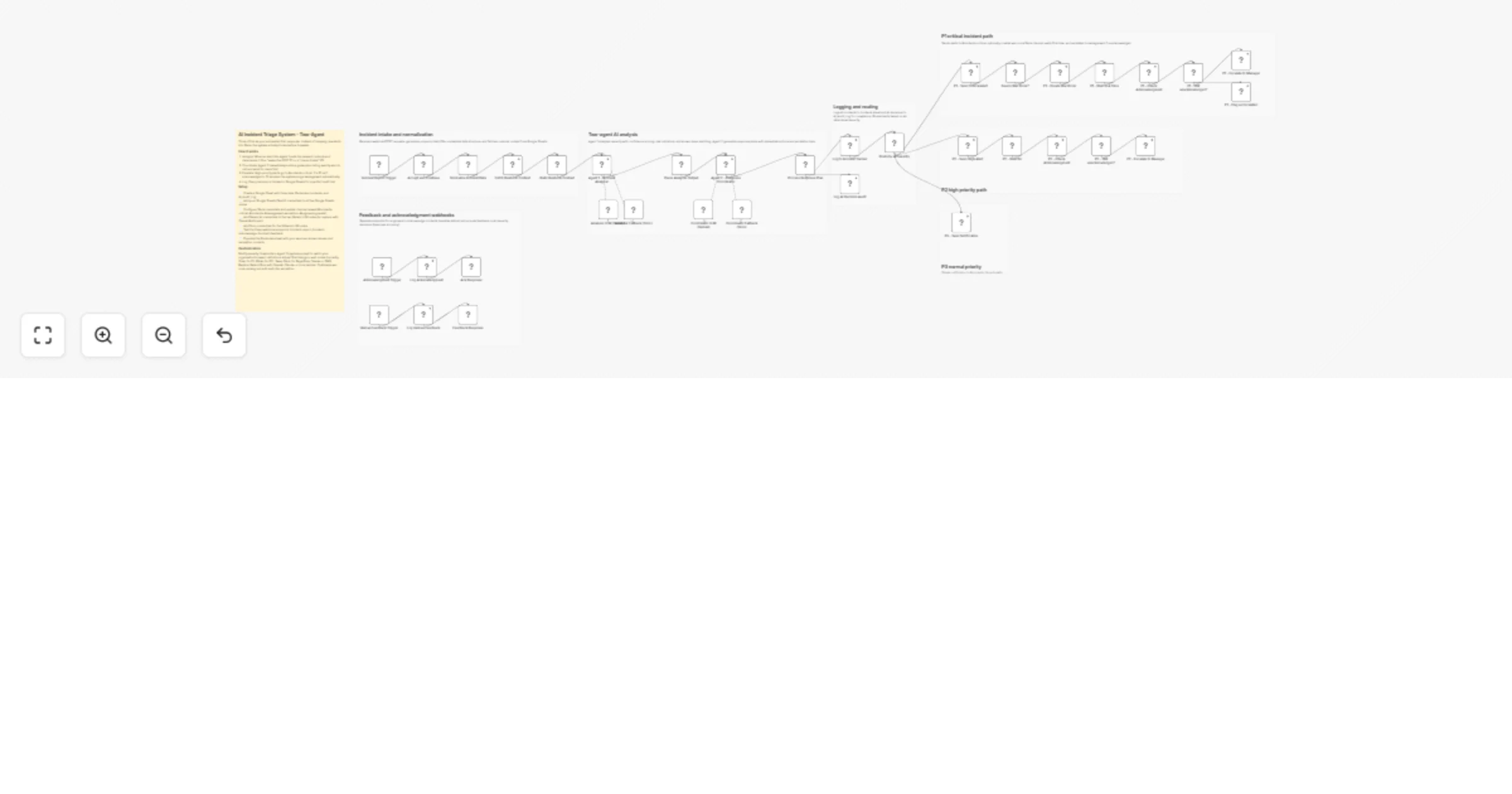
This workflow handles that problem. Two AI agents do the triage work—checking severity, validating against runbooks, triggering the right response.
Incident comes in through webhook → two-agent analysis kicks off:
Agent 1 (Incident Analyzer) checks the report against your Google Sheets runbook database. Looks for matching known issues, evaluates risk signals, assigns a confidence-scored severity (P1/P2/P3). Finally stops you from trusting "CRITICAL URGENT!!!" subject lines.
Agent 2 (Response Planner) builds the action plan: what to do first, who needs to know, investigation steps, post-incident tasks. Like having your most experienced engineer review every single ticket.
Then routing happens:
Nobody responds in time? Auto-escalates to management. Everything logs to Google Sheets for the inevitable post-mortem.
| Feature | This Workflow | Typical AI Triage |
|---|---|---|
| Architecture | Two specialized agents (analyze + coordinate) | Single generic prompt |
| Reliability | Multi-LLM fallback (Gemini → Groq) | Single model, fails if down |
| SLA Enforcement | Auto-waits, checks, escalates autonomously | Sends alert, then done |
| Learning | Feedback webhook improves accuracy over time | Static prompts forever |
| Knowledge Source | Your runbooks (Google Sheets) | Generic templates |
| War Room Creation | Automatic for P1 incidents | Manual |
| Audit Trail | Every decision logged to Sheets | Often missing |
Scenario: Your monitoring system detects database errors.
Webhook receives this messy alert:
{
 "title": "DB Connection Pool Exhausted",
 "description": "user-service reporting 503 errors",
 "severity": "P3",
 "service": "user-service"
}
Agent 1 (Incident Analyzer) reasoning:
Agent 2 (Response Coordinator) builds the plan:
What happens next (autonomously):
Human feedback loop (optional but powerful):
On-call engineer reviews the decision and submits:
POST /incident-feedback
{
 "incidentId": "INC-20260324-143022-a7f3",
 "feedback": "Correct severity upgrade - good catch",
 "correctSeverity": "P2"
}
→ This correction gets logged to AI_Audit_Log. Over time, Agent 1 learns which patterns justify severity overrides.
Stop manual triage: What took your on-call engineer 5-10 minutes now takes 3 seconds. Agent 1 checks the runbook, Agent 2 builds the response plan.
Severity validation = fewer false alarms: The workflow cross-checks reported severity against runbook patterns and risk signals. That "P1 URGENT" email from marketing? Gets downgraded to P3 automatically.
SLAs enforce themselves: P1 gets 15 minutes. P2 gets 60. Timers run autonomously. If nobody acknowledges, management gets paged. No more "I forgot to check Slack."
Uses YOUR runbooks, not generic templates: Agent 1 pulls context from your Google Sheets runbook database — known issues, escalation contacts, SLA targets. It knows your systems.
Multi-LLM fallback = 99.9% uptime: Primary: Gemini 2.0. Fallback: Groq. Each agent retries 3x with 5-sec intervals. Basically always works.
Self-improving feedback loop: Engineers can submit corrections via /incident-feedback webhook. The workflow logs every decision + human feedback to AI_Audit_Log. Track accuracy over time, identify patterns where AI needs tuning.
Complete audit trail: Every incident, every AI decision, every escalation — all in Google Sheets. Perfect for post-mortems and compliance.
This is not a 5-minute setup. You'll need:
Google Sheets structure:
Runbooks, Incidents, AI_Audit_LogSlack configuration:
#incidents-critical, #incidents, #management-escalation, #engineering-leadsEstimated setup time: 30-45 minutes
Quick start option: Begin with just Slack + Google Sheets. Add PagerDuty later.
This catalog entry is organized from the workflow JSON. The node-level section below shows the executable blocks available for review before importing the template.
Showing the first 24 of 44 workflow blocks. Download the JSON for the full node graph.
| Workflow | Triage incidents and enforce SLAs with Gemini, Groq, Google Sheets and Slack |
|---|---|
| Complexity | advanced |
| Nodes | 44 |
| Categories | Ticket Management, AI Summarization |
| Author | Mychel Garzon |
| Published | 22 Mar 2026 |
Use the JSON export at /data/workflows/14237/14237.json as the source template for this automation.
Open n8n, import the downloaded JSON, and review each node before activating the workflow.
Replace placeholder credentials, API keys, webhook URLs, account IDs, and environment-specific values with your own settings.
Run the workflow manually or in a staging workspace, inspect node output, and confirm downstream systems receive the expected data.
Enable the workflow only after testing, then monitor executions, errors, and rate limits during the first production runs.
Review imported nodes carefully before activation. This catalog entry is intended to help you inspect the workflow structure, understand required services, and find related templates faster.
Node names, credentials, schedules, webhook paths, and external service limits may need adjustment for your workspace.
Reduce MTTR with context aware AI severity analysis and automated SLA enforcement Know that feeling when a "low priority" ticket turns into a production fire? Or when your on call rotation starts s...
Review the workflow JSON, configure any required credentials in n8n, and test the automation in a safe workspace before using it in production.
Yes. Use the block-by-block analysis and the downloadable JSON to inspect each node, then adjust credentials, prompts, schedules, filters, or destinations for your Ticket Management, AI Summarization use case.