Block 1 - Schedule Trigger
- Type / Role
- n8n-nodes-base.scheduleTrigger - scheduleTrigger
- Config choices
- Version 1.2


 Early Deal
This workflow is provided as-is. Please review and test before using in production.
Related News to Content Marketing Automation Overview This workflow automatically collects news from an RSS feed, identifies the most relevant article(s), and generates ready to use social media...
n8n-nodes-base.scheduletrigger, n8n-nodes-base.rssfeedread, n8n-nodes-base.aggregate, @n8n/n8n-nodes-langchain.agent, n8n-nodes-base.gmail, n8n-nodes-base.stickynote, n8n-nodes-base.code, @n8n/n8n-nodes-langchain.lmchatopenai
This workflow is cataloged by N8N Workflows and links back to its original n8n.io source page by Codint.
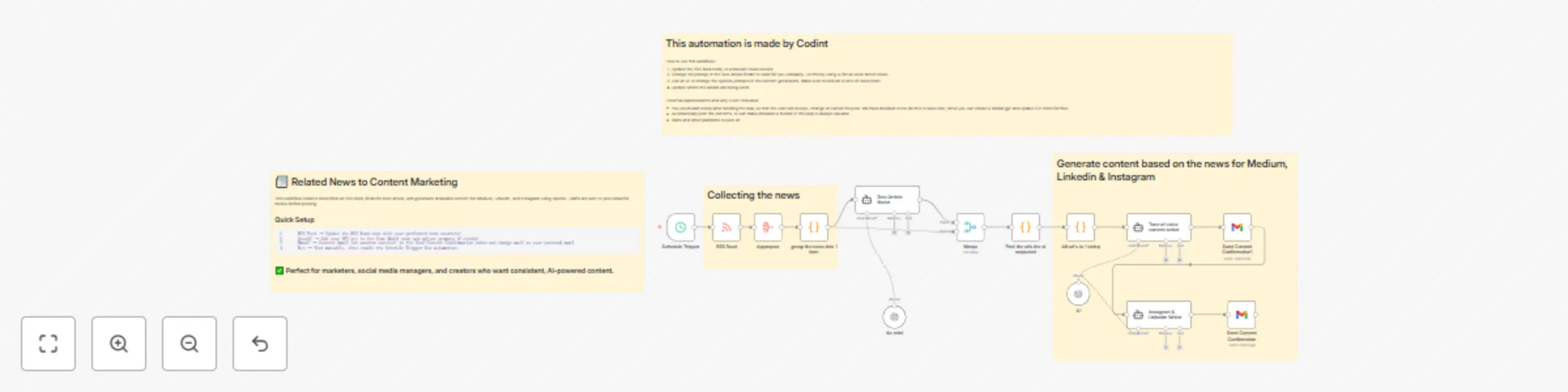
Original n8n.io sourceThis workflow automatically collects news from an RSS feed, identifies the most relevant article(s), and generates ready-to-use social media and blog content tailored for Medium, LinkedIn, and Instagram.
It’s ideal for: • Marketing teams who want a steady flow of fresh content. • Social media managers looking to save time on research and writing. • Startups and creators who want consistent posting with minimal effort.
Instead of manually scanning articles and drafting posts, this automation gives you AI-generated content with your preferred tone of voice — and even sends confirmation emails so you can review before posting.
Before using this workflow, make sure you have: • ✅ An n8n account (self-hosted or cloud). • ✅ An OpenAI API key for content generation. • ✅ An RSS feed URL for your industry or niche. • ✅ A Gmail account (or another configured email service) to receive content confirmation messages.
Download and import this workflow into your n8n instance.
Configure the RSS Feed • Open the RSS Read node. • Replace the sample URL with your preferred news source(s).
Connect OpenAI • Open the OpenAI Chat Model node. • Add your OpenAI API Key in the credentials. • (Optional) Adjust the prompts in the “Tone of Voice Writer” or “Instagram & LinkedIn Writer” nodes to match your brand’s style.
Set Up Gmail • Open the Send Content Confirmation nodes. • Connect your Gmail (or another email service). • Add the email address where you want to receive content drafts.
Run & Automate • Trigger the workflow manually with Execute Workflow to test. • Once tested, enable the Schedule Trigger node to run it automatically (e.g., daily).
•	🔄 Add more platforms: extend the workflow for Twitter, Facebook, or Slack.
•	✏️ Adjust tone & length: update prompts in AI nodes (casual, professional, humorous, etc.).
•	✅ Human-in-the-loop: add approval steps before publishing directly.
•	🌍 Change news sources: swap RSS feeds for different industries or niches.
LinkedIn Draft: “The future of marketing is AI-driven. 🚀 A new study shows that brands leveraging automation see 3x faster content turnaround. Read more here: [link]
Instagram Caption: “Stay ahead of the curve 🌟 Today’s top story in digital marketing: AI tools are reshaping how we create content. What do you think — game-changer or hype? 🤔 #AI #Marketing”
•	AI may produce errors → Always review generated content before posting.
•	Gmail integration only sends drafts for confirmation — direct posting is not included.
•	RSS feeds vary in quality — results depend on your chosen source.
1.	Collecting the news → Fetch articles via RSS feed.
2.	Best Article Finder → Selects the most relevant item.
3.	AI Writing → Generates content tailored for Medium, LinkedIn, and Instagram.
4.	Email Confirmation → Sends drafts to your inbox for review
This catalog entry is organized from the workflow JSON. The node-level section below shows the executable blocks available for review before importing the template.
| Workflow | Transform RSS feeds into content with GPT-4o for Medium, LinkedIn & Instagram |
|---|---|
| Complexity | advanced |
| Nodes | 18 |
| Categories | Content Creation, Multimodal AI |
| Author | Codint |
| Published | 16 Sept 2025 |
Use the JSON export at /data/workflows/8662/8662.json as the source template for this automation.
Open n8n, import the downloaded JSON, and review each node before activating the workflow.
Replace placeholder credentials, API keys, webhook URLs, account IDs, and environment-specific values with your own settings.
Run the workflow manually or in a staging workspace, inspect node output, and confirm downstream systems receive the expected data.
Enable the workflow only after testing, then monitor executions, errors, and rate limits during the first production runs.
Review imported nodes carefully before activation. This catalog entry is intended to help you inspect the workflow structure, understand required services, and find related templates faster.
Node names, credentials, schedules, webhook paths, and external service limits may need adjustment for your workspace.
Related News to Content Marketing Automation Overview This workflow automatically collects news from an RSS feed, identifies the most relevant article(s), and generates ready to use social media...
Review the workflow JSON, configure any required credentials in n8n, and test the automation in a safe workspace before using it in production.
Yes. Use the block-by-block analysis and the downloadable JSON to inspect each node, then adjust credentials, prompts, schedules, filters, or destinations for your Content Creation, Multimodal AI use case.