C

Codint

1
Workflow

Workflows by Codint

Workflow preview: Transform RSS feeds into content with GPT-4o for Medium, LinkedIn & Instagram
Free advanced

Transform RSS feeds into content with GPT-4o for Medium, LinkedIn & Instagram

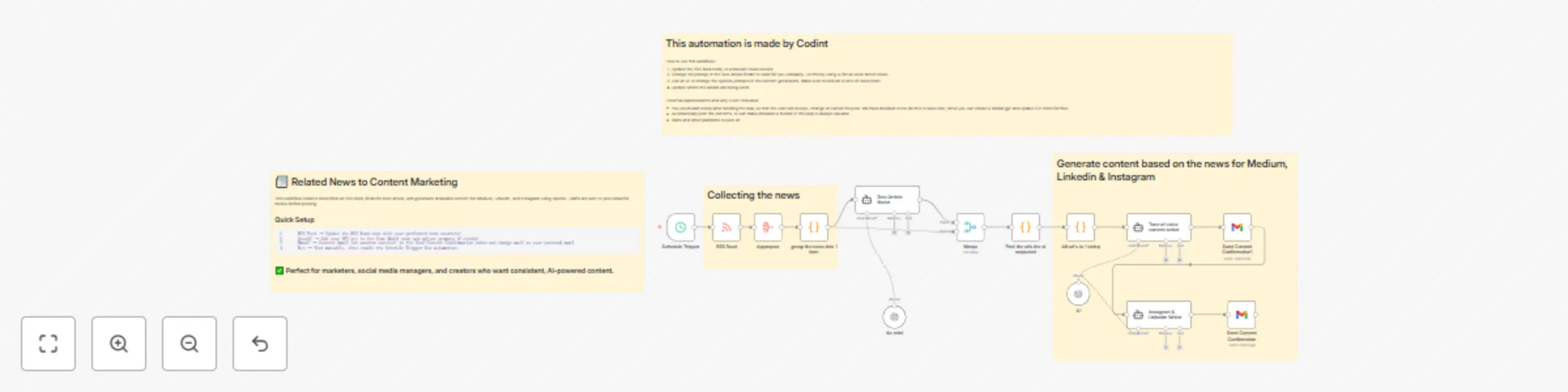
# 📰 Related News to Content Marketing Automation ## Overview This workflow automatically collects news from an RSS feed, identifies the most relevant article(s), and generates ready-to-use social media and blog content tailored for Medium, LinkedIn, and Instagram. It’s ideal for: • Marketing teams who want a steady flow of fresh content. • Social media managers looking to save time on research and writing. • Startups and creators who want consistent posting with minimal effort. Instead of manually scanning articles and drafting posts, this automation gives you AI-generated content with your preferred tone of voice — and even sends confirmation emails so you can review before posting. ## Prerequisites Before using this workflow, make sure you have: • ✅ An n8n account (self-hosted or cloud). • ✅ An OpenAI API key for content generation. • ✅ An RSS feed URL for your industry or niche. • ✅ A Gmail account (or another configured email service) to receive content confirmation messages. ## Setup Instructions 1. Import the Workflow Download and import this workflow into your n8n instance. 2. Configure the RSS Feed • Open the RSS Read node. • Replace the sample URL with your preferred news source(s). 3. Connect OpenAI • Open the OpenAI Chat Model node. • Add your OpenAI API Key in the credentials. • (Optional) Adjust the prompts in the “Tone of Voice Writer” or “Instagram & LinkedIn Writer” nodes to match your brand’s style. 4. Set Up Gmail • Open the Send Content Confirmation nodes. • Connect your Gmail (or another email service). • Add the email address where you want to receive content drafts. 5. Run & Automate • Trigger the workflow manually with Execute Workflow to test. • Once tested, enable the Schedule Trigger node to run it automatically (e.g., daily). ## Customization Options • 🔄 Add more platforms: extend the workflow for Twitter, Facebook, or Slack. • ✏️ Adjust tone & length: update prompts in AI nodes (casual, professional, humorous, etc.). • ✅ Human-in-the-loop: add approval steps before publishing directly. • 🌍 Change news sources: swap RSS feeds for different industries or niches. ## Example Output LinkedIn Draft: “The future of marketing is AI-driven. 🚀 A new study shows that brands leveraging automation see 3x faster content turnaround. Read more here: [link] Instagram Caption: “Stay ahead of the curve 🌟 Today’s top story in digital marketing: AI tools are reshaping how we create content. What do you think — game-changer or hype? 🤔 #AI #Marketing” ## Limitations • AI may produce errors → Always review generated content before posting. • Gmail integration only sends drafts for confirmation — direct posting is not included. • RSS feeds vary in quality — results depend on your chosen source. ## How It Works (Workflow Overview) 1. Collecting the news → Fetch articles via RSS feed. 2. Best Article Finder → Selects the most relevant item. 3. AI Writing → Generates content tailored for Medium, LinkedIn, and Instagram. 4. Email Confirmation → Sends drafts to your inbox for review

C
Codint
Content Creation
17 Sep 2025
1926
0