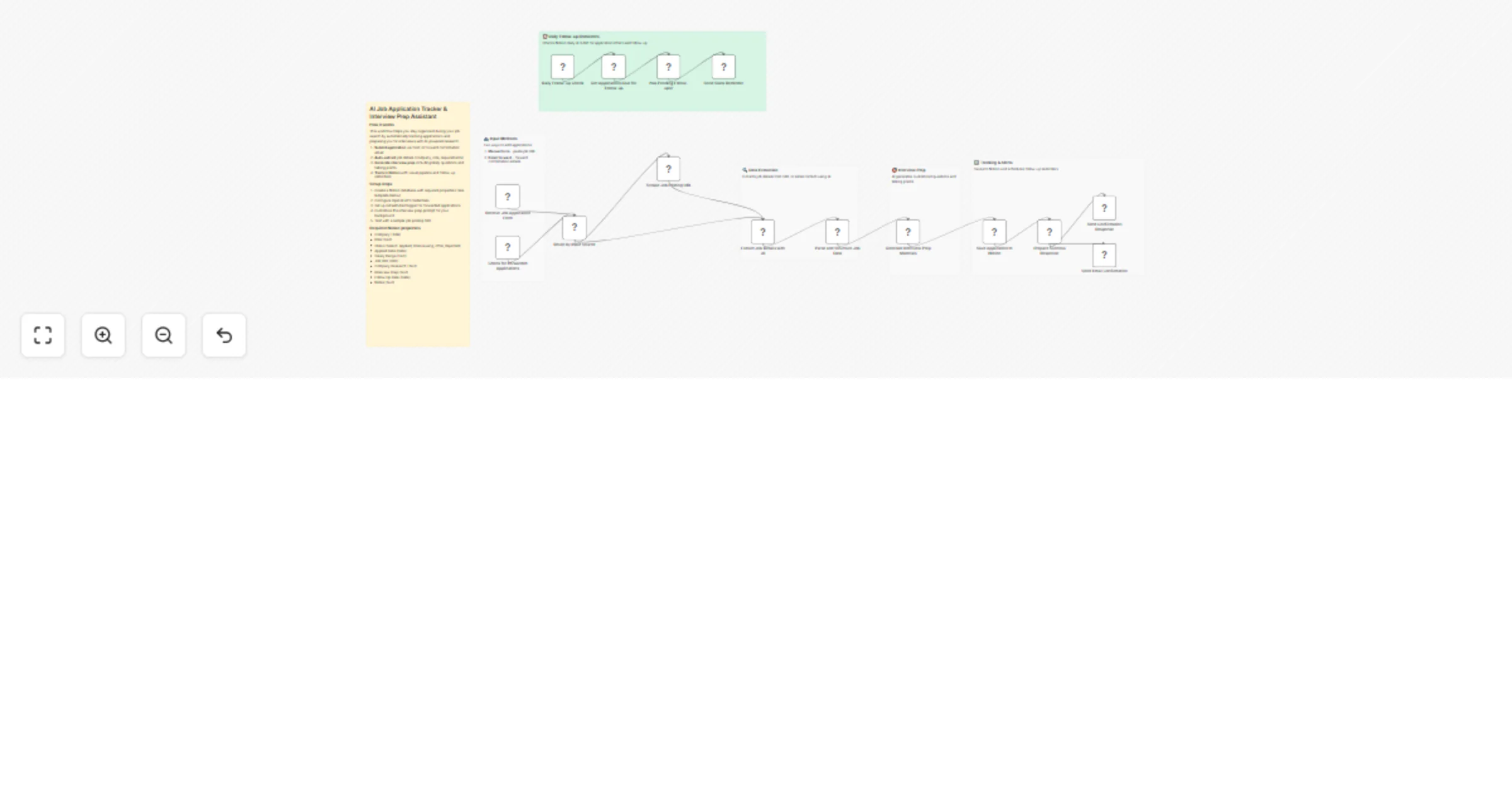
Track job applications and prep interviews with Notion and GPT-5-mini

Workflow preview

Workflow preview
100%
Track job applications and prep interviews with Notion and GPT-5-mini preview
Open on n8n.io

1. Workflow Overview

AI job application tracker and interview prep assistant Categories: AI, Productivity, Career Transform your job search from chaos to clarity. This workflow automatically tracks every application, r...

Best for

  • Personal Productivity automation workflows
  • AI Chatbot automation workflows
  • advanced n8n builders looking for reusable templates

Tools used

n8n-nodes-base.stickynote, n8n-nodes-base.webhook, n8n-nodes-base.gmailtrigger, n8n-nodes-base.switch, n8n-nodes-base.httprequest, @n8n/n8n-nodes-langchain.openai, n8n-nodes-base.code, n8n-nodes-base.notion

Source and attribution

This workflow is cataloged by N8N Workflows and links back to its original n8n.io source page by Diego Alejandro Parrás.

Original n8n.io source

1.1 Workflow description

Title
Track job applications and prep interviews with Notion and GPT-5-mini
Workflow name
Track job applications and prep interviews with Notion and GPT-5-mini

AI job application tracker and interview prep assistant

Categories: AI, Productivity, Career

Transform your job search from chaos to clarity. This workflow automatically tracks every application, researches companies, and prepares you for interviews with AI-generated materials — all saved to a visual Notion pipeline.

Benefits

  • Never lose track of applications — Every job gets logged automatically with status tracking
  • Walk into interviews prepared — AI generates likely questions, talking points, and company insights
  • Save 2-3 hours per application — Research and prep that took hours now happens in seconds
  • Automated follow-up reminders — Get notified when it's time to send that follow-up email

How It Works

  1. Submit application via form (paste job URL) or forward your confirmation email
  2. AI extracts job details — company, role, requirements, salary, location
  3. Interview prep generates — likely questions, suggested talking points, questions to ask
  4. Everything saves to Notion — visual pipeline with follow-up dates
  5. Daily reminders — Slack notification for applications needing follow-up

Required Setup

Notion Database Structure

Create a Notion database with these properties:

Property Name Type Purpose
Company Title Company name
Role Text Job title
Status Select Applied, Interviewing, Offer, Rejected, Ghosted
Applied Date Date When you applied
Salary Range Text Compensation info
Job URL URL Link to posting
Location Text City/Remote
Interview Prep Text AI-generated prep materials
Follow Up Date Date When to follow up
Requirements Text Key job requirements
Notes Text Your personal notes

Credentials Needed

  • OpenAI API — For job extraction and interview prep generation
  • Notion — Connected to your job tracker database
  • Gmail (optional) — For email forwarding and confirmations
  • Slack (optional) — For follow-up reminders

Use Cases

  • Active job seekers — Track 20+ applications without spreadsheet chaos
  • Career changers — Get AI help understanding new industry requirements
  • Recent graduates — Build interview confidence with generated prep materials
  • Passive searchers — Keep a running list with minimal effort

Set Up Steps

  1. Import the workflow into your n8n instance
  2. Create Notion database with the structure above (or duplicate template)
  3. Connect OpenAI credentials — API key with GPT-5 access recommended
  4. Connect Notion credentials — Select your job tracker database
  5. Configure Gmail trigger (optional) — Set filter for forwarded job emails
  6. Set up Slack webhook (optional) — Choose channel for reminders
  7. Test with a sample job posting — Paste a LinkedIn or company careers page URL

Customization Tips

  • Edit the interview prep prompt to mention your background/experience
  • Adjust the follow-up reminder interval (default: 7 days)
  • Add additional research sources (LinkedIn, Crunchbase) for richer company data
  • Connect to calendar to block interview prep time automatically

Technical Notes

  • Uses Jina AI Reader for web scraping (free tier available)
  • GPT-5-mini recommended for cost efficiency
  • Notion text fields limited to 2000 characters (full prep saved)
  • Daily check runs at 9 AM (configurable)

Difficulty Level: Intermediate Estimated Setup Time: 30-45 minutes Monthly Operating Cost: ~$2-5 (based on 50 applications/month with GPT-5-mini)

1.2 Logical Blocks

This catalog entry is organized from the workflow JSON. The node-level section below shows the executable blocks available for review before importing the template.

2. Block-by-Block Analysis

Block 1 - Sticky Note

Type / Role
n8n-nodes-base.stickyNote - stickyNote
Config choices
Version 1

Block 2 - Sticky Note1

Type / Role
n8n-nodes-base.stickyNote - stickyNote
Config choices
Version 1

Block 3 - Sticky Note2

Type / Role
n8n-nodes-base.stickyNote - stickyNote
Config choices
Version 1

Block 4 - Sticky Note4

Type / Role
n8n-nodes-base.stickyNote - stickyNote
Config choices
Version 1

Block 5 - Sticky Note5

Type / Role
n8n-nodes-base.stickyNote - stickyNote
Config choices
Version 1

Block 6 - Receive Job Application Form

Type / Role
n8n-nodes-base.webhook - webhook
Config choices
Version 2

Block 7 - Check for Forwarded Applications

Type / Role
n8n-nodes-base.gmailTrigger - gmailTrigger
Config choices
Version 1

Block 8 - Route by Input Source

Type / Role
n8n-nodes-base.switch - switch
Config choices
Version 3

Block 9 - Scrape Job Posting URL

Type / Role
n8n-nodes-base.httpRequest - httpRequest
Config choices
Version 4.2

Block 10 - Extract Job Details with AI

Type / Role
@n8n/n8n-nodes-langchain.openAi - openAi
Config choices
Version 1.7

Block 11 - Parse and Structure Job Data

Type / Role
n8n-nodes-base.code - code
Config choices
Version 2

Block 12 - Generate Interview Prep Materials

Type / Role
@n8n/n8n-nodes-langchain.openAi - openAi
Config choices
Version 1.7

Block 13 - Save Application to Notion

Type / Role
n8n-nodes-base.notion - notion
Config choices
Version 2.2

Block 14 - Prepare Success Response

Type / Role
n8n-nodes-base.set - set
Config choices
Version 3.4

Block 15 - Send Confirmation Response

Type / Role
n8n-nodes-base.respondToWebhook - respondToWebhook
Config choices
Version 1.1

Block 16 - Send Email Confirmation

Type / Role
n8n-nodes-base.gmail - gmail
Config choices
Version 2.1

Block 17 - Daily Follow-up Check

Type / Role
n8n-nodes-base.scheduleTrigger - scheduleTrigger
Config choices
Version 1.2

Block 18 - Get Applications Due for Follow-up

Type / Role
n8n-nodes-base.notion - notion
Config choices
Version 2.2

Block 19 - Has Pending Follow-ups?

Type / Role
n8n-nodes-base.if - if
Config choices
Version 2

Block 20 - Send Slack Reminder

Type / Role
n8n-nodes-base.slack - slack
Config choices
Version 2.2

Block 21 - Sticky Note6

Type / Role
n8n-nodes-base.stickyNote - stickyNote
Config choices
Version 1

3. Summary Table

Workflow Track job applications and prep interviews with Notion and GPT-5-mini
Complexity advanced
Nodes 21
Categories Personal Productivity, AI Chatbot
Author Diego Alejandro Parrás
Published 29 Jan 2026

4. Reproducing the Workflow from Scratch

  1. 1. Download the workflow JSON

    Use the JSON export at /data/workflows/13104/13104.json as the source template for this automation.

  2. 2. Import the template into n8n

    Open n8n, import the downloaded JSON, and review each node before activating the workflow.

  3. 3. Configure credentials and variables

    Replace placeholder credentials, API keys, webhook URLs, account IDs, and environment-specific values with your own settings.

  4. 4. Test with sample data

    Run the workflow manually or in a staging workspace, inspect node output, and confirm downstream systems receive the expected data.

  5. 5. Activate and monitor

    Enable the workflow only after testing, then monitor executions, errors, and rate limits during the first production runs.

5. General Notes & Resources

Review imported nodes carefully before activation. This catalog entry is intended to help you inspect the workflow structure, understand required services, and find related templates faster.

Node names, credentials, schedules, webhook paths, and external service limits may need adjustment for your workspace.

Frequently asked questions

What does Track job applications and prep interviews with Notion and GPT-5-mini do?

AI job application tracker and interview prep assistant Categories: AI, Productivity, Career Transform your job search from chaos to clarity. This workflow automatically tracks every application, r...

What do I need before importing this workflow?

Review the workflow JSON, configure any required credentials in n8n, and test the automation in a safe workspace before using it in production.

Can I customize this workflow?

Yes. Use the block-by-block analysis and the downloadable JSON to inspect each node, then adjust credentials, prompts, schedules, filters, or destinations for your Personal Productivity, AI Chatbot use case.