Text-to-image generation with Flux AI, Google Drive storage & sheets logging

Workflow preview

Workflow preview
100%
Text-to-image generation with Flux AI, Google Drive storage & sheets logging preview
Open on n8n.io

Important notice

This workflow is provided as-is. Please review and test before using in production.

1. Workflow Overview

AI Image Generator with Flux AI Generate realistic, high quality images from text prompts using the Flux AI Text to Image Generator API via RapidAPI, and seamlessly store the results in Google D...

Best for

  • Content Creation automation workflows
  • Multimodal AI automation workflows
  • advanced n8n builders looking for reusable templates

Tools used

n8n-nodes-base.formtrigger, n8n-nodes-base.httprequest, n8n-nodes-base.code, n8n-nodes-base.googlesheets, n8n-nodes-base.googledrive, n8n-nodes-base.if, n8n-nodes-base.stickynote

Source and attribution

This workflow is cataloged by N8N Workflows and links back to its original n8n.io source page by Sk developer .

Original n8n.io source

1.1 Workflow description

Title
Text-to-image generation with Flux AI, Google Drive storage & sheets logging
Workflow name
Text-to-image generation with Flux AI, Google Drive storage & sheets logging

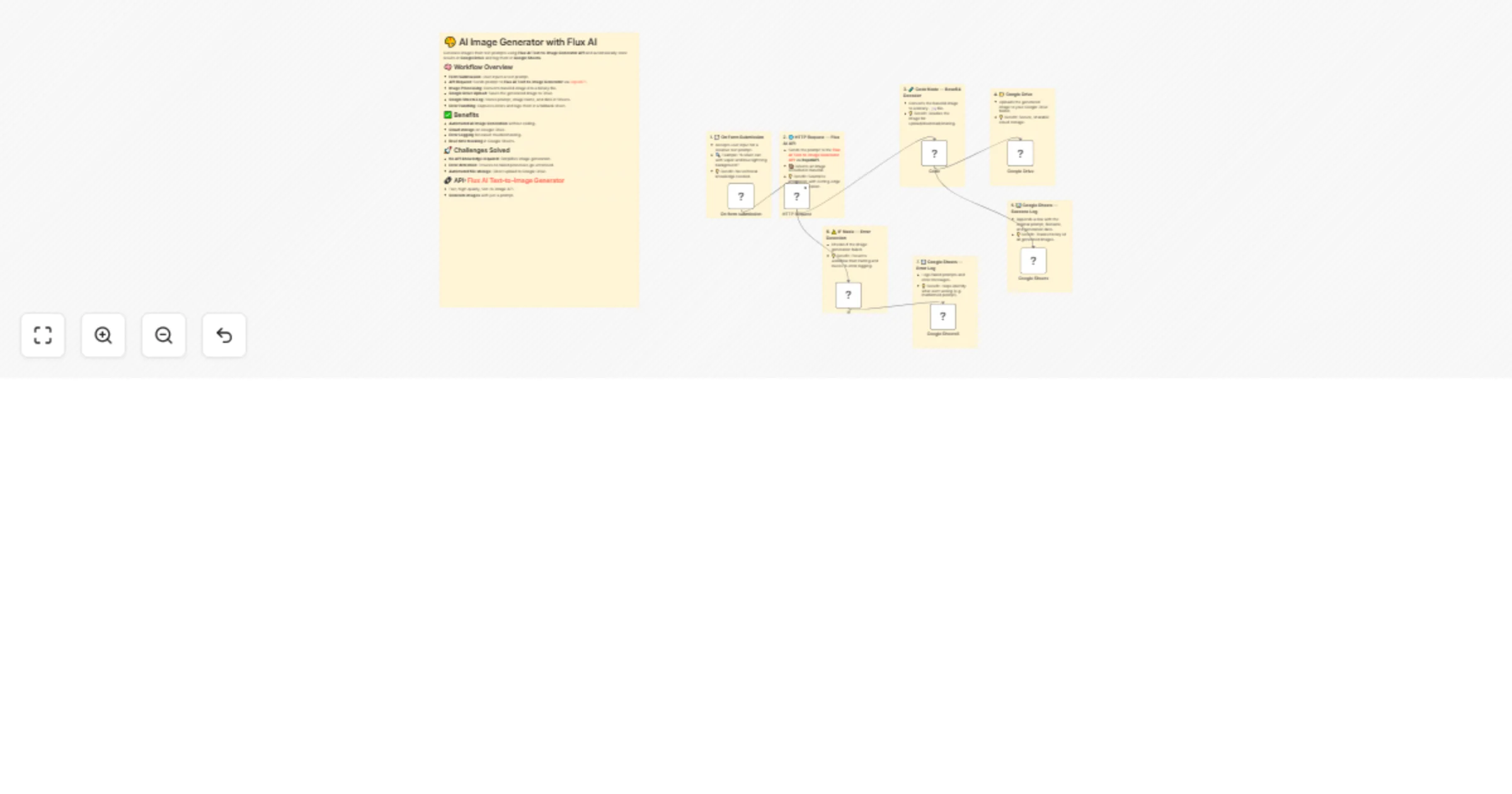
🎨 AI Image Generator with Flux AI

Generate realistic, high-quality images from text prompts using the Flux AI Text-to-Image Generator API via RapidAPI, and seamlessly store the results in Google Drive and log them in Google Sheets β€” all automated using n8n.


🧠 What This Workflow Does

This no-code automation enables you to:

  • πŸ–‹οΈ Enter a custom text prompt using a web form.
  • πŸ–ΌοΈ Generate a photorealistic image using Flux AI’s Text-to-Image Generator via RapidAPI.
  • ☁️ Upload the image to Google Drive.
  • πŸ“Š Log the prompt and result in a Google Sheet.
  • ⚠️ Capture and log errors in a fallback sheet.

πŸ’‘ Use Case

Ideal for:

  • Digital artists and marketers
  • Social media managers
  • Brand mockup creators
  • Rapid concept prototyping

All without writing a single line of code.


βœ… Benefits

  • No-code automation for AI-generated images
  • Cloud storage and structured logging
  • Error handling built-in
  • Fast content creation for design, branding, or concept testing
  • Powered by the Flux AI Text-to-Image Generator API via RapidAPI

🧩 Node-by-Node Breakdown

1. πŸ“ On Form Submission

  • Accepts user input for a creative text prompt.
  • πŸ” Example: β€œA silver can with vapor and blue lightning background.”
  • πŸ’‘ Benefit: No technical knowledge needed.

2. 🌐 HTTP Request β€” Flux AI API

  • Sends the prompt to the Flux AI Text-to-Image Generator API via RapidAPI.
  • πŸ“¦ Returns an image encoded in base64.
  • πŸ’‘ Benefit: Seamless integration with cutting-edge image generation.

3. πŸ§ͺ Code Node β€” Base64 Decoder

  • Converts the base64 image to a binary .jpg file.
  • πŸ’‘ Benefit: Readies the image for upload/download/sharing.

4. πŸ“ Google Drive

  • Uploads the generated image to your Google Drive folder.
  • πŸ’‘ Benefit: Secure, sharable cloud storage.

5. πŸ“Š Google Sheets β€” Success Log

  • Appends a row with the original prompt, filename, and generation date.
  • πŸ’‘ Benefit: Tracks history of all generated images.

6. ⚠️ IF Node β€” Error Detection

  • Checks if the image generation failed.
  • πŸ’‘ Benefit: Prevents workflow from halting and routes to error logging.

7. πŸ“‰ Google Sheets β€” Error Log

  • Logs failed prompts and error messages.
  • πŸ’‘ Benefit: Helps identify what went wrong (e.g. malformed prompt).

πŸ› οΈ Challenges Solved

Problem How This Workflow Fixes It
Manual prompt-based image generation is slow Fully automated with Flux AI
No storage pipeline for generated images Integrated with Google Drive
No audit trail for prompts/images Logged into Google Sheets
Errors go unnoticed in image generation Built-in error check and logging
Users lack API access or dev experience Friendly web form UI

πŸ”— API Spotlight

This workflow is powered by the Flux AI Text-to-Image Generator API β€” available exclusively on RapidAPI.

Why use this API?

  • Ultra-fast text-to-image rendering
  • High-resolution results
  • Developer-friendly and cost-effective
  • Great for branding, mockups, and visuals

We’ve integrated this API to make advanced image generation accessible with just a prompt β€” no AI or dev experience required.


1.2 Logical Blocks

This catalog entry is organized from the workflow JSON. The node-level section below shows the executable blocks available for review before importing the template.

2. Block-by-Block Analysis

Block 1 - On form submission

Type / Role
n8n-nodes-base.formTrigger - formTrigger
Config choices
Version 2.2

Block 2 - HTTP Request

Type / Role
n8n-nodes-base.httpRequest - httpRequest
Config choices
Version 4.2

Block 3 - Code

Type / Role
n8n-nodes-base.code - code
Config choices
Version 2

Block 4 - Google Sheets

Type / Role
n8n-nodes-base.googleSheets - googleSheets
Config choices
Version 4.6

Block 5 - Google Drive

Type / Role
n8n-nodes-base.googleDrive - googleDrive
Config choices
Version 3

Block 6 - If

Type / Role
n8n-nodes-base.if - if
Config choices
Version 2.2

Block 7 - Google Sheets5

Type / Role
n8n-nodes-base.googleSheets - googleSheets
Config choices
Version 4.6

Block 8 - Sticky Note

Type / Role
n8n-nodes-base.stickyNote - stickyNote
Config choices
Version 1

Block 9 - Sticky Note1

Type / Role
n8n-nodes-base.stickyNote - stickyNote
Config choices
Version 1

Block 10 - Sticky Note2

Type / Role
n8n-nodes-base.stickyNote - stickyNote
Config choices
Version 1

Block 11 - Sticky Note3

Type / Role
n8n-nodes-base.stickyNote - stickyNote
Config choices
Version 1

Block 12 - Sticky Note4

Type / Role
n8n-nodes-base.stickyNote - stickyNote
Config choices
Version 1

Block 13 - Sticky Note5

Type / Role
n8n-nodes-base.stickyNote - stickyNote
Config choices
Version 1

Block 14 - Sticky Note6

Type / Role
n8n-nodes-base.stickyNote - stickyNote
Config choices
Version 1

Block 15 - Sticky Note7

Type / Role
n8n-nodes-base.stickyNote - stickyNote
Config choices
Version 1

3. Summary Table

Workflow Text-to-image generation with Flux AI, Google Drive storage & sheets logging
Complexity advanced
Nodes 15
Categories Content Creation, Multimodal AI
Author Sk developer
Published 13 Jul 2025

4. Reproducing the Workflow from Scratch

  1. 1. Download the workflow JSON

    Use the JSON export at /data/workflows/5929/5929.json as the source template for this automation.

  2. 2. Import the template into n8n

    Open n8n, import the downloaded JSON, and review each node before activating the workflow.

  3. 3. Configure credentials and variables

    Replace placeholder credentials, API keys, webhook URLs, account IDs, and environment-specific values with your own settings.

  4. 4. Test with sample data

    Run the workflow manually or in a staging workspace, inspect node output, and confirm downstream systems receive the expected data.

  5. 5. Activate and monitor

    Enable the workflow only after testing, then monitor executions, errors, and rate limits during the first production runs.

5. General Notes & Resources

Review imported nodes carefully before activation. This catalog entry is intended to help you inspect the workflow structure, understand required services, and find related templates faster.

Node names, credentials, schedules, webhook paths, and external service limits may need adjustment for your workspace.

Frequently asked questions

What does Text-to-image generation with Flux AI, Google Drive storage & sheets logging do?

AI Image Generator with Flux AI Generate realistic, high quality images from text prompts using the Flux AI Text to Image Generator API via RapidAPI, and seamlessly store the results in Google D...

What do I need before importing this workflow?

Review the workflow JSON, configure any required credentials in n8n, and test the automation in a safe workspace before using it in production.

Can I customize this workflow?

Yes. Use the block-by-block analysis and the downloadable JSON to inspect each node, then adjust credentials, prompts, schedules, filters, or destinations for your Content Creation, Multimodal AI use case.