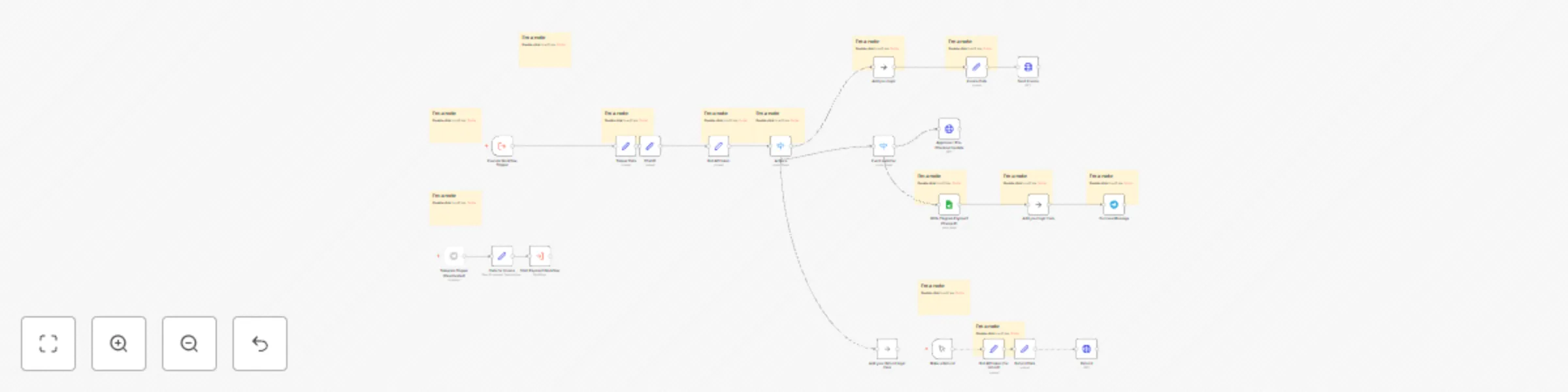
Telegram payment, invoicing and refund workflow for Stars

Workflow preview

Workflow preview
100%
Telegram payment, invoicing and refund workflow for Stars preview
Open on n8n.io

Important notice

This workflow is provided as-is. Please review and test before using in production.

1. Workflow Overview

This workflow provides a complete solution for handling Telegram Stars payments, invoicing and refunds using n8n. It automates the process of sending invoices, managing pre checkout approvals, reco...

Best for

  • Invoice Processing automation workflows
  • advanced n8n builders looking for reusable templates

Tools used

n8n-nodes-base.httprequest, n8n-nodes-base.stickynote, n8n-nodes-base.set, n8n-nodes-base.executeworkflowtrigger, n8n-nodes-base.manualtrigger, n8n-nodes-base.googlesheets, n8n-nodes-base.telegram, n8n-nodes-base.noop

Source and attribution

This workflow is cataloged by N8N Workflows and links back to its original n8n.io source page by Victor Gold.

Original n8n.io source

1.1 Workflow description

Title
Telegram payment, invoicing and refund workflow for Stars
Workflow name
Telegram payment, invoicing and refund workflow for Stars

This workflow provides a complete solution for handling Telegram Stars payments, invoicing and refunds using n8n. It automates the process of sending invoices, managing pre-checkout approvals, recording transactions, and processing refunds for stars, making it ideal for businesses using Telegram Stars for digital payments.

What are Telegram Stars? Learn more here.

Key Features

  • Payment Handling: Automate invoice creation and sending via Telegram, with pre-checkout approval for smooth payment processing.
  • Refund Management: Simplify the refund process using user IDs and payment charge IDs from successful Telegram Stars transactions.
  • Transaction Recording: Record all payment details, such as user information and payment charge IDs, in Google Sheets for transparent financial tracking.

Who Can Use This Workflow?

  • Developers and Businesses: Looking to implement Telegram Stars as a payment system within Telegram.
  • Service Providers: Managing subscriptions, donations, or digital sales through Telegram automation.

Use Cases

  • Subscription Sales Automation: Use the workflow to issue invoices and automatically process payments for recurring subscriptions.
  • Infopreneurs and Marketers: Use the workflow for delivering lead magnets, tripwires, and further automating sales via Telegram Stars.
  • Course Sales Automation: Automate invoicing and refunds for educational platforms selling online courses.
  • Developers and Businesses: Looking to implement Telegram Stars as a payment system within Telegram.
  • Service Providers: Managing subscriptions, donations, or digital sales through Telegram automation.
  • Online Educational Platforms: Automate billing for courses and handle refunds easily.

Setup Instructions

  1. Replace the Telegram API credentials with your bot API token from BotFather.
  2. Customize invoice details, including product name, description, and payment amount.
  3. Connect your Google Sheets for storing transaction logs.
  4. Configure refund steps for easy processing of star refunds when needed.

Note: The setup is very simple—just follow the instructions provided on the yellow sticky notes within the workflow and insert your data. All other nodes are pre-configured and require no additional customization. The entire setup process takes just 1 minute. I provided a short Loom record with an explanation.

Extensibility

This workflow can be further customized to include user profile management, payment analytics, or integration with external services like CRMs or accounting tools. Additional modules can be easily connected to manage advanced features like Telegram User Registration.

Available Templates

Support and Updates

This workflow is supported and regularly updated to stay compatible with the latest Telegram features and n8n improvements. If you encounter any issues, technical support is available to ensure smooth integration and setup.

Key terms: Telegram Stars payment workflow, Telegram refund automation, n8n payment template, Google Sheets transaction logging, Telegram bot for payments, automated refunds on Telegram, Telegram Stars invoice workflow.

Please reach out to Victor if you need further assistance with your n8n workflows and automation!

1.2 Logical Blocks

This catalog entry is organized from the workflow JSON. The node-level section below shows the executable blocks available for review before importing the template.

2. Block-by-Block Analysis

Block 1 - Refund

Type / Role
n8n-nodes-base.httpRequest - httpRequest
Config choices
Version 4.2

Block 2 - Sticky Note

Type / Role
n8n-nodes-base.stickyNote - stickyNote
Config choices
Version 1

Block 3 - Sticky Note3

Type / Role
n8n-nodes-base.stickyNote - stickyNote
Config choices
Version 1

Block 4 - Send Invoice

Type / Role
n8n-nodes-base.httpRequest - httpRequest
Config choices
Version 4.2

Block 5 - Sticky Note4

Type / Role
n8n-nodes-base.stickyNote - stickyNote
Config choices
Version 1

Block 6 - Invoice Data

Type / Role
n8n-nodes-base.set - set
Config choices
Version 3.4

Block 7 - Execute Workflow Trigger

Type / Role
n8n-nodes-base.executeWorkflowTrigger - executeWorkflowTrigger
Config choices
Version 1

Block 8 - Sticky Note6

Type / Role
n8n-nodes-base.stickyNote - stickyNote
Config choices
Version 1

Block 9 - Make a Refund

Type / Role
n8n-nodes-base.manualTrigger - manualTrigger
Config choices
Version 1

Block 10 - Bot API token (for refund)

Type / Role
n8n-nodes-base.set - set
Config choices
Version 3.4

Block 11 - Refund Data

Type / Role
n8n-nodes-base.set - set
Config choices
Version 3.4

Block 12 - Sticky Note11

Type / Role
n8n-nodes-base.stickyNote - stickyNote
Config choices
Version 1

Block 13 - Chat ID

Type / Role
n8n-nodes-base.set - set
Config choices
Version 3.4

Block 14 - Bot API token

Type / Role
n8n-nodes-base.set - set
Config choices
Version 3.4

Block 15 - Approove / Pre-Checkout Update

Type / Role
n8n-nodes-base.httpRequest - httpRequest
Config choices
Version 4.2

Block 16 - Sticky Note1

Type / Role
n8n-nodes-base.stickyNote - stickyNote
Config choices
Version 1

Block 17 - Write Tlegram Payment Charge ID

Type / Role
n8n-nodes-base.googleSheets - googleSheets
Config choices
Version 4.4

Block 18 - Sticky Note7

Type / Role
n8n-nodes-base.stickyNote - stickyNote
Config choices
Version 1

Block 19 - Trigger Data

Type / Role
n8n-nodes-base.set - set
Config choices
Version 3.4

Block 20 - Success Message

Type / Role
n8n-nodes-base.telegram - telegram
Config choices
Version 1

Block 21 - Add your logic here

Type / Role
n8n-nodes-base.noOp - noOp
Config choices
Version 1

Block 22 - Sticky Note9

Type / Role
n8n-nodes-base.stickyNote - stickyNote
Config choices
Version 1

Block 23 - Sticky Note10

Type / Role
n8n-nodes-base.stickyNote - stickyNote
Config choices
Version 1

Block 24 - Event swticher

Type / Role
n8n-nodes-base.switch - switch
Config choices
Version 3

Showing the first 24 of 34 workflow blocks. Download the JSON for the full node graph.

3. Summary Table

Workflow Telegram payment, invoicing and refund workflow for Stars
Complexity advanced
Nodes 34
Categories Invoice Processing
Author Victor Gold
Published 12 Oct 2024

4. Reproducing the Workflow from Scratch

  1. 1. Download the workflow JSON

    Use the JSON export at /data/workflows/2461/2461.json as the source template for this automation.

  2. 2. Import the template into n8n

    Open n8n, import the downloaded JSON, and review each node before activating the workflow.

  3. 3. Configure credentials and variables

    Replace placeholder credentials, API keys, webhook URLs, account IDs, and environment-specific values with your own settings.

  4. 4. Test with sample data

    Run the workflow manually or in a staging workspace, inspect node output, and confirm downstream systems receive the expected data.

  5. 5. Activate and monitor

    Enable the workflow only after testing, then monitor executions, errors, and rate limits during the first production runs.

5. General Notes & Resources

Review imported nodes carefully before activation. This catalog entry is intended to help you inspect the workflow structure, understand required services, and find related templates faster.

Node names, credentials, schedules, webhook paths, and external service limits may need adjustment for your workspace.

Frequently asked questions

What does Telegram payment, invoicing and refund workflow for Stars do?

This workflow provides a complete solution for handling Telegram Stars payments, invoicing and refunds using n8n. It automates the process of sending invoices, managing pre checkout approvals, reco...

What do I need before importing this workflow?

Review the workflow JSON, configure any required credentials in n8n, and test the automation in a safe workspace before using it in production.

Can I customize this workflow?

Yes. Use the block-by-block analysis and the downloadable JSON to inspect each node, then adjust credentials, prompts, schedules, filters, or destinations for your Invoice Processing use case.