Block 1 - Daily inventory risk check
- Type / Role
- n8n-nodes-base.scheduleTrigger - scheduleTrigger
- Config choices
- Version 1.2


 Early Deal
(Retail) Auto Tag High Risk SKUs This workflow automatically monitors product sales in your WooCommerce store, detects fast selling items, applies risk tags and sends a clear alert to Slack—so you ...
n8n-nodes-base.scheduletrigger, n8n-nodes-base.woocommerce, n8n-nodes-base.splitinbatches, n8n-nodes-base.code, n8n-nodes-base.switch, n8n-nodes-base.set, n8n-nodes-base.merge, n8n-nodes-base.slack
This workflow is cataloged by N8N Workflows and links back to its original n8n.io source page by WeblineIndia.
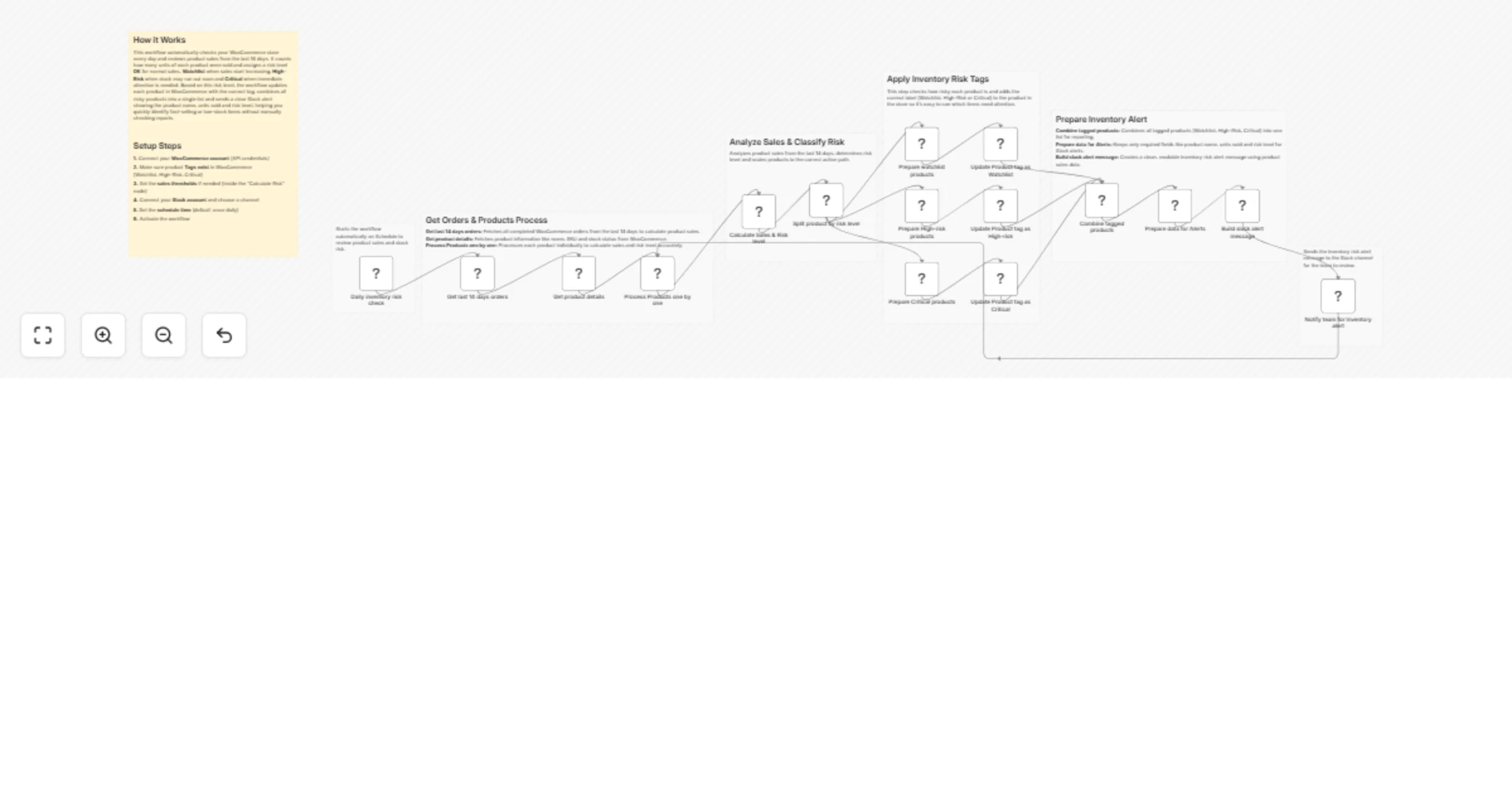
Original n8n.io sourceThis workflow automatically monitors product sales in your WooCommerce store, detects fast-selling items, applies risk tags and sends a clear alert to Slack—so you never miss products that need attention.
This workflow checks your WooCommerce store every day, reviews product sales from the last 14 days and calculates how fast each product is selling. Based on sales volume, it assigns a risk level (OK, Watchlist, High-Risk or Critical), updates product tags in WooCommerce and sends a single, easy-to-read Slack alert for products that need attention.
You receive:
Ideal for store owners and operations teams who want proactive inventory control without manual reports.
This workflow automates inventory risk detection:
This prevents stock issues and highlights fast-selling products early.
This workflow is ideal for:
To run this workflow, you need:
Update the Calculate Risk code node to change when products move into:
Replace tag IDs in the Update Product nodes with your own tag IDs.
You can add:
You can extend this workflow to:
Detect products that may go out of stock soon.
Identify fast-selling products automatically.
Notify teams before stock issues occur.
Spot trending products for promotions.
Get a quick snapshot of product risk every day.
IssuePossible CauseSolutionNo Slack alertNo risky productsCheck thresholdsTags not updatedWrong tag IDVerify WooCommerce tag IDsUnits sold = 0Orders not completedCheck order status filterWorkflow not runningSchedule disabledEnable Schedule TriggerSlack errorInvalid credentialsReconnect Slack account
If you need help customizing, scaling or extending this workflow—such as adding forecasting, dashboards or multi-store support—the WeblineIndia team can help you build production-ready e-commerce automation.
This catalog entry is organized from the workflow JSON. The node-level section below shows the executable blocks available for review before importing the template.
| Workflow | Tag high-risk WooCommerce SKUs and send daily alerts to Slack |
|---|---|
| Complexity | advanced |
| Nodes | 23 |
| Categories | CRM, AI Summarization |
| Author | WeblineIndia |
| Published | 31 Mar 2026 |
Use the JSON export at /data/workflows/14531/14531.json as the source template for this automation.
Open n8n, import the downloaded JSON, and review each node before activating the workflow.
Replace placeholder credentials, API keys, webhook URLs, account IDs, and environment-specific values with your own settings.
Run the workflow manually or in a staging workspace, inspect node output, and confirm downstream systems receive the expected data.
Enable the workflow only after testing, then monitor executions, errors, and rate limits during the first production runs.
Review imported nodes carefully before activation. This catalog entry is intended to help you inspect the workflow structure, understand required services, and find related templates faster.
Node names, credentials, schedules, webhook paths, and external service limits may need adjustment for your workspace.
(Retail) Auto Tag High Risk SKUs This workflow automatically monitors product sales in your WooCommerce store, detects fast selling items, applies risk tags and sends a clear alert to Slack—so you ...
Review the workflow JSON, configure any required credentials in n8n, and test the automation in a safe workspace before using it in production.
Yes. Use the block-by-block analysis and the downloadable JSON to inspect each node, then adjust credentials, prompts, schedules, filters, or destinations for your CRM, AI Summarization use case.