Block 1 - Workflow Configuration
- Type / Role
- n8n-nodes-base.set - set
- Config choices
- Version 3.4


 Early Deal
(Retail Automation) Shopify to CRM Contact Sync This workflow automates the synchronization of customer data between Shopify and Zoho CRM. It triggers when a new customer or order is created in Sho...
n8n-nodes-base.set, n8n-nodes-base.zohocrm, n8n-nodes-base.if, n8n-nodes-base.stickynote, n8n-nodes-base.shopifytrigger
This workflow is cataloged by N8N Workflows and links back to its original n8n.io source page by WeblineIndia.
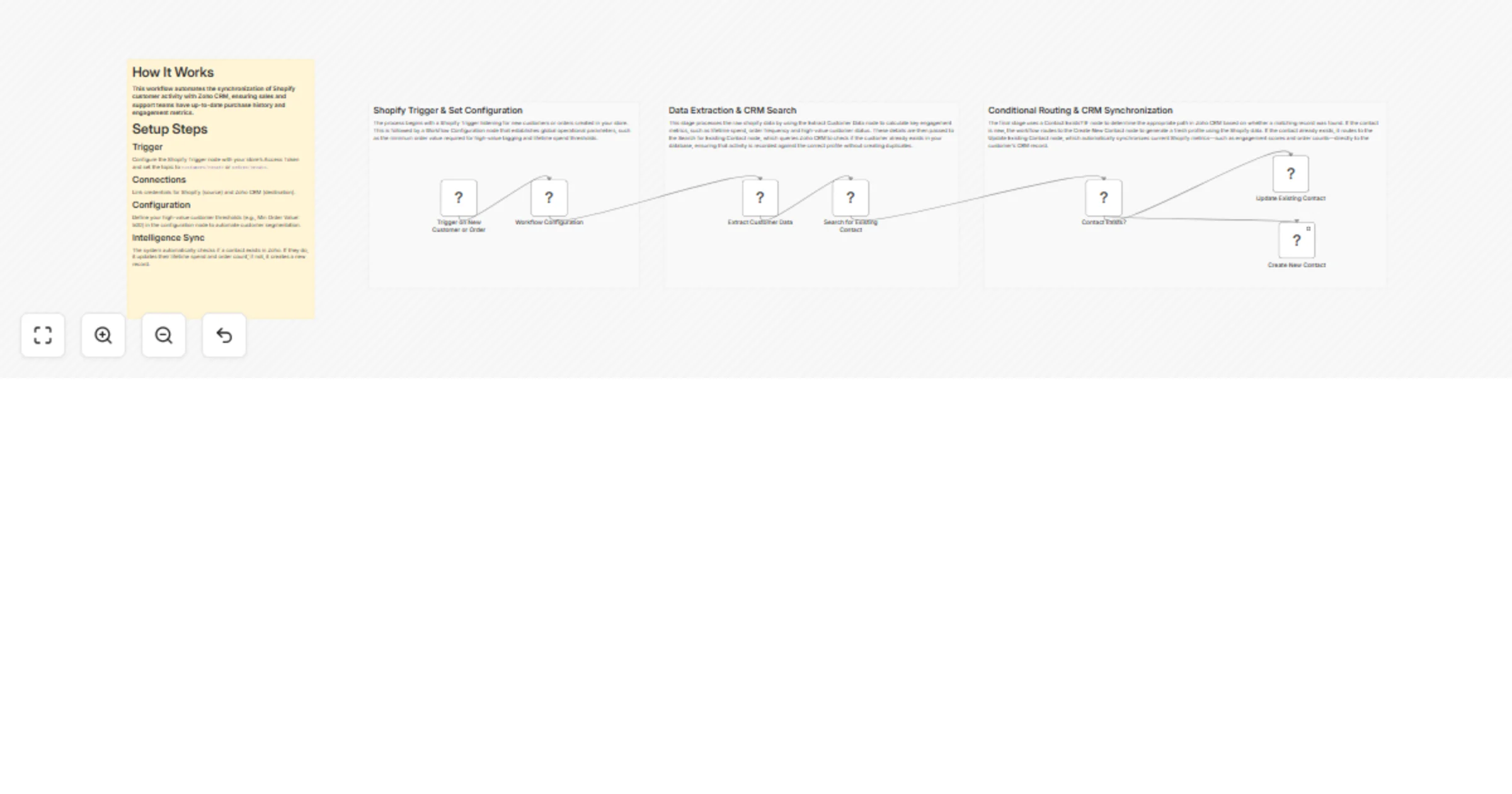
Original n8n.io sourceThis workflow automates the synchronization of customer data between Shopify and Zoho CRM. It triggers when a new customer or order is created in Shopify, calculates key metrics like lifetime spend and high-value status and then checks Zoho CRM to either update an existing contact or create a new one. This ensures your sales and marketing teams always have up-to-date purchase history and engagement data within the CRM.
minOrderValueForHighValueTag and lifetimeSpendThreshold in the Workflow Configuration node.This workflow bridges the gap between your e-commerce platform and your CRM by processing customer activity in real-time. When a customer interacts with your Shopify store, the workflow:
minOrderValueForHighValueTag: Set the minimum price of a single order to be considered "High Value" (Default: 500).lifetimeSpendThreshold: Set the threshold for total customer spend (Default: 1000).Modify the expressions in the Workflow Configuration node to change what qualifies as a high-value customer.
In the Update Existing Contact node, you can add more fields under updateFields to sync additional Shopify data (like shipping address or customer tags) into specific Zoho custom fields.
Change the Shopify Trigger topic to orders/paid if you only want to sync customers after a successful transaction rather than at account creation.
| Issue | Possible Cause | Solution |
|---|---|---|
| Trigger not firing | Webhook not registered or invalid Access Token. | Check Shopify credentials and ensure the "Active" toggle in n8n is on. |
| Zoho Update Fails | The Contact ID is missing or incorrect. | Ensure the Search for Existing Contact node is returning a valid id. |
| Incorrect Data Mapping | Shopify JSON structure changed. | Inspect the output of the Extract Customer Data node and update the expressions if fields are missing. |
| Auth Errors | Zoho OAuth2 token expired. | Re-connect your Zoho CRM account in the n8n credentials settings. |
If you need assistance mapping specific Shopify metafields to Zoho, setting up advanced filtering logic or expanding this sync to include Product or Inventory data, feel free to reach out our n8n experts at WeblineIndia. We can help you build a robust retail automation stack.
This catalog entry is organized from the workflow JSON. The node-level section below shows the executable blocks available for review before importing the template.
| Workflow | Sync Shopify customers to Zoho CRM contacts with value-based scoring |
|---|---|
| Complexity | intermediate |
| Nodes | 11 |
| Categories | CRM |
| Author | WeblineIndia |
| Published | 10 Feb 2026 |
Use the JSON export at /data/workflows/13277/13277.json as the source template for this automation.
Open n8n, import the downloaded JSON, and review each node before activating the workflow.
Replace placeholder credentials, API keys, webhook URLs, account IDs, and environment-specific values with your own settings.
Run the workflow manually or in a staging workspace, inspect node output, and confirm downstream systems receive the expected data.
Enable the workflow only after testing, then monitor executions, errors, and rate limits during the first production runs.
Review imported nodes carefully before activation. This catalog entry is intended to help you inspect the workflow structure, understand required services, and find related templates faster.
Node names, credentials, schedules, webhook paths, and external service limits may need adjustment for your workspace.
(Retail Automation) Shopify to CRM Contact Sync This workflow automates the synchronization of customer data between Shopify and Zoho CRM. It triggers when a new customer or order is created in Sho...
Review the workflow JSON, configure any required credentials in n8n, and test the automation in a safe workspace before using it in production.
Yes. Use the block-by-block analysis and the downloadable JSON to inspect each node, then adjust credentials, prompts, schedules, filters, or destinations for your CRM use case.