Block 1 - Shopify Order Events
- Type / Role
- n8n-nodes-base.shopifyTrigger - shopifyTrigger
- Config choices
- Version 1


 Early Deal
(Retail) Auto Sync Transactions to Accounting Tools This workflow automates the collection and standardization of sales data from Shopify and WooCommerce into a centralized Google Sheets ledger. It...
n8n-nodes-base.shopifytrigger, n8n-nodes-base.woocommercetrigger, n8n-nodes-base.merge, n8n-nodes-base.set, n8n-nodes-base.googlesheets, n8n-nodes-base.if, n8n-nodes-base.stickynote
This workflow is cataloged by N8N Workflows and links back to its original n8n.io source page by WeblineIndia.
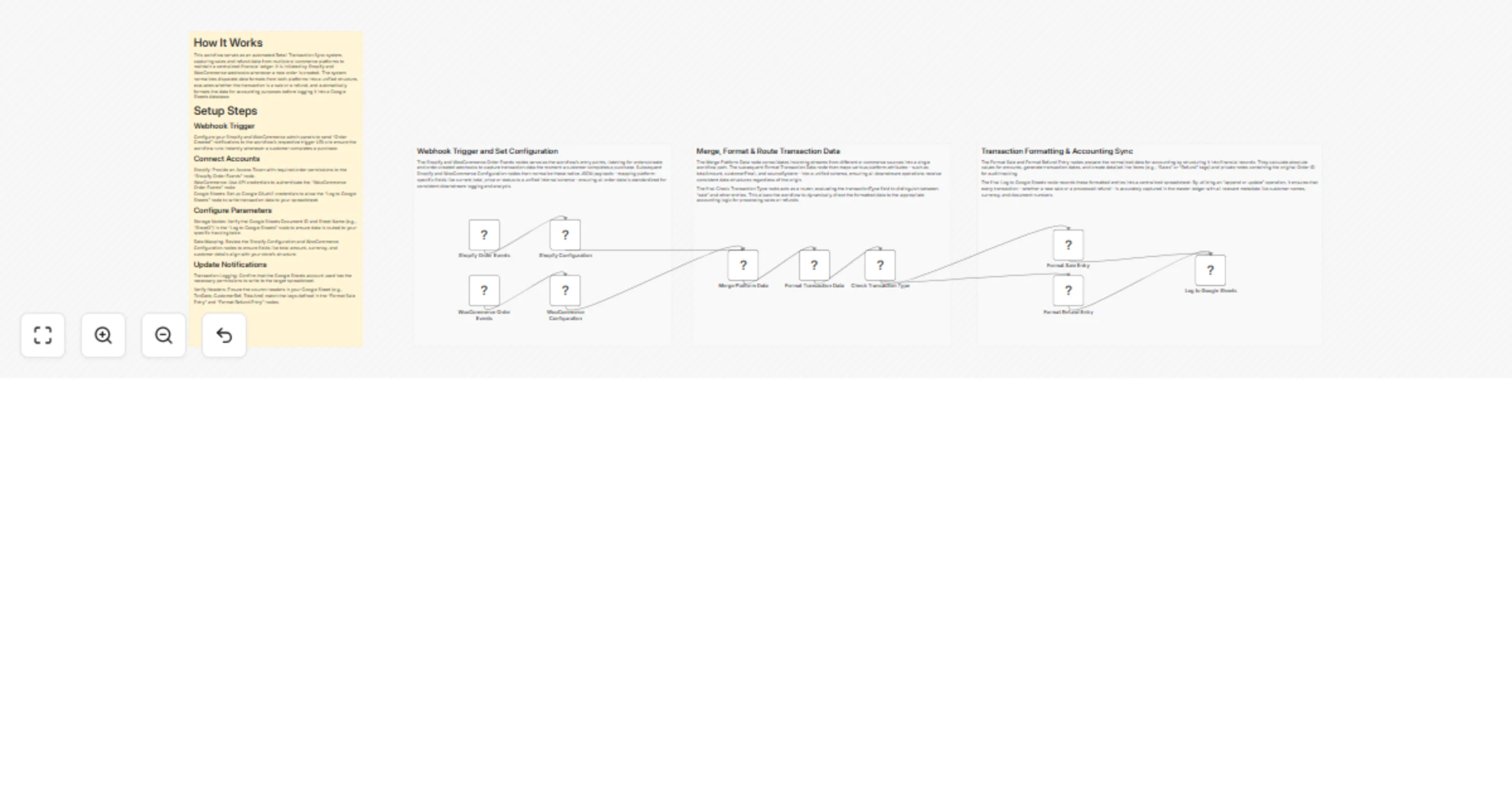
Original n8n.io sourceThis workflow automates the collection and standardization of sales data from Shopify and WooCommerce into a centralized Google Sheets ledger. It triggers on new orders, normalizes disparate platform data, distinguishes between sales and refunds, and formats the information for accounting readiness. This eliminates manual data entry and ensures real-time financial tracking across multiple storefronts.
The workflow acts as a bridge between e-commerce storefronts and financial reporting tools:
You can extend this workflow by adding a new Trigger node (e.g., Magento or Amazon) and connecting it to a new Configuration node before the Merge node.
Modify the "Format Sale Entry" node expressions to calculate net revenue after marketplace fees or to separate regional tax codes into different columns.
Swap the Google Sheets node for an ERP or Accounting node (like QuickBooks or Xero) to push data directly into professional accounting software.
| Issue | Possible Cause | Solution |
|---|---|---|
| Webhook Not Triggering | Incorrect Webhook URL in Store settings. | Copy the Production Webhook URL from n8n and update your Shopify/WooCommerce settings. |
| Missing Data Fields | Platform API version mismatch. | Check the "Configuration" nodes to ensure JSON keys match the current platform payload. |
| Sheets Sync Failure | Column headers don't match. | Ensure your Google Sheet has headers matching the keys in the "Log to Google Sheets" node. |
| Duplicate Records | "Append" mode used instead of "Update". | Set the Google Sheets operation to "Append or Update" and select a unique identifier like orderId. |
If you need help mapping additional custom fields from your store or connecting this to a professional accounting suite like QuickBooks, we're here to help. Feel free to contact our n8n developers at WeblineIndia.
This catalog entry is organized from the workflow JSON. The node-level section below shows the executable blocks available for review before importing the template.
| Workflow | Sync Shopify and WooCommerce sales into a Google Sheets accounting ledger |
|---|---|
| Complexity | intermediate |
| Nodes | 14 |
| Categories | Document Extraction |
| Author | WeblineIndia |
| Published | 03 Mar 2026 |
Use the JSON export at /data/workflows/13829/13829.json as the source template for this automation.
Open n8n, import the downloaded JSON, and review each node before activating the workflow.
Replace placeholder credentials, API keys, webhook URLs, account IDs, and environment-specific values with your own settings.
Run the workflow manually or in a staging workspace, inspect node output, and confirm downstream systems receive the expected data.
Enable the workflow only after testing, then monitor executions, errors, and rate limits during the first production runs.
Review imported nodes carefully before activation. This catalog entry is intended to help you inspect the workflow structure, understand required services, and find related templates faster.
Node names, credentials, schedules, webhook paths, and external service limits may need adjustment for your workspace.
(Retail) Auto Sync Transactions to Accounting Tools This workflow automates the collection and standardization of sales data from Shopify and WooCommerce into a centralized Google Sheets ledger. It...
Review the workflow JSON, configure any required credentials in n8n, and test the automation in a safe workspace before using it in production.
Yes. Use the block-by-block analysis and the downloadable JSON to inspect each node, then adjust credentials, prompts, schedules, filters, or destinations for your Document Extraction use case.