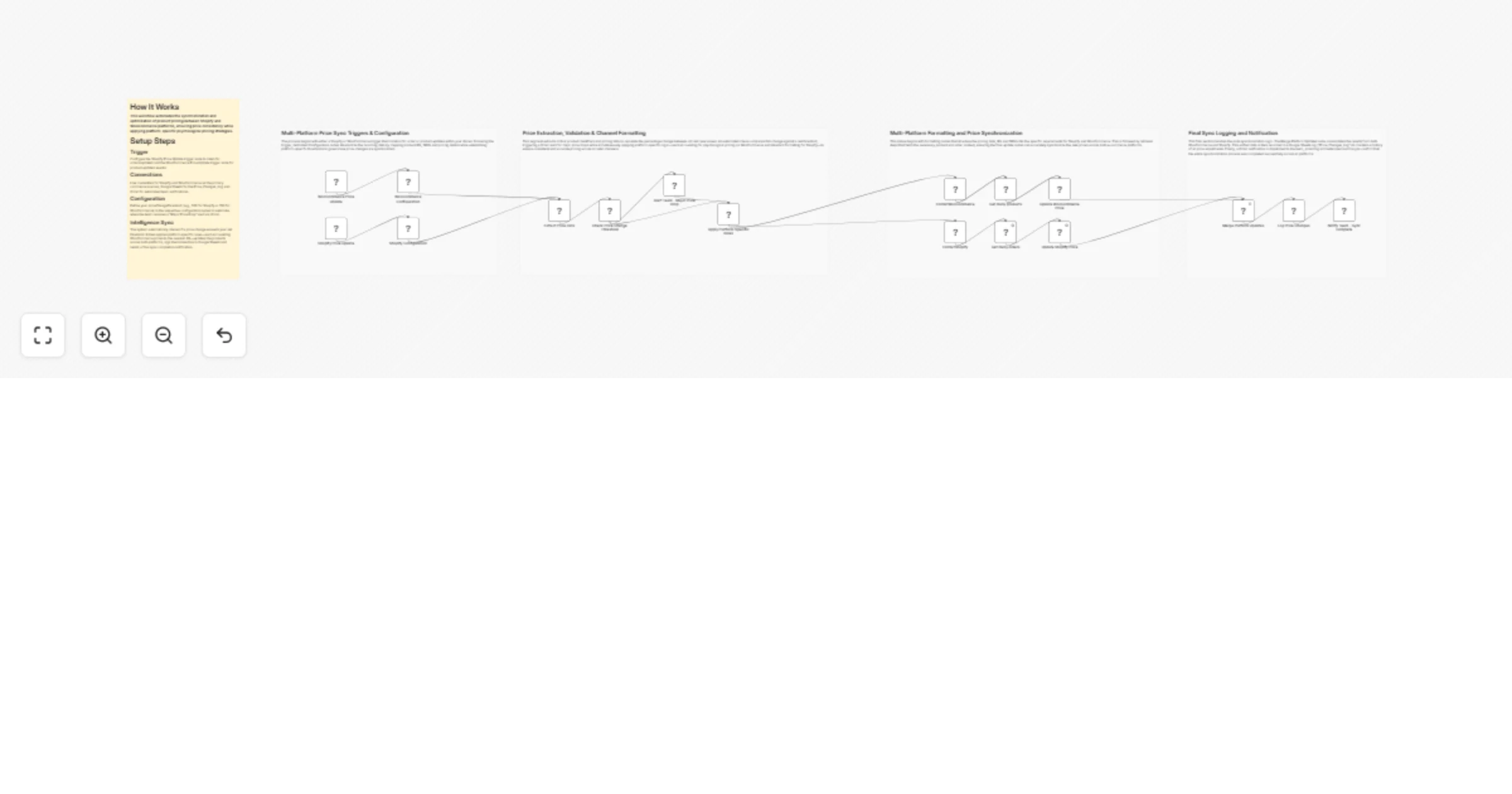
Sync retail product prices between Shopify and WooCommerce with alerts

Workflow preview

Workflow preview
100%
Sync retail product prices between Shopify and WooCommerce with alerts preview
Open on n8n.io

1. Workflow Overview

Retail Price Sync Automation for Shopify & WooCommerce This workflow automates the synchronization of product prices across Shopify and WooCommerce platforms to ensure retail consistency. It trigge...

Best for

  • CRM automation workflows
  • advanced n8n builders looking for reusable templates

Tools used

n8n-nodes-base.shopifytrigger, n8n-nodes-base.woocommercetrigger, n8n-nodes-base.set, n8n-nodes-base.woocommerce, n8n-nodes-base.shopify, n8n-nodes-base.merge, n8n-nodes-base.googlesheets, n8n-nodes-base.code

Source and attribution

This workflow is cataloged by N8N Workflows and links back to its original n8n.io source page by WeblineIndia.

Original n8n.io source

1.1 Workflow description

Title
Sync retail product prices between Shopify and WooCommerce with alerts
Workflow name
Sync retail product prices between Shopify and WooCommerce with alerts

Retail Price Sync Automation for Shopify & WooCommerce

This workflow automates the synchronization of product prices across Shopify and WooCommerce platforms to ensure retail consistency. It triggers when a price change is detected in either system, applies platform-specific pricing rules (such as psychological rounding) and updates the secondary platform. The workflow also includes a threshold-based alerting system via Gmail for major price drops and logs every change to a Google Sheets master file for auditing.

Quick Implementation Steps

  1. Set the priceChangeThreshold in the Shopify Configuration and WooCommerce Configuration nodes.
  2. Connect your Shopify Access Token credentials to the Shopify trigger and update nodes.
  3. Connect your WooCommerce API credentials to the WooCommerce trigger and update nodes.
  4. Link your Google Sheets OAuth2 and Gmail OAuth2 credentials for logging and notifications.
  5. Specify the documentId for your pricing log in the Log Price Changes node.

What It Does

This workflow acts as a bridge between two major e-commerce platforms, ensuring that a price update in one is intelligently reflected in the other. It goes beyond simple mirroring by:

  1. Threshold Monitoring: Detecting if a price change exceeds a set limit (e.g., $150 or $500) to trigger immediate management alerts.
  2. Platform-Specific Logic: Automatically formatting prices for different environments—for example, rounding WooCommerce prices to the nearest .99 for psychological pricing while using standard rounding for Shopify.
  3. Audit Trail Creation: Maintaining a centralized record of all price migrations in Google Sheets, including SKUs, old vs. new prices and timestamps.
  4. Team Communication: Sending automated email notifications to ensure the team is aware of successful syncs or critical price volatility.

Who’s It For

  • Multi-Channel Retailers who need to keep pricing in sync across Shopify and WooCommerce storefronts.
  • Inventory Managers looking to automate price adjustments without manual data entry.
  • Finance & Operations Teams requiring an automated audit log of all pricing modifications.

Technical Workflow Breakdown

Entry Points (Triggers)

  1. Shopify Price Update: Triggers on the orders/updated topic (or product updates) to capture new price data from Shopify.
  2. WooCommerce Price Update: Triggers on product.updated to capture changes originating from the WooCommerce store.

Processing & Logic

  1. Configuration Nodes: Define the source system and set the specific threshold for what constitutes a "major" price change.
  2. Apply Platform-Specific Rules: A custom code block that calculates psychological pricing (e.g., forcing a .99 ending) and ensures prices never drop below a minimum safety floor (e.g., $1.00).
  3. Check Price Change Threshold: An internal filter that routes the workflow based on the magnitude of the price shift.

Output & Integrations

  1. Update Nodes: Pushes the formatted price data to the target platform (Shopify or WooCommerce).
  2. Log Price Changes: Appends a new row to a Google Sheet with detailed metadata.
  3. Notifications: Uses Gmail to send high-priority alerts for major drops and routine confirmations for successful syncs.

Customization

Adjust Pricing Strategy

Modify the Apply Platform-Specific Rules (Code Node) to change rounding logic, add currency conversion factors or implement different psychological pricing tiers.

Change Alert Thresholds

Update the priceChangeThreshold value in the Shopify Configuration or WooCommerce Configuration nodes to make alerts more or less sensitive.

Expand Logging

The Log Price Changes node is set to autoMapInputData. You can add custom columns to your Google Sheet and the workflow will automatically attempt to fill them if the data exists in the workflow.

Troubleshooting Guide

Issue Possible Cause Solution
Sync Not Triggering Webhook not registered correctly. Check the webhookId in the Shopify/WooCommerce trigger nodes and ensure the apps have permission to send events.
Google Sheets Error Sheet ID or Column names mismatched. Verify the documentId and ensure the id column exists in your Sheet for matching.
Prices Not Rounding Correct/Expected Code node logic error. Review the JavaScript in Apply Platform-Specific Rules to ensure the Math functions match your strategy.
Emails Not Sending Gmail OAuth2 expired. Re-authenticate your Gmail credentials in the n8n settings.

Need Help?

If you need assistance adjusting the psychological pricing code, adding more platforms (like Amazon or eBay) or setting up advanced Slack notifications, please reach out to our n8n automation experts at WeblineIndia. We can help scale this workflow to manage thousands of SKUs with high precision.

1.2 Logical Blocks

This catalog entry is organized from the workflow JSON. The node-level section below shows the executable blocks available for review before importing the template.

2. Block-by-Block Analysis

Block 1 - Shopify Price Update

Type / Role
n8n-nodes-base.shopifyTrigger - shopifyTrigger
Config choices
Version 1

Block 2 - WooCommerce Price Update

Type / Role
n8n-nodes-base.wooCommerceTrigger - wooCommerceTrigger
Config choices
Version 1

Block 3 - Extract Price Data

Type / Role
n8n-nodes-base.set - set
Config choices
Version 3.4

Block 4 - Update WooCommerce Price

Type / Role
n8n-nodes-base.wooCommerce - wooCommerce
Config choices
Version 1

Block 5 - Update Shopify Price

Type / Role
n8n-nodes-base.shopify - shopify
Config choices
Version 1

Block 6 - Merge Platform Updates

Type / Role
n8n-nodes-base.merge - merge
Config choices
Version 3

Block 7 - Log Price Changes

Type / Role
n8n-nodes-base.googleSheets - googleSheets
Config choices
Version 4.7

Block 8 - Apply Platform-Specific Rules

Type / Role
n8n-nodes-base.code - code
Config choices
Version 2

Block 9 - Get many products

Type / Role
n8n-nodes-base.wooCommerce - wooCommerce
Config choices
Version 1

Block 10 - Shopify Configuration

Type / Role
n8n-nodes-base.set - set
Config choices
Version 3.4

Block 11 - WooCommerce Configuration

Type / Role
n8n-nodes-base.set - set
Config choices
Version 3.4

Block 12 - FormatShopify

Type / Role
n8n-nodes-base.set - set
Config choices
Version 3.4

Block 13 - Get many orders

Type / Role
n8n-nodes-base.shopify - shopify
Config choices
Version 1

Block 14 - FormatWooCommerce

Type / Role
n8n-nodes-base.set - set
Config choices
Version 3.4

Block 15 - Notify Team - Sync Complete

Type / Role
n8n-nodes-base.gmail - gmail
Config choices
Version 2.1

Block 16 - Alert Team - Major Price Drop

Type / Role
n8n-nodes-base.gmail - gmail
Config choices
Version 2.1

Block 17 - Check Price Change Threshold

Type / Role
n8n-nodes-base.if - if
Config choices
Version 2.2

Block 18 - Sticky Note3

Type / Role
n8n-nodes-base.stickyNote - stickyNote
Config choices
Version 1

Block 19 - Sticky Note10

Type / Role
n8n-nodes-base.stickyNote - stickyNote
Config choices
Version 1

Block 20 - Sticky Note

Type / Role
n8n-nodes-base.stickyNote - stickyNote
Config choices
Version 1

Block 21 - Sticky Note1

Type / Role
n8n-nodes-base.stickyNote - stickyNote
Config choices
Version 1

Block 22 - Sticky Note2

Type / Role
n8n-nodes-base.stickyNote - stickyNote
Config choices
Version 1

3. Summary Table

Workflow Sync retail product prices between Shopify and WooCommerce with alerts
Complexity advanced
Nodes 22
Categories CRM
Author WeblineIndia
Published 22 Jan 2026

4. Reproducing the Workflow from Scratch

  1. 1. Download the workflow JSON

    Use the JSON export at /data/workflows/12902/12902.json as the source template for this automation.

  2. 2. Import the template into n8n

    Open n8n, import the downloaded JSON, and review each node before activating the workflow.

  3. 3. Configure credentials and variables

    Replace placeholder credentials, API keys, webhook URLs, account IDs, and environment-specific values with your own settings.

  4. 4. Test with sample data

    Run the workflow manually or in a staging workspace, inspect node output, and confirm downstream systems receive the expected data.

  5. 5. Activate and monitor

    Enable the workflow only after testing, then monitor executions, errors, and rate limits during the first production runs.

5. General Notes & Resources

Review imported nodes carefully before activation. This catalog entry is intended to help you inspect the workflow structure, understand required services, and find related templates faster.

Node names, credentials, schedules, webhook paths, and external service limits may need adjustment for your workspace.

Frequently asked questions

What does Sync retail product prices between Shopify and WooCommerce with alerts do?

Retail Price Sync Automation for Shopify & WooCommerce This workflow automates the synchronization of product prices across Shopify and WooCommerce platforms to ensure retail consistency. It trigge...

What do I need before importing this workflow?

Review the workflow JSON, configure any required credentials in n8n, and test the automation in a safe workspace before using it in production.

Can I customize this workflow?

Yes. Use the block-by-block analysis and the downloadable JSON to inspect each node, then adjust credentials, prompts, schedules, filters, or destinations for your CRM use case.