Sync Ghost members with MailerLite subscribers in real time

Workflow preview

Workflow preview
100%
Sync Ghost members with MailerLite subscribers in real time preview
Open on n8n.io

1. Workflow Overview

Sync Ghost Members with MailerLite Subscribers in Real Time This n8n workflow automatically syncs your Ghost CMS members with MailerLite subscribers in real time using webhooks. When members join o...

Best for

  • Social Media automation workflows
  • advanced n8n builders looking for reusable templates

Tools used

n8n-nodes-base.stickynote, n8n-nodes-base.datatable, n8n-nodes-base.webhook, n8n-nodes-base.formtrigger, n8n-nodes-base.merge, n8n-nodes-base.splitout, n8n-nodes-base.if, n8n-nodes-base.mailerlite

Source and attribution

This workflow is cataloged by N8N Workflows and links back to its original n8n.io source page by Greg Dickens.

Original n8n.io source

1.1 Workflow description

Title
Sync Ghost members with MailerLite subscribers in real time
Workflow name
Sync Ghost members with MailerLite subscribers in real time

Sync Ghost Members with MailerLite Subscribers in Real-Time

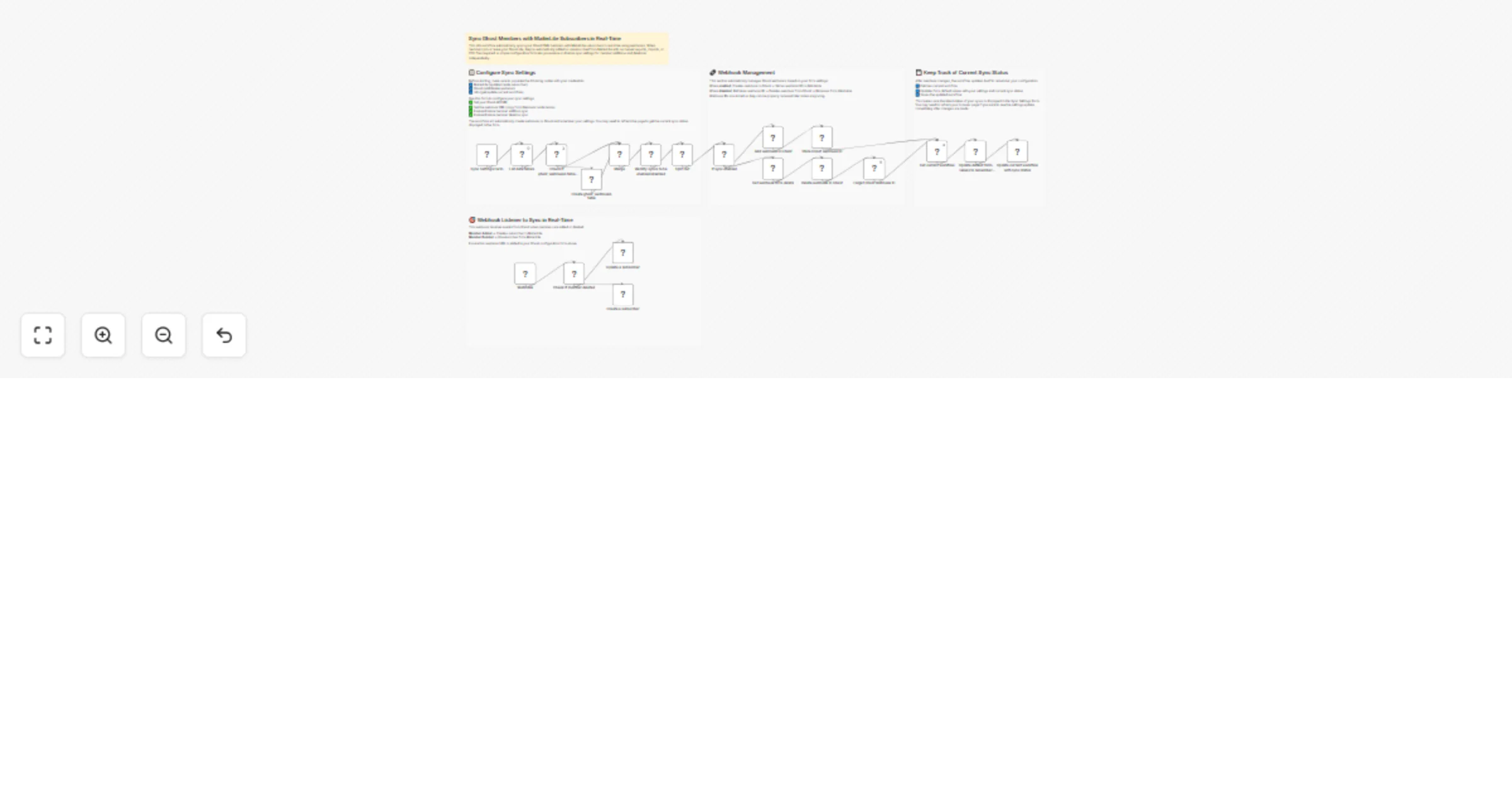
This n8n workflow automatically syncs your Ghost CMS members with MailerLite subscribers in real-time using webhooks. When members join or leave your Ghost site, they're automatically added or unsubscribed from MailerLite with no manual exports, imports, or CSV files required. A simple configuration form lets you enable or disable sync settings for member additions and deletions independently.

Who is this for?

Ghost site owners, content creators, and membership site operators who use MailerLite for email marketing and want to keep the two platforms in sync with no manual effort.

What problem is this workflow solving?

MailerLite and Ghost offer email capabilities that solve different issues: one is for delivering content, while the other is for marketing and promotions. Keeping the two lists in sync can lead to tedious manual effort and errors. This workflow automates that process saving time and ensures that all Ghost members are added or removed from MailerLite seemlessly and in real-time.

What this workflow does

  • Configuration Form: Provides an easy-to-use form trigger where you set your Ghost API URL, webhook URL, and enable/disable sync for member additions and deletions.
  • Webhook Management: Automatically creates and manages webhooks in Ghost for member.added and member.deleted events based on your settings.
  • Real-Time Sync: Listens for Ghost webhook events and immediately syncs changes to MailerLite:
  • Member Added: Creates a new subscriber in MailerLite with the member's email.
  • Member Deleted: Unsubscribes the member from MailerLite.
  • Remembers Settings and Sync Status: Stores Ghost webhook IDs in an n8n data table and updates the workflow's own configuration to remember your settings between runs.
  • Smart Initialization: Automatically creates the required data table if it doesn't exist on first run.

Setup

  1. Get Credentials:
  • Ghost Admin API: Create an integration in your Ghost Admin panel (Settings → Integrations → Add custom integration) to get API credentials. Make note your Ghost API URL for later.
  • MailerLite API: Generate an API key from your MailerLite account settings.
  • n8n API: Create n8n API credentials to allow the workflow to update itself (Settings → API).
  1. Configure Credentials in Workflow: Add your Ghost Admin API, MailerLite API, and n8n API credentials to the appropriate nodes.
  2. Sync Settings Form:
  • Open the workflow and copy the Webhook node URL (from the "Webhook" node in the workflow).
  • Trigger the "Sync Settings Form" to access the configuration form.
  • Fill in the following fields:
  • Ghost API URL: Your Ghost API URL (e.g., https://yourblog.ghost.io) You will have used this setting up your credentials as well.
  • Webhook URL: The URL from the Webhook node
  • Ghost Member Added > Added to Mailerlite: Enable or Disable
  • Ghost Member Removed > Removed from Mailerlite: Enable or Disable
  • Submit the form to activate the sync.

Requirements

  • Ghost CMS: Self-hosted or Ghost(Pro) with Admin API access.
  • MailerLite Account: Active account with API access.

How to further customize the workflow

  • Add Custom Fields: Extend the MailerLite nodes to map additional Ghost member fields (name, labels, notes) to MailerLite custom fields.
  • Group Management: Modify the "Create a subscriber" node to automatically add new subscribers to specific MailerLite groups based on Ghost member properties.
  • Notifications: Add Slack or Email nodes to receive notifications when members are synced.
  • Filtering: Add conditional logic to sync only specific types of members (e.g., paid members only) based on Ghost member fields.

Made by: Epilocal - We help local businesses thrive online Tags: ghost, mailerlite, email-marketing, webhook, cms

1.2 Logical Blocks

This catalog entry is organized from the workflow JSON. The node-level section below shows the executable blocks available for review before importing the template.

2. Block-by-Block Analysis

Block 1 - Sticky Note - Configuration

Type / Role
n8n-nodes-base.stickyNote - stickyNote
Config choices
Version 1

Block 2 - Sticky Note - Webhook Management

Type / Role
n8n-nodes-base.stickyNote - stickyNote
Config choices
Version 1

Block 3 - Sticky Note - Sync Listener

Type / Role
n8n-nodes-base.stickyNote - stickyNote
Config choices
Version 1

Block 4 - Sticky Note - State Persistence

Type / Role
n8n-nodes-base.stickyNote - stickyNote
Config choices
Version 1

Block 5 - Create ghost_webhooks table

Type / Role
n8n-nodes-base.dataTable - dataTable
Config choices
Version 1.1

Block 6 - Webhook

Type / Role
n8n-nodes-base.webhook - webhook
Config choices
Version 2.1

Block 7 - Sync Settings Form

Type / Role
n8n-nodes-base.formTrigger - formTrigger
Config choices
Version 2.5

Block 8 - List data tables

Type / Role
n8n-nodes-base.dataTable - dataTable
Config choices
Version 1.1

Block 9 - Merge

Type / Role
n8n-nodes-base.merge - merge
Config choices
Version 3.2

Block 10 - Split Out

Type / Role
n8n-nodes-base.splitOut - splitOut
Config choices
Version 1

Block 11 - Check if member deleted

Type / Role
n8n-nodes-base.if - if
Config choices
Version 2.3

Block 12 - Update a subscriber

Type / Role
n8n-nodes-base.mailerLite - mailerLite
Config choices
Version 2

Block 13 - Create a subscriber

Type / Role
n8n-nodes-base.mailerLite - mailerLite
Config choices
Version 2

Block 14 - Get webhook ID to delete

Type / Role
n8n-nodes-base.dataTable - dataTable
Config choices
Version 1.1

Block 15 - Delete webhook in Ghost

Type / Role
n8n-nodes-base.httpRequest - httpRequest
Config choices
Version 4.4

Block 16 - Add webhook in Ghost

Type / Role
n8n-nodes-base.httpRequest - httpRequest
Config choices
Version 4.4

Block 17 - Store Ghost webhook ID

Type / Role
n8n-nodes-base.dataTable - dataTable
Config choices
Version 1.1

Block 18 - Forget Ghost webhook ID

Type / Role
n8n-nodes-base.dataTable - dataTable
Config choices
Version 1.1

Block 19 - Update default form values to remember webhook status

Type / Role
n8n-nodes-base.code - code
Config choices
Version 2

Block 20 - Get current workflow

Type / Role
n8n-nodes-base.n8n - n8n
Config choices
Version 1

Block 21 - Update current workflow with sync status

Type / Role
n8n-nodes-base.n8n - n8n
Config choices
Version 1

Block 22 - Check if ghost_webhooks table exists

Type / Role
n8n-nodes-base.if - if
Config choices
Version 2.3

Block 23 - If sync enabled

Type / Role
n8n-nodes-base.if - if
Config choices
Version 2.3

Block 24 - Identity syncs to be enabled/disabled

Type / Role
n8n-nodes-base.code - code
Config choices
Version 2

Showing the first 24 of 25 workflow blocks. Download the JSON for the full node graph.

3. Summary Table

Workflow Sync Ghost members with MailerLite subscribers in real time
Complexity advanced
Nodes 25
Categories Social Media
Author Greg Dickens
Published 27 Mar 2026

4. Reproducing the Workflow from Scratch

  1. 1. Download the workflow JSON

    Use the JSON export at /data/workflows/14385/14385.json as the source template for this automation.

  2. 2. Import the template into n8n

    Open n8n, import the downloaded JSON, and review each node before activating the workflow.

  3. 3. Configure credentials and variables

    Replace placeholder credentials, API keys, webhook URLs, account IDs, and environment-specific values with your own settings.

  4. 4. Test with sample data

    Run the workflow manually or in a staging workspace, inspect node output, and confirm downstream systems receive the expected data.

  5. 5. Activate and monitor

    Enable the workflow only after testing, then monitor executions, errors, and rate limits during the first production runs.

5. General Notes & Resources

Review imported nodes carefully before activation. This catalog entry is intended to help you inspect the workflow structure, understand required services, and find related templates faster.

Node names, credentials, schedules, webhook paths, and external service limits may need adjustment for your workspace.

Frequently asked questions

What does Sync Ghost members with MailerLite subscribers in real time do?

Sync Ghost Members with MailerLite Subscribers in Real Time This n8n workflow automatically syncs your Ghost CMS members with MailerLite subscribers in real time using webhooks. When members join o...

What do I need before importing this workflow?

Review the workflow JSON, configure any required credentials in n8n, and test the automation in a safe workspace before using it in production.

Can I customize this workflow?

Yes. Use the block-by-block analysis and the downloadable JSON to inspect each node, then adjust credentials, prompts, schedules, filters, or destinations for your Social Media use case.