Sync Eventbrite orders & refunds to KlickTipp for automated event marketing

Workflow preview

Workflow preview
100%
Sync Eventbrite orders & refunds to KlickTipp for automated event marketing preview
Open on n8n.io

Important notice

This workflow is provided as-is. Please review and test before using in production.

1. Workflow Overview

Community Node Disclaimer This workflow uses KlickTipp community nodes and works only on self hosted n8n instances. Introduction Automa...

Best for

  • CRM automation workflows
  • intermediate n8n builders looking for reusable templates

Tools used

n8n-nodes-klicktipp.klicktipp, n8n-nodes-base.switch, n8n-nodes-base.stickynote, n8n-nodes-base.eventbritetrigger, n8n-nodes-base.httprequest, n8n-nodes-base.if

Source and attribution

This workflow is cataloged by N8N Workflows and links back to its original n8n.io source page by KlickTipp.

Original n8n.io source

1.1 Workflow description

Title
Sync Eventbrite orders & refunds to KlickTipp for automated event marketing
Workflow name
Sync Eventbrite orders & refunds to KlickTipp for automated event marketing

Community Node Disclaimer
This workflow uses KlickTipp community nodes and works only on self-hosted n8n instances.

Introduction

Automate Eventbrite order and refund processing by syncing data directly to KlickTipp.
Whenever a participant registers or requests a refund, their profile is updated with event details and tags—keeping your segmentation accurate and automated.

Who’s it for

Perfect for event organizers, digital marketers, and automation specialists using Eventbrite and KlickTipp who want to eliminate manual imports and keep contact data consistent.

How it works

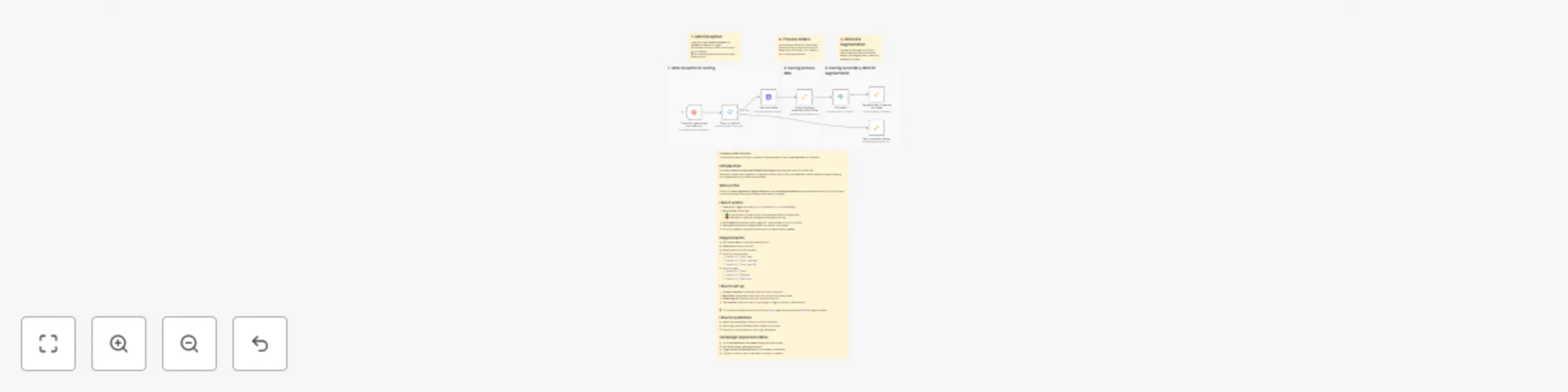
  1. Eventbrite Trigger captures order.placed and order.refunded events.
  2. Switch Node routes logic:
    • 🟢 Order placed → Adds contact, fetches event data, and tags buyer.
    • 🔴 Refunded → Adds refund tag and removes buyer tag.
  3. Enrichment stores event name, page URL, and end date in KlickTipp fields.
  4. Fee check applies extra segmentation for paid vs. free events.
  5. KlickTipp updates contacts automatically—no manual steps needed.

Requirements

  • Self-hosted n8n (community node support)
  • Eventbrite account (OAuth2)
  • KlickTipp account (API access)
  • KlickTipp custom fields:
    • Eventbrite | Event name
    • Eventbrite | Start timestamp
    • Eventbrite | Event page URL
  • KlickTipp tags:
    • Eventbrite | Buyer
    • Eventbrite | Refundee
    • Eventbrite | Registrant

How to set up

  1. Connect accounts: Eventbrite (OAuth2) & KlickTipp (API).
  2. Map fields: Event name, date, and URL to KlickTipp custom fields.
  3. Update tag IDs: Replace with your own KlickTipp IDs.
  4. Test the flow: Place an order → verify tags → trigger a refund to test removal.

> 💡 Tip: Enable auto tag removal in KlickTipp so Buyer tags are removed when Refundee tags are added.

How to customize

  • Adapt field mappings to match your KlickTipp setup.
  • Adjust tag rules for different event types or ticket tiers.
  • Extend for multiple events or recurring campaigns.

Campaign expansion ideas

  • Track attendance vs. no-shows using participation tags.
  • Add VIP or ticket-type segmentation.
  • Trigger follow-up automations for refundees or attendees.
  • Connect to other tools for reminders, surveys, or upsells.

1.2 Logical Blocks

This catalog entry is organized from the workflow JSON. The node-level section below shows the executable blocks available for review before importing the template.

2. Block-by-Block Analysis

Block 1 - Tag contact for refund

Type / Role
n8n-nodes-klicktipp.klicktipp - klicktipp
Config choices
Version 3

Block 2 - Order or refund?

Type / Role
n8n-nodes-base.switch - switch
Config choices
Version 3.3

Block 3 - Sticky Note

Type / Role
n8n-nodes-base.stickyNote - stickyNote
Config choices
Version 1

Block 4 - Sticky Note1

Type / Role
n8n-nodes-base.stickyNote - stickyNote
Config choices
Version 1

Block 5 - Sticky Note2

Type / Role
n8n-nodes-base.stickyNote - stickyNote
Config choices
Version 1

Block 6 - Sticky Note3

Type / Role
n8n-nodes-base.stickyNote - stickyNote
Config choices
Version 1

Block 7 - Check for new orders and refunds

Type / Role
n8n-nodes-base.eventbriteTrigger - eventbriteTrigger
Config choices
Version 1

Block 8 - Get event data

Type / Role
n8n-nodes-base.httpRequest - httpRequest
Config choices
Version 4.2

Block 9 - Subscribe event attendee to KlickTipp

Type / Role
n8n-nodes-klicktipp.klicktipp - klicktipp
Config choices
Version 3

Block 10 - Purchase?

Type / Role
n8n-nodes-base.if - if
Config choices
Version 2.2

Block 11 - Tag attendee in case of purchase

Type / Role
n8n-nodes-klicktipp.klicktipp - klicktipp
Config choices
Version 3

Block 12 - Sticky Note4

Type / Role
n8n-nodes-base.stickyNote - stickyNote
Config choices
Version 1

Block 13 - Sticky Note5

Type / Role
n8n-nodes-base.stickyNote - stickyNote
Config choices
Version 1

Block 14 - Sticky Note6

Type / Role
n8n-nodes-base.stickyNote - stickyNote
Config choices
Version 1

3. Summary Table

Workflow Sync Eventbrite orders & refunds to KlickTipp for automated event marketing
Complexity intermediate
Nodes 14
Categories CRM
Author KlickTipp
Published 22 Oct 2025

4. Reproducing the Workflow from Scratch

  1. 1. Download the workflow JSON

    Use the JSON export at /data/workflows/10024/10024.json as the source template for this automation.

  2. 2. Import the template into n8n

    Open n8n, import the downloaded JSON, and review each node before activating the workflow.

  3. 3. Configure credentials and variables

    Replace placeholder credentials, API keys, webhook URLs, account IDs, and environment-specific values with your own settings.

  4. 4. Test with sample data

    Run the workflow manually or in a staging workspace, inspect node output, and confirm downstream systems receive the expected data.

  5. 5. Activate and monitor

    Enable the workflow only after testing, then monitor executions, errors, and rate limits during the first production runs.

5. General Notes & Resources

Review imported nodes carefully before activation. This catalog entry is intended to help you inspect the workflow structure, understand required services, and find related templates faster.

Node names, credentials, schedules, webhook paths, and external service limits may need adjustment for your workspace.

Frequently asked questions

What does Sync Eventbrite orders & refunds to KlickTipp for automated event marketing do?

Community Node Disclaimer This workflow uses KlickTipp community nodes and works only on self hosted n8n instances. Introduction Automa...

What do I need before importing this workflow?

Review the workflow JSON, configure any required credentials in n8n, and test the automation in a safe workspace before using it in production.

Can I customize this workflow?

Yes. Use the block-by-block analysis and the downloadable JSON to inspect each node, then adjust credentials, prompts, schedules, filters, or destinations for your CRM use case.