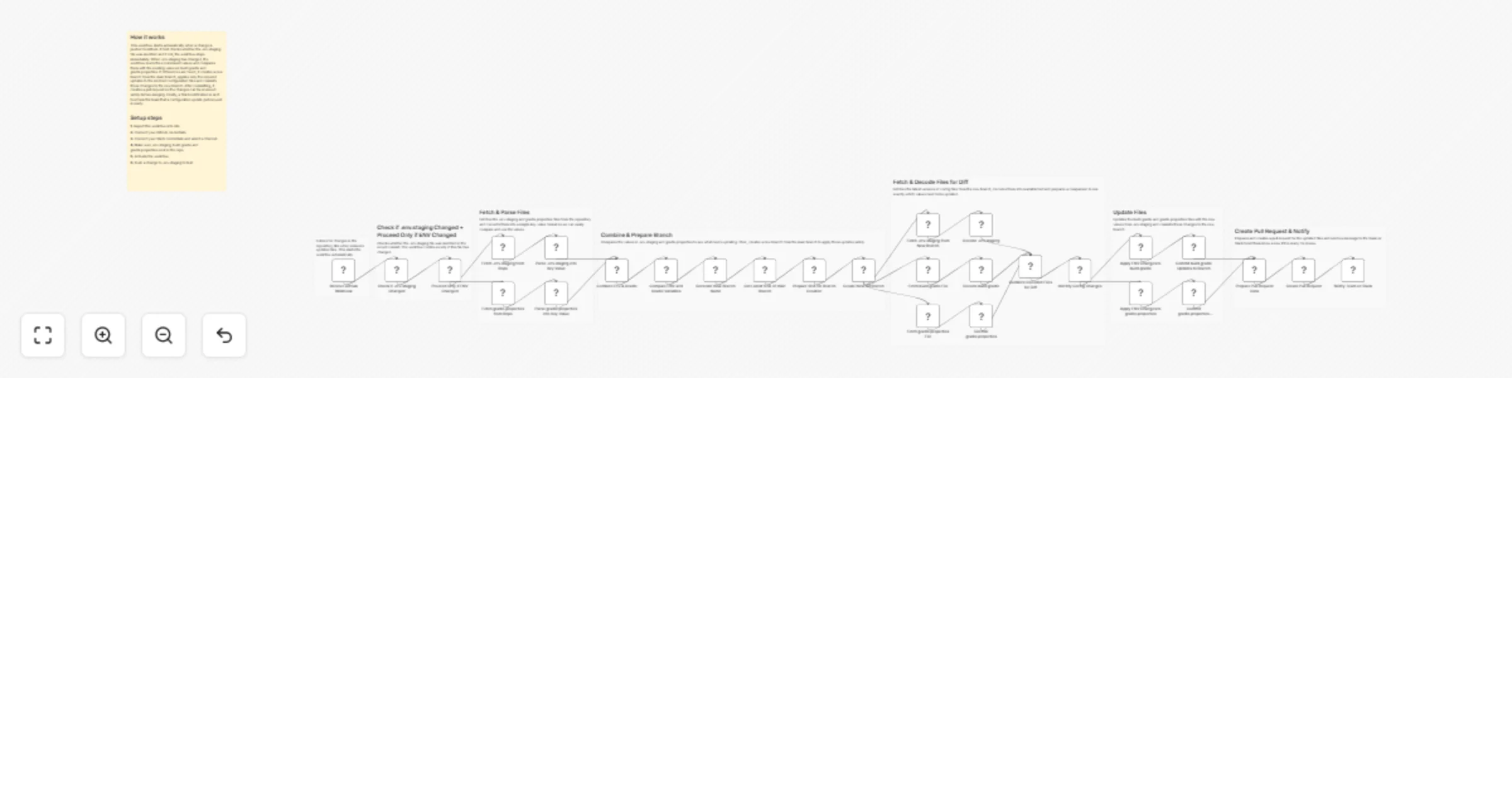
Sync Android env config to Gradle files with GitHub and Slack alerts

Workflow preview

Workflow preview
100%
Sync Android env config to Gradle files with GitHub and Slack alerts preview
Open on n8n.io

1. Workflow Overview

Environment Config Diff & Propagate for Android Builds This workflow automatically detects changes in the .env.staging file in a GitHub repository and keeps Android configuration files (build.gradl...

Best for

  • DevOps automation workflows
  • advanced n8n builders looking for reusable templates

Tools used

n8n-nodes-base.merge, n8n-nodes-base.code, n8n-nodes-base.webhook, n8n-nodes-base.if, n8n-nodes-base.github, n8n-nodes-base.httprequest, n8n-nodes-base.set, n8n-nodes-base.slack

Source and attribution

This workflow is cataloged by N8N Workflows and links back to its original n8n.io source page by WeblineIndia.

Original n8n.io source

1.1 Workflow description

Title
Sync Android env config to Gradle files with GitHub and Slack alerts
Workflow name
Sync Android env config to Gradle files with GitHub and Slack alerts

Environment Config Diff & Propagate for Android Builds

This workflow automatically detects changes in the .env.staging file in a GitHub repository and keeps Android configuration files (build.gradle and gradle.properties) in sync.It creates a new Git branch, applies updates safely, opens a pull request and notifies the team on Slack — all without manual effort.

Whenever .env.staging changes:

  • The workflow detects the change via GitHub webhook
  • Compares ENV values with Android config files
  • Automatically updates build.gradle and gradle.properties
  • Creates a new Git branch
  • Opens a pull request
  • Sends a Slack notification

You get:

  • Automatic Android config synchronization
  • Safe updates via pull requests
  • Zero manual copying of ENV values
  • Instant Slack visibility for the team

Ideal for teams managing Android app configuration across environments without mistakes.

What It Does

This workflow automates Android configuration updates end-to-end:

  1. Listens for GitHub push events.
  2. Checks if .env.staging was modified.
  3. Stops execution if ENV file was not changed.
  4. Fetches .env.staging and gradle.properties from main.
  5. Converts both files into easy-to-compare key-value pairs.
  6. Compares ENV values against Gradle values.
  7. Creates a new Git branch for changes.
  8. Fetches files from the new branch.
  9. Identifies which variables must be updated.
  10. Applies ENV values to:
  • build.gradle
  • gradle.properties
  1. Commits the changes.
  2. Creates a pull request.
  3. Sends a Slack notification with PR details.

This ensures Android configs are always aligned with ENV files.

Who’s It For

This workflow is ideal for:

  • Android development teams
  • DevOps & platform engineers
  • CI/CD automation teams
  • Teams managing multiple environments (staging / prod)
  • Organizations avoiding manual config drift
  • Anyone tired of copy-pasting ENV values

Requirements to Use This Workflow

To run this workflow, you need:

  • n8n instance (cloud or self-hosted)
  • GitHub repository with:
  • .env.staging
  • app/build.gradle
  • gradle.properties
  • GitHub Personal Access Token
  • Slack workspace + API credentials
  • Basic understanding of Android config files

How It Works

  1. GitHub Webhook TriggerListens for commits pushed to the repository.
  2. ENV Change CheckWorkflow continues only if .env.staging changed.
  3. Fetch & Parse FilesReads ENV and Gradle files and converts them into key-value format.
  4. Compare Config ValuesFinds missing or mismatched variables.
  5. Create Safe BranchGenerates a timestamp-based branch from main.
  6. Apply UpdatesUpdates only the required values in:
  • build.gradle
  • gradle.properties
  1. Commit ChangesSaves updates to the new branch.
  2. Create Pull RequestOpens a PR for review.
  3. Notify SlackSends PR link and details to the team.

Setup Steps

  1. Import the provided n8n workflow JSON.
  2. Configure GitHub credentials in all GitHub & HTTP nodes.
  3. Set your repository name and owner.
  4. Configure Slack credentials and select a channel.
  5. Ensure .env.staging exists in your repo.
  6. Activate the workflow.
  7. Push a change to .env.staging — automation starts instantly

How To Customize Nodes

Customize ENV File

  • Replace .env.staging with .env.production or others.
  • Update filename in GitHub fetch + check nodes.

Customize Android Files

  • Extend logic to include:
  • local.properties
  • BuildConfig.kt
  • settings.gradle

Customize Branch Naming

  • Modify the Generate New Branch Name node.
  • Add environment names or commit IDs.

Customize Slack Message

You can add:

  • Emojis
  • PR author name
  • Changed variable list
  • Mentions (@team, @android)

Add-Ons (Optional Enhancements)

You can extend this workflow to:

  • Support multiple ENV files
  • Add approval checks before PR creation
  • Auto-merge after approval
  • Validate ENV variable formats
  • Send diff summary to Slack
  • Block secrets from being committed
  • Add Jira / Linear ticket creation
  • Trigger Android CI build after PR creation

Use Case Examples

1. Environment Sync

Keep Android configs aligned with staging ENV automatically.

2. CI/CD Safety

Prevent broken builds due to mismatched config values.

3. Team Transparency

Everyone sees config updates via Slack + PRs.

4. DevOps Automation

Remove repetitive manual config updates.

5. Audit Friendly

All changes tracked through Git history & PRs.

Troubleshooting Guide

Issue Possible Cause Solution
Workflow not triggered Webhook not configured Re-register GitHub webhook
No PR created .env.staging not changed Ensure the file is modified
Wrong values updated Parsing logic issue Check KEY=VALUE format
Slack message not sent Invalid credentials Reconnect Slack API
Commit failed Missing permissions Check GitHub token scopes

Need Help?

If you need help extending or customizing this workflow, adding production support, CI integrations, security checks or enterprise-scale automation, then our n8n workflow development team at WeblineIndia can help you build robust, production-ready workflows.

1.2 Logical Blocks

This catalog entry is organized from the workflow JSON. The node-level section below shows the executable blocks available for review before importing the template.

2. Block-by-Block Analysis

Block 1 - Combine Env & Gradle

Type / Role
n8n-nodes-base.merge - merge
Config choices
Version 3.2

Block 2 - Decode gradle.properties

Type / Role
n8n-nodes-base.code - code
Config choices
Version 2

Block 3 - Receive GitHub Webhook

Type / Role
n8n-nodes-base.webhook - webhook
Config choices
Version 2.1

Block 4 - Check if .env.staging Changed

Type / Role
n8n-nodes-base.code - code
Config choices
Version 2

Block 5 - Proceed Only if ENV Changed

Type / Role
n8n-nodes-base.if - if
Config choices
Version 2.2

Block 6 - Fetch .env.staging from Repo

Type / Role
n8n-nodes-base.github - github
Config choices
Version 1.1

Block 7 - Parse .env.staging into Key-Value

Type / Role
n8n-nodes-base.code - code
Config choices
Version 2

Block 8 - Fetch gradle.properties from Repo

Type / Role
n8n-nodes-base.github - github
Config choices
Version 1.1

Block 9 - Parse gradle.properties into Key-Value

Type / Role
n8n-nodes-base.code - code
Config choices
Version 2

Block 10 - Compare ENV and Gradle Variables

Type / Role
n8n-nodes-base.code - code
Config choices
Version 2

Block 11 - Generate New Branch Name

Type / Role
n8n-nodes-base.code - code
Config choices
Version 2

Block 12 - Get Latest SHA of main Branch

Type / Role
n8n-nodes-base.httpRequest - httpRequest
Config choices
Version 4.3

Block 13 - Prepare SHA for Branch Creation

Type / Role
n8n-nodes-base.set - set
Config choices
Version 3.4

Block 14 - Create New Git Branch

Type / Role
n8n-nodes-base.httpRequest - httpRequest
Config choices
Version 4.3

Block 15 - Fetch .env.staging from New Branch

Type / Role
n8n-nodes-base.github - github
Config choices
Version 1.1

Block 16 - Decode .env.staging

Type / Role
n8n-nodes-base.code - code
Config choices
Version 2

Block 17 - Fetch build.gradle File

Type / Role
n8n-nodes-base.github - github
Config choices
Version 1.1

Block 18 - Fetch gradle.properties File

Type / Role
n8n-nodes-base.github - github
Config choices
Version 1.1

Block 19 - Decode build.gradle

Type / Role
n8n-nodes-base.code - code
Config choices
Version 2

Block 20 - Combine Decoded Files for Diff

Type / Role
n8n-nodes-base.merge - merge
Config choices
Version 3.2

Block 21 - Identify Config Changes

Type / Role
n8n-nodes-base.code - code
Config choices
Version 2

Block 22 - Apply ENV Changes to build.gradle

Type / Role
n8n-nodes-base.code - code
Config choices
Version 2

Block 23 - Apply ENV Changes to gradle.properties

Type / Role
n8n-nodes-base.code - code
Config choices
Version 2

Block 24 - Commit build.gradle Updates to Branch

Type / Role
n8n-nodes-base.github - github
Config choices
Version 1.1

Showing the first 24 of 36 workflow blocks. Download the JSON for the full node graph.

3. Summary Table

Workflow Sync Android env config to Gradle files with GitHub and Slack alerts
Complexity advanced
Nodes 36
Categories DevOps
Author WeblineIndia
Published 21 Jan 2026

4. Reproducing the Workflow from Scratch

  1. 1. Download the workflow JSON

    Use the JSON export at /data/workflows/12873/12873.json as the source template for this automation.

  2. 2. Import the template into n8n

    Open n8n, import the downloaded JSON, and review each node before activating the workflow.

  3. 3. Configure credentials and variables

    Replace placeholder credentials, API keys, webhook URLs, account IDs, and environment-specific values with your own settings.

  4. 4. Test with sample data

    Run the workflow manually or in a staging workspace, inspect node output, and confirm downstream systems receive the expected data.

  5. 5. Activate and monitor

    Enable the workflow only after testing, then monitor executions, errors, and rate limits during the first production runs.

5. General Notes & Resources

Review imported nodes carefully before activation. This catalog entry is intended to help you inspect the workflow structure, understand required services, and find related templates faster.

Node names, credentials, schedules, webhook paths, and external service limits may need adjustment for your workspace.

Frequently asked questions

What does Sync Android env config to Gradle files with GitHub and Slack alerts do?

Environment Config Diff & Propagate for Android Builds This workflow automatically detects changes in the .env.staging file in a GitHub repository and keeps Android configuration files (build.gradl...

What do I need before importing this workflow?

Review the workflow JSON, configure any required credentials in n8n, and test the automation in a safe workspace before using it in production.

Can I customize this workflow?

Yes. Use the block-by-block analysis and the downloadable JSON to inspect each node, then adjust credentials, prompts, schedules, filters, or destinations for your DevOps use case.