Block 1 - HTTP Request1
- Type / Role
- n8n-nodes-base.httpRequest - httpRequest
- Config choices
- Version 4.2


 Early Deal
This workflow is provided as-is. Please review and test before using in production.
Amazon Luna Prime Games Catalog Tracker (Auto Sync to Google Sheets) Automatically fetch, organize, and maintain an updated catalog of Amazon Luna – Included with Prime games.This workflow regularl...
n8n-nodes-base.httprequest, n8n-nodes-base.set, n8n-nodes-base.scheduletrigger, n8n-nodes-base.googlesheets, n8n-nodes-base.stickynote, n8n-nodes-base.code, n8n-nodes-base.discord, n8n-nodes-base.if
This workflow is cataloged by N8N Workflows and links back to its original n8n.io source page by Paolo Ronco.
Original n8n.io sourceAutomatically fetch, organize, and maintain an updated catalog of Amazon Luna – Included with Prime games.This workflow regularly queries Amazon’s official Luna endpoint, extracts complete metadata, and syncs everything into Google Sheets without duplicates.
Ideal for:
tracking monthly Prime Luna rotations
keeping a personal archive of games
monitoring new games appearing on Amazon Games / Prime Gaming, so you can instantly play titles you’re interested in
building dashboards or gaming databases
powering notification systems (Discord, Telegram, email, etc.)
Amazon Luna’s “Included with Prime” lineup changes frequently, with new games added and old ones removed.Instead of checking manually, this n8n template fully automates the process:
Fetches the latest list from Amazon’s backend
Extracts detailed metadata from the response
Syncs the data into Google Sheets
Avoids duplicates by updating existing rows
Supports all major Amazon regions
Once configured, it runs automatically—keeping your game catalog correct, clean, and always up to date.
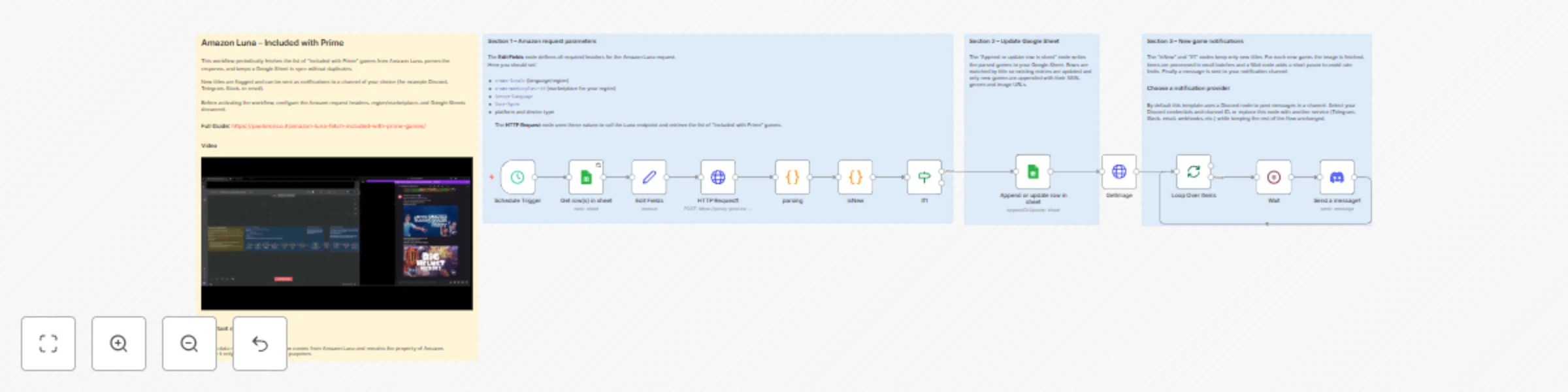
1. Scheduled Trigger
Starts the workflow on a set schedule (default: every 5 days at 3:00 PM).You can change both frequency and time freely.
2. HTTP Request to Amazon Luna
Calls Amazon Luna’s regional endpoint and retrieves the full “Included with Prime” catalog.
3. JavaScript Code Node – Data Extraction
Parses the JSON response and extracts structured fields:
Title
Genres
Release Year
ASIN
Image URLs
Additional metadata
The result is a clean, ready-to-use dataset.
4. Google Sheets – Insert or Update Rows
Each game is written into the selected Google Sheet:
Existing games get updated
New games are appended
The Title acts as the unique identifier to prevent duplicates.
| Parameter | Description | Recommended values |
|---|---|---|
| x-amz-locale | Language + region | it_IT 🇮🇹 · en_US 🇺🇸 · de_DE 🇩🇪 · fr_FR 🇫🇷 · es_ES 🇪🇸 · en_GB 🇬🇧 · ja_JP 🇯🇵 · en_CA 🇨🇦 |
| x-amz-marketplace-id | Marketplace backend ID | APJ6JRA9NG5V4 🇮🇹 · ATVPDKIKX0DER 🇺🇸 · A1PA6795UKMFR9 🇩🇪 · A13V1IB3VIYZZH 🇫🇷 · A1RKKUPIHCS9HS 🇪🇸 · A1F83G8C2ARO7P 🇬🇧 · A1VC38T7YXB528 🇯🇵 · A2EUQ1WTGCTBG2 🇨🇦 |
| Accept-Language | Response language | Example: it-IT,it;q=0.9,en;q=0.8 |
| User-Agent | Browser-like request | Default or updated UA |
| Trigger interval | Refresh frequency | Every 5 days at 3:00 PM (modifiable) |
| Google Sheet | Storage output | Select your file + sheet |
You can adapt these headers to fetch data from any supported country.
💡 Tips & Customization
Duplicate the HTTP Request + Code + Sheet block to track multiple countries (US, DE, JP, UK…).
The workflow updates rows intelligently, ensuring a clean catalog even after many runs.
Send the output to:
Airtable
Databases (MySQL, Postgres, MongoDB…)
Notion
CSV
REST APIs
BI dashboards
You can pair this template with a notification workflow.When used with Discord, the notification message can include:
game title
description or metadata
the game’s image, automatically downloaded and attached
This makes notifications visually informative and perfect for tracking new Prime titles.
All retrieved data belongs to Amazon.
The workflow is intended for personal, testing, or educational use only.
Do not republish or redistribute collected data without permission.
This catalog entry is organized from the workflow JSON. The node-level section below shows the executable blocks available for review before importing the template.
| Workflow | Sync Amazon Luna Prime games to Google Sheets with automatic updates |
|---|---|
| Complexity | advanced |
| Nodes | 16 |
| Categories | Miscellaneous |
| Author | Paolo Ronco |
| Published | 11 Nov 2025 |
Use the JSON export at /data/workflows/10733/10733.json as the source template for this automation.
Open n8n, import the downloaded JSON, and review each node before activating the workflow.
Replace placeholder credentials, API keys, webhook URLs, account IDs, and environment-specific values with your own settings.
Run the workflow manually or in a staging workspace, inspect node output, and confirm downstream systems receive the expected data.
Enable the workflow only after testing, then monitor executions, errors, and rate limits during the first production runs.
Review imported nodes carefully before activation. This catalog entry is intended to help you inspect the workflow structure, understand required services, and find related templates faster.
Node names, credentials, schedules, webhook paths, and external service limits may need adjustment for your workspace.
Amazon Luna Prime Games Catalog Tracker (Auto Sync to Google Sheets) Automatically fetch, organize, and maintain an updated catalog of Amazon Luna – Included with Prime games.This workflow regularl...
Review the workflow JSON, configure any required credentials in n8n, and test the automation in a safe workspace before using it in production.
Yes. Use the block-by-block analysis and the downloadable JSON to inspect each node, then adjust credentials, prompts, schedules, filters, or destinations for your Miscellaneous use case.