Block 1 - LINE Receiver
- Type / Role
- n8n-nodes-base.webhook - webhook
- Config choices
- Version 2


 Early Deal
Who is this for This workflow is built for tutoring schools, cram schools, and independent teachers who want to offer students 24/7 Q&A support via LINE — Japan's most widely used messaging app. No...
n8n-nodes-base.webhook, n8n-nodes-base.respondtowebhook, n8n-nodes-base.set, n8n-nodes-base.googlesheets, n8n-nodes-base.aggregate, @n8n/n8n-nodes-langchain.agent, @n8n/n8n-nodes-langchain.lmchatgooglegemini, @n8n/n8n-nodes-langchain.toolworkflow
This workflow is cataloged by N8N Workflows and links back to its original n8n.io source page by Ryo Sayama.
Original n8n.io sourceThis workflow is built for tutoring schools, cram schools, and independent teachers who want to offer students 24/7 Q&A support via LINE — Japan's most widely used messaging app. No coding knowledge is required to set it up.
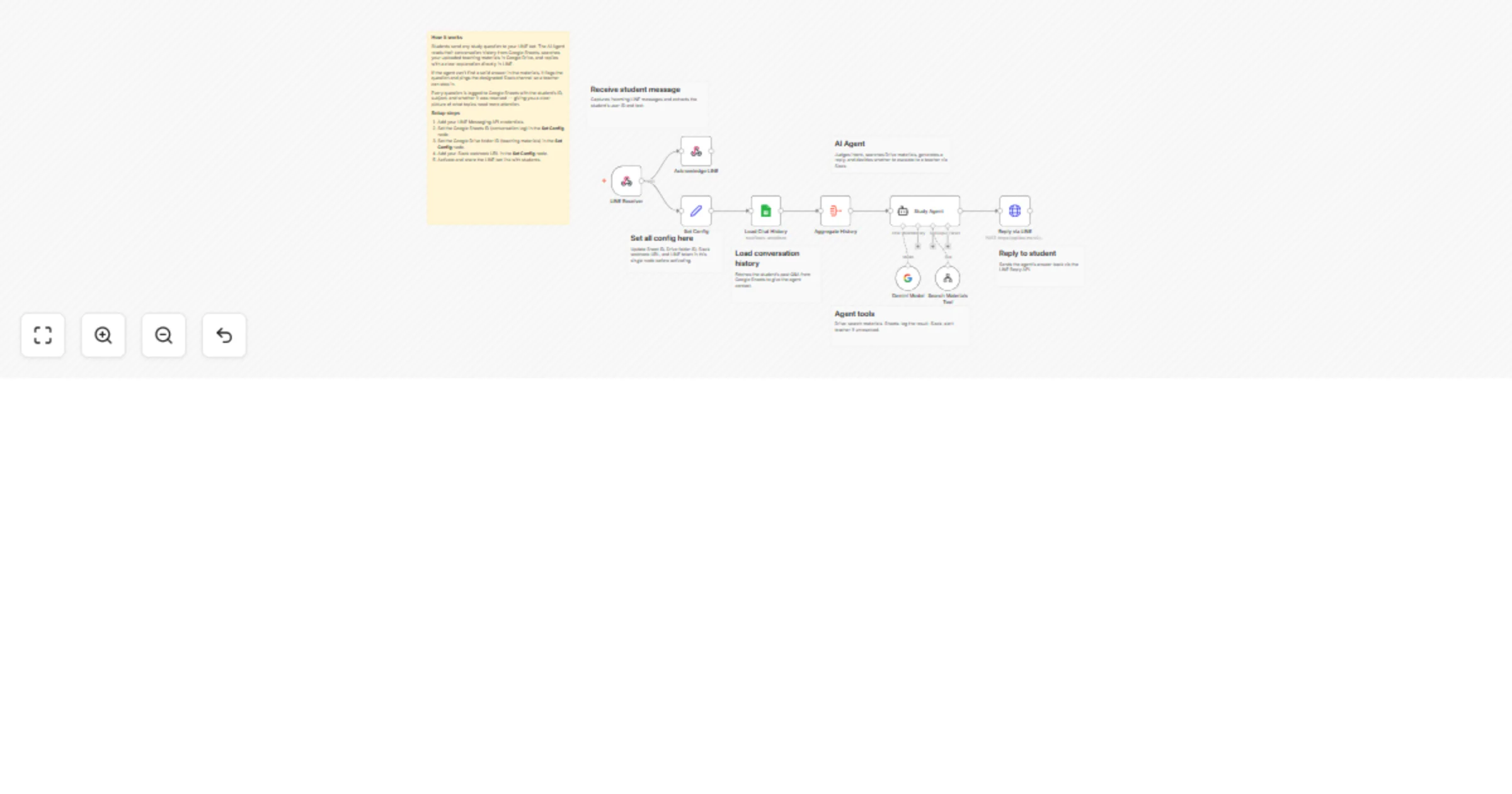
When a student sends a question on LINE, an AI Agent (powered by Gemini) reads the conversation history stored in Google Sheets, searches your teaching materials in Google Drive, and replies with a clear explanation directly in LINE. If the agent cannot find a confident answer — for example, the topic is not covered in the materials or the question is too complex — it automatically sends an escalation alert to a designated Slack channel so a teacher can follow up personally. The agent also logs every question and its resolution status to Google Sheets, giving teachers a running record of each student's weak points and question frequency.
LINE Messaging API channel (free tier works) Google Drive folder with study materials (PDF or .txt) Google Sheets spreadsheet for conversation history and progress tracking Slack incoming webhook URL Gemini API key (free tier available)
You can swap Google Drive for a different file source, adjust the Gemini prompt in the AI Agent node to change the explanation style (e.g., simpler language for younger students), or add more Slack channels to route questions by subject. The escalation threshold can be tuned by editing the condition in the If node.
This catalog entry is organized from the workflow JSON. The node-level section below shows the executable blocks available for review before importing the template.
| Workflow | Support student questions via LINE using Gemini, Google Drive, and Slack |
|---|---|
| Complexity | advanced |
| Nodes | 16 |
| Categories | Support Chatbot, AI RAG |
| Author | Ryo Sayama |
| Published | 29 Mar 2026 |
Use the JSON export at /data/workflows/14427/14427.json as the source template for this automation.
Open n8n, import the downloaded JSON, and review each node before activating the workflow.
Replace placeholder credentials, API keys, webhook URLs, account IDs, and environment-specific values with your own settings.
Run the workflow manually or in a staging workspace, inspect node output, and confirm downstream systems receive the expected data.
Enable the workflow only after testing, then monitor executions, errors, and rate limits during the first production runs.
Review imported nodes carefully before activation. This catalog entry is intended to help you inspect the workflow structure, understand required services, and find related templates faster.
Node names, credentials, schedules, webhook paths, and external service limits may need adjustment for your workspace.
Who is this for This workflow is built for tutoring schools, cram schools, and independent teachers who want to offer students 24/7 Q&A support via LINE — Japan's most widely used messaging app. No...
Review the workflow JSON, configure any required credentials in n8n, and test the automation in a safe workspace before using it in production.
Yes. Use the block-by-block analysis and the downloadable JSON to inspect each node, then adjust credentials, prompts, schedules, filters, or destinations for your Support Chatbot, AI RAG use case.