Summarize PDF documents in Telegram with Groq AI

Workflow preview

Workflow preview
100%
Summarize PDF documents in Telegram with Groq AI preview
Open on n8n.io

1. Workflow Overview

How It Works 9 nodes : Lightweight, efficient (no loops). Key Steps : 1. Triggers on Telegram messages downloads files. 2. Sub workflow splits text/files. (Optional but recommended) 3. IF node chec...

Best for

  • Document Extraction automation workflows
  • AI Summarization automation workflows
  • advanced n8n builders looking for reusable templates

Tools used

n8n-nodes-base.set, n8n-nodes-base.extractfromfile, n8n-nodes-base.code, n8n-nodes-base.if, n8n-nodes-base.noop, n8n-nodes-base.stickynote, @n8n/n8n-nodes-langchain.chainllm, n8n-nodes-base.telegramtrigger

Source and attribution

This workflow is cataloged by N8N Workflows and links back to its original n8n.io source page by EoCi - Mr.Eo.

Original n8n.io source

1.1 Workflow description

Title
Summarize PDF documents in Telegram with Groq AI
Workflow name
Summarize PDF documents in Telegram with Groq AI

How It Works

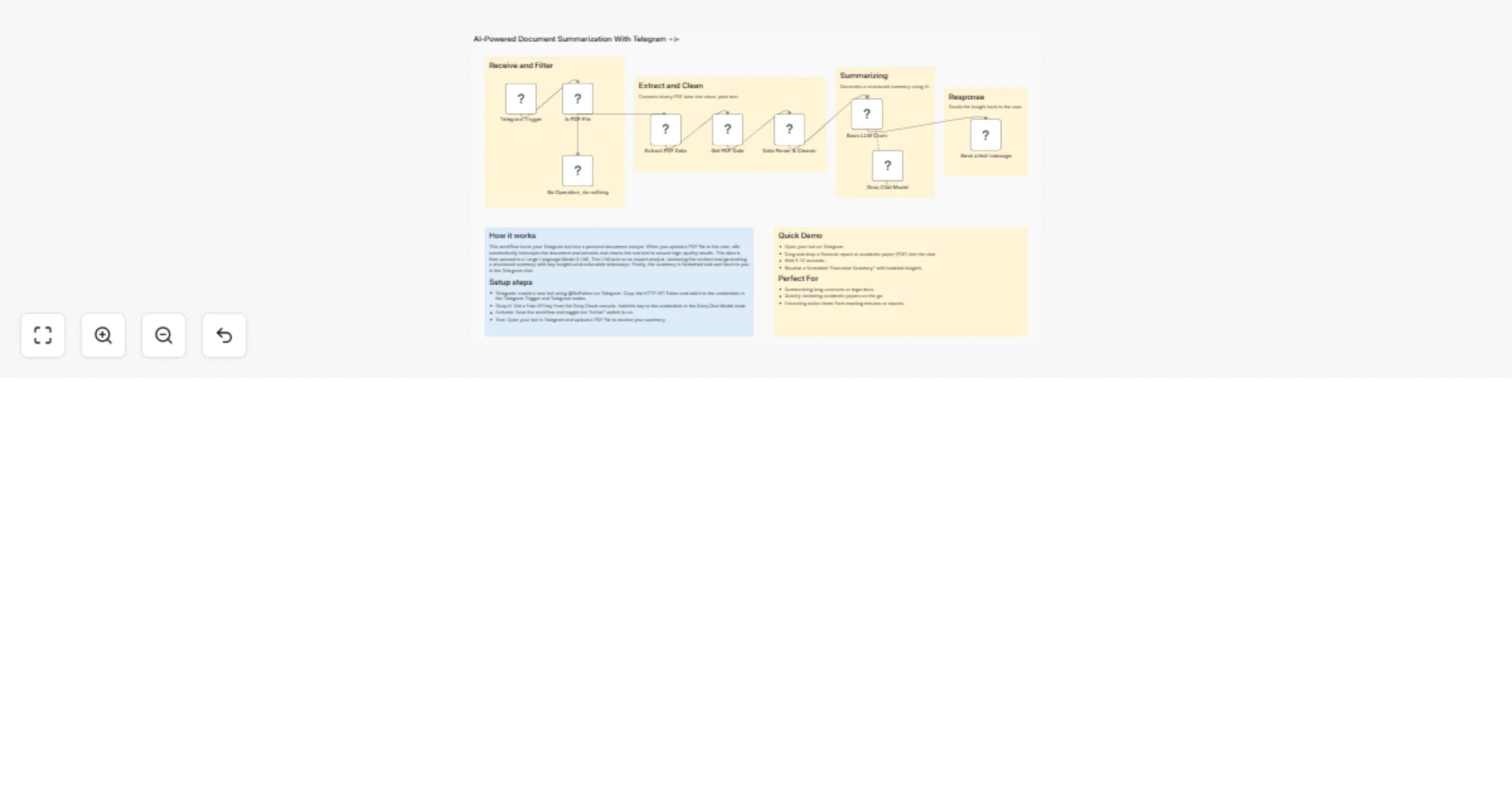
Telegram Trigger → Sub-Workflow (Separate Text/Files) → IF (Is PDF?)
├── True: Extract PDF → Set Text → Code (Clean) → Done!
└── False: NoOp (Ignore)
  • 9 nodes: Lightweight, efficient (no loops).
  • Key Steps:
  1. Triggers on Telegram messages - downloads files.
  2. Sub-workflow splits text/files. (Optional but recommended)
  3. IF node checks MIME type/extension for PDFs.
  4. Extracts text via "Extract From File" node.
  5. AI writes summary.
  6. Responds to user.

Setup Instructions

IMPORTANT : Requiring an n8n instance to be configured with public/production webhook !

Recommendation: Ngrok or Cloudflare Tunnel

  1. Add the Telegram credential
  • Go to Credentials → New Credential → Telegram API.
  • Paste your Bot Token.
  1. Configure the Trigger
  • Open the Telegram Trigger node.
  • Ensure Trigger On contains Message.
  • Enable Download under Additional Fields so file payloads are attached to the node output.
  1. (Optional) Enable the sub‐workflow Automate Telegram Message Processing - Separate Text and Files 💬📁
  • If you need both message text and attachments, enable the Automate Telegram Message Processing – Separate Text and Files node and import the referenced workflow into your workspace.
  1. Deploy the workflow and activate it.
  2. Testing Send a message with a PDF attachment to your Telegram bot. There will be a response from the chat that summarizes the PDF content.

Nodes Used

  • Telegram Trigger: Listens for incoming messages and downloads attachments.
  • Execute Workflow: Calls a sub-workflow to separate text and file data (recommended for reliable file handling).
  • If: Checks MIME type to ensure the file is a PDF.
  • Extract From File: Converts the PDF binary into text.
  • Set: Assignments to organize the text data.
  • Code: Cleans the text (removes excess newlines) to prepare it for the LLM.
  • Basic LLM Chain: Orchestrates the AI prompt and processing.
  • AI Chat Model: The specific LLM provider used for high-speed inference.
  • Telegram: Sends the final summary back to the user.

Output Example

The bot will reply with a message formatted like this: > Title: Q3 Financial Report > Type: Financial Report > Exec Summary: Revenue increased by 15% due to new product lines... > Key Insights: > • Growth in APAC region. > • Reduced operational costs by 5%.


🙏 Thank You for Trying This Workflow!

Your time and trust mean a lot! I truly appreciate you using this template.

Your feedback shapes future updates:

  • 💡 Suggestions for improvement
  • 🆕 Ideas for new features
  • 📝 Requests for other automation workflows
Please share your thoughts! Every idea helps shape the next update.

🙋‍♂️ Join & Follow For More Free Templates!

Get help, share builds, collaborate! Daily tips, tutorials, and updates

Thank you again for being part of this journey! 🚀

Together, we automate better! 🤖✨

1.2 Logical Blocks

This catalog entry is organized from the workflow JSON. The node-level section below shows the executable blocks available for review before importing the template.

2. Block-by-Block Analysis

Block 1 - Get PDF Data

Type / Role
n8n-nodes-base.set - set
Config choices
Version 3.4

Block 2 - Extract PDF Data

Type / Role
n8n-nodes-base.extractFromFile - extractFromFile
Config choices
Version 1

Block 3 - Data Parser & Cleaner

Type / Role
n8n-nodes-base.code - code
Config choices
Version 2

Block 4 - Is PDF File

Type / Role
n8n-nodes-base.if - if
Config choices
Version 2.2

Block 5 - No Operation, do nothing

Type / Role
n8n-nodes-base.noOp - noOp
Config choices
Version 1

Block 6 - Sticky Note

Type / Role
n8n-nodes-base.stickyNote - stickyNote
Config choices
Version 1

Block 7 - Sticky Note1

Type / Role
n8n-nodes-base.stickyNote - stickyNote
Config choices
Version 1

Block 8 - Sticky Note3

Type / Role
n8n-nodes-base.stickyNote - stickyNote
Config choices
Version 1

Block 9 - Basic LLM Chain

Type / Role
@n8n/n8n-nodes-langchain.chainLlm - chainLlm
Config choices
Version 1.7

Block 10 - Telegram Trigger

Type / Role
n8n-nodes-base.telegramTrigger - telegramTrigger
Config choices
Version 1.2

Block 11 - Groq Chat Model

Type / Role
@n8n/n8n-nodes-langchain.lmChatGroq - lmChatGroq
Config choices
Version 1

Block 12 - Send a text message

Type / Role
n8n-nodes-base.telegram - telegram
Config choices
Version 1.2

Block 13 - Sticky Note4

Type / Role
n8n-nodes-base.stickyNote - stickyNote
Config choices
Version 1

Block 14 - Sticky Note2

Type / Role
n8n-nodes-base.stickyNote - stickyNote
Config choices
Version 1

Block 15 - Sticky Note5

Type / Role
n8n-nodes-base.stickyNote - stickyNote
Config choices
Version 1

Block 16 - Sticky Note6

Type / Role
n8n-nodes-base.stickyNote - stickyNote
Config choices
Version 1

3. Summary Table

Workflow Summarize PDF documents in Telegram with Groq AI
Complexity advanced
Nodes 16
Categories Document Extraction, AI Summarization
Author EoCi - Mr.Eo
Published 03 Dec 2025

4. Reproducing the Workflow from Scratch

  1. 1. Download the workflow JSON

    Use the JSON export at /data/workflows/11451/11451.json as the source template for this automation.

  2. 2. Import the template into n8n

    Open n8n, import the downloaded JSON, and review each node before activating the workflow.

  3. 3. Configure credentials and variables

    Replace placeholder credentials, API keys, webhook URLs, account IDs, and environment-specific values with your own settings.

  4. 4. Test with sample data

    Run the workflow manually or in a staging workspace, inspect node output, and confirm downstream systems receive the expected data.

  5. 5. Activate and monitor

    Enable the workflow only after testing, then monitor executions, errors, and rate limits during the first production runs.

5. General Notes & Resources

Review imported nodes carefully before activation. This catalog entry is intended to help you inspect the workflow structure, understand required services, and find related templates faster.

Node names, credentials, schedules, webhook paths, and external service limits may need adjustment for your workspace.

Frequently asked questions

What does Summarize PDF documents in Telegram with Groq AI do?

How It Works 9 nodes : Lightweight, efficient (no loops). Key Steps : 1. Triggers on Telegram messages downloads files. 2. Sub workflow splits text/files. (Optional but recommended) 3. IF node chec...

What do I need before importing this workflow?

Review the workflow JSON, configure any required credentials in n8n, and test the automation in a safe workspace before using it in production.

Can I customize this workflow?

Yes. Use the block-by-block analysis and the downloadable JSON to inspect each node, then adjust credentials, prompts, schedules, filters, or destinations for your Document Extraction, AI Summarization use case.