Send weekly low‐stock alerts from WooCommerce to Slack and Jira

Workflow preview

Workflow preview
100%
Send weekly low‐stock alerts from WooCommerce to Slack and Jira preview
Open on n8n.io

1. Workflow Overview

(Retail Automation) Low Stock Alerts to Slack This workflow automates the process of managing product inventory levels, categorizing them into low stock and urgent low stock, sending alerts to Slac...

Best for

  • CRM automation workflows
  • intermediate n8n builders looking for reusable templates

Tools used

n8n-nodes-base.code, n8n-nodes-base.woocommerce, n8n-nodes-base.jira, n8n-nodes-base.slack, n8n-nodes-base.stickynote, n8n-nodes-base.scheduletrigger

Source and attribution

This workflow is cataloged by N8N Workflows and links back to its original n8n.io source page by WeblineIndia.

Original n8n.io source

1.1 Workflow description

Title
Send weekly low‐stock alerts from WooCommerce to Slack and Jira
Workflow name
Send weekly low‐stock alerts from WooCommerce to Slack and Jira

(Retail Automation) Low-Stock Alerts to Slack

This workflow automates the process of managing product inventory levels, categorizing them into low stock and urgent low stock, sending alerts to Slack and creating Jira issues for urgent low stock products.

This workflow runs weekly and helps inventory and operations teams stay ahead of stock issues. It fetches products from WooCommerce, categorizes them based on stock thresholds and sends alerts about low stock and urgent low stock products. It also creates Jira issues for urgent stock shortages to ensure immediate action. Additionally, the workflow provides detailed Slack alerts for easy tracking.

You receive:

  • Weekly automated low stock and urgent low stock alerts
  • Slack summaries for quick review
  • Jira issues for urgent stock items

Ideal for inventory managers and teams using WooCommerce, Slack and Jira.

Quick Start – Implementation Steps

  1. Import the provided n8n workflow JSON file.
  2. Add your WooCommerce credentials in the relevant nodes.
  3. Add your Slack API credentials to send alerts.
  4. Add your Jira API credentials to create issues for urgent stock.
  5. Activate the workflow — it will run automatically every Monday at midnight.

What It Does

This workflow automates inventory tracking and alerting for products with low and urgent low stock levels:

  • Fetches all active products from WooCommerce.
  • Categorizes products into low stock and urgent low stock based on predefined thresholds.
  • Generates alerts for low stock products, sending them to a designated Slack channel.
  • Creates Jira issues for products with urgent low stock.
  • Sends Slack alerts with key product details, stock levels and categories.
  • Notifies teams of urgent stock issues that require immediate attention.

This ensures teams can quickly respond to inventory issues and avoid stockouts.

Who's It For

This workflow is ideal for:

  • Inventory managers
  • Operations teams
  • WooCommerce users
  • Teams using Jira for issue tracking
  • Teams using Slack for real-time alerts

Requirements

To run this workflow, you need:

  • n8n instance (cloud or self-hosted)
  • WooCommerce account with API access
  • Slack workspace with API permissions
  • Jira Software Cloud account for issue creation
  • Basic understanding of product inventory management

How It Works

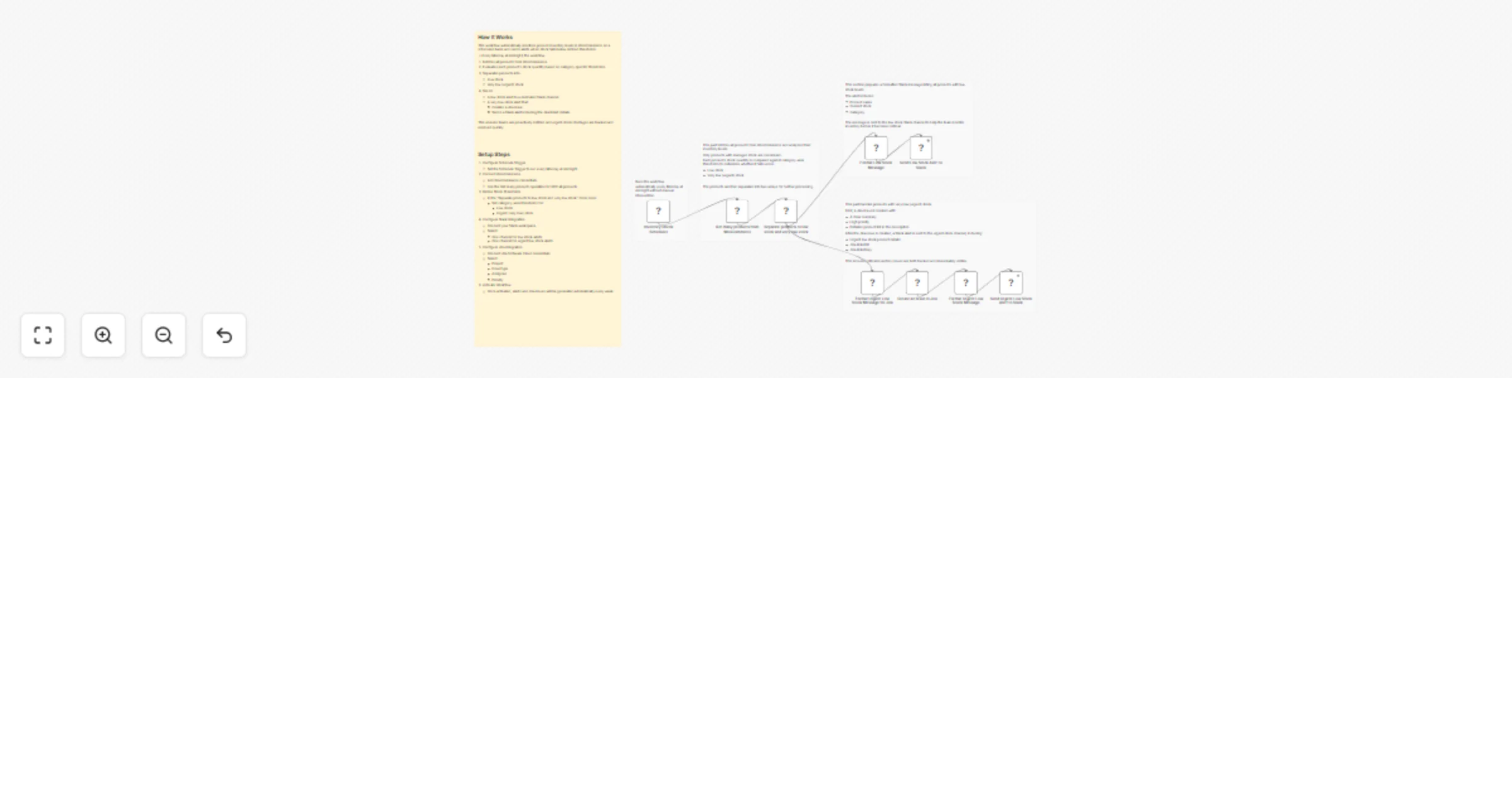
  1. Weekly Trigger – The workflow automatically runs every Monday at midnight.
  2. Fetch Products – Retrieves all products from WooCommerce.
  3. Categorize Products – Categorizes products into low stock and urgent low stock.
  4. Generate Slack Alerts – Sends messages to the respective Slack channels for low and urgent low stock items.
  5. Create Jira Issue – If urgent low stock items exist, a Jira issue is created with product details.
  6. Send Summary Alerts – Sends a clear summary to Slack with product details and Jira ticket information.

Setup Steps

  1. Import the workflow JSON file into n8n.
  2. Add WooCommerce credentials to the relevant nodes.
  3. Add Slack API credentials for sending alerts.
  4. Add Jira credentials to create issues for urgent low stock.
  5. Activate the weekly trigger to automatically run every Monday.

How To Customize Nodes

Threshold Adjustments

Modify the Separate products to low stock and very low stock node to adjust the stock thresholds for different product categories.

Slack Alerts

You can customize the format of Slack alerts in the Send Low Stock Alert to Slack and Send Urgent Low Stock Alert to Slack nodes, including changing message text, adding emojis or mentioning team members.

Jira Issues

In the Create an Issue in Jira node, you can adjust the issue summary, description and priority based on your team's needs.

Add-Ons (Optional Enhancements)

  • Integrate additional stock management systems for more robust tracking.
  • Customize Jira issue types based on different urgency levels.
  • Add product tags or descriptions to enhance Slack alerts.
  • Implement custom notifications for specific product categories.

Use Case Examples

1. Proactive Inventory Management

Identify products that are about to run out and take corrective actions before stockouts occur.

2. Issue Tracking for Urgent Stock

Create Jira tickets for products with urgent low stock and prioritize restocking.

3. Real-Time Alerts

Keep your team informed in real time with Slack messages about low and urgent low stock products.

Troubleshooting Guide

Issue Possible Cause Solution
No Slack alerts Invalid credentials Re-check Slack API key and channel
WooCommerce products not fetched WooCommerce API error Verify WooCommerce credentials
Jira issue not created Incorrect Jira configuration Ensure Jira API permissions are correct
Missing products in categorization Incorrect stock thresholds Update product thresholds in the node

Need Help?

For help customizing or extending this workflow like adding advanced stock alerts, integrating additional tools or extending AI insights, feel free to reach out to our n8n workflow development team at WeblineIndia. We're happy to assist with advanced inventory management automation solutions.

1.2 Logical Blocks

This catalog entry is organized from the workflow JSON. The node-level section below shows the executable blocks available for review before importing the template.

2. Block-by-Block Analysis

Block 1 - Format Low Stock Message

Type / Role
n8n-nodes-base.code - code
Config choices
Version 2

Block 2 - Format Urgent Low Stock Message

Type / Role
n8n-nodes-base.code - code
Config choices
Version 2

Block 3 - Get many products from WooCommerce

Type / Role
n8n-nodes-base.wooCommerce - wooCommerce
Config choices
Version 1

Block 4 - Separate products to low stock and very low stock

Type / Role
n8n-nodes-base.code - code
Config choices
Version 2

Block 5 - Format Urgent Low Stock Message for Jira

Type / Role
n8n-nodes-base.code - code
Config choices
Version 2

Block 6 - Create an Issue in Jira

Type / Role
n8n-nodes-base.jira - jira
Config choices
Version 1

Block 7 - Send Urgent Low Stock Alert to Slack

Type / Role
n8n-nodes-base.slack - slack
Config choices
Version 2.3

Block 8 - Send Low Stock Alert to Slack

Type / Role
n8n-nodes-base.slack - slack
Config choices
Version 2.3

Block 9 - Sticky Note

Type / Role
n8n-nodes-base.stickyNote - stickyNote
Config choices
Version 1

Block 10 - Inventory Check Scheduler

Type / Role
n8n-nodes-base.scheduleTrigger - scheduleTrigger
Config choices
Version 1.2

Block 11 - Sticky Note1

Type / Role
n8n-nodes-base.stickyNote - stickyNote
Config choices
Version 1

Block 12 - Sticky Note10

Type / Role
n8n-nodes-base.stickyNote - stickyNote
Config choices
Version 1

Block 13 - Sticky Note11

Type / Role
n8n-nodes-base.stickyNote - stickyNote
Config choices
Version 1

Block 14 - Sticky Note12

Type / Role
n8n-nodes-base.stickyNote - stickyNote
Config choices
Version 1

3. Summary Table

Workflow Send weekly low‐stock alerts from WooCommerce to Slack and Jira
Complexity intermediate
Nodes 14
Categories CRM
Author WeblineIndia
Published 10 Feb 2026

4. Reproducing the Workflow from Scratch

  1. 1. Download the workflow JSON

    Use the JSON export at /data/workflows/13276/13276.json as the source template for this automation.

  2. 2. Import the template into n8n

    Open n8n, import the downloaded JSON, and review each node before activating the workflow.

  3. 3. Configure credentials and variables

    Replace placeholder credentials, API keys, webhook URLs, account IDs, and environment-specific values with your own settings.

  4. 4. Test with sample data

    Run the workflow manually or in a staging workspace, inspect node output, and confirm downstream systems receive the expected data.

  5. 5. Activate and monitor

    Enable the workflow only after testing, then monitor executions, errors, and rate limits during the first production runs.

5. General Notes & Resources

Review imported nodes carefully before activation. This catalog entry is intended to help you inspect the workflow structure, understand required services, and find related templates faster.

Node names, credentials, schedules, webhook paths, and external service limits may need adjustment for your workspace.

Frequently asked questions

What does Send weekly low‐stock alerts from WooCommerce to Slack and Jira do?

(Retail Automation) Low Stock Alerts to Slack This workflow automates the process of managing product inventory levels, categorizing them into low stock and urgent low stock, sending alerts to Slac...

What do I need before importing this workflow?

Review the workflow JSON, configure any required credentials in n8n, and test the automation in a safe workspace before using it in production.

Can I customize this workflow?

Yes. Use the block-by-block analysis and the downloadable JSON to inspect each node, then adjust credentials, prompts, schedules, filters, or destinations for your CRM use case.