Send weekly Databox paid ads performance reports to Slack and email

Workflow preview

Workflow preview
100%
Send weekly Databox paid ads performance reports to Slack and email preview
Open on n8n.io

1. Workflow Overview

Stop spending hours manually pulling paid ads data. This workflow connects to Databox via MCP, auto discovers every connected paid platform, fetches 6 key metrics, and delivers a consolidated weekl...

Best for

  • Market Research automation workflows
  • AI RAG automation workflows
  • intermediate n8n builders looking for reusable templates

Tools used

n8n-nodes-base.stickynote, n8n-nodes-base.scheduletrigger, n8n-nodes-base.datetime, @n8n/n8n-nodes-langchain.mcpclienttool, @n8n/n8n-nodes-langchain.agent, n8n-nodes-base.code, n8n-nodes-base.slack, n8n-nodes-base.gmail

Source and attribution

This workflow is cataloged by N8N Workflows and links back to its original n8n.io source page by Databox.

Original n8n.io source

1.1 Workflow description

Title
Send weekly Databox paid ads performance reports to Slack and email
Workflow name
Send weekly Databox paid ads performance reports to Slack and email

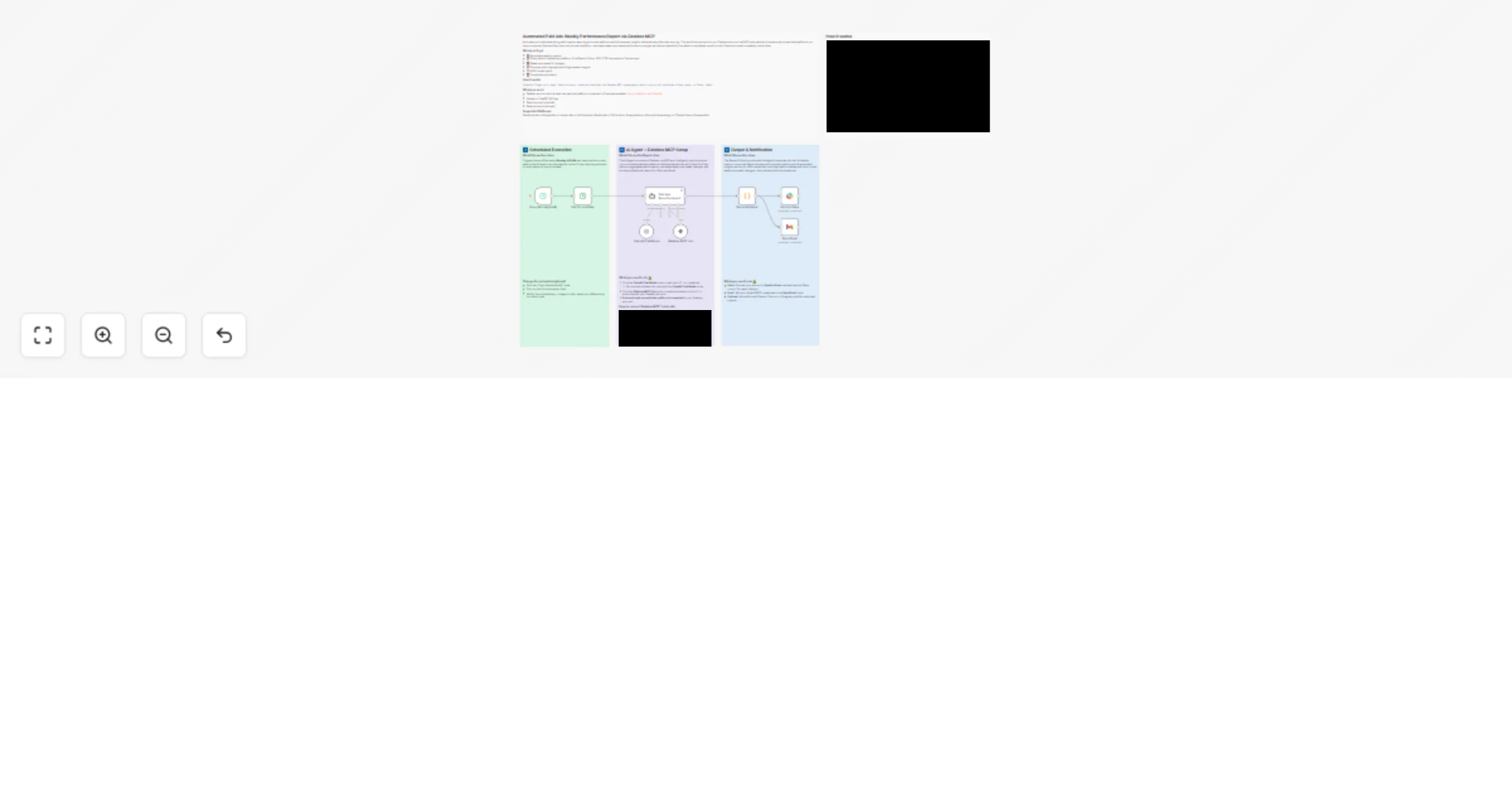
Stop spending hours manually pulling paid ads data. This workflow connects to Databox via MCP, auto-discovers every connected paid platform, fetches 6 key metrics, and delivers a consolidated weekly report to Slack and email - every Monday at 9 AM, completely hands-free.

Who's it for

  • Performance marketers managing campaigns across multiple platforms
  • Marketing managers who need a weekly cross-platform overview
  • Agencies automating paid ads reporting for clients

How it works

  1. Schedule Trigger fires every Monday at 9 AM
  2. AI Agent connects to Databox via MCP and discovers all connected paid platforms (Google Ads, Facebook Ads, LinkedIn Ads, TikTok Ads, and 6 more)
  3. Fetches Spend, Clicks, CPC, CTR, Impressions, and Conversions for this week and last week
  4. Calculates week-over-week changes and formats two outputs - a Slack summary and a color-coded HTML email
  5. Delivers both simultaneously

Requirements

  • Databox account with at least one paid ads platform connected (free plan works)
  • OpenAI API key (or Anthropic)
  • Slack account
  • Gmail account

How to set up

  1. Click Databox MCP Tool - set Authentication to OAuth2 and authorize
  2. Add your OpenAI API key to the Chat Model node
  3. Connect Slack and update the channel ID in the Send to Slack node
  4. Connect Gmail and set the recipient address in the Send Email node
  5. Activate - your first report arrives next Monday

1.2 Logical Blocks

This catalog entry is organized from the workflow JSON. The node-level section below shows the executable blocks available for review before importing the template.

2. Block-by-Block Analysis

Block 1 - Sticky Note

Type / Role
n8n-nodes-base.stickyNote - stickyNote
Config choices
Version 1

Block 2 - Sticky Note 1

Type / Role
n8n-nodes-base.stickyNote - stickyNote
Config choices
Version 1

Block 3 - Sticky Note 2

Type / Role
n8n-nodes-base.stickyNote - stickyNote
Config choices
Version 1

Block 4 - Sticky Note 3

Type / Role
n8n-nodes-base.stickyNote - stickyNote
Config choices
Version 1

Block 5 - Every Monday 9 AM

Type / Role
n8n-nodes-base.scheduleTrigger - scheduleTrigger
Config choices
Version 1.2

Block 6 - Get Current Date

Type / Role
n8n-nodes-base.dateTime - dateTime
Config choices
Version 2

Block 7 - Databox MCP Tool

Type / Role
@n8n/n8n-nodes-langchain.mcpClientTool - mcpClientTool
Config choices
Version 1.2

Block 8 - Paid Ads Reporting Agent

Type / Role
@n8n/n8n-nodes-langchain.agent - agent
Config choices
Version 3

Block 9 - Parse AI Output

Type / Role
n8n-nodes-base.code - code
Config choices
Version 2

Block 10 - Send to Slack

Type / Role
n8n-nodes-base.slack - slack
Config choices
Version 2.2

Block 11 - Send Email

Type / Role
n8n-nodes-base.gmail - gmail
Config choices
Version 2.2

Block 12 - OpenAI Chat Model

Type / Role
@n8n/n8n-nodes-langchain.lmChatOpenAi - lmChatOpenAi
Config choices
Version 1.3

Block 13 - Sticky Note 4

Type / Role
n8n-nodes-base.stickyNote - stickyNote
Config choices
Version 1

3. Summary Table

Workflow Send weekly Databox paid ads performance reports to Slack and email
Complexity intermediate
Nodes 13
Categories Market Research, AI RAG
Author Databox
Published 25 Mar 2026

4. Reproducing the Workflow from Scratch

  1. 1. Download the workflow JSON

    Use the JSON export at /data/workflows/14321/14321.json as the source template for this automation.

  2. 2. Import the template into n8n

    Open n8n, import the downloaded JSON, and review each node before activating the workflow.

  3. 3. Configure credentials and variables

    Replace placeholder credentials, API keys, webhook URLs, account IDs, and environment-specific values with your own settings.

  4. 4. Test with sample data

    Run the workflow manually or in a staging workspace, inspect node output, and confirm downstream systems receive the expected data.

  5. 5. Activate and monitor

    Enable the workflow only after testing, then monitor executions, errors, and rate limits during the first production runs.

5. General Notes & Resources

Review imported nodes carefully before activation. This catalog entry is intended to help you inspect the workflow structure, understand required services, and find related templates faster.

Node names, credentials, schedules, webhook paths, and external service limits may need adjustment for your workspace.

Frequently asked questions

What does Send weekly Databox paid ads performance reports to Slack and email do?

Stop spending hours manually pulling paid ads data. This workflow connects to Databox via MCP, auto discovers every connected paid platform, fetches 6 key metrics, and delivers a consolidated weekl...

What do I need before importing this workflow?

Review the workflow JSON, configure any required credentials in n8n, and test the automation in a safe workspace before using it in production.

Can I customize this workflow?

Yes. Use the block-by-block analysis and the downloadable JSON to inspect each node, then adjust credentials, prompts, schedules, filters, or destinations for your Market Research, AI RAG use case.