Block 1 - Sticky Note - Overview1
- Type / Role
- n8n-nodes-base.stickyNote - stickyNote
- Config choices
- Version 1


 Early Deal
Verified Building Visitor Entry Pass & Security Notification System Description Automate building visitor management with secure verification, digital entry passes, and real time security notificat...
n8n-nodes-base.stickynote, n8n-nodes-base.function, n8n-nodes-verifiemail.verifiemail, n8n-nodes-base.webhook, n8n-nodes-base.if, n8n-nodes-base.httprequest, n8n-nodes-base.set, n8n-nodes-htmlcsstopdf.htmlcsstopdf
This workflow is cataloged by N8N Workflows and links back to its original n8n.io source page by Jitesh Dugar.
Original n8n.io sourceAutomate building visitor management with secure verification, digital entry passes, and real-time security notifications.
This workflow replaces manual visitor logs, email back-and-forth, and paper badges with a fully automated, QR-based visitor entry system. From registration to verification, pass generation, and security alerts — everything runs seamlessly with minimal human intervention.
Ideal for corporate offices, co-working spaces, secure facilities, and events that require controlled access and audit-ready visitor records.
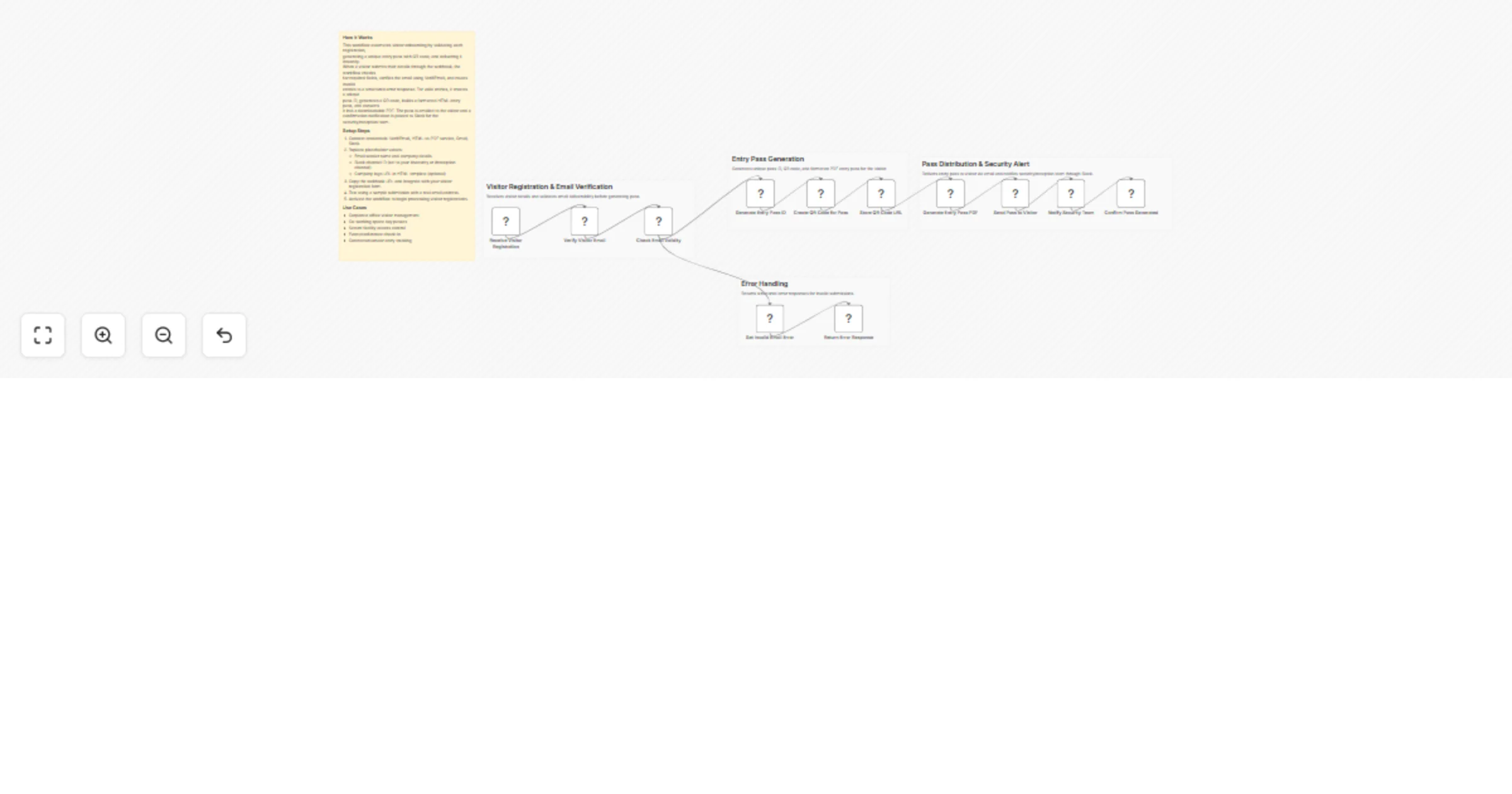
Transforms visitor registration into a secure, professional access flow:
📝 Visitor Registration Intake – Receives visitor details (name, email, host, visit date, location, purpose) via webhook.
📧 Email Verification – Validates visitor email deliverability to prevent fake or disposable entries.
🆔 Unique Entry Pass Generation – Creates a secure visitor pass ID with timestamp tracking.
🔳 QR Code Creation – Generates a scannable QR code tied to the visitor’s entry pass.
📄 Professional Entry Pass PDF – Builds a branded, printable digital entry pass with visitor details and QR code.
📧 Visitor Notification – Emails the verified entry pass directly to the visitor.
🔔 Security Team Alert – Sends a detailed Slack notification to reception/security with visit details and QR preview.
⚠️ Error Handling – Returns clean error responses for invalid or unverified entries.
🔐 Secure Visitor Verification – Email validation before pass creation 🔳 QR-Based Entry Passes – Fast scan-and-verify at reception 📄 Professional PDF Badges – Mobile-friendly and print-ready 🔔 Real-Time Security Alerts – Instant Slack notifications ⚙️ End-to-End Automation – No manual follow-ups required 📊 Audit-Friendly Records – Clear visitor tracking with timestamps
🏢 Corporate Offices & IT Parks 🏬 Co-Working Spaces 🏭 Secure Facilities & Campuses 🎤 Events, Conferences & Meetups 🧾 Reception & Security Teams
📧 VerifiEmail – Visitor email validation 📄 HTML to PDF – Entry pass generation 📧 Gmail – Sending visitor passes 💬 Slack – Security/reception notifications
☁️ Google Drive – Store visitor passes 📊 Sheets / Database – Visitor logging & analytics 📍 QR Scan Validation – Check-in confirmation workflow 🌍 Multi-Location Support – Dynamic building routing 🪪 Photo Uploads – Add visitor photo to pass
1️⃣ Import the workflow into your n8n workspace 2️⃣ Connect VerifiEmail, Gmail, HTML-to-PDF, and Slack credentials 3️⃣ Update email templates, branding, and Slack channel 4️⃣ Copy the webhook URL and connect it to your visitor form 5️⃣ Test with a real email address 6️⃣ Activate the workflow
⚡ Faster visitor onboarding 🔐 Improved building security 📉 Reduced manual reception workload 📄 Professional, digital-first visitor passes 🔔 Better coordination between hosts and security
📝 Visitor Registration ↓ 📧 Email Verification ↓ 🆔 Pass ID Generation ↓ 🔳 QR Code Creation ↓ 📄 Entry Pass PDF ↓ 📧 Visitor Email ↓ 🔔 Security Notification
This catalog entry is organized from the workflow JSON. The node-level section below shows the executable blocks available for review before importing the template.
| Workflow | Send verified building visitor entry passes with Gmail, Slack and VerifiEmail |
|---|---|
| Complexity | advanced |
| Nodes | 17 |
| Categories | Ticket Management |
| Author | Jitesh Dugar |
| Published | 03 Nov 2025 |
Use the JSON export at /data/workflows/10464/10464.json as the source template for this automation.
Open n8n, import the downloaded JSON, and review each node before activating the workflow.
Replace placeholder credentials, API keys, webhook URLs, account IDs, and environment-specific values with your own settings.
Run the workflow manually or in a staging workspace, inspect node output, and confirm downstream systems receive the expected data.
Enable the workflow only after testing, then monitor executions, errors, and rate limits during the first production runs.
Review imported nodes carefully before activation. This catalog entry is intended to help you inspect the workflow structure, understand required services, and find related templates faster.
Node names, credentials, schedules, webhook paths, and external service limits may need adjustment for your workspace.
Verified Building Visitor Entry Pass & Security Notification System Description Automate building visitor management with secure verification, digital entry passes, and real time security notificat...
Review the workflow JSON, configure any required credentials in n8n, and test the automation in a safe workspace before using it in production.
Yes. Use the block-by-block analysis and the downloadable JSON to inspect each node, then adjust credentials, prompts, schedules, filters, or destinations for your Ticket Management use case.