Send personalized LinkedIn auto-reply DMs with smart resource matching

Workflow preview

Workflow preview
100%
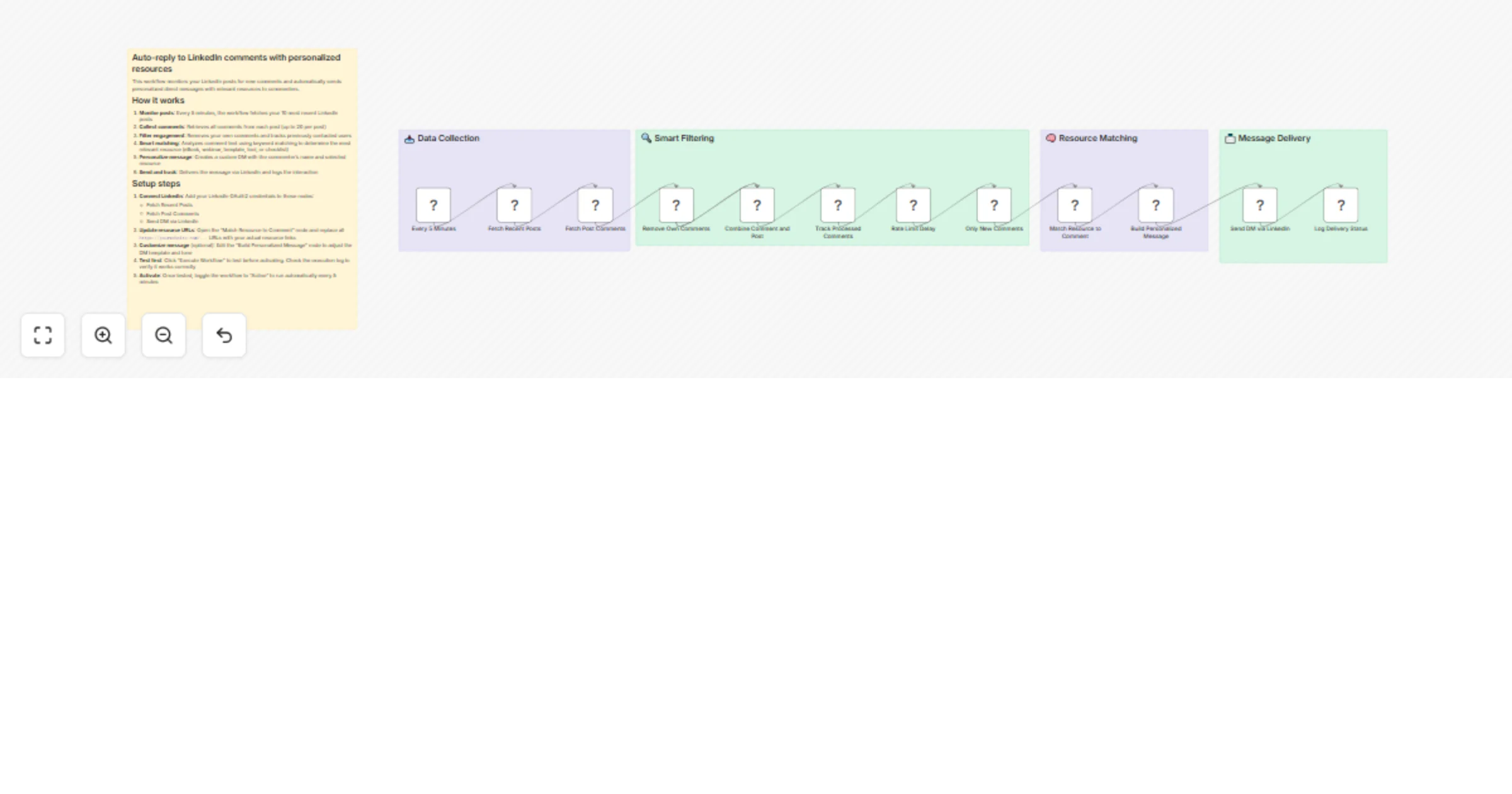
Send personalized LinkedIn auto-reply DMs with smart resource matching preview
Open on n8n.io

1. Workflow Overview

This automated n8n workflow enables intelligent auto replies to LinkedIn comments by sending personalized direct messages (DMs) with relevant resources. When users comment on your posts, the workfl...

Best for

  • Social Media automation workflows
  • AI Summarization automation workflows
  • advanced n8n builders looking for reusable templates

Tools used

n8n-nodes-base.scheduletrigger, n8n-nodes-base.linkedin, n8n-nodes-base.filter, n8n-nodes-base.merge, n8n-nodes-base.code, n8n-nodes-base.wait, n8n-nodes-base.stickynote

Source and attribution

This workflow is cataloged by N8N Workflows and links back to its original n8n.io source page by Oneclick AI Squad.

Original n8n.io source

1.1 Workflow description

Title
Send personalized LinkedIn auto-reply DMs with smart resource matching
Workflow name
Send personalized LinkedIn auto-reply DMs with smart resource matching

This automated n8n workflow enables intelligent auto-replies to LinkedIn comments by sending personalized direct messages (DMs) with relevant resources. When users comment on your posts, the workflow monitors engagement, filters valid interactions, analyzes comment content using keyword matching, and delivers tailored responses via LinkedIn messaging. It ensures duplicate prevention, tracks all message deliveries, and maintains logs for monitoring and compliance.

Fundamental Aspects

  1. Monitor posts: Every 5 minutes, the workflow fetches your 10 most recent LinkedIn posts
  2. Collect comments: Retrieves all comments from each post (up to 20 per post)
  3. Filter engagement: Removes your own comments and tracks previously contacted users
  4. Smart matching: Analyzes comment text using keyword matching to determine the most relevant resource (eBook, webinar, template, tool, or checklist)
  5. Personalize message: Creates a custom DM with the commenter's name and selected resource
  6. Send and track: Delivers the message via LinkedIn and logs the interaction

Setup steps

  1. Connect LinkedIn: Add your LinkedIn OAuth2 credentials to these nodes:
  • Fetch Recent Posts
  • Fetch Post Comments
  • Send DM via LinkedIn
  1. Update resource URLs: Open the "Match Resource to Comment" node and replace all https://yourwebsite.com/... URLs with your actual resource links

  2. Customize message (optional): Edit the "Build Personalized Message" node to adjust the DM template and tone

  3. Test first: Click "Execute Workflow" to test before activating. Check the execution log to verify it works correctly

  4. Activate: Once tested, toggle the workflow to "Active" to run automatically every 5 minutes

Technical Dependencies

  • LinkedIn API: For fetching recent posts, retrieving comments, and sending direct messages through OAuth2 authentication.
  • n8n Platform: For workflow orchestration, scheduled execution, conditional logic, data merging, and static data persistence.
  • JavaScript Runtime: For custom code execution in analysis, message generation, deduplication logic, and success logging nodes.
  • Workflow Static Data: For persistent storage of processed comment tracking across workflow executions without external databases.

Customization Possibilities

  • Adjust Monitoring Frequency: Change the Schedule Trigger interval from 5 minutes to hourly, daily, or based on your posting frequency to optimize resource usage.
  • Expand Resource Categories: Add new resource types like case studies, white papers, free trials, or consultation bookings with corresponding keywords and URLs.
  • Enhance Keyword Matching: Implement weighted scoring, multi-word phrase matching, or semantic similarity analysis for more accurate resource selection.
  • Add Sentiment Analysis: Filter comments by sentiment to prioritize enthusiastic or question-asking commenters for resource delivery.
  • Multi-Language Support: Detect comment language and send localized resources and message templates for global audiences.
  • A/B Test Messages: Create multiple message variations and randomly assign them to track which messaging performs best.
  • Integration with CRM: Add nodes to log commenter information in your CRM (HubSpot, Salesforce) for lead tracking and follow-up.
  • Advanced Analytics: Connect to Google Sheets or databases to track delivery rates, response times, and resource click-through rates over time.
  • Rate Limit Protection: Add conditional logic to pause workflow if daily message limits are reached to prevent LinkedIn restrictions.
  • Post-Specific Resources: Map different resources to specific posts based on post topic or hashtags for more contextual recommendations.

Explore More LinkedIn & Social Automation: Contact us to design AI-powered lead nurturing, content engagement, and multi-platform reply workflows tailored to your growth strategy.

1.2 Logical Blocks

This catalog entry is organized from the workflow JSON. The node-level section below shows the executable blocks available for review before importing the template.

2. Block-by-Block Analysis

Block 1 - Every 5 Minutes

Type / Role
n8n-nodes-base.scheduleTrigger - scheduleTrigger
Config choices
Version 1.2

Block 2 - Fetch Recent Posts

Type / Role
n8n-nodes-base.linkedIn - linkedIn
Config choices
Version 1

Block 3 - Fetch Post Comments

Type / Role
n8n-nodes-base.linkedIn - linkedIn
Config choices
Version 1

Block 4 - Remove Own Comments

Type / Role
n8n-nodes-base.filter - filter
Config choices
Version 2

Block 5 - Combine Comment and Post

Type / Role
n8n-nodes-base.merge - merge
Config choices
Version 3

Block 6 - Track Processed Comments

Type / Role
n8n-nodes-base.code - code
Config choices
Version 2

Block 7 - Rate Limit Delay

Type / Role
n8n-nodes-base.wait - wait
Config choices
Version 1.1

Block 8 - Only New Comments

Type / Role
n8n-nodes-base.filter - filter
Config choices
Version 2

Block 9 - Match Resource to Comment

Type / Role
n8n-nodes-base.code - code
Config choices
Version 2

Block 10 - Build Personalized Message

Type / Role
n8n-nodes-base.code - code
Config choices
Version 2

Block 11 - Send DM via LinkedIn

Type / Role
n8n-nodes-base.linkedIn - linkedIn
Config choices
Version 1

Block 12 - Log Delivery Status

Type / Role
n8n-nodes-base.code - code
Config choices
Version 2

Block 13 - Sticky Note

Type / Role
n8n-nodes-base.stickyNote - stickyNote
Config choices
Version 1

Block 14 - Sticky Note4

Type / Role
n8n-nodes-base.stickyNote - stickyNote
Config choices
Version 1

Block 15 - Sticky Note5

Type / Role
n8n-nodes-base.stickyNote - stickyNote
Config choices
Version 1

Block 16 - Sticky Note6

Type / Role
n8n-nodes-base.stickyNote - stickyNote
Config choices
Version 1

Block 17 - Sticky Note7

Type / Role
n8n-nodes-base.stickyNote - stickyNote
Config choices
Version 1

3. Summary Table

Workflow Send personalized LinkedIn auto-reply DMs with smart resource matching
Complexity advanced
Nodes 17
Categories Social Media, AI Summarization
Author Oneclick AI Squad
Published 21 Nov 2025

4. Reproducing the Workflow from Scratch

  1. 1. Download the workflow JSON

    Use the JSON export at /data/workflows/11110/11110.json as the source template for this automation.

  2. 2. Import the template into n8n

    Open n8n, import the downloaded JSON, and review each node before activating the workflow.

  3. 3. Configure credentials and variables

    Replace placeholder credentials, API keys, webhook URLs, account IDs, and environment-specific values with your own settings.

  4. 4. Test with sample data

    Run the workflow manually or in a staging workspace, inspect node output, and confirm downstream systems receive the expected data.

  5. 5. Activate and monitor

    Enable the workflow only after testing, then monitor executions, errors, and rate limits during the first production runs.

5. General Notes & Resources

Review imported nodes carefully before activation. This catalog entry is intended to help you inspect the workflow structure, understand required services, and find related templates faster.

Node names, credentials, schedules, webhook paths, and external service limits may need adjustment for your workspace.

Frequently asked questions

What does Send personalized LinkedIn auto-reply DMs with smart resource matching do?

This automated n8n workflow enables intelligent auto replies to LinkedIn comments by sending personalized direct messages (DMs) with relevant resources. When users comment on your posts, the workfl...

What do I need before importing this workflow?

Review the workflow JSON, configure any required credentials in n8n, and test the automation in a safe workspace before using it in production.

Can I customize this workflow?

Yes. Use the block-by-block analysis and the downloadable JSON to inspect each node, then adjust credentials, prompts, schedules, filters, or destinations for your Social Media, AI Summarization use case.