Block 1 - Encode API Key
- Type / Role
- n8n-nodes-base.code - code
- Config choices
- Version 2


 Early Deal
Overdue Invoice Payment Reminder Workflow Documentation What Is This? This workflow is an automated invoice payment tracking and reminder system for the Polish accounting service iFirma.pl. It moni...
n8n-nodes-base.code, n8n-nodes-base.set, n8n-nodes-base.httprequest, n8n-nodes-base.filter, n8n-nodes-base.stopanderror, n8n-nodes-base.if, n8n-nodes-base.removeduplicates, n8n-nodes-base.splitout
This workflow is cataloged by N8N Workflows and links back to its original n8n.io source page by Łukasz.
Original n8n.io sourceThis workflow is an automated invoice payment tracking and reminder system for the Polish accounting service iFirma.pl. It monitors unpaid and overdue invoices, then automatically sends escalating reminders to contractors based on configurable time thresholds. The system handles three escalation levels: payment reminders before/at due date, pre-trial summons, and formal legal action notices.
Designed for Polish businesses, accounting departments, and financial controllers using iFirma.pl for invoice management. This workflow is essential for companies struggling with late payments and cash flow management, particularly those needing to enforce payment terms professionally and systematically.
B2B service providers, consultancies, software development agencies, and any business issuing invoices to other companies will benefit from automated payment enforcement. The workflow eliminates manual tracking of payment deadlines and ensures consistent, professional follow-up with delinquent clients.
Whether managing a handful of high-value invoices or processing hundreds of transactions monthly, this automation delivers timely notifications without manual calendar monitoring or spreadsheet management.
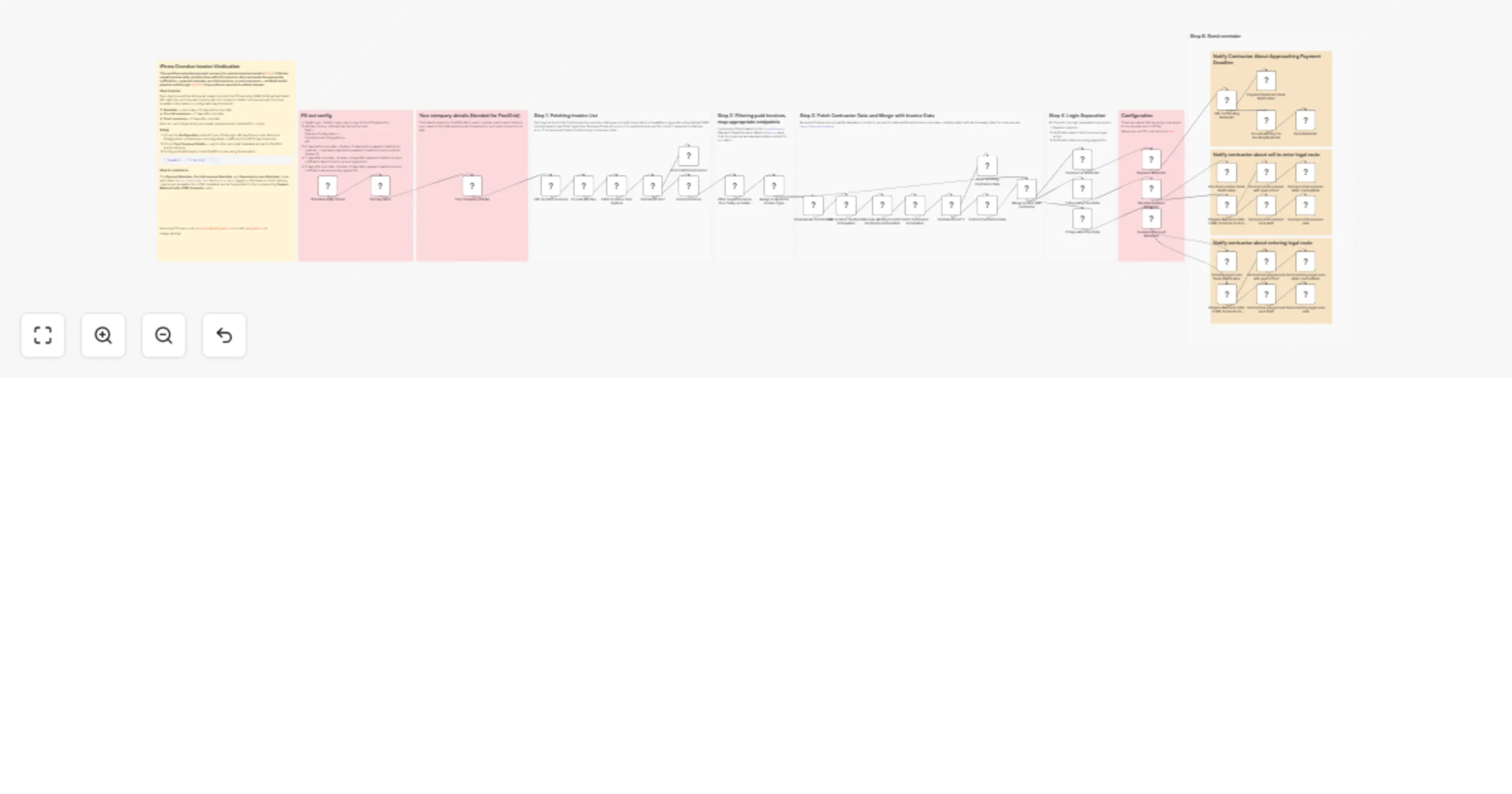
This end-to-end invoice monitoring automation consists of four main stages:
1. Configuration & Authentication Sets up user credentials (email/login, API key), defines escalation timeframes (X days before due date, Y days after, Z days after), and prepares company details for legal correspondence. The workflow then constructs a cryptographic authentication signature using HMAC-SHA1 algorithm, which iFirma requires for API access.
2. Invoice Retrieval & Filtering Connects to iFirma API to fetch all unpaid, partially paid, and overdue invoices, then filters them based on payment deadline dates. Only invoices that are either overdue or approaching their due date (within X days) proceed to the next stage.
3. Contractor Data Enrichment For each qualifying invoice, the workflow fetches complete contractor information from iFirma (since invoice records contain only partial contractor data). This includes email addresses, company names, and addresses needed for sending reminders. The workflow deduplicates contractors to avoid redundant API calls.
4. Escalation Logic & Notification Dispatch Invoices are categorized into three groups based on how overdue they are:
Each action triggers a Slack notification to keep your team informed.
Prerequisites:
Required Configuration:
In the "Configuration" node, set the following parameters:
Your Company Details Configuration:
In the "Your Company Details" node, provide:
This information is used for professional letterheads in legal correspondence and PostGrid physical mail delivery.
Credentials Setup:
Scheduling: The workflow runs automatically every 24 hours via the Schedule Trigger node. For testing, execute manually using the "Execute workflow" button.
Custom Authentication Implementation: iFirma.pl requires HMAC-SHA1 authentication, which N8N doesn't provide natively. The workflow includes a complete JavaScript implementation of the SHA-1 cryptographic hash function and HMAC (Hash-based Message Authentication Code) algorithm. This ensures secure API access without external dependencies.
Endpoint Mapping Intelligence: The workflow automatically maps invoice types (Rodzaj) to the correct iFirma API endpoints. Different invoice types (domestic, foreign, construction, advance payments, etc.) require different API paths for sending reminders.
Professional HTML Templates: Pre-trial summons and legal action notices use professionally formatted HTML templates with proper legal language, payment details, deadlines, and consequences clearly outlined. These templates maintain consistent branding and meet legal communication standards.
Multi-Channel Notification: Reminders can be sent via multiple channels simultaneously: iFirma's e-invoice system, email, physical mail (PostGrid), and internal Slack notifications for team awareness.
The "Encode API Key" nodes implement a critical security function that N8N cannot perform natively. Here's what happens and why:
What the iFirma API Requires:
iFirma.pl uses HMAC-SHA1 for request authentication. Each API request must include an Authentication header formatted as:
IAPIS user={userLogin}, hmac-sha1={hash}
The hash is calculated from: URL + userLogin + keyName + requestBody
Why Custom Implementation is Needed:
N8N's crypto functions don't include SHA-1 (it's considered outdated for modern security, though still required by some legacy APIs). Therefore, the workflow implements the entire SHA-1 and HMAC algorithms in pure JavaScript.
How the Algorithm Works:
Why Each Step Matters:
Visit my profile for other free business automations. And if you're looking for dedicated software development or custom n8n workflow solutions, don't hesitate to reach out at [email protected] or on sailingbyte.com!
This catalog entry is organized from the workflow JSON. The node-level section below shows the executable blocks available for review before importing the template.
Showing the first 24 of 53 workflow blocks. Download the JSON for the full node graph.
| Workflow | Send overdue invoice payment reminders with iFirma, Gmail, PostGrid and Slack |
|---|---|
| Complexity | advanced |
| Nodes | 53 |
| Categories | Invoice Processing |
| Author | Łukasz |
| Published | 25 Mar 2026 |
Use the JSON export at /data/workflows/14310/14310.json as the source template for this automation.
Open n8n, import the downloaded JSON, and review each node before activating the workflow.
Replace placeholder credentials, API keys, webhook URLs, account IDs, and environment-specific values with your own settings.
Run the workflow manually or in a staging workspace, inspect node output, and confirm downstream systems receive the expected data.
Enable the workflow only after testing, then monitor executions, errors, and rate limits during the first production runs.
Review imported nodes carefully before activation. This catalog entry is intended to help you inspect the workflow structure, understand required services, and find related templates faster.
Node names, credentials, schedules, webhook paths, and external service limits may need adjustment for your workspace.
Overdue Invoice Payment Reminder Workflow Documentation What Is This? This workflow is an automated invoice payment tracking and reminder system for the Polish accounting service iFirma.pl. It moni...
Review the workflow JSON, configure any required credentials in n8n, and test the automation in a safe workspace before using it in production.
Yes. Use the block-by-block analysis and the downloadable JSON to inspect each node, then adjust credentials, prompts, schedules, filters, or destinations for your Invoice Processing use case.