Block 1 - Error Trigger
- Type / Role
- n8n-nodes-base.errorTrigger - errorTrigger
- Config choices
- Version 1


 Early Deal
This workflow is provided as-is. Please review and test before using in production.
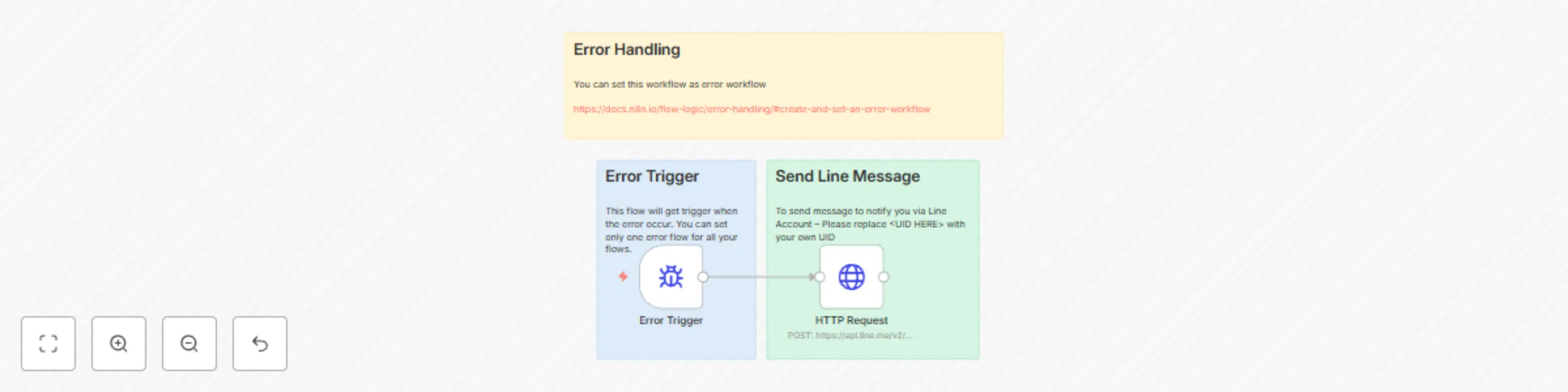
This workflow template, "n8n Error Report to LINE," is designed to streamline error handling by sending real time notifications to your LINE account whenever an error occurs in any of your n8n work...
n8n-nodes-base.errortrigger, n8n-nodes-base.httprequest, n8n-nodes-base.stickynote
This workflow is cataloged by N8N Workflows and links back to its original n8n.io source page by [email protected].
Original n8n.io sourceThis workflow template, "n8n Error Report to LINE," is designed to streamline error handling by sending real-time notifications to your LINE account whenever an error occurs in any of your n8n workflows. By integrating with the LINE Messaging API , this template ensures you stay informed about workflow failures, allowing you to take immediate action and minimize downtime.
Whether you're a developer managing multiple workflows or a business owner relying on automation, this template provides a simple yet powerful way to monitor and resolve errors efficiently.
Developers: Who manage complex n8n workflows and need real-time error notifications. DevOps Teams: Looking to enhance monitoring and incident response for automated systems. Business Owners: Who rely on n8n workflows for critical operations and want to ensure reliability. Automation Enthusiasts: Seeking tools to simplify error tracking and improve workflow performance.
When automating processes with n8n, errors can occur due to various reasons such as misconfigurations, API changes, or unexpected inputs. Without proper error handling, these issues may go unnoticed, leading to delays or disruptions. This workflow solves that problem by:
You can also customize the notification message to include additional information or format it to suit your preferences.
Pre-Requisites
Step-by-Step Setup
This catalog entry is organized from the workflow JSON. The node-level section below shows the executable blocks available for review before importing the template.
| Workflow | Send n8n error reports to LINE |
|---|---|
| Complexity | intermediate |
| Nodes | 5 |
| Categories | DevOps |
| Author | [email protected] |
| Published | 12 Mar 2025 |
Use the JSON export at /data/workflows/3141/3141.json as the source template for this automation.
Open n8n, import the downloaded JSON, and review each node before activating the workflow.
Replace placeholder credentials, API keys, webhook URLs, account IDs, and environment-specific values with your own settings.
Run the workflow manually or in a staging workspace, inspect node output, and confirm downstream systems receive the expected data.
Enable the workflow only after testing, then monitor executions, errors, and rate limits during the first production runs.
Review imported nodes carefully before activation. This catalog entry is intended to help you inspect the workflow structure, understand required services, and find related templates faster.
Node names, credentials, schedules, webhook paths, and external service limits may need adjustment for your workspace.
This workflow template, "n8n Error Report to LINE," is designed to streamline error handling by sending real time notifications to your LINE account whenever an error occurs in any of your n8n work...
Review the workflow JSON, configure any required credentials in n8n, and test the automation in a safe workspace before using it in production.
Yes. Use the block-by-block analysis and the downloadable JSON to inspect each node, then adjust credentials, prompts, schedules, filters, or destinations for your DevOps use case.