Block 1 - Sticky Note
- Type / Role
- n8n-nodes-base.stickyNote - stickyNote
- Config choices
- Version 1


 Early Deal
Stay ahead of the curve with this smart Hacker News monitor. Unlike simple RSS feeds, this workflow uses a custom "Gravity Score" algorithm to identify rising trends and filter out noise, pushing a...
n8n-nodes-base.stickynote, n8n-nodes-base.filter, n8n-nodes-base.scheduletrigger, n8n-nodes-base.telegram, @n8n/n8n-nodes-langchain.lmchatopenrouter, n8n-nodes-base.code, @n8n/n8n-nodes-langchain.agent, n8n-nodes-base.httprequest
This workflow is cataloged by N8N Workflows and links back to its original n8n.io source page by CryoZeroLabs.
Original n8n.io sourceStay ahead of the curve with this smart Hacker News monitor. Unlike simple RSS feeds, this workflow uses a custom "Gravity Score" algorithm to identify rising trends and filter out noise, pushing a clean, summarized digest to your Telegram.
🧠 Smart Algorithms:
Gravity Score: Calculates popularity based on points, comments, and time (velocity), ensuring you see trending stories, not just old ones.
Noise Filtering: Automatically discards "infancy" posts (new posts with zero engagement) to keep your feed high-quality.
🤖 Optional AI Translation: Includes an AI Agent (via OpenRouter/LLM) to translate titles and summaries into your local language (e.g., Chinese, Spanish, French).
> Don't need translation? Simply delete the Translate node and connect the Filter node directly to the Combine message templates node.
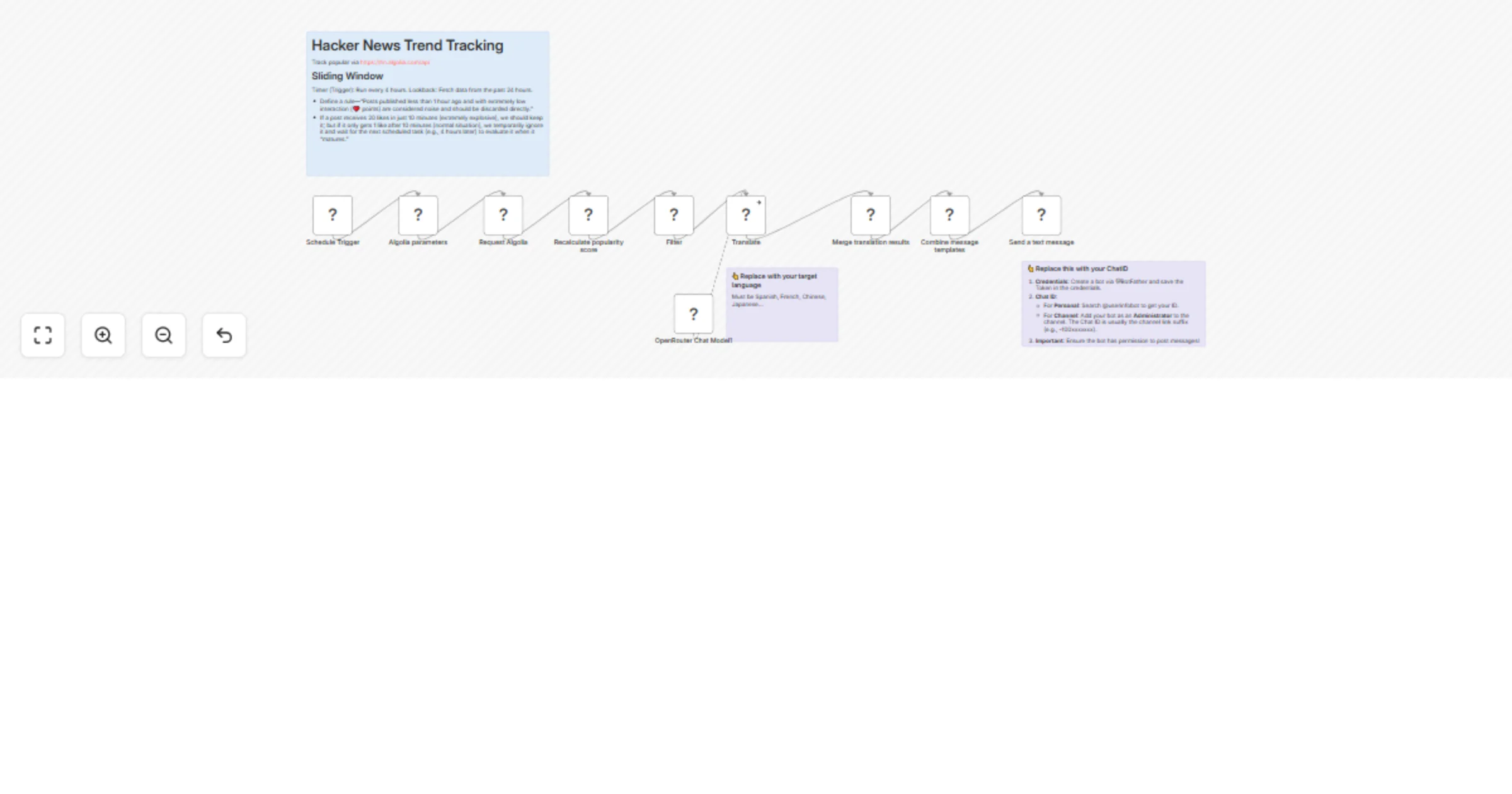
Schedule: Runs every 4 hours (configurable) to fetch data from the past 24 hours via the Algolia API.
Analyze: Calculates the velocity score for each post and filters out low-quality entries.
Translate (Optional): Uses an LLM to translate the content. You can customize the target language in the AI Agent's system prompt.
Format & Send: Combines the data into a structured message and pushes it to your Telegram Chat/Channel.
Create a bot via @BotFather.
Add the Bot Token to the Telegram node credentials.
Get Chat ID.
Configure your LLM credentials (e.g., OpenRouter, OpenAI).
In the "Translate" (AI Agent) node, edit the System Prompt to change the target language (Default is set to translate to Chinese).
🚨 Hacker News 24H Trending Alert
📉 Top stories captured: 5

🔥 Ask HN: How can we solve the loneliness epidemic?
📈 16.39 | 💬 796 | ⭐️ 482
🕒 Posted 12.7 hours ago
> Countless voiceless people sit alone every day...

🔥 Show HN: Gambit, an open-source agent harness
📈 2.20 | 💬 11 | ⭐️ 58
🕒 Posted 5.3 hours ago
> Wanted to show our open source agent harness...
This catalog entry is organized from the workflow JSON. The node-level section below shows the executable blocks available for review before importing the template.
| Workflow | Send 24-hour Hacker News trends to Telegram with OpenRouter AI translation |
|---|---|
| Complexity | intermediate |
| Nodes | 13 |
| Categories | Market Research, AI Summarization |
| Author | CryoZeroLabs |
| Published | 16 Jan 2026 |
Use the JSON export at /data/workflows/12748/12748.json as the source template for this automation.
Open n8n, import the downloaded JSON, and review each node before activating the workflow.
Replace placeholder credentials, API keys, webhook URLs, account IDs, and environment-specific values with your own settings.
Run the workflow manually or in a staging workspace, inspect node output, and confirm downstream systems receive the expected data.
Enable the workflow only after testing, then monitor executions, errors, and rate limits during the first production runs.
Review imported nodes carefully before activation. This catalog entry is intended to help you inspect the workflow structure, understand required services, and find related templates faster.
Node names, credentials, schedules, webhook paths, and external service limits may need adjustment for your workspace.
Stay ahead of the curve with this smart Hacker News monitor. Unlike simple RSS feeds, this workflow uses a custom "Gravity Score" algorithm to identify rising trends and filter out noise, pushing a...
Review the workflow JSON, configure any required credentials in n8n, and test the automation in a safe workspace before using it in production.
Yes. Use the block-by-block analysis and the downloadable JSON to inspect each node, then adjust credentials, prompts, schedules, filters, or destinations for your Market Research, AI Summarization use case.