Block 1 - Normalize Customer Purchase Data
- Type / Role
- n8n-nodes-base.set - set
- Config choices
- Version 3


 Early Deal
(Retail Automation) Auto Segment Customers by Purchase Behavior This workflow automatically segments customers based on their purchase behavior whenever a new order or customer update event is rece...
n8n-nodes-base.set, n8n-nodes-base.httprequest, n8n-nodes-base.googlesheets, n8n-nodes-base.if, n8n-nodes-base.switch, n8n-nodes-base.stickynote, n8n-nodes-base.webhook
This workflow is cataloged by N8N Workflows and links back to its original n8n.io source page by WeblineIndia.
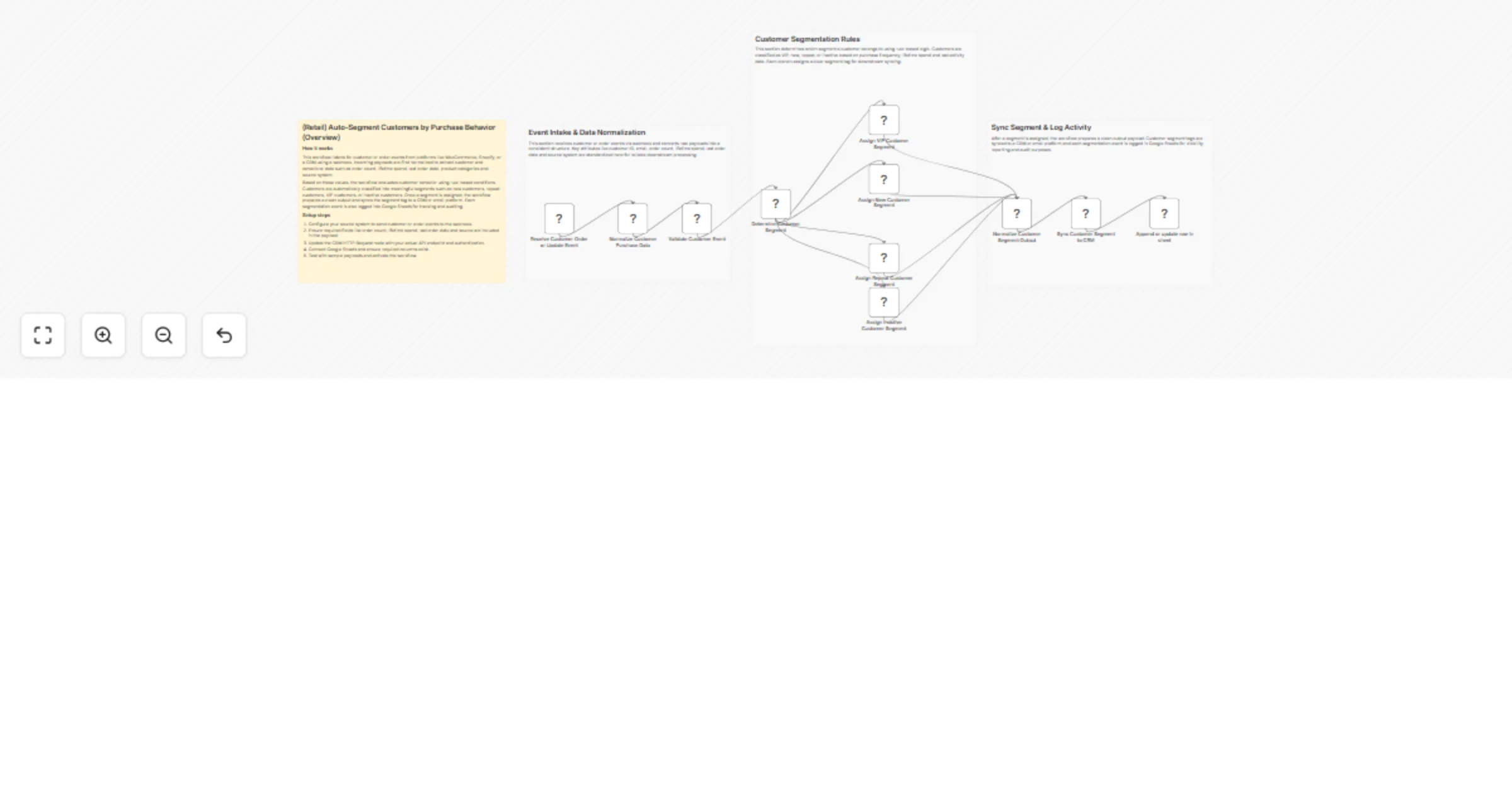
Original n8n.io sourceThis workflow automatically segments customers based on their purchase behavior whenever a new order or customer update event is received from platforms like WooCommerce, Shopify, or a CRM. It classifies customers into meaningful segments such as new customers, repeat customers, VIP customers, or inactive customers, syncs these segment tags to a CRM or email platform and logs each segmentation event in Google Sheets for tracking and auditing.
This workflow listens for customer-related events such as order creation or customer updates via a webhook. Incoming payloads are normalized to extract essential customer and behavioral data, including order count, lifetime spend, last order date, product categories and source system.
Using rule-based logic, the workflow evaluates customer behavior and assigns an appropriate segment tag. Customers are classified into segments such as new customers, repeat customers, VIP customers, or inactive customers based on purchase frequency, total spend and recency of activity.
Once a segment is determined, the workflow syncs the assigned segment tag to a CRM or email marketing platform and logs the segmentation event in Google Sheets. This ensures clean customer segmentation, consistent tagging and visibility for reporting and audits.
This workflow is ideal for:
To use this workflow, you need:
This workflow can be extended to:
There can be many more use cases depending on business needs.
| Issue | Possible Cause | Solution |
|---|---|---|
| No segment assigned | Missing customer stats | Verify webhook payload fields |
| Wrong segment applied | Rule thresholds incorrect | Review Switch node conditions |
| CRM not updated | API endpoint or auth issue | Recheck CRM credentials |
| Google Sheet not updating | Sheet permissions missing | Verify Google Sheets access |
| Workflow not executing | Workflow inactive | Activate the workflow |
If you need help setting up, customizing or extending this workflow—or want to build similar customer automation workflows, our n8n workflow development team at WeblineIndia can help design scalable, production-ready n8n automations tailored to your business needs.
This catalog entry is organized from the workflow JSON. The node-level section below shows the executable blocks available for review before importing the template.
| Workflow | Segment retail customers by purchase behavior with CRM and Google Sheets |
|---|---|
| Complexity | advanced |
| Nodes | 15 |
| Categories | CRM, AI Summarization |
| Author | WeblineIndia |
| Published | 21 Jan 2026 |
Use the JSON export at /data/workflows/12870/12870.json as the source template for this automation.
Open n8n, import the downloaded JSON, and review each node before activating the workflow.
Replace placeholder credentials, API keys, webhook URLs, account IDs, and environment-specific values with your own settings.
Run the workflow manually or in a staging workspace, inspect node output, and confirm downstream systems receive the expected data.
Enable the workflow only after testing, then monitor executions, errors, and rate limits during the first production runs.
Review imported nodes carefully before activation. This catalog entry is intended to help you inspect the workflow structure, understand required services, and find related templates faster.
Node names, credentials, schedules, webhook paths, and external service limits may need adjustment for your workspace.
(Retail Automation) Auto Segment Customers by Purchase Behavior This workflow automatically segments customers based on their purchase behavior whenever a new order or customer update event is rece...
Review the workflow JSON, configure any required credentials in n8n, and test the automation in a safe workspace before using it in production.
Yes. Use the block-by-block analysis and the downloadable JSON to inspect each node, then adjust credentials, prompts, schedules, filters, or destinations for your CRM, AI Summarization use case.