Segment players and predict churn with GPT-4o and reward pricing simulations

Workflow preview

Workflow preview
100%
Segment players and predict churn with GPT-4o and reward pricing simulations preview
Open on n8n.io

1. Workflow Overview

How It Works This workflow automates player segmentation and game economy optimisation using a multi agent AI architecture, targeting game designers, product managers, and data teams in mobile, PC,...

Best for

  • Market Research automation workflows
  • AI RAG automation workflows
  • advanced n8n builders looking for reusable templates

Tools used

n8n-nodes-base.webhook, @n8n/n8n-nodes-langchain.agent, @n8n/n8n-nodes-langchain.lmchatopenai, @n8n/n8n-nodes-langchain.outputparserstructured, @n8n/n8n-nodes-langchain.embeddingsopenai, @n8n/n8n-nodes-langchain.vectorstoreinmemory, @n8n/n8n-nodes-langchain.toolcalculator, @n8n/n8n-nodes-langchain.toolcode

Source and attribution

This workflow is cataloged by N8N Workflows and links back to its original n8n.io source page by Cheng Siong Chin.

Original n8n.io source

1.1 Workflow description

Title
Segment players and predict churn with GPT-4o and reward pricing simulations
Workflow name
Segment players and predict churn with GPT-4o and reward pricing simulations

How It Works

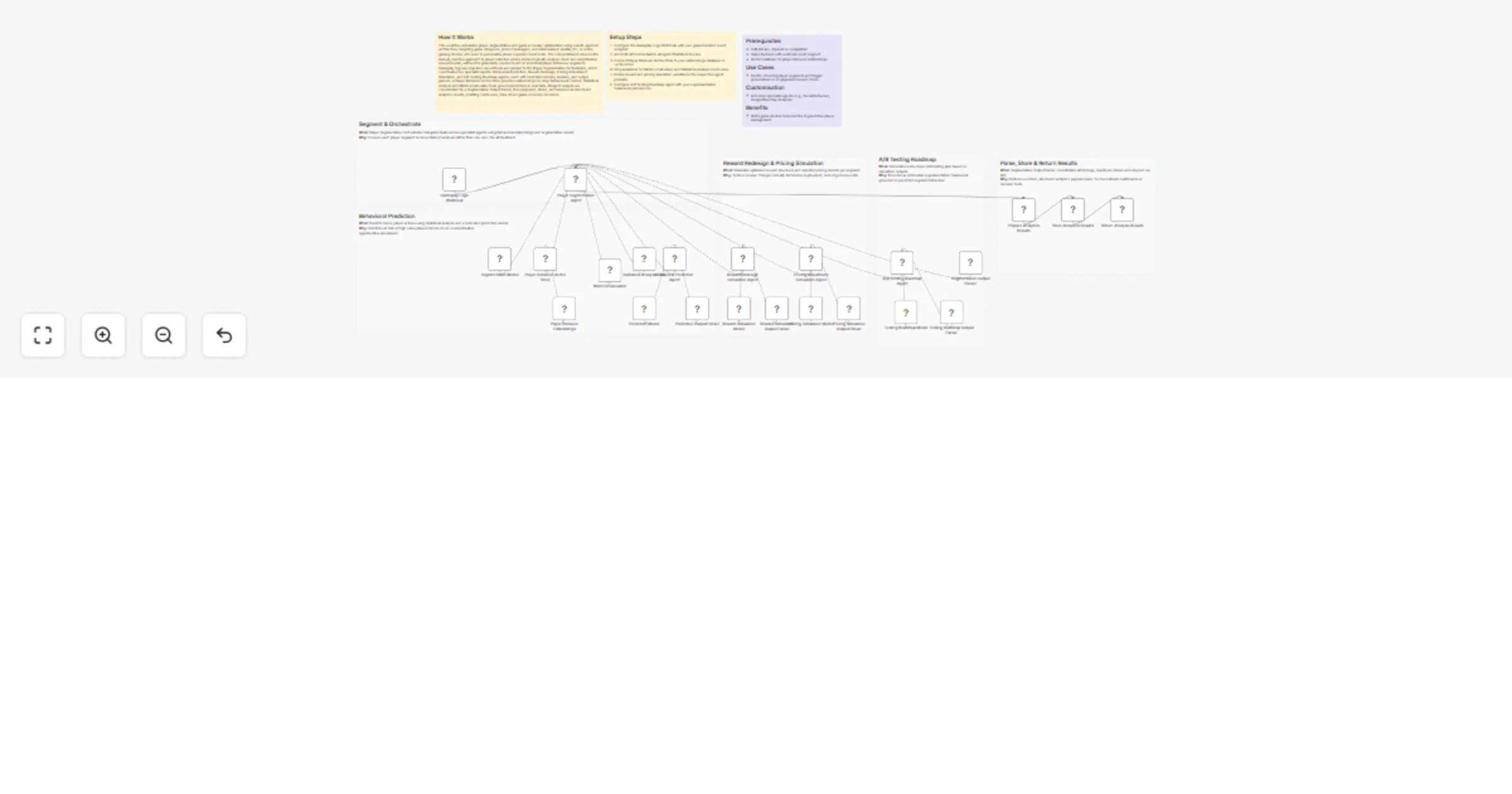
This workflow automates player segmentation and game economy optimisation using a multi-agent AI architecture, targeting game designers, product managers, and data teams in mobile, PC, or online gaming studios who need to personalise player experiences at scale. The core problem it solves is the manual, reactive approach to player retention where studios typically analyse churn and monetisation issues too late, without the granularity needed to act on individual player behaviour segments. Gameplay logs are ingested via webhook and passed to the Player Segmentation Orchestrator, which coordinates five specialist agents: Behavioral Prediction, Reward Redesign, Pricing Adjustment Simulation, and A/B Testing Roadmap agents, each with dedicated models, memory, and output parsers. A Player Behavior Vector Store provides embeddings for deep behavioural context. Statistical Analysis and Metrics Calculator tools ground predictions in real data. All agent outputs are consolidated by a Segmentation Output Parser, then prepared, stored, and returned as structured analytics results, enabling continuous, data-driven game economy decisions.

Setup Steps

  1. Configure the Gameplay Logs Webhook with your game backend event endpoint.
  2. Add LLM API credentials to all agent Chat Model nodes.
  3. Connect Player Behavior Vector Store to your embeddings database or vector index.
  4. Set parameters for Metrics Calculator and Statistical Analysis Tool nodes.
  5. Define reward and pricing simulation variables in the respective agent prompts.
  6. Configure A/B Testing Roadmap agent with your experimentation framework preferences.

Prerequisites

  • LLM API key (OpenAI or compatible)
  • Game backend with webhook event support
  • Vector database for player behavior embeddings

Use Cases

  • Identify churning player segments and trigger personalised re-engagement reward offers.

Customisation

  • Add more specialist agents (e.g., Social Behaviour, Competitive Play Analysis).

Benefits

  • Shifts game studios from reactive to predictive player management.

1.2 Logical Blocks

This catalog entry is organized from the workflow JSON. The node-level section below shows the executable blocks available for review before importing the template.

2. Block-by-Block Analysis

Block 1 - Gameplay Logs Webhook

Type / Role
n8n-nodes-base.webhook - webhook
Config choices
Version 2.1

Block 2 - Player Segmentation Agent

Type / Role
@n8n/n8n-nodes-langchain.agent - agent
Config choices
Version 3.1

Block 3 - Segmentation Model

Type / Role
@n8n/n8n-nodes-langchain.lmChatOpenAi - lmChatOpenAi
Config choices
Version 1.3

Block 4 - Segmentation Output Parser

Type / Role
@n8n/n8n-nodes-langchain.outputParserStructured - outputParserStructured
Config choices
Version 1.3

Block 5 - Player Behavior Embeddings

Type / Role
@n8n/n8n-nodes-langchain.embeddingsOpenAi - embeddingsOpenAi
Config choices
Version 1.2

Block 6 - Player Behavior Vector Store

Type / Role
@n8n/n8n-nodes-langchain.vectorStoreInMemory - vectorStoreInMemory
Config choices
Version 1.3

Block 7 - Metrics Calculator

Type / Role
@n8n/n8n-nodes-langchain.toolCalculator - toolCalculator
Config choices
Version 1

Block 8 - Statistical Analysis Tool

Type / Role
@n8n/n8n-nodes-langchain.toolCode - toolCode
Config choices
Version 1.3

Block 9 - Behavioral Prediction Agent

Type / Role
@n8n/n8n-nodes-langchain.agentTool - agentTool
Config choices
Version 3

Block 10 - Prediction Model

Type / Role
@n8n/n8n-nodes-langchain.lmChatOpenAi - lmChatOpenAi
Config choices
Version 1.3

Block 11 - Prediction Output Parser

Type / Role
@n8n/n8n-nodes-langchain.outputParserStructured - outputParserStructured
Config choices
Version 1.3

Block 12 - Reward Redesign Simulation Agent

Type / Role
@n8n/n8n-nodes-langchain.agentTool - agentTool
Config choices
Version 3

Block 13 - Reward Simulation Model

Type / Role
@n8n/n8n-nodes-langchain.lmChatOpenAi - lmChatOpenAi
Config choices
Version 1.3

Block 14 - Reward Simulation Output Parser

Type / Role
@n8n/n8n-nodes-langchain.outputParserStructured - outputParserStructured
Config choices
Version 1.3

Block 15 - Pricing Adjustment Simulation Agent

Type / Role
@n8n/n8n-nodes-langchain.agentTool - agentTool
Config choices
Version 3

Block 16 - Pricing Simulation Model

Type / Role
@n8n/n8n-nodes-langchain.lmChatOpenAi - lmChatOpenAi
Config choices
Version 1.3

Block 17 - Pricing Simulation Output Parser

Type / Role
@n8n/n8n-nodes-langchain.outputParserStructured - outputParserStructured
Config choices
Version 1.3

Block 18 - A/B Testing Roadmap Agent

Type / Role
@n8n/n8n-nodes-langchain.agentTool - agentTool
Config choices
Version 3

Block 19 - Testing Roadmap Model

Type / Role
@n8n/n8n-nodes-langchain.lmChatOpenAi - lmChatOpenAi
Config choices
Version 1.3

Block 20 - Testing Roadmap Output Parser

Type / Role
@n8n/n8n-nodes-langchain.outputParserStructured - outputParserStructured
Config choices
Version 1.3

Block 21 - Prepare Analytics Results

Type / Role
n8n-nodes-base.set - set
Config choices
Version 3.4

Block 22 - Store Analytics Results

Type / Role
n8n-nodes-base.dataTable - dataTable
Config choices
Version 1.1

Block 23 - Return Analysis Results

Type / Role
n8n-nodes-base.respondToWebhook - respondToWebhook
Config choices
Version 1.1

Block 24 - Sticky Note

Type / Role
n8n-nodes-base.stickyNote - stickyNote
Config choices
Version 1

Showing the first 24 of 31 workflow blocks. Download the JSON for the full node graph.

3. Summary Table

Workflow Segment players and predict churn with GPT-4o and reward pricing simulations
Complexity advanced
Nodes 31
Categories Market Research, AI RAG
Author Cheng Siong Chin
Published 28 Mar 2026

4. Reproducing the Workflow from Scratch

  1. 1. Download the workflow JSON

    Use the JSON export at /data/workflows/14414/14414.json as the source template for this automation.

  2. 2. Import the template into n8n

    Open n8n, import the downloaded JSON, and review each node before activating the workflow.

  3. 3. Configure credentials and variables

    Replace placeholder credentials, API keys, webhook URLs, account IDs, and environment-specific values with your own settings.

  4. 4. Test with sample data

    Run the workflow manually or in a staging workspace, inspect node output, and confirm downstream systems receive the expected data.

  5. 5. Activate and monitor

    Enable the workflow only after testing, then monitor executions, errors, and rate limits during the first production runs.

5. General Notes & Resources

Review imported nodes carefully before activation. This catalog entry is intended to help you inspect the workflow structure, understand required services, and find related templates faster.

Node names, credentials, schedules, webhook paths, and external service limits may need adjustment for your workspace.

Frequently asked questions

What does Segment players and predict churn with GPT-4o and reward pricing simulations do?

How It Works This workflow automates player segmentation and game economy optimisation using a multi agent AI architecture, targeting game designers, product managers, and data teams in mobile, PC,...

What do I need before importing this workflow?

Review the workflow JSON, configure any required credentials in n8n, and test the automation in a safe workspace before using it in production.

Can I customize this workflow?

Yes. Use the block-by-block analysis and the downloadable JSON to inspect each node, then adjust credentials, prompts, schedules, filters, or destinations for your Market Research, AI RAG use case.