Block 1 - Sticky Note9
- Type / Role
- n8n-nodes-base.stickyNote - stickyNote
- Config choices
- Version 1


 Early Deal
This workflow is provided as-is. Please review and test before using in production.
Competitor Review Scraper & Ad Copy Generator (Trustpilot + Bright Data + GPT 4o mini) Who It's For Marketers, business owners, and agencies looking to: Analyze competitor pain points Generat...
n8n-nodes-base.stickynote, n8n-nodes-base.httprequest, n8n-nodes-base.formtrigger, n8n-nodes-base.wait, n8n-nodes-base.if, @n8n/n8n-nodes-langchain.chainllm, @n8n/n8n-nodes-langchain.lmchatopenai, n8n-nodes-base.gmail
This workflow is cataloged by N8N Workflows and links back to its original n8n.io source page by Yaron Been.
Original n8n.io source(Trustpilot + Bright Data + GPT-4o-mini)
Marketers, business owners, and agencies looking to:
Analyze competitor pain points
Generate high-impact Facebook ad copy
Automate manual data processing
This n8n-based workflow combines Bright Data, Google Sheets, and OpenAI to scrape, process, and transform Trustpilot reviews into ready-to-use ad copy.
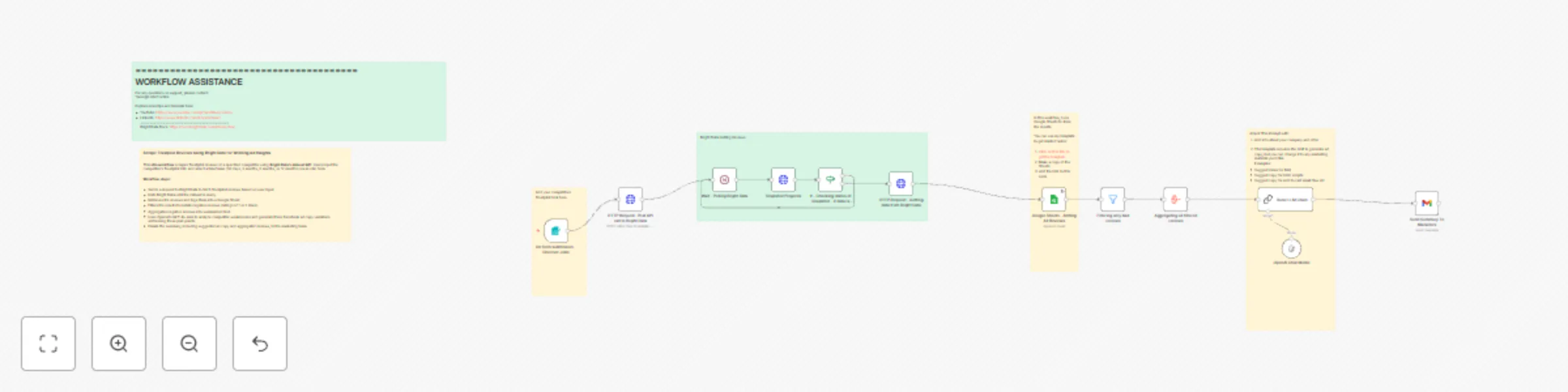
🔹 Step-by-Step Breakdown
Competitor’s Trustpilot URL
Review timeframe (30d, 3m, 6m, 12m)
Calls Bright Data’s Dataset API with URL & timeframe
Polls until snapshot is ready
Extracts all reviews
Saves them into a structured Google Sheet
Filters to only 1–2 star reviews
Summarizes common negative feedback
Sends the summary to OpenAI GPT-4o-mini
Produces 3 variations of ad copy targeting pain points
Sends ad copy + summary via email to the marketing team
-LLM Account -Google Sheets - Copy this sheet: https://docs.google.com/spreadsheets/d/1Zi758ds2_aWzvbDYqwuGiQNaurLgs-leS9wjLWWlbUU/edit?gid=0#gid=0
-Bright Data account
**Step 1: Google Sheets ** Copy this Google Sheets template
Do not change column headers
**Step 2: n8n Credential Setup ** Google Sheets: OAuth2
Bright Data: Authorization Header
OpenAI: API Key for GPT-4o-mini
**Step 3: Import Workflow ** Import the .json file into n8n
Configure your sheet + dataset ID
Adjust GPT prompts as needed
**Step 4: Run the Workflow ** Trigger via form
Receive ad copy + review insights via email
Bright Data snapshots may take time — polling is handled
Focusing on 1–2 star reviews yields the most actionable pain points
You can customize GPT-4o-mini prompts for tone or vertical
Need help or customization?
📧 Email: [email protected] 📺 YouTube: @YaronBeen 🔗 LinkedIn: linkedin.com/in/yaronbeen
📚 Bright Data Docs: docs.brightdata.com/introduction
This catalog entry is organized from the workflow JSON. The node-level section below shows the executable blocks available for review before importing the template.
| Workflow | Scrape Trustpilot reviews using Bright Data & GPT-4o-mini for winning ad copy |
|---|---|
| Complexity | advanced |
| Nodes | 18 |
| Categories | Content Creation, Multimodal AI |
| Author | Yaron Been |
| Published | 19 Apr 2025 |
Use the JSON export at /data/workflows/3610/3610.json as the source template for this automation.
Open n8n, import the downloaded JSON, and review each node before activating the workflow.
Replace placeholder credentials, API keys, webhook URLs, account IDs, and environment-specific values with your own settings.
Run the workflow manually or in a staging workspace, inspect node output, and confirm downstream systems receive the expected data.
Enable the workflow only after testing, then monitor executions, errors, and rate limits during the first production runs.
Review imported nodes carefully before activation. This catalog entry is intended to help you inspect the workflow structure, understand required services, and find related templates faster.
Node names, credentials, schedules, webhook paths, and external service limits may need adjustment for your workspace.
Competitor Review Scraper & Ad Copy Generator (Trustpilot + Bright Data + GPT 4o mini) Who It's For Marketers, business owners, and agencies looking to: Analyze competitor pain points Generat...
Review the workflow JSON, configure any required credentials in n8n, and test the automation in a safe workspace before using it in production.
Yes. Use the block-by-block analysis and the downloadable JSON to inspect each node, then adjust credentials, prompts, schedules, filters, or destinations for your Content Creation, Multimodal AI use case.