Block 1 - Schedule Trigger
- Type / Role
- n8n-nodes-base.scheduleTrigger - scheduleTrigger
- Config choices
- Version 1.3


 Early Deal
Stop fighting alerts and start orchestrating intelligence. This workflow is a complete ecosystem designed to combat network threats in real time. It transforms raw DNS logs into structured knowledg...
n8n-nodes-base.scheduletrigger, n8n-nodes-base.mysql, n8n-nodes-base.httprequest, n8n-nodes-base.if, n8n-nodes-hashi-vault.hashicorpvault, @n8n/n8n-nodes-langchain.agent, @n8n/n8n-nodes-langchain.lmchatgooglegemini, n8n-nodes-base.code
This workflow is cataloged by N8N Workflows and links back to its original n8n.io source page by Lukasz FD.
Original n8n.io sourceStop fighting alerts and start orchestrating intelligence.
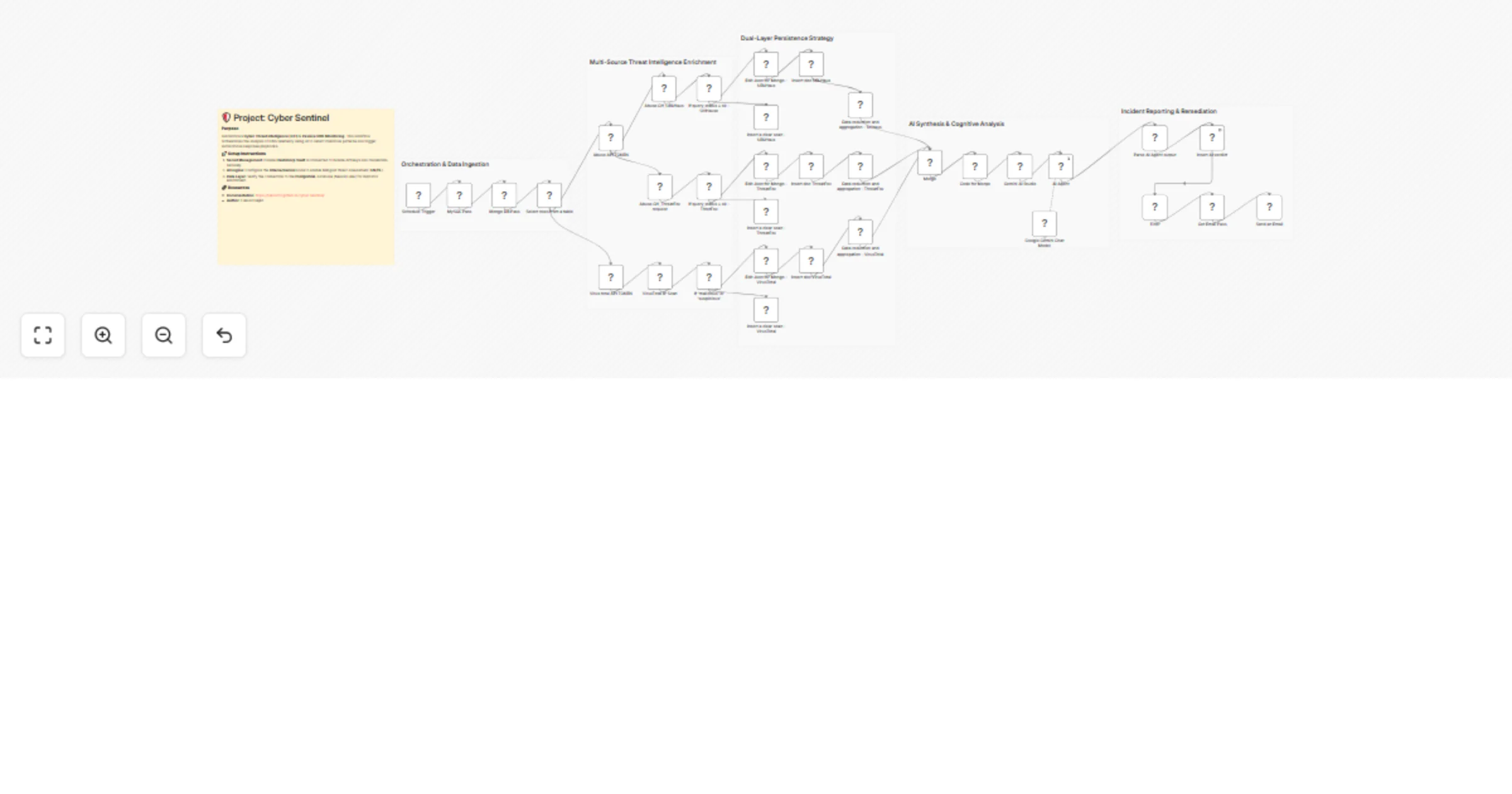
This workflow is a complete ecosystem designed to combat network threats in real-time. It transforms raw DNS logs into structured knowledge, leveraging Artificial Intelligence to make decisions that previously required hours of manual work by a SOC analyst. Real-World Problems it Solves:
Manual Threat Analysis: Automates the process of verifying suspicious domains and IP addresses across multiple CTI sources simultaneously.
Security Credential Management: Eliminates the risk of API key leaks through native integration with HashiCorp Vault.
Alert Fatigue: Thanks to built-in filtering logic, the system only notifies you when the AI Threat Score exceeds 5 (Malicious/Critical).
Data Fragmentation: Consolidates data from multiple CTI providers into a single, cohesive technical report.
Core System Components:
The workflow manages and communicates with the following elements of your infrastructure:
Traffic Capture: Monitors passive DNS traffic to identify new Indicators of Compromise (IoCs).
Secret Engine: HashiCorp Vault provides database credentials and API tokens dynamically during workflow execution.
Intelligence Layer: Features three independent scanning branches: VirusTotal, Abuse_URLhaus, and Abuse_ThreatFox.
AI Brain: Google Gemini AI acts as a "Senior Security Analyst," correlating data and generating verdicts in both English and Polish.
Automated Response: An email notification system triggered exclusively for confirmed high-risk threats.
Release v1.0.0 Highlights
This release (available on https://github.com/lukaszFD/cyber-sentinel/releases) marks the first fully stable production-ready version of the system.
Key features of this release:
Full Ansible Orchestration: The entire stack—including Nginx, Vault, databases, and n8n—is deployed automatically using Ansible playbooks.
Infrastructure as Code (IaC): Secure deployment based on Ansible Vault, requiring only the population of credentials and the presence of a .vault_pass file.
Production-Ready: The system has been rigorously tested for stability in both Debian (Proxmox) and Raspberry Pi 5 environments.
Documentation : https://lukaszfd.github.io/cyber-sentinel/
This catalog entry is organized from the workflow JSON. The node-level section below shows the executable blocks available for review before importing the template.
Showing the first 24 of 40 workflow blocks. Download the JSON for the full node graph.
| Workflow | Score DNS threats with VirusTotal, Abuse.ch, HashiCorp Vault and Gemini |
|---|---|
| Complexity | advanced |
| Nodes | 40 |
| Categories | SecOps, AI Summarization |
| Author | Lukasz FD |
| Published | 17 Mar 2026 |
Use the JSON export at /data/workflows/14127/14127.json as the source template for this automation.
Open n8n, import the downloaded JSON, and review each node before activating the workflow.
Replace placeholder credentials, API keys, webhook URLs, account IDs, and environment-specific values with your own settings.
Run the workflow manually or in a staging workspace, inspect node output, and confirm downstream systems receive the expected data.
Enable the workflow only after testing, then monitor executions, errors, and rate limits during the first production runs.
Review imported nodes carefully before activation. This catalog entry is intended to help you inspect the workflow structure, understand required services, and find related templates faster.
Node names, credentials, schedules, webhook paths, and external service limits may need adjustment for your workspace.
Stop fighting alerts and start orchestrating intelligence. This workflow is a complete ecosystem designed to combat network threats in real time. It transforms raw DNS logs into structured knowledg...
Review the workflow JSON, configure any required credentials in n8n, and test the automation in a safe workspace before using it in production.
Yes. Use the block-by-block analysis and the downloadable JSON to inspect each node, then adjust credentials, prompts, schedules, filters, or destinations for your SecOps, AI Summarization use case.